

Muse
Skiv is a next-gen ad-free video hosting platform with AI-powered in-video search, customizable embeds, and built-in monetization tools for content creators.
What is Skiv? A Content Creator's Guide
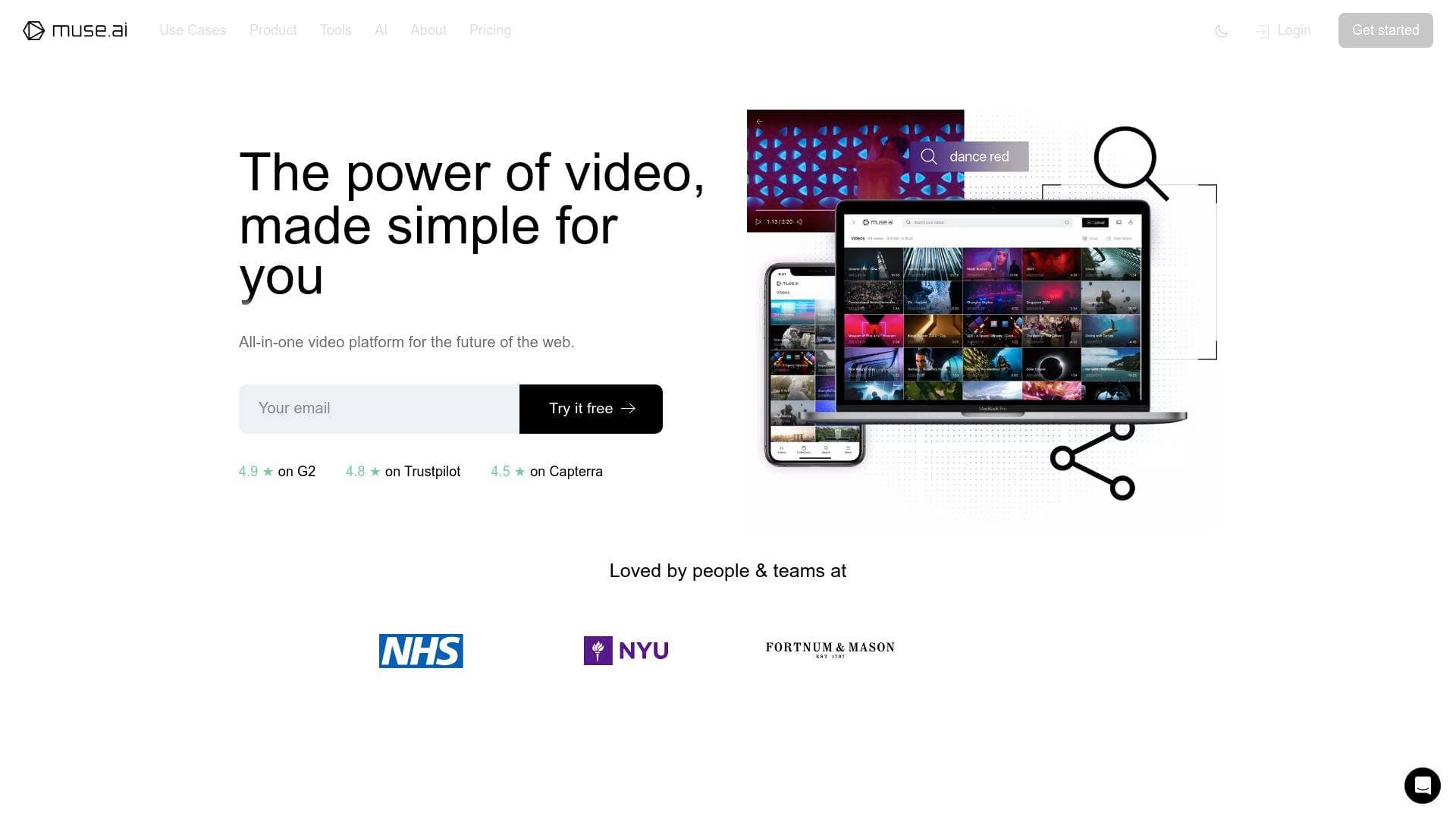
Skiv is a next-gen ad-free video hosting platform built for creators who need more than just a place to store their videos. Originally launched as muse.ai, the platform has evolved into a comprehensive video hosting and management solution that combines cloud storage, an advanced embeddable player, and AI-powered search into a single, creator-focused package. The core problem it solves is a familiar one: finding specific moments inside a growing video library without scrubbing through hours of footage manually. Skiv's AI analyzes every video and makes its contents fully searchable by speech, text, people, objects, sounds, and actions. Content creators who manage large libraries of tutorials, vlogs, course material, or raw footage will find this particularly valuable. The platform supports 4K playback, adaptive streaming via DASH and HLS, and integrates with WordPress, Squarespace, Wix, and other popular platforms. With built-in monetization through Skiv Portals, a browser-based screen recorder, and a privacy-first approach that keeps videos ad-free and distraction-free, Skiv positions itself as a complete video infrastructure for independent creators. It holds a 4.9-star rating on G2 and 4.5 stars on Capterra.
Skiv Features That Matter for Content Creators
-
AI-Powered In-Video Search: Skiv's AI automatically analyzes uploaded videos and makes every frame searchable. Creators can search for speech, text, people, objects, sounds, and actions, then jump directly to the second those elements appear. This is a major time-saver for creators working with large archives of raw footage or lecture recordings who need to locate specific clips without manual scrubbing.
-
ChatGPT-Powered Conversational Search: Beyond keyword search, Skiv integrates a ChatGPT-based chat interface that lets creators interact with their video library conversationally. Ask it to find a "happy moment" or a "mysterious atmosphere," and it delivers relevant results. This abstract-concept search capability goes well beyond standard keyword matching and opens up entirely new ways to navigate a content library.
-
Ad-Free, Distraction-Free Video Hosting: Videos hosted on Skiv play without ads, and the platform does not recommend competing creators' content at the end of videos. For creators who embed content on their own websites or use Skiv Portals, this means audiences stay focused on the creator's content rather than being pulled away by algorithmic recommendations.
-
Customizable Embeddable HTML5 Player: The player can be embedded on any website without coding experience, and supports deep customization including logo placement, CSS styling, and call-to-action screens. It works across WordPress, Squarespace, Wix, WhatsApp, Facebook, Twitter, Reddit, Slack, and more. Creators can match the player's look to their own brand identity.
-
Skiv Portals for Monetization: Creators can launch their own branded streaming service using Skiv Portals, complete with custom subscription tiers and paid access levels. Skiv handles account management and billing, so creators simply set up their Portal and start welcoming paying viewers. This is a direct path to building a subscription-based video business without third-party platforms.
-
Skiv Market for Video Sales: Beyond subscriptions, Skiv Market lets creators sell full ownership or license their videos directly to fans. This opens up additional monetization methods beyond traditional ad revenue or subscriptions, giving creators more control over how they earn from their content.
-
Browser-Based Screen and Camera Recording: Creators can record their screen, camera, or both directly from the browser with no downloads or extensions required. Recordings are immediately ready for sharing after finishing, and chapters and transcripts can be added automatically. This makes Skiv useful for tutorial creators, course instructors, and anyone producing demo or onboarding content.
-
Automatic Transcription, Subtitles, and Smart Chapters: Every uploaded video is automatically transcribed, generating English subtitles and an interactive transcript for viewers. Smart chapters are also auto-generated, allowing audiences to navigate video content by section. Creators can manually edit transcripts, label people, objects, text, actions, and sounds directly from the player page on any device.
-
Unlimited Upload Size with Resumable Uploads: There are no file size limits on uploads, and if a connection drops mid-upload, the transfer resumes automatically from where it left off. Videos are also auto-transcoded into universally supported formats for playback across all browsers, and original files are stored and downloadable by the owner at any time.
-
Powerful Analytics: Creators can track view count, time watched, engagement, and more across their video library. This data helps inform content strategy and understand how audiences interact with specific videos or collections.
-
Global CDN with Buffer-Free Streaming: Skiv delivers video through a global CDN with edge infrastructure for fast ingestion and transcoding. Adaptive streaming via DASH and HLS ensures buffer-free playback regardless of viewer connection speed, and videos are encoded to the highest possible resolution including 4K and beyond.
-
Privacy-First Hosting with Advanced Security: Videos are private by default, and creators have full control over visibility settings including geo-restrictions, password protection, expiring links, and limited-use links. Skiv does not track or sell personal information, and multiple backup versions of content are stored in multiple locations to protect against data loss.
Which Content Creators Should Use Skiv?
Skiv is built for creators who want full control over how their video content is hosted, discovered, and monetized. It's particularly well-suited for those who are tired of ad-supported platforms pushing viewers toward competing content. Whether you're a solo creator or managing a team, the platform scales to fit different workflows and content volumes.
Primary creator types:
- Course creators and educators who need to store lecture libraries, make content searchable by topic, and offer paid or free subscription tiers through Portals
- YouTubers and video bloggers who want to host content on their own website without ads or competitor recommendations
- Podcasters with video components who need transcripts, searchable archives, and embeddable players for their websites
- Tutorial and demo creators who can use the browser-based recorder to capture screen and camera content instantly
- Independent filmmakers and videographers managing large archives of raw footage who need AI search to locate specific clips quickly
- Newsletter writers who want to embed clean, branded video players in their content without sending readers to ad-heavy platforms
- Community builders and membership site owners who want to launch a branded streaming service with paid subscription tiers
Specific use cases:
- Embedding a full searchable video library on a personal or brand website
- Building a paid video subscription service using Skiv Portals
- Selling individual videos or licenses directly to fans via Skiv Market
- Recording and sharing screen-based tutorials without any software installation
- Organizing years of raw footage into searchable collections and sub-collections
- Adding custom call-to-action screens to videos embedded across the web
- Boosting SEO with AI-generated auto-tags applied to every uploaded video
- Collaborating with a team using Skiv Teams with secure permissions
Experience level: The platform is designed to be accessible to creators of any skill level, with no-code embedding options and a user-friendly interface, while also offering an API for creators who want deeper customization.
Getting Started with Skiv
- Create a free account: Sign up at skiv.com using Google or email. No credit card is required to start a free trial.
- Upload your videos: Upload files of any size directly from your browser. If your connection drops, the upload resumes automatically once you're back online.
- Let AI analyze your library: After upload, Skiv's AI automatically transcribes, labels, and indexes your video content, making it instantly searchable by speech, people, objects, text, sounds, and actions.
- Embed or share: Use the built-in embed tools to place your player on WordPress, Squarespace, Wix, or any other platform. Customize the player with your logo and styling options.
- Set up monetization: Launch a Skiv Portal to offer free or paid subscription tiers, or list videos on Skiv Market to sell directly to your audience.
Skiv FAQ for Content Creators
Is Skiv free to use? Skiv offers a free trial with no mention of requiring a credit card to get started. Paid plans are available for creators who need more storage or advanced features, with pricing listed on the Skiv pricing page.
Does Skiv place ads on my videos? No. Skiv is an ad-free platform, meaning your videos play without interruptions and without recommending competing creators' content to your viewers. Your content remains the sole focus for your audience.
Can I embed Skiv videos on my own website? Yes. Skiv provides an embeddable HTML5 player that works on WordPress, Squarespace, Wix, and many other platforms with no coding required. Creators can also use the API for more advanced customization.
What does the AI video search actually find? The AI searches for speech, text on screen, people, objects, sounds, and actions within videos. It also supports abstract concept searches like "mysterious atmosphere" or "happy moment" through the ChatGPT-powered chat interface.
Can I monetize my videos directly through Skiv? Yes, through two methods. Skiv Portals lets creators build a branded streaming service with paid subscription tiers, while Skiv Market allows creators to sell full ownership or licenses of individual videos directly to fans.
Does Skiv support 4K video? Yes. The player supports 4K playback and beyond, with adaptive streaming via DASH and HLS to ensure buffer-free delivery regardless of viewer connection speed.
Can I record videos directly in Skiv? Yes. Skiv includes a browser-based screen and camera recorder that requires no downloads or extensions. Recordings are immediately available for sharing after completion, with automatic transcripts and chapter support.
Are my videos private by default? Yes. All videos are private by default on Skiv, with advanced visibility controls including password protection, geo-restrictions, expiring links, and limited-use links available to creators.
The Verdict: Is Skiv Worth It for Content Creators?
Skiv stands out as a serious video hosting platform for creators who want ownership, control, and intelligence over their video libraries. The AI-powered in-video search is genuinely differentiated, making it possible to locate specific moments across thousands of hours of footage in seconds rather than hours. For course creators, the combination of Portals for subscriptions, Market for direct sales, and ad-free hosting creates a complete monetization stack without relying on third-party platforms. The browser-based recorder, automatic transcription, smart chapters, and customizable embeds round out a feature set that covers most of what independent creators need.
The main consideration is that Skiv is primarily a hosting and management platform rather than a video editing tool, so creators will still need separate software for post-production. That said, for hosting, discoverability, monetization, and audience experience, Skiv delivers a compelling package that prioritizes creator control over algorithmic interference. Creators who have outgrown ad-supported platforms or who want to build a professional, branded video presence on their own terms will find Skiv a strong fit.
Details
One link. Every channel, rate, and piece of work brands need to evaluate you. Built for how creators actually get hired.
Claim your profile
Live creator, content, and marketing roles from real companies, with the pay, market, and context the raw job page never gives you.
Browse jobs

 Post Bridge