

Post Bridge
Post Bridge is a social media scheduling tool that lets content creators cross-post to 9 platforms simultaneously from one dashboard, saving hours of manual posting each week.
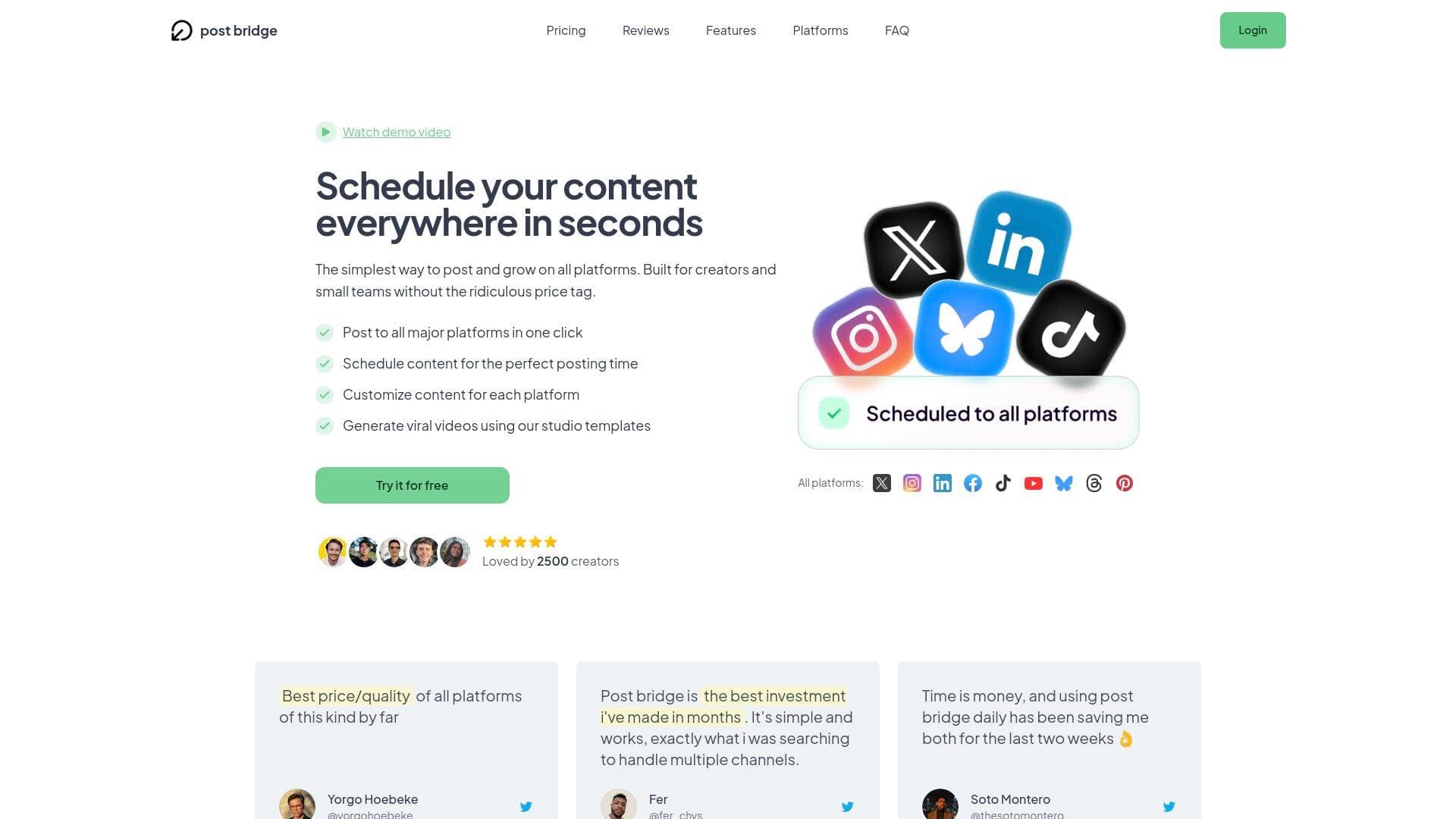
Brief Overview of Post Bridge for Content Creators
Managing social media across multiple platforms is one of the biggest time drains for content creators. Post Bridge is a social media scheduling and cross-posting tool built specifically to solve that problem, letting creators publish to up to 9 platforms simultaneously from a single dashboard. The platform supports Twitter/X, Instagram, LinkedIn, Facebook, TikTok, YouTube, Bluesky, Threads, and Pinterest, covering virtually every major platform where creators build audiences today. Built by a solo founder (Jack) who was personally spending over an hour every day manually reposting the same content across platforms, Post Bridge was designed from the ground up to be lightweight, fast, and affordable. The average time to post everywhere is just 2 minutes, compared to the 30+ minutes many creators spend switching between apps and accounts. With over 1,560 active users and more than 1.1 million posts published through the platform, it has proven itself as a reliable content scheduling solution for creators at various stages of growth. What sets it apart is its deliberate simplicity and fair pricing, positioned as a no-bloat alternative to expensive enterprise-grade tools that charge $75-$200 per month for features most creators never use.
Post Bridge Key Features for Content Creators
-
Simultaneous Cross-Posting to 9 Platforms: Creators can publish content to Twitter/X, Instagram, LinkedIn, Facebook, TikTok, YouTube, Bluesky, Threads, and Pinterest all at once with a single click. This eliminates the need to log into each platform separately, saving significant time every single day for creators managing an active posting schedule.
-
Post Scheduling: Content can be planned and queued in advance across all supported platforms. Creators can build out their content calendar ahead of time, set publish times, and let Post Bridge handle the distribution automatically, keeping posting consistent even during busy periods.
-
Per-Platform Post Customization: Each post can be customized specifically for the platform it's being sent to. This gives creators the flexibility to tailor captions, formats, or details to match what performs best on each individual platform without having to create entirely separate workflows.
-
Bulk Video Scheduling: Creators who produce video content at scale can schedule multiple videos in bulk across platforms. This is particularly useful for TikTokers, YouTubers, and short-form video creators who want to maintain a high posting frequency without spending hours in a scheduling tool each week.
-
Content Studio with Video Templates: Post Bridge includes a built-in Content Studio with proven templates for creating videos directly within the platform. The drag-and-drop editor lets creators customize templates for their brand, and users can create and schedule content in one continuous workflow without switching between separate creation and scheduling tools.
-
Multi-Account Support Per Platform: Creators can connect multiple accounts from the same platform. For example, someone managing two TikTok accounts or both a personal and brand Instagram can handle everything from one dashboard. The Creator plan supports up to 15 connected social accounts total, while the Pro plan offers unlimited connected accounts.
-
Content Management Dashboard: All scheduled and published posts are visible in one centralized view. Creators can track what has gone out, edit upcoming posts, and maintain a clear picture of their content strategy without digging through individual platform dashboards.
-
Analytics (Beta): Both the Creator and Pro plans include access to analytics in beta, giving creators a starting point for performance tracking across their connected accounts.
-
AI Agent and MCP Integration: Post Bridge supports connections with AI agents and can be used directly from AI assistants like Claude and ChatGPT via MCP (Model Context Protocol). This opens up automation possibilities for creators who are building AI-assisted content workflows or want to trigger posts programmatically.
-
Developer API: For creators or teams who want to build custom integrations, a Developer API is available as an add-on for $5/month or $50/year (requires an active subscription). This enables multi-platform posting to be embedded into custom tools, apps, or automation pipelines.
Post Bridge Target Users & Use Cases for Content Creators
Post Bridge is built for creators who are serious about maintaining a consistent presence across multiple platforms without letting social media management consume their entire day. It works equally well for solo creators just starting to scale their output and for small creator teams managing brand accounts alongside personal profiles.
-
Primary creator types: TikTokers, YouTubers, Instagram creators, short-form video creators, indie app developers using content marketing, and multi-platform social media creators who need to maintain presence across several networks simultaneously.
-
Experience level: The platform is explicitly designed for creators with no learning curve required. One user went from zero experience to a scheduled post in under 5 minutes, making it accessible to beginners while still being powerful enough for high-volume creators posting 4+ videos daily across every platform.
-
Team size: Solo creators are the primary audience, though the Pro plan includes the ability to invite team members, making it viable for small creator teams or creator-led brands with a social media manager.
-
Specific use cases:
- A TikToker who creates daily short-form videos and wants to automatically distribute each one to Instagram Reels, YouTube Shorts, and other platforms without manual re-uploading
- A YouTuber building a cross-platform audience who needs to schedule promotional posts across Twitter/X, LinkedIn, and Bluesky simultaneously
- A blogger or newsletter writer promoting new content across all social channels at once with platform-specific captions
- A creator managing both a personal brand account and a separate brand account on the same platform (e.g., two Instagram accounts)
- An indie creator or founder using organic video content to drive app downloads or product sales, posting 4+ videos per day across every platform
- A creator who wants to batch-schedule a full week of content in one sitting and then focus entirely on creation for the rest of the week
- A small creator team where one person handles content creation and another handles scheduling and distribution across multiple brand accounts
- A creator experimenting with newer platforms like Bluesky or Threads who wants to cross-post from established platforms without extra effort
-
Content types supported: Videos, images, text posts, carousels (multiple images), and reels.
How to Get Started with Post Bridge
- Create a free account: Sign up at Post Bridge with no payment required upfront. A 7-day free trial is available for paid plans, and free users can publish up to 5 posts to explore the platform.
- Connect your social accounts: Link your accounts across any of the 9 supported platforms using official authentication methods. Passwords are never stored; login happens through each platform's official secure login page.
- Create or import your content: Use the built-in Content Studio to create videos using templates and the drag-and-drop editor, or bring your own existing content directly into the dashboard.
- Customize per platform and schedule: Tailor each post for individual platforms as needed, then set your publish time or post immediately across all selected platforms with a single click.
Frequently Asked Questions About Post Bridge
How many social media platforms does Post Bridge support? Post Bridge currently supports 9 platforms: Twitter/X, Instagram, LinkedIn, Facebook, TikTok, YouTube, Bluesky, Threads, and Pinterest. All 9 are available for both scheduled and instant posting, with more platforms planned for the future.
Will using a scheduling tool hurt reach or algorithmic performance? Based on Post Bridge's own testing, there is no difference in reach between posts published manually and posts published through Post Bridge. Creators using the platform have reported millions of views on content distributed through it, including one user who reached 2.6 million views in 6 weeks posting 4 videos per platform daily.
How much does Post Bridge cost? The Creator plan is $29/month and supports up to 15 connected social accounts with unlimited posts, scheduling, carousel posts, bulk video scheduling, Content Studio access, and analytics (beta). The Pro plan is $49/month and adds unlimited connected accounts, team member invitations, viral growth consulting, and priority support. A 7-day free trial is available for both plans with no payment due at signup. Annual billing saves one month compared to monthly pricing.
Can creators connect multiple accounts from the same platform? Yes. Multiple accounts per platform are supported on all plans. A creator could, for example, connect all 15 account slots on the Creator plan to TikTok accounts, or mix and match across platforms however they need.
Is there a free plan available? Free users can publish up to 5 posts total (note: 1 post sent to 4 platforms counts as 4 posts). This is enough to test the core functionality before committing to a paid plan.
Can I cancel my subscription anytime? Yes, there is no lock-in. Cancellations take effect at the end of the current billing period, and all paid features remain accessible until that date. Refunds are available within 7 days of being charged by contacting support via email.
What kind of support does Post Bridge offer? The Creator plan includes human support directly from Jack (the founder). The Pro plan includes priority human support. Response times are within 24 business hours, though typically faster. This is a notable contrast to larger platforms where support tickets can take days to receive responses.
Bottom Line: Should Content Creators Choose Post Bridge?
Post Bridge is a strong fit for content creators who are tired of spending an hour or more every day manually reposting the same content across platforms. The combination of 9 supported platforms, unlimited posts on paid plans, bulk video scheduling, a built-in Content Studio, and pricing starting at $29/month makes it one of the more accessible and practical social media scheduling tools available for individual creators and small teams.
It is particularly well-suited for high-frequency video creators on TikTok, YouTube, and Instagram who need to maintain daily posting across multiple platforms without burning out on the logistics. The platform's deliberate simplicity means there is virtually no learning curve, which is a genuine advantage for creators who want a tool that just works without weeks of onboarding.
The main limitation to be aware of is that the free tier is quite restricted at 5 posts total, so meaningful testing requires starting a trial. Analytics are also still in beta, so creators who rely heavily on deep performance data may find that feature set still maturing.
For creators who have been priced out of larger social media management platforms or frustrated by their complexity, Post Bridge delivers the core functionality that matters most at a fraction of the cost.
Details
One link. Every channel, rate, and piece of work brands need to evaluate you. Built for how creators actually get hired.
Claim your profile
Live creator, content, and marketing roles from real companies, with the pay, market, and context the raw job page never gives you.
Browse jobs
