

Cockpit
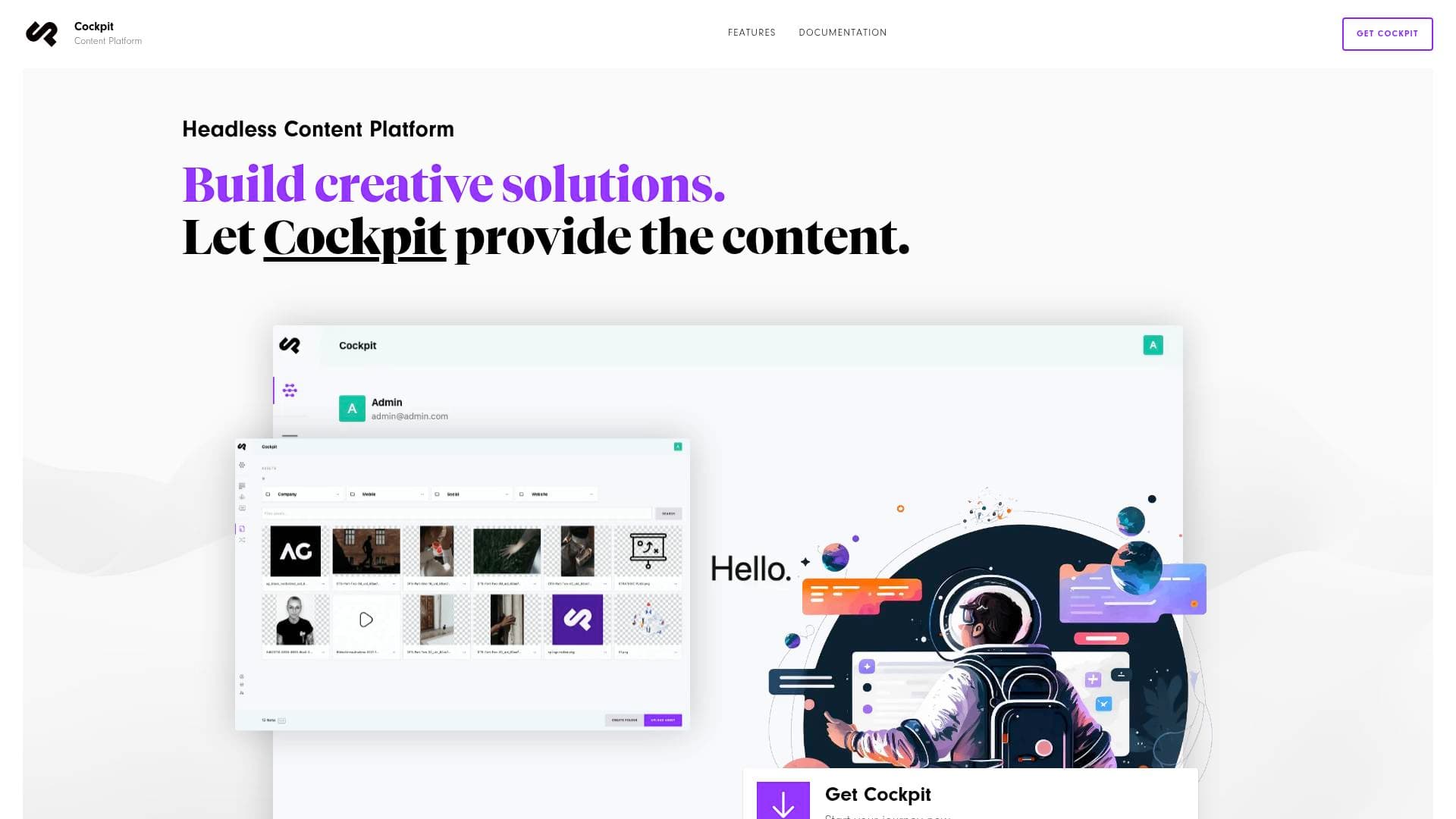
Cockpit is a self-hosted, open-source headless content platform that lets content creators manage structured content and deliver it anywhere via REST and GraphQL APIs.
Brief Overview of Cockpit for Content Creators
Cockpit is a self-hosted headless content platform built for creators, marketers, and developers who need full control over their structured content without the overhead of bloated CMS solutions. At its core, it solves one of the most persistent pain points in the content creation workflow: vendor lock-in. Rather than being tied to a subscription-based SaaS platform with per-seat pricing, API call limits, and escalating monthly fees, creators can host Cockpit on their own server and own their data completely. The platform operates on an API-first, JSON content approach, delivering content via both REST and GraphQL, which means it can power websites, mobile apps, single-page applications, newsletters, and virtually any digital channel a creator operates. Setup takes approximately five minutes and requires no account creation, making it one of the most frictionless self-hosted content management tools available. The core version is MIT-licensed and free forever, with a Pro tier available as a one-time purchase of €299 per project rather than a recurring subscription. For content creators managing multiple content channels, building personal brand websites, or running content-heavy digital projects, Cockpit provides a lightweight but flexible backend that scales without surprise invoices.
Cockpit Key Features for Content Creators
-
Content Hub with Multichannel Distribution: Cockpit centralizes all content in a single dashboard and distributes it to multiple channels simultaneously. For creators running a blog, newsletter, mobile app, and social feeds from the same content library, this eliminates the need to manually duplicate or reformat content across platforms.
-
AI-Powered Autopilot (Pro): The Autopilot addon lets creators generate text, rewrite copy, and create images directly inside the editor, promising content production at 10x speed. It also includes chatbot integration and tools for enhancing content readability and engagement, making it particularly useful for creators who produce high volumes of written content.
-
Flexible Structured Content Models: Cockpit supports multiple field types, conditional fields, and content previews, giving creators the ability to build custom content structures that match exactly how they think about their content. Whether organizing a podcast episode library, a recipe collection, or a course curriculum, the content model adapts to the creator's workflow rather than forcing the creator to adapt to a rigid template.
-
Asset Management with Image API: The built-in asset manager supports cloud storage, nestable asset folders, main color extraction from images, and an Image API for generating thumbnails on the fly. Creators managing large media libraries, including video assets with transcoding support and AVIF image format compatibility, will find this significantly reduces the friction of media organization.
-
Lokalize for Multilingual Content (Pro): Creators building global audiences can manage translations with AI-powered suggestions via DeepL or LibreTranslate. The addon handles key-based language strings and auto-translation suggestions, making international content distribution far more manageable without a dedicated localization team.
-
Layouts Visual Page Builder (Pro): A drag-and-drop component-based page builder lets creators assemble pages without touching code. It supports grids for nested layouts, core and custom components, and copy-paste functionality between components, giving non-technical creators genuine visual control over page structure.
-
Pages Addon with SEO Tools (Pro): The Pages addon builds complete websites with SEO-ready pages, automatic routing, multilevel navigation menus, and advanced SEO options. For creators who care about organic search visibility, having SEO controls baked directly into the content platform removes the need for additional plugins or third-party tools.
-
Revisions and Content Safety: Cockpit maintains a full revision history, allowing creators to safely revert content to any previous version. This is especially valuable for creators collaborating with editors or managing content updates across long-running projects where mistakes need to be recoverable.
-
Webhooks for Workflow Automation (Pro): Event-based webhook triggers fire whenever content changes, enabling creators to automate downstream actions in external services. Custom headers, custom payloads, and the ability to pause webhooks give granular control over how content changes propagate through a creator's broader tech stack.
-
Personi Audience Personalization (Pro): The Personi addon delivers personalized content variants to different audience segments using smart variant matching with Jaccard similarity and schedule-based activation. Creators building membership sites or audience-segmented content experiences can show the right message to the right reader at the right time without custom development.
-
Inbox for Form Submissions (Pro): Creators can collect audience feedback, sponsorship inquiries, or newsletter signups directly through Cockpit's Inbox addon, which handles file uploads, spam protection, and submission notifications. Multiple security and restriction options keep inbound data clean and manageable.
-
Roles and Permissions: Fine-grained permission controls support multiple user roles, making Cockpit practical for creator teams where editors, contributors, and administrators need different levels of access. This is particularly useful for creators who work with freelance writers, virtual assistants, or co-creators.
Cockpit Target Users & Use Cases for Content Creators
Cockpit is built for creators who want technical ownership of their content infrastructure without being developers themselves, as well as for creator-developer hybrids who want maximum flexibility. The free core tier suits independent creators and hobbyists, while the one-time Pro license at €299 per project targets professional creators and small teams who need advanced capabilities without ongoing subscription costs. Non-profits, open-source projects, and educational creators can access a 50% discount on the Pro tier.
-
Primary creator types: Bloggers and writers building custom publication platforms, podcasters organizing episode libraries and show notes, course creators structuring lesson content, newsletter writers managing multilingual subscriber content, developers building creator tools and content-driven apps
-
Experience level: The five-minute setup and no-account-required approach suits intermediate creators comfortable with self-hosting; the API-first architecture and documentation for Next.js, Nuxt, Remix, and Laravel integrations cater to technically inclined creators
-
Team size: Roles and permissions support solo creators scaling to small teams with editors, contributors, and administrators
-
Specific use cases:
- A blogger running a multilingual content site uses Lokalize and the REST API to deliver translated posts to a Next.js frontend
- A podcaster uses structured content models to organize episode metadata, transcripts, and show notes in one place
- A course creator uses the Layouts visual builder to assemble lesson pages without writing code
- A newsletter writer uses Autopilot to generate and rewrite copy directly inside the editor, then distributes via API to multiple delivery channels
- A creator team uses Roles and Permissions to give editors content access without exposing backend settings
- A creator building a membership site uses Personi to show personalized content variants to different audience tiers
- A content creator migrating away from a SaaS CMS uses the Sync addon to push content between development, staging, and production environments safely
- A creator collecting sponsorship inquiries uses the Inbox addon with spam protection and email notifications to manage inbound submissions
-
Content types: Structured text, images (including AVIF and SVG), video assets, multilingual strings, form submissions, page trees with SEO metadata, component-based layouts
How to Get Started with Cockpit
- Download Cockpit: Grab either the free Core version or the Pro version from the official download page. No account creation is required before downloading.
- Install on your server: Cockpit requires PHP 8.3 or higher and supports SQLite or MongoDB as the database. The installation process is documented in the Quickstart guide covering requirements, installation, and configuration steps.
- Configure your content models: Use the admin UI to define flexible content structures with the field types and conditional logic that match your specific content creation workflow.
- Connect your frontend: Cockpit works with any tech stack that can make an HTTP request. Official integration guides cover Next.js, Nuxt.js, Remix, and Laravel, with REST and GraphQL APIs available for any other framework.
- Extend with addons: Activate Pro addons like Autopilot, Pages, Lokalize, or Personi based on your content creation needs, all managed from within the Cockpit dashboard.
Frequently Asked Questions About Cockpit
Can creators try Cockpit Pro before committing to a purchase? Cockpit Pro can be downloaded and tested on any non-public development environment with no time limit and no feature restrictions. The evaluation period lasts as long as needed before going live.
How does the Pro license pricing work for content creators? One Pro license covers one production site and unlimited development or staging environments at a one-time cost of €299. It includes one year of updates, with renewals available at €99/year to continue receiving updates. Creators can also keep using the version they have without renewing.
Is there any risk of losing content if a creator stops using Cockpit? There is no vendor lock-in. Data stays on the creator's own server in SQLite or MongoDB, and everything can be exported at any time in standard formats. Content ownership remains entirely with the creator.
What databases does Cockpit support? Cockpit supports SQLite and MongoDB as data storage options. Creators can also configure custom database settings when creating spaces, giving flexibility for different hosting environments.
Does Cockpit support AI-assisted content creation? The Pro Autopilot addon enables AI-powered text generation, copy rewriting, and image creation directly inside the editor. The Lokalize addon adds AI-powered translation suggestions via DeepL or LibreTranslate for multilingual content workflows.
What support options are available for content creators using Cockpit? Pro license holders receive email support directly from the Cockpit development team. Community support is available through GitHub Discussions. Enterprise-level support with SLAs is available on request for creators with high-stakes production requirements.
Can Cockpit handle video content for creators? Yes. The asset manager includes video frame preview, video transcoding helper functions, video thumbnail creation via ffmpeg, and video duration metadata on upload (when ffmpeg is available).
Bottom Line: Should Content Creators Choose Cockpit?
Cockpit is a strong fit for content creators who are tired of paying escalating SaaS subscription fees and want genuine ownership of their content infrastructure. The free Core tier is a compelling starting point for technically comfortable creators who want a flexible, self-hosted content management solution without any ongoing costs. The Pro tier at €299 per project is particularly well-suited for professional creators building content-heavy websites, multilingual publications, or personalized audience experiences, since it replaces recurring monthly fees with a predictable one-time investment.
The main consideration is that Cockpit is a headless CMS, meaning it requires a separate frontend to display content publicly. Creators who want an all-in-one website builder with hosting included will need to look elsewhere. However, for creators already working with modern frameworks like Next.js, Nuxt, or SvelteKit, or those partnering with a developer, Cockpit's API-first approach and extensive addon ecosystem offer a level of content control and flexibility that subscription-based platforms rarely match. The combination of full data ownership, no per-seat pricing, and a genuinely capable Pro addon suite makes Cockpit a serious option for creators building for the long term.
Details
One link. Every channel, rate, and piece of work brands need to evaluate you. Built for how creators actually get hired.
Claim your profile
Live creator, content, and marketing roles from real companies, with the pay, market, and context the raw job page never gives you.
Browse jobs

 Post Bridge