
EpocCam
Elgato is a creator hardware and software brand offering webcams, microphones, capture cards, Stream Deck controllers, teleprompters, and lighting for streamers, podcasters, and video producers.
Brief Overview of Elgato for Content Creators
Elgato is a creator-first hardware and software brand built specifically for streamers, podcasters, video producers, and anyone who records or broadcasts content from a desk. The core problem it solves is simple: getting professional-quality audio, video, and production control without stitching together incompatible gear from a dozen different brands. Every product in the Elgato lineup is engineered to work together as a cohesive ecosystem, from Wave microphones and mic arms to Stream Deck controllers, capture cards, teleprompters, and studio lighting. The brand's Wave audio line is particularly deep, pairing physical hardware with free software like Wave Link 3.0 for broadcast-level audio routing and effects. On the control side, the iconic Stream Deck family gives creators tactile, customizable command over every app, scene, and audio source in their setup. Elgato also offers the Prompter XL, a studio-grade teleprompter with a 15.6" display and AI-powered Voice Sync for reading scripts while maintaining direct eye contact with the camera. For content creators who want a single brand to cover their entire production workflow, Elgato's tightly integrated hardware-software approach is a serious differentiator.
Elgato Key Features for Content Creators
-
Stream Deck + (8 keys, 4 dials): The Stream Deck + combines 8 customizable LCD keys with 4 multifunction 360-degree encoder dials and an LCD touch strip, all priced at $199.99. Creators can tap to switch scenes, turn to adjust volume or camera zoom, and swipe the touch panel to flip between pages of controls. It's Zoom-certified and supports over 200 ready-made plugins, making it equally useful for live streaming, video editing, podcasting, and photo work.
-
Smart Profiles: Stream Deck + automatically switches its button layout based on which app is currently active on the creator's computer. Jump from a video editor to a streaming app and the controls shift instantly, so the right actions are always visible without any manual switching.
-
Multi Actions: A single key press on Stream Deck + can trigger a chain of actions simultaneously or in sequence. Creators can set up one tap to turn on their lights, start their stream, and launch their intro sequence all at once, dramatically cutting down on pre-stream setup time.
-
Wave Link 3.0 (Free Audio Software): Wave Link 3.0 is free audio software with broadcast-level routing and effects built specifically for creators. It handles advanced audio mixing, DSP effects, and VST3 plugin support, and integrates directly with Stream Deck for hands-on control of every channel.
-
VST Insert Technology: VST Insert routes microphone audio through Wave Link for processing and then inserts it back into the hardware signal path before it reaches any apps. The result is that every application on the creator's computer, whether it's a streaming tool, Discord, or a DAW, receives the same processed audio automatically. No virtual audio cables, no per-app configuration.
-
Elgato Voice Focus (AI-Powered Plugin): Made in partnership with ai-coustics, Voice Focus is an AI-powered VST3 and AU plugin that significantly reduces reverb and background noise while leaving the creator's voice untouched. It works with any microphone, runs in real time even on modest systems, and is available at 50% off with the purchase of a Wave mic arm.
-
Wave Mic Arm ($99.99): The Wave Mic Arm is a studio-grade boom arm with 360-degree rotation, a precision ball head, built-in cable channels, and a padded desk clamp that expands up to 60 mm. It supports microphones weighing between 250 g and 1,000 g and includes a counterweight, riser extension, and adapters for 1/4", 3/8", and 5/8" mic mounts. The horizontal reach is 780 mm (30.7 in) and vertical reach is 750 mm (29.5 in), giving creators plenty of flexibility to position their mic exactly where they need it.
-
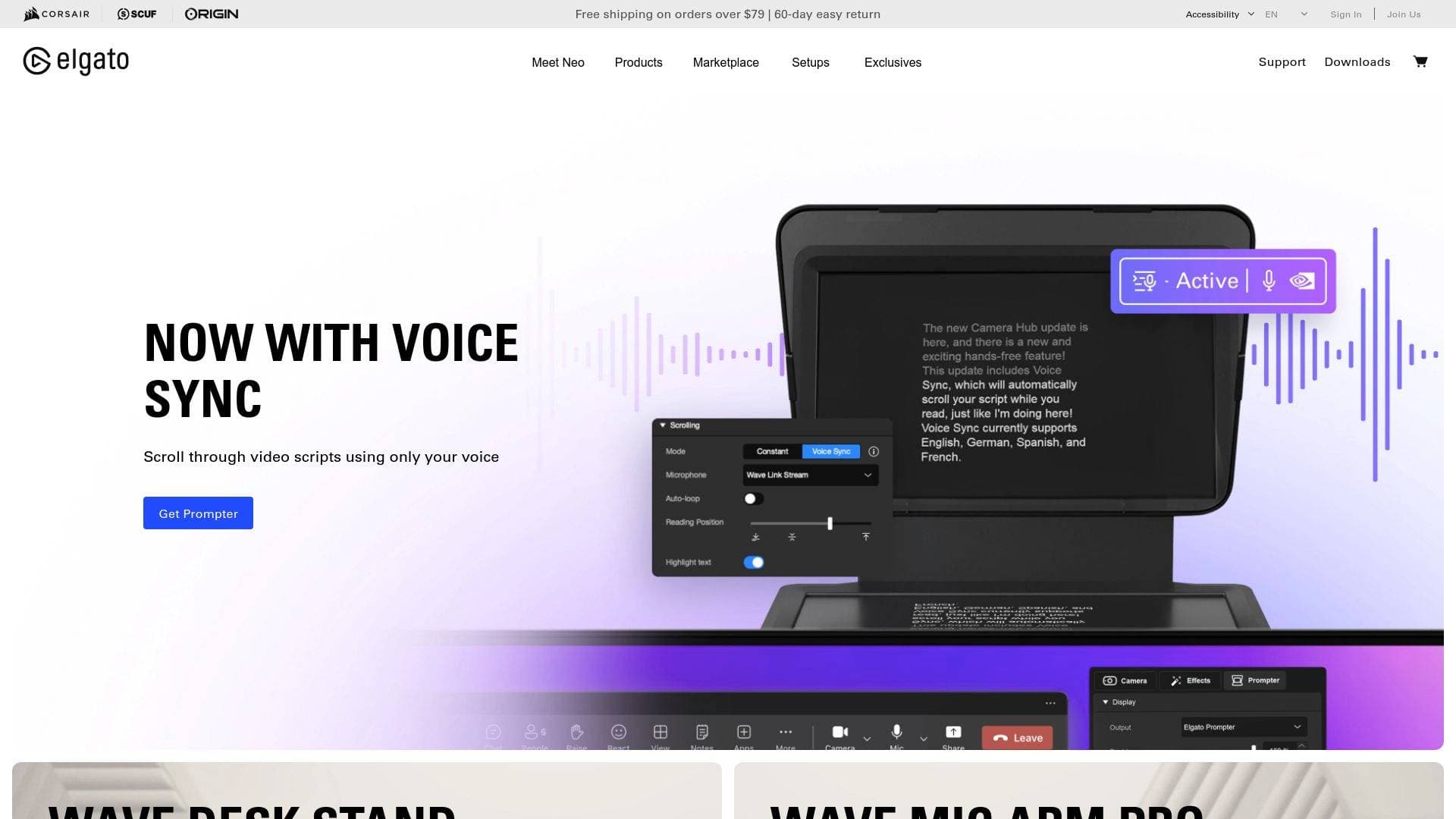
Prompter XL ($599.99): The Prompter XL is a full studio teleprompter with a 15.6" Full HD (1920x1080) display at 600 nits brightness, readable from up to 15 feet away. It connects via a single USB-C 3.2 cable that delivers both power and data, mounts on professional tripods or C-stands, and supports cameras and lenses up to 11 lbs. The detachable display doubles as a secondary monitor between shoots.
-
Camera Hub Software (Free): Included with Prompter XL, Camera Hub handles script management, display mode, Voice Sync (AI-powered smart voice tracking), Twitch chat integration, and Stream Deck control. Voice Sync requires an NVIDIA RTX GPU or Apple M1 chip or newer.
-
Elgato Marketplace: The Marketplace is a curated library where creators can browse and install community plugins, icon packs, audio effects, and profiles directly to their Stream Deck or Wave Link setup. It supports both free and paid content, including VST3 audio effects, themed overlays, and game-specific control profiles.
Elgato Target Users & Use Cases for Content Creators
Elgato's product lineup is purpose-built for creators who take their production quality seriously, whether they're solo streamers running a full broadcast setup or professional video teams producing scripted content at scale. The ecosystem spans beginner-friendly entry points all the way to studio-grade hardware, making it relevant across experience levels.
- Primary creator types: Live streamers on Twitch and YouTube, gaming content creators, podcasters, video producers, social media creators shooting scripted content, and professional teams running media days or multi-host shows.
- Experience level: Products like Stream Deck + with drag-and-drop setup and Wave Link's one-click effects cater to beginners, while VST Insert, advanced audio routing, and multi-camera teleprompter setups serve experienced creators and production professionals.
- Team size: Solo creators benefit from the Stream Deck's single-operator workflow automation; larger teams benefit from Prompter XL's ability to move multiple talent through scripted recordings quickly and efficiently.
- Specific use cases:
- A Twitch streamer using Stream Deck + to switch scenes, mute their mic, trigger sound effects, and control Wave Link audio mixing all from one device
- A podcaster mounting a Wave microphone on the Wave Mic Arm and applying Voice Focus to achieve studio-quality audio without acoustic treatment
- A YouTube creator using Prompter XL to deliver scripted tutorials at camera distance without losing eye contact
- A gaming streamer using VST Insert to apply a pitch-shift voice effect that works simultaneously in their stream, Discord voice chat, and local recording
- A video editor using Stream Deck + with DaVinci Resolve to control color parameters with precision via the dials
- A creator with a dual-PC setup using Wave Cast to route game audio, mic input, and alerts between machines with no extra hardware
- A content team using Prompter XL for media days, moving multiple talent through scripted social media recordings faster and with fewer retakes
- A creator using Smart Profiles to automatically switch Stream Deck layouts between their streaming software, video editor, and photo editing app
How to Get Started with Elgato
- Choose your entry point: Start with a Stream Deck + for workflow control, a Wave microphone and mic arm for audio, or Prompter XL if scripted video production is the priority. Each product works independently but integrates with the broader ecosystem.
- Download the free software: Install Wave Link 3.0 for audio mixing and effects, or Camera Hub for teleprompter control. Both are free and available for Windows and macOS.
- Set up your hardware: The Wave Mic Arm clamps to most desks and supports standard mic mounts out of the box. Stream Deck + connects via USB-C and is ready to configure with drag-and-drop actions. Prompter XL requires a USB-C 3.2 port and assembles with thumbscrews and a single cable.
- Expand with Marketplace: Browse Elgato Marketplace to install plugins, audio effects, icon packs, and profiles that match your specific workflow, whether that's Twitch streaming, Photoshop editing, or DAW control.
Frequently Asked Questions About Elgato
How many keys and dials does Stream Deck + have? Stream Deck + includes 8 customizable LCD keys and 4 multifunction 360-degree encoder dials with push function, plus an LCD touch panel measuring 108 x 14 mm. A larger version, the Stream Deck + XL, offers 36 keys and 6 dials.
Does Wave Link cost anything? Wave Link 3.0 is completely free software. It provides broadcast-level audio routing, DSP effects, and VST3 plugin support, and it integrates directly with Stream Deck for hands-on mixing control.
What is VST Insert and which devices support it? VST Insert applies audio effects through Wave Link and inserts the processed signal back into the hardware path so every app receives the same treated audio automatically. It is supported on Wave:3 MK.2, Wave XLR MK.2, Wave XLR Pro, and XLR Dock for Stream Deck + MK.2.
How far away can a creator read from Prompter XL? Prompter XL's 15.6" 600-nit display supports comfortable reading at distances up to 4.6 meters (15 feet), which is 2.5 times the range of the original Prompter.
Does Prompter XL need an external power supply? No. Prompter XL runs entirely from a single USB-C 3.2 cable connected to the creator's computer, delivering both power and data with no additional power brick required.
What microphone weights does the Wave Mic Arm support? The Wave Mic Arm supports microphones weighing between 250 g (0.55 lbs) and 1,000 g (2.2 lbs) including accessories, and it includes a counterweight designed for mics in the 250–750 g range.
Can Stream Deck + be tried for free? Stream Deck Mobile gives creators six keys for free on iOS or Android, with full plugin and hotkey support, so they can explore the Stream Deck experience before purchasing hardware.
Bottom Line: Should Content Creators Choose Elgato?
Elgato is a strong choice for content creators who want a cohesive, deeply integrated production setup rather than a patchwork of unrelated gear. The Stream Deck + stands out as one of the most versatile creator tools available, combining tactile key and dial control with a massive plugin ecosystem that covers streaming, video editing, audio mixing, photo editing, and more. The Wave audio ecosystem, anchored by free Wave Link 3.0 software and the VST Insert technology, gives podcasters and streamers a genuinely professional audio workflow without the complexity of virtual audio cables. Prompter XL fills a real gap for creators who produce scripted content and need studio-grade teleprompter performance at longer distances. The main consideration is cost: Prompter XL at $599.99 and Stream Deck + at $199.99 represent meaningful investments, though the Wave Mic Arm at $99.99 is a more accessible entry point. Creators who are serious about production quality and want hardware and software that are built to work together will find Elgato's ecosystem particularly compelling.
Details
One link. Every channel, rate, and piece of work brands need to evaluate you. Built for how creators actually get hired.
Claim your profile
Live creator, content, and marketing roles from real companies, with the pay, market, and context the raw job page never gives you.
Browse jobs

 Post Bridge