
Figma
Figma is a collaborative interface design platform that lets content creators design, prototype, and publish visual products faster while gathering feedback all in one place.
What is Figma? A Content Creator's Guide
Figma is the leading collaborative design platform built for turning big ideas into real, polished products. For content creators, it solves one of the most persistent workflow headaches: bouncing between disconnected tools to brainstorm, design, prototype, and collect feedback. Everything lives in a single shared space, which means YouTubers designing channel art, bloggers building out website mockups, or social media creators crafting display ads can keep their entire creative process in one place. The platform supports the full journey from first idea to final product, covering prompting with AI, drawing, building, publishing, and even presenting. Figma also supports publishing custom responsive websites directly from the design canvas, making it a genuine end-to-end content creation tool. Used by major brands like Netflix, Dropbox, Duolingo, and The New York Times, it has proven itself across creative teams of every size. Whether a creator is working solo or collaborating with a video editor, a brand partner, or a social media manager, Figma keeps everyone aligned and building with the same visual language.
Figma Features That Matter for Content Creators
-
AI-Powered Design with Figma Make: Creators can drop a design file into Figma Make and chat with AI to quickly generate a live, functional app or interactive product. This dramatically cuts down the time between concept and a working prototype, which is invaluable for creators who want to test ideas fast without deep coding knowledge.
-
Figma Sites for Custom Website Publishing: Figma Sites lets creators design responsive websites directly in Figma and publish them with or without writing code. Creators can tweak layouts using code or AI until everything looks exactly right, making it a practical tool for building portfolio sites, landing pages, photography showcases, or blog templates.
-
Social Media Templates via Figma Buzz: The platform includes a dedicated template library for social media assets, display ads, one-pagers, and more. Content creators can quickly spin up on-brand Instagram posts, LinkedIn graphics, Facebook ads, YouTube channel art, and web ads without starting from scratch every time.
-
Shared Design Libraries and Brand Systems: Figma allows creators to build and share reusable components, variables, and brand assets across an entire team or organization. For creators working with editors, designers, or brand partners, this means everyone stays visually consistent without constant back-and-forth over colors, fonts, or logo usage.
-
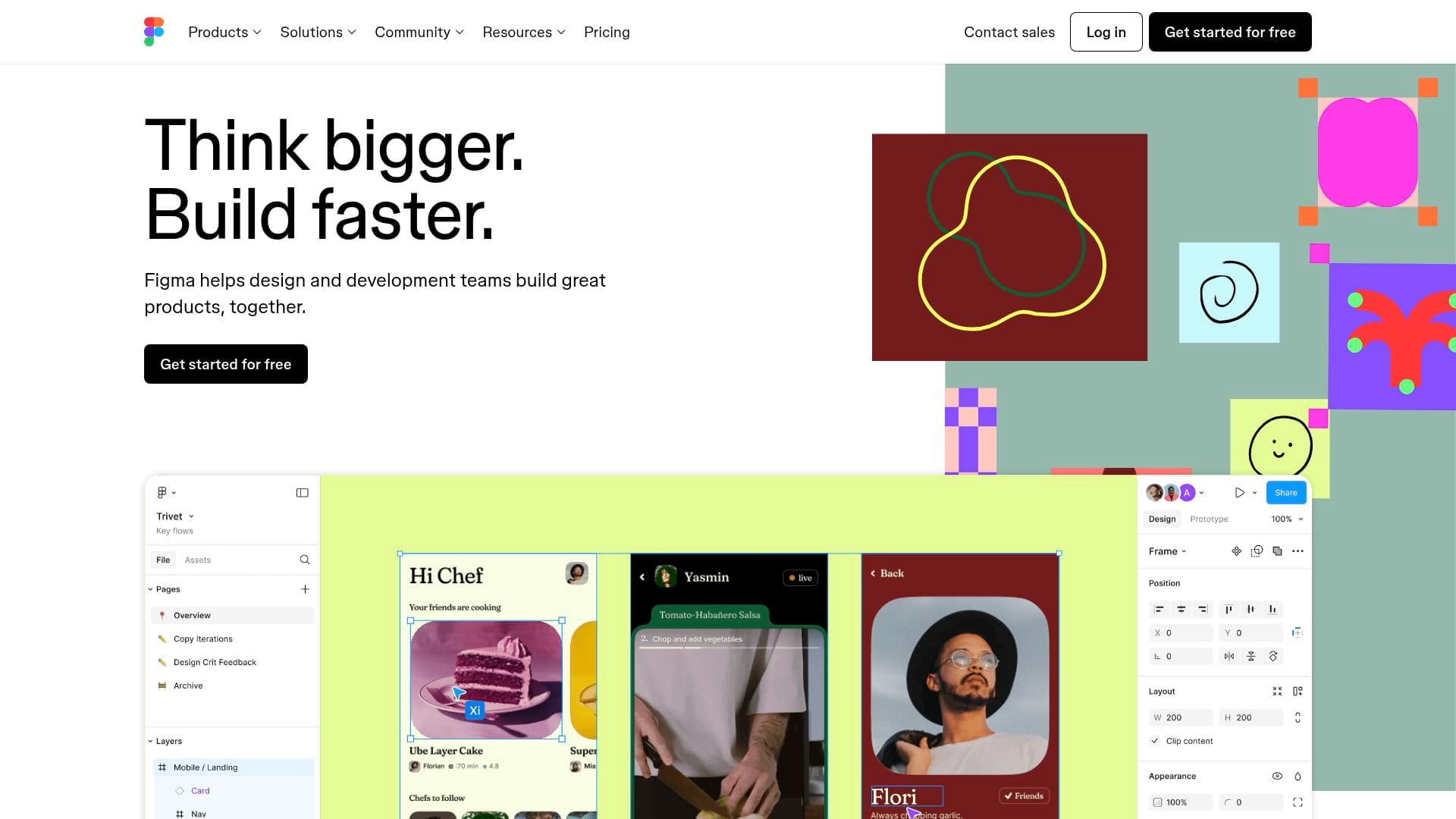
Real-Time Collaboration with Live Cursors: Multiple collaborators can work inside the same Figma file simultaneously, with live cursors showing exactly who is doing what. This is particularly useful for creators who co-produce content with remote teammates, allowing instant visual feedback without scheduling calls or sending files back and forth.
-
Dev Mode for Specs and Code Snippets: Dev Mode creates a dedicated space where creators who work with developers can share design specs, annotations, and code snippets in one place. For creators building apps, tools, or custom websites, this bridges the gap between the visual design and the actual build without miscommunication.
-
Figma MCP Server for Agentic Coding Tools: The Figma MCP server lets creators bring Figma design context directly into agentic coding tools, turning design files into actionable code inputs. This is a forward-looking feature for technically inclined creators who use AI coding assistants in their production workflow.
-
Community Templates Across Every Format: Figma's community library includes templates for websites, social media, mobile apps, presentations, invitations, illustrations, portfolio pages, web ads, icons, and plugins. Creators can start with a professionally designed template and customize it to match their brand rather than building everything from zero.
-
Presentation Tools with Figma Slides: Figma Slides provides presentation templates including startup pitch decks and product roadmap formats. Creators who pitch brand deals, present content strategies to clients, or run workshops can build polished slide decks inside the same tool they use for everything else.
-
Prototyping and Interactive Components: Figma supports prototyping directly within the design canvas, allowing creators to build interactive mockups of apps, websites, or digital products. This is useful for creators developing their own tools, courses, or digital products who want to test user flows before committing to a full build.
Which Content Creators Should Use Figma?
Figma fits a wide range of content creators, from solo YouTubers designing their own thumbnails and channel pages to full creative teams managing brand identities across multiple platforms. It scales from individual use to large collaborative workflows without requiring a separate tool for each stage of the process.
Primary creator types:
- YouTubers and video creators who need to design channel art, thumbnails, end screens, and sponsor pitch decks
- Bloggers and newsletter writers building custom website layouts, landing pages, or email header graphics
- Social media managers producing consistent on-brand assets for Instagram, LinkedIn, Facebook, and YouTube
- Podcasters designing cover art, promotional graphics, and episode announcement visuals
- App and digital product creators who want to prototype and test ideas before development
- Freelance creators building portfolio websites to showcase their work to potential clients or brand partners
Experience level: Figma offers a free starting point with community templates that lower the barrier for beginners, while advanced features like Dev Mode, variables, and the MCP server cater to more technical creators.
Team size: Works equally well for solo creators using it as a personal design workspace and for small-to-medium creative teams collaborating in real time.
Specific use cases for content creators:
- Designing a responsive portfolio website and publishing it directly through Figma Sites
- Building a consistent social media template library for weekly posts across multiple platforms
- Creating an interactive prototype of a course platform or creator tool before hiring a developer
- Collaborating with a remote video editor or brand designer on a shared visual system
- Pitching brand partnerships with a polished presentation built in Figma Slides
- Generating social media ad creatives quickly using on-brand templates from Figma Buzz
- Building a personal design system with reusable brand colors, fonts, and components
- Using AI in Figma Make to turn a rough concept into a live, functional web experience
Getting Started with Figma
- Create a free account: Visit Figma and sign up using Google or an email address. The free tier provides access to core design tools, community templates, and the ability to collaborate with others.
- Explore the community template library: Browse templates organized by category, including social media, websites, presentations, mobile apps, and illustrations. Pick a starting point that matches your content creation needs.
- Set up a shared design library: Create reusable components for your brand colors, fonts, and recurring visual elements so every piece of content you produce stays consistent.
- Use Figma Make or Figma Sites to publish: Once a design is ready, use Figma Make to generate a functional app with AI assistance, or publish a responsive website directly through Figma Sites with or without custom code.
Figma FAQ for Content Creators
Is Figma free to use? Figma offers a free starting tier that includes access to core design features, community templates, and basic collaboration. Paid plans unlock additional capabilities such as more variable modes, which are needed for advanced design system features like the full Material Theme Builder functionality.
Can I publish a website directly from Figma? Yes. Figma Sites allows creators to design responsive websites inside Figma and publish them directly. Creators can adjust the design using code or AI, making it possible to launch a portfolio, landing page, or blog without needing a separate website builder.
Does Figma support social media content creation? Figma includes a dedicated social media template section through Figma Buzz, covering Instagram, LinkedIn, Facebook, YouTube, and more. Creators can use pre-built templates to produce on-brand graphics quickly and consistently.
Can multiple people collaborate on a Figma file at the same time? Yes. Figma supports real-time collaboration with live cursors, so multiple team members can work inside the same file simultaneously. This makes it practical for creators working with remote editors, designers, or brand partners.
What is Figma Make? Figma Make is an AI-powered feature that lets creators describe what they want to build and generates a live, functional app or interactive experience from a design file. It is designed to speed up the path from design concept to working product.
Does Figma have a template community? Figma has an extensive community library with templates spanning websites, social media, mobile apps, presentations, invitations, illustrations, portfolio pages, web ads, icons, plugins, and widgets. Creators can browse and use these templates as starting points for their own projects.
Can Figma be used for presentations? Yes. Figma Slides includes presentation templates such as startup pitch decks and product roadmap formats. Creators can build and deliver presentations inside the same platform they use for all their other design work.
The Verdict: Is Figma Worth It for Content Creators?
Figma is a strong choice for content creators who want a single platform that handles design, prototyping, collaboration, and publishing without switching between multiple tools. Its biggest advantages are the breadth of what it covers, from social media templates and website publishing to AI-powered app generation and real-time team collaboration. The free tier makes it accessible to solo creators just getting started, while paid plans open up more advanced features for growing teams. The main limitation worth noting is that some features, like full variable mode support for design systems, require a paid plan. For creators who are serious about building a consistent visual brand, designing their own digital products, or collaborating with a remote creative team, Figma delivers a genuinely comprehensive content creation workflow tool that scales with their ambitions.
Details
One link. Every channel, rate, and piece of work brands need to evaluate you. Built for how creators actually get hired.
Claim your profile
Live creator, content, and marketing roles from real companies, with the pay, market, and context the raw job page never gives you.
Browse jobs

 Post Bridge