

Keyframes.studio
Keyframes.studio is an all-in-one video creation and editing platform that helps content creators produce social-ready videos for any platform in minutes, without complex editing skills.
What is Keyframes.studio? A Content Creator's Guide
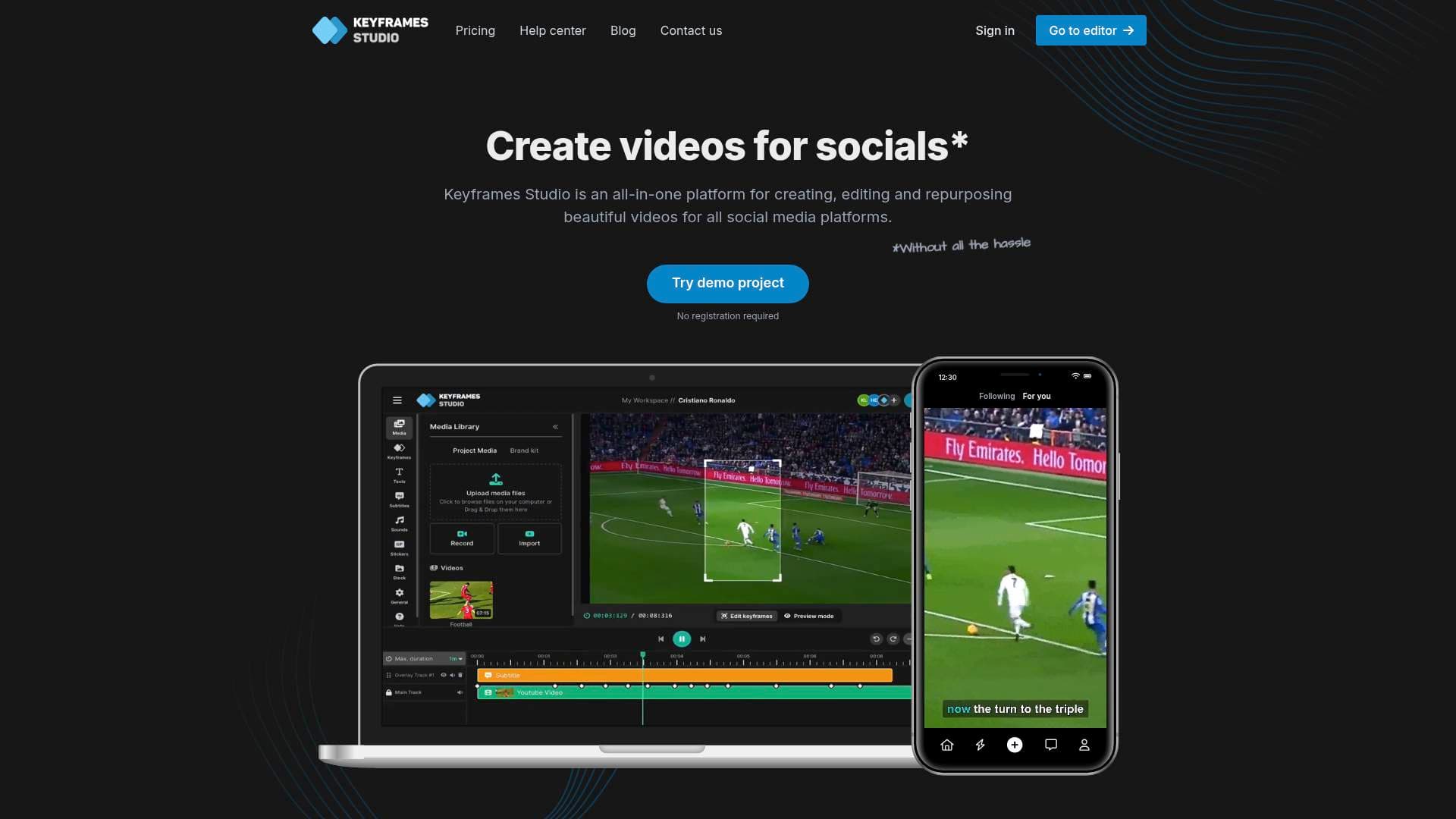
Keyframes.studio is an all-in-one video creation, editing, and repurposing platform built specifically to help content creators produce polished social media videos in as little as five minutes. The core problem it solves is a familiar one: figuring out aspect ratios, learning bloated video editors, and spending hours on tedious tasks like subtitling and reformatting footage for different platforms. Keyframes.studio handles all of that automatically, letting creators focus on storytelling rather than technical busywork. The platform leans heavily on artificial intelligence to process uploaded video, highlight the most important moments, generate keyframes, and produce captions with minimal input from the creator. It supports both horizontal and vertical video formats, making it equally suited for YouTube content and short-form vertical platforms like TikTok. Podcasters, vloggers, gamers, and tutorial creators all have dedicated use cases covered. The result is a video production workflow that removes the friction between raw footage and a finished, publish-ready social clip.
Keyframes.studio Features That Matter for Content Creators
-
AI-Powered Content Repurposing: With just two clicks, Keyframes.studio automatically creates keyframes and generates catchy subtitles from uploaded video. This is a major time-saver for creators who regularly repurpose long-form content like podcast recordings or vlogs into short social clips.
-
Automatic Subtitle Generation: Subtitles are generated in minutes and support 12 languages, making content accessible to a global audience. A karaoke-style word highlighting feature adds a dynamic visual touch that performs particularly well on mobile-first platforms.
-
Horizontal and Vertical Video Support: Displaying horizontal video on mobile screens has always been a pain point for creators. Keyframes.studio handles both orientations natively, so a single piece of content can be adapted to fill any screen without awkward cropping or black bars.
-
Easy-to-Use Editor: The editor is built around simplicity, requiring no previous editing experience. Core editing actions including resize, trim, crop, cut, zoom, and move are all available alongside a live preview so creators can see exactly how their video will look before exporting.
-
Stock Images, Videos, GIFs, and Sounds: An integrated media library gives creators access to stock images, videos, and a curated list of sounds and GIFs. Searching by keyword makes it quick to find the right asset to make a video pop without leaving the platform.
-
Screen and Camera Recording: Creators can record their screen and camera directly within the platform, removing the need for separate recording software. This is particularly useful for tutorial creators and educators who regularly produce how-to content.
-
Brand Kit: Available on Professional and Enterprise plans, the brand kit lets creators upload and save reusable assets including fonts, colors, videos, images, and audio files. This keeps visual identity consistent across every video without manually re-importing assets each time.
-
Team Collaboration: Creators working with editors, social media managers, or agency partners can invite team members to a shared workspace. The Starter plan supports up to 5 seats, while the Professional plan scales to 20 seats, with unlimited projects on both tiers.
-
Direct Social Media Export: Once a video is ready, it can be downloaded or posted directly to social media from within the platform. This eliminates the extra steps of downloading, switching apps, and uploading manually.
-
Transitions, Stickers, and Text Elements: The editor includes dedicated panels for transitions, stickers, text overlays, and other visual elements, giving creators the tools to add personality and polish to their content without needing a separate design tool.
Which Content Creators Should Use Keyframes.studio?
Keyframes.studio is designed for creators who want professional-looking social videos without investing significant time in learning complex editing software. It works equally well for solo creators and small teams, and the tiered pricing makes it accessible at nearly any stage of a creator's journey.
- Primary creator types: Podcasters looking to clip and caption highlight moments, vloggers adapting travel footage for TikTok and Instagram, gamers creating short gameplay clips, tutorial and how-to creators who need screen recording built in, and social media managers handling video content for brands or clients.
- Experience level: Beginners are the primary target, with no prior editing experience required. The interface is intentionally simple, but it still covers all the essential editing actions experienced creators expect.
- Team size: Solo creators can get started on the Starter plan, while small teams and agencies benefit from the Professional plan's 20-seat capacity and brand kit access.
- Specific use cases:
- Turning a full podcast episode into a captioned, vertical short clip for TikTok
- Repurposing a YouTube tutorial into a mobile-optimized how-to video
- Creating sports highlight reels with viral sounds and GIFs
- Producing gaming content clips with text overlays and transitions
- Building a library of branded social videos using the brand kit for consistent fonts and colors
- Recording and editing screen tutorials without switching between tools
- Collaborating with a social media team on video drafts within a shared workspace
- Quickly generating subtitles in one of 12 supported languages for international audiences
Getting Started with Keyframes.studio
- Try the demo without signing up: A demo project is available with no registration and no credit card required, so creators can explore the editor immediately and get a feel for the workflow before committing.
- Upload or record media: Add existing footage by uploading files or dragging and dropping them into the media library. Alternatively, use the built-in screen and camera recorder to capture content directly.
- Set keyframes and let AI assist: Use the keyframe controls to direct camera movement and storytelling. Trigger AI generation to automatically identify highlights and create subtitles with a couple of clicks.
- Add elements and polish: Layer in text, stickers, transitions, sounds, and stock media from the integrated libraries to enhance the video.
- Export or post directly: Download the finished video or publish it straight to social media from within the platform.
Keyframes.studio FAQ for Content Creators
Is there a free version available? Yes, creators can use the editor without subscribing. A subscription is only required when hitting the free plan's limits or when exporting without a watermark. No credit card or registration is needed to start.
What are the paid plan prices? On the annual billing cycle, the Starter plan is $5 per month and the Professional plan is $8 per month. Monthly billing is also available at higher rates. An Enterprise tier with custom pricing is available for larger teams or agencies with specific needs.
Does Keyframes.studio add watermarks to exported videos? Neither the Starter nor the Professional plan includes watermarks on exported videos. The free usage tier does include a watermark, which is removed upon subscribing to any paid plan.
How does the subtitle system work? Each plan includes a monthly allocation of subtitle minutes. Starter includes 60 minutes per month and Professional includes 120 minutes per month. Usage resets on the first of each month, and unused minutes do not carry over.
What is included in the brand kit? The brand kit, available on Professional and Enterprise plans, allows creators to upload and store reusable assets including fonts, colors, videos, images, and audio files. These assets can be pulled into any project quickly to maintain consistent branding across all content.
Can teams collaborate inside Keyframes.studio? Yes. Creators can invite team members to a shared workspace. The Starter plan supports up to 5 seats and the Professional plan supports up to 20 seats, both with unlimited projects.
Can I cancel my subscription easily? Cancellation is available at any time with a single click, with no complicated process involved.
The Verdict: Is Keyframes.studio Worth It for Content Creators?
Keyframes.studio is a strong fit for creators who produce regular social video content and want to cut down on editing time without sacrificing quality. The AI-powered subtitle generation, automatic keyframing, and built-in screen recorder make it especially valuable for podcasters, educators, and tutorial creators. The support for both horizontal and vertical formats means creators do not need separate tools for different platforms. At $5 to $8 per month on annual billing with no watermarks and unlimited projects, the value proposition is difficult to argue with for anyone publishing video content consistently. The main limitation worth noting is that subtitle minutes are capped monthly and do not roll over, so high-volume creators should factor that into their plan selection. For beginners wanting a fast, approachable video editing workflow, and for small teams needing collaboration features without enterprise-level complexity, Keyframes.studio delivers a well-rounded, creator-focused solution.
Details
One link. Every channel, rate, and piece of work brands need to evaluate you. Built for how creators actually get hired.
Claim your profile
Live creator, content, and marketing roles from real companies, with the pay, market, and context the raw job page never gives you.
Browse jobs Post Bridge
