

TubeMagic
TubeMagic is an AI-powered suite of YouTube tools that helps content creators generate scripts, titles, descriptions, tags, video ideas, and thumbnails to grow their channels faster.
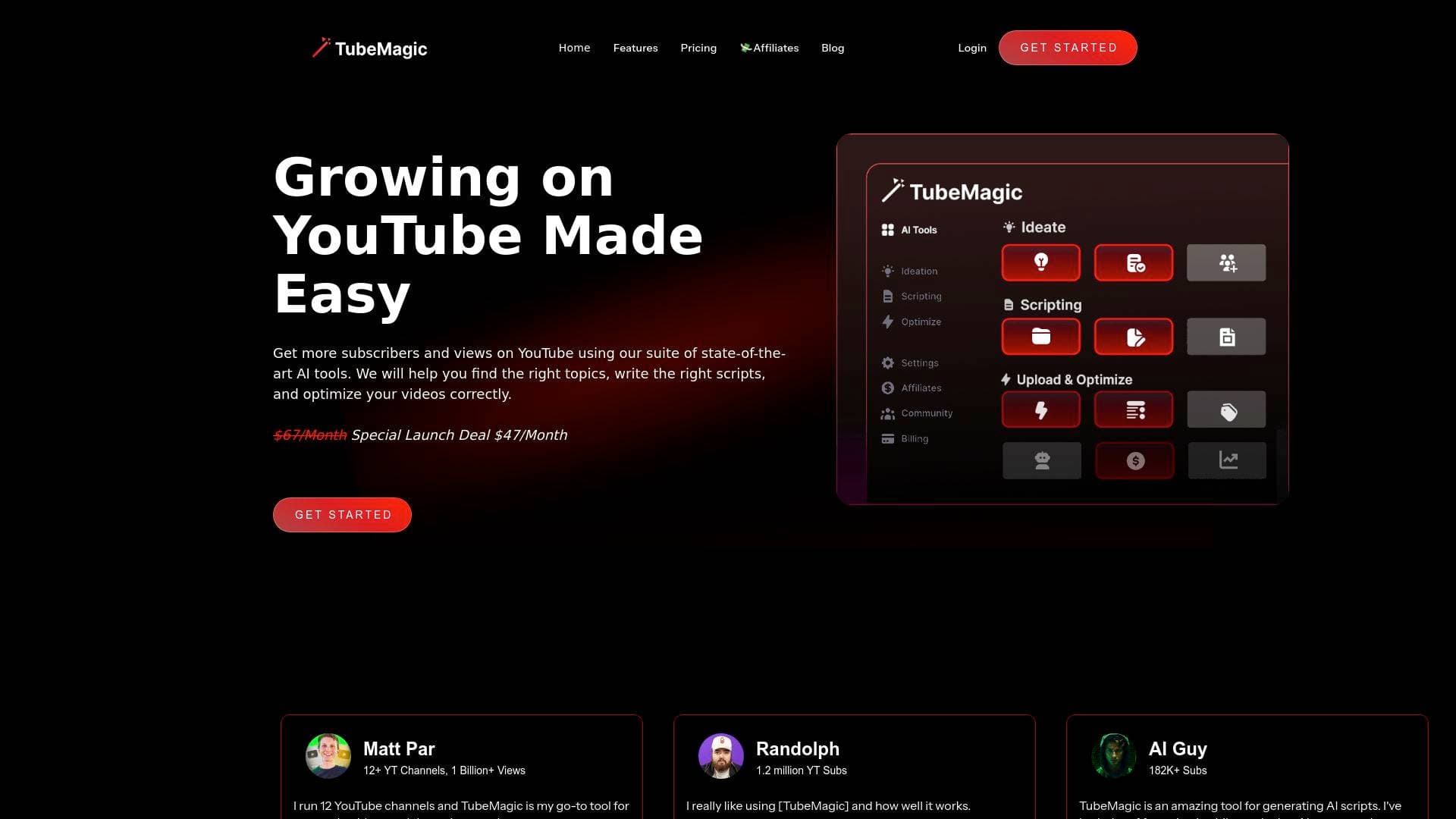
Brief Overview of TubeMagic for Content Creators
TubeMagic is a comprehensive AI-powered YouTube tool suite built specifically to help content creators grow their channels faster by handling the most time-consuming parts of the video creation workflow. The core problem it solves is real: YouTubers spend enormous amounts of time writing scripts, researching keywords, crafting titles, and optimizing uploads, time that could be spent actually creating. TubeMagic tackles this by combining AI script generation, video idea research, SEO optimization, and upload tools into one platform. With over 200,000 scripts already generated, the tool has clearly found a strong foothold among active YouTube creators. The platform supports multiple large language models, including Claude 4.0 and GPT-4o, giving creators flexibility in the type and tone of content they generate. A standout feature is the channel voice matching system, where pasting a channel link automatically trains the AI to replicate a creator's existing brand tone and structure. TubeMagic also covers more than 95 languages, making it a genuinely global YouTube content creation tool for non-English-speaking creators.
TubeMagic Key Features for Content Creators
-
AI Script Writer with Multiple LLM Models: TubeMagic lets creators choose between Claude 4.0 and GPT-4o for script generation, with Claude specifically noted for producing natural, human-like writing. Scripts are trained on top advice from elite YouTube scriptwriters, covering hooks, retention techniques, and pacing, so the output is built for watch time, not just word count.
-
Channel Voice Matching: By pasting in a YouTube channel link, TubeMagic automatically analyzes the creator's existing tone, style, and structure, then replicates it across all generated content. This is particularly valuable for creators who have already built a recognizable voice and don't want AI output that sounds generic or off-brand.
-
Custom Script Length Control: Creators can specify video length and TubeMagic maps it to the appropriate word count automatically. The scale runs from 1-minute videos (roughly 100 words) up to 20-minute videos (around 3,000 words), removing the guesswork from script planning.
-
Inspiration-Based Script Writing: Input links to top-performing videos in any niche and TubeMagic extracts the best ideas and information, then merges them with the creator's training data to produce a script informed by what's already working on the platform.
-
Video Idea Generator and Ideas Manager: Creators can add their channel link to receive a continuous stream of niche-matched video ideas. The Ideas Manager then lets them track, save, and organize their entire content pipeline, making it easier to plan months of content in advance.
-
Keyword Research with Magic Score: The keyword research tool surfaces search volume and competition data alongside a proprietary "Magic Score" that helps creators identify the most strategically valuable topics to target for growth.
-
Warp Upload Optimizer: Creators can input an unlisted video and instantly receive optimized titles, tags, and descriptions tailored to that specific content. This removes the manual SEO work that typically happens right before publishing.
-
AI Thumbnail Generator: TubeMagic includes a thumbnail creation tool designed to produce high click-through-rate visuals. For creators who struggle with graphic design, this fills a critical gap in the upload workflow.
-
Article to Script and Video to Script Converters: Two content repurposing tools let creators input any article URL or video link and receive a YouTube-ready script in return. These are especially useful for creators who want to build on existing content without starting from scratch.
-
Built-in Plagiarism Checker: All AI-generated content passes through a plagiarism checker, and TubeMagic uses a combination of AI and human curation to ensure output is unique and high quality, addressing a common concern creators have about AI-generated material and SEO integrity.
TubeMagic Target Users & Use Cases for Content Creators
TubeMagic is purpose-built for YouTube creators at every stage, from channels just starting out to established creators managing multiple channels simultaneously. The tool's depth makes it equally useful for solo creators looking to save time and for YouTube-focused agencies or multi-channel operators who need to produce high volumes of content consistently. Creators who are non-native English speakers will also find significant value given the 95+ language support.
- Primary creator types: YouTubers across all niches, multi-channel operators, YouTube growth specialists, and creators producing AI-generated content (such as historical or educational films)
- Experience level: Beginner to advanced; the channel voice matching and LLM selection suggest the tool scales with creator sophistication
- Team size: Works for solo creators and small teams managing multiple channels
- Specific use cases for content creators:
- A solo YouTuber using the Video Idea Generator and Ideas Manager to plan three months of content in a single session
- A multi-channel operator using the Warp Upload Optimizer to batch-optimize titles, tags, and descriptions across several channels before publishing
- A creator repurposing blog content into YouTube scripts using the Article to Script converter
- A non-English-speaking creator generating fully optimized titles, descriptions, and tags in their native language from over 95 supported options
- A new YouTuber using the Channel Name Generator and Niche Explorer to identify a high-RPM niche before launching
- A creator producing AI-generated video content using the Inspiration-Based Writing feature to build scripts informed by top-performing videos in their niche
- A YouTuber using the Chrome Extension to optimize videos directly within the YouTube interface without switching between tools
- A creator using the YouTube to Transcript tool to convert existing videos into formatted text for repurposing into articles, scripts, or community posts
How to Get Started with TubeMagic
- Sign up and subscribe: TubeMagic offers a single Premium plan at $41/month (or $497/year billed annually). There is no free trial, but a 30-day money-back guarantee allows risk-free testing. Sign in via email or Google account.
- Connect your channel: Paste your YouTube channel link into TubeMagic so the AI can analyze your existing tone, style, and content structure for voice matching.
- Choose your LLM model: Select between Claude 4.0 and GPT-4o depending on the type of content you're creating. Claude is recommended for natural, conversational scripts.
- Generate your first script or idea: Use the Video Idea Generator to build out a content calendar, or jump straight into the Script Writer by setting your desired video length and adding inspiration video links.
- Optimize before uploading: Run your video through the Warp Upload Optimizer to generate titles, descriptions, and tags before going live, and use the AI Thumbnail Generator to complete the upload package.
Frequently Asked Questions About TubeMagic
Is there a free trial? Free trials are currently disabled due to spam. However, TubeMagic offers a full 30-day money-back guarantee with no questions asked, so creators can test the platform risk-free within that window.
Does TubeMagic support languages other than English? Yes, TubeMagic supports over 95 languages including Spanish and Japanese. Language support covers descriptions, titles, tags, community posts, and video ideas.
Is AI-generated content from TubeMagic safe for YouTube SEO? The content is produced using a combination of AI and human curation to ensure uniqueness and quality. A built-in plagiarism checker also verifies that generated content is not plagiarized, making it suitable for SEO use.
Can creators cancel their subscription at any time? Yes, subscriptions can be cancelled at any time with no restrictions mentioned.
Does TubeMagic have an affiliate program? Yes, TubeMagic runs an affiliate program offering 50% recurring commissions for life, which is a notable opportunity for creators with audiences interested in YouTube growth tools.
How fast is customer support? Support is available via email at support@tubemagic.com with responses typically within 12 hours on weekdays. Paying subscribers also have access to live chat support.
What payment processors does TubeMagic use? Payments are processed through Paddle. TubeMagic does not store any payment information. Creators in countries where standard payment options aren't available can contact support for alternative arrangements.
Bottom Line: Should Content Creators Choose TubeMagic?
TubeMagic is a strong fit for YouTubers who want to reduce the time spent on scripting, SEO, and upload optimization without sacrificing content quality. The combination of multiple AI models, channel voice matching, keyword research with a proprietary scoring system, and a full suite of upload optimization tools makes it one of the more complete YouTube-focused AI platforms available. Creators managing multiple channels, like the testimonial from a creator running 12 channels with over 1 billion views, will find particular value in the batch-friendly workflow tools. The 95+ language support also makes it genuinely accessible to international creators, not just English-speaking audiences.
The main limitation to note is the absence of a free trial, though the 30-day money-back guarantee largely compensates for this. At $41/month (or effectively $41.42/month on the annual plan at $497/year), TubeMagic is positioned as a premium tool, but the unlimited words per month and full feature access at a single price tier keeps the value proposition straightforward. For YouTubers serious about growing their channel and reclaiming time spent on production logistics, TubeMagic delivers a well-rounded AI toolkit built specifically for the platform.
Details
One link. Every channel, rate, and piece of work brands need to evaluate you. Built for how creators actually get hired.
Claim your profile
Live creator, content, and marketing roles from real companies, with the pay, market, and context the raw job page never gives you.
Browse jobs

 Post Bridge