

SquadCast
SquadCast is a cloud-based remote recording studio that helps podcasters and content creators capture studio-quality audio and video from anywhere, with automatic cloud backup.
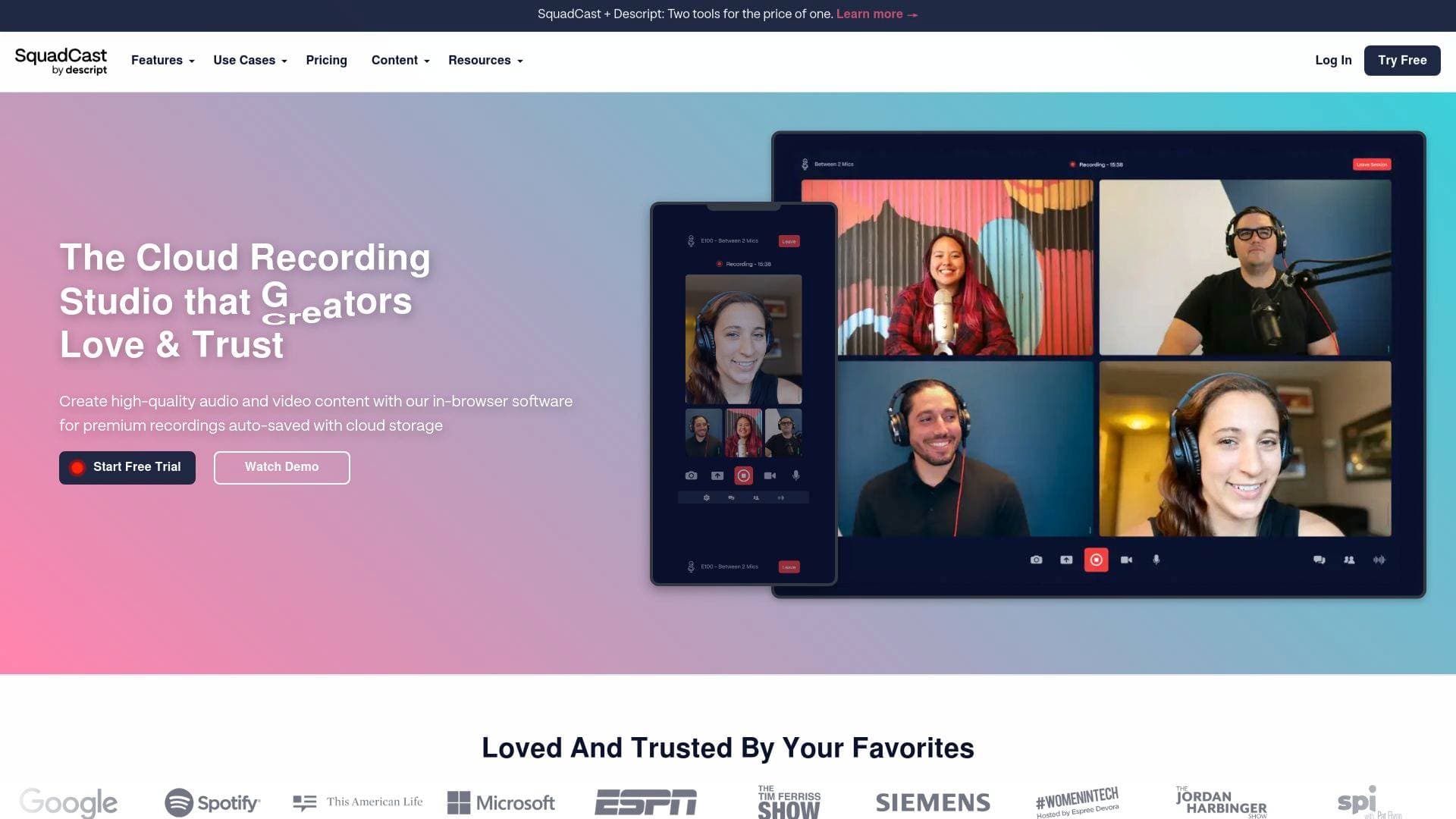
Brief Overview of SquadCast for Content Creators
SquadCast is a cloud-based remote recording studio built specifically for podcasters, YouTubers, and content creators who need studio-quality audio and video from guests located anywhere in the world. The core problem it solves is simple but critical: remote recordings that sound like conference calls kill audience retention, and SquadCast eliminates that entirely by recording each participant locally at the source rather than over the internet. Its patented Progressive Uploads technology continuously auto-saves recordings to the cloud in real time, meaning even a complete power outage or internet dropout cannot destroy a recording session. Every participant gets their own separate audio and video track, giving creators full post-production control without the headaches of audio drift or sync issues. The platform is entirely browser-based, requiring no downloads for hosts or guests, which removes friction from the guest invitation process entirely. With plans ranging from a free tier to a $50/month Business plan, SquadCast serves solo hobbyist podcasters all the way up to production teams managing multiple shows. Trusted by major names including NPR, ESPN, The New York Times, and The Tim Ferriss Show, it has established itself as a go-to podcast recording platform for serious audio and video content creation.
SquadCast Key Features for Content Creators
-
Progressive Uploads (Patented Auto-Save Technology): This is SquadCast's signature feature and the one that sets it apart for creators who can't afford to lose a recording. Audio and video are captured locally at the source and continuously uploaded to the cloud in real time during the session. Even a complete power loss won't result in lost content, because files are being saved progressively throughout the entire recording.
-
Separate Participant Tracks: Every person in a recording session gets their own individual audio and video file. This is a massive advantage during post-production, allowing creators to independently adjust volume levels, remove background noise, mute sections, or apply processing to each voice without affecting others. It eliminates the nightmare of trying to fix a mixed-down recording after the fact.
-
48 kHz / 16-bit WAV Audio Recording: Local recordings are captured at 48 kHz sample rate and 16-bit depth in WAV format, which is uncompressed and broadcast-ready. MP3 format is also available. Video records at up to 1080p at 30fps in MP4 format, with WebM also available. These are professional-grade specs that give creators clean raw files to work with.
-
No-Download Guest Experience with Green Room: Guests don't need to create an account or install any software. They click a link, land in the browser-based interface, and can prepare in the Green Room to check their audio, video, and equipment before going live. This frictionless experience means creators spend less time troubleshooting tech with guests and more time recording great content.
-
Backstage Feature for Producers and Observers: Participants can join a session in "Backstage" mode, where they are not on camera or mic'd up and don't occupy a mainstage seat. This is ideal for producers, show managers, or anyone who needs to monitor a session without appearing in the recording. Backstage participants can still communicate via chat during the session.
-
AI-Powered Editing Suite (via Descript Integration): Higher-tier plans unlock a robust AI toolkit including Filler Word Removal (automatically removes "um," "ah," "like," and repeated words), Studio Sound (one-click background noise removal and audio enhancement), Eye Contact Correction (subtly adjusts gaze to appear camera-facing even when reading a script), AI Green Screen (removes video backgrounds without physical green screen hardware), and Translate Captions. The Creator plan provides unlimited use of these features, while the Business plan adds the full Professional AI Suite.
-
AI Speech (Voice Generation): Plans from Hobbyist upward include AI Speech, which turns text into ultra-realistic generated audio. Creators can build a custom voice clone or choose from stock voices. The Hobbyist plan includes 30 minutes/month, Creator includes 120 minutes/month, and Business includes 300 minutes/month. The Business plan also includes unlimited Regenerate and Overdub.
-
Royalty-Free Stock Library: Creator and Business plan subscribers get unlimited access to a built-in library of royalty-free videos, images, GIFs, music, and sound effects. Hobbyist plan users get limited search results from the same library. This saves creators from sourcing assets externally for their productions.
-
Dolby.io Audio Mastering: Creator and Business plan subscribers get access to Master Audio with Dolby Voice, which provides professional-grade audio mastering directly within the platform. Network (VoIP) backup recordings are also provided via Dolby.io in MP3 format, adapting quality based on network conditions.
-
Integrations and API Access: All plans include API and Zapier integration, enabling creators to automate their recording workflows. Named integrations include Zapier, Dolby, Dropbox, Captivate, Edit Eddy, SavvyCal, Camo, and Descript. The Creator and Business plans unlock unlimited integrations, while the Free plan includes one and the Hobbyist plan includes two.
-
Unused Recording Time Rollover: Any unused recording hours roll over automatically each month, with a rollover limit of twice the monthly plan allowance. Additionally, if a creator runs out of recording time mid-session, the session is not interrupted — there's a grace period, and extra time can be purchased at $5 per additional hour.
-
Cloud Backup and Unlimited Storage: Every plan includes cloud backup recordings and the ability to store unlimited recordings. Creators never have to worry about local storage limits or losing older sessions.
SquadCast Target Users & Use Cases for Creators
SquadCast is purpose-built for content creators who produce audio and video content with remote guests or collaborators. It's particularly well-suited for creators who prioritize audio quality as a core part of their brand and audience experience. The platform scales from solo hobbyist podcasters to multi-show production teams.
-
Primary creator types: Podcasters (interview-format and co-hosted shows), YouTubers producing long-form interview content, audio journalists, independent media producers, and content teams managing multiple shows simultaneously.
-
Experience level: The browser-based, no-download interface makes it accessible to beginners, while the separate track recording, Dolby mastering, 4K export, and advanced AI suite cater to experienced creators and professional production teams.
-
Team size: Solo creators can start on the Free or Hobbyist plan. The Creator plan scales to a team of 3, and the Business plan is designed for larger teams with role-based permissions and free Basic seats for collaborators.
-
Specific use cases for content creators:
- A solo podcaster recording weekly guest interviews remotely with up to 9 guests per session, each captured on their own track
- A YouTube creator recording video interviews at up to 1080p (Hobbyist) or 4K (Creator/Business) without watermarks
- A podcast production company managing multiple shows under one account with role-based team access (Owner, Org Admin, Show Manager, Show Talent, File Manager)
- A creator using AI filler word removal and Studio Sound to clean up recordings without hiring an audio engineer
- A content team using the Backstage feature to have a producer monitor sessions without appearing in the final recording
- A podcaster using the Descript integration to move directly from recording to transcript-based editing
- A creator building a custom AI voice clone for narration, ads, or content repurposing using AI Speech
- A multi-show network using the unlimited shows and unlimited integrations on the Creator or Business plan to automate their entire post-production workflow via Zapier and Dropbox
-
Content types: Audio podcasts (WAV/MP3), video podcasts (MP4/WebM up to 4K), interview content, co-hosted shows, and screen recordings.
How to Get Started with SquadCast
-
Sign up and choose a plan: A free tier is available with no credit card required, offering 1 recording hour per editor per month, 1 show, and access to core recording features. Paid plans start at $16/month (billed annually) for the Hobbyist tier.
-
Set up your show and invite guests: Create a show within your account, then set up a Recording Session. Guests receive a link and can join directly in their browser without creating an account or downloading software.
-
Use the Green Room to prepare: Before recording begins, both host and guests can enter the Green Room to test audio equipment, check video, and confirm settings are correct.
-
Hit record: Click the Record button to begin. Progressive Uploads automatically saves and backs up all files to the cloud in real time throughout the session.
-
Download and edit: Once recording stops, files render within seconds. Download individual WAV/MP3 audio tracks and MP4/WebM video files, then integrate with your preferred editing software or use the built-in Descript integration for AI-assisted post-production.
Frequently Asked Questions About SquadCast
What audio and video quality does SquadCast record at? Local audio recordings are captured at 48 kHz sample rate and 16-bit depth in WAV format, with MP3 also available. Video records at up to 1080p at 30fps in MP4 format, with WebM as an additional option. Creator and Business plan subscribers can export video up to 4K resolution.
Do guests need to download software or create an account? No. Guests simply click a link and join the session directly in their web browser. No account creation or software download is required. The platform supports the latest versions of Chrome, Firefox, Opera, Brave, and Edge.
What happens if the internet drops during a recording? Because SquadCast uses patented Progressive Uploads technology, recordings are captured locally at each participant's source and continuously uploaded to the cloud in real time. Even a complete power loss or internet outage won't result in lost content, as files are being auto-saved throughout the session.
How many people can record together at once? A session supports 1 Host plus up to 9 Guests on the Mainstage, for a total of 10 active recording participants. Additionally, up to 10 more participants can join in Backstage mode, where they can observe and chat without being recorded.
What happens to unused recording hours? Unused recording hours roll over automatically each month. The rollover limit is twice the number of monthly recording hours included in the plan. If recording time runs out during an active session, the session continues uninterrupted during a grace period, and additional time can be purchased at $5 per hour.
Can multiple shows be recorded simultaneously? Yes. Creators can record any number of sessions across any number of shows at the same time, as long as the total recording time stays within the plan's available hours. Shows function as organizational containers to keep recordings branded and managed separately.
What team roles are available within SquadCast? Five roles are available: Owner, Org Admin, Show Manager, Show Talent, and File Manager. Each role controls a different level of access, from managing the entire organization down to simply retrieving and downloading recordings for a specific show.
Bottom Line: Should Content Creators Choose SquadCast?
For podcasters and video content creators who conduct remote interviews or co-hosted recordings, SquadCast is one of the most technically sound options available. The patented Progressive Uploads system genuinely solves the biggest fear in remote recording — losing a session due to connectivity issues — and the separate-track recording approach gives creators the post-production flexibility that professional audio quality demands.
The free plan is a reasonable starting point for new creators, though the 1-hour monthly limit and watermarked exports make it more of a trial than a long-term solution. The Hobbyist plan at $16/month (annual billing) is the sweet spot for solo creators who record regularly, offering 10 hours/month, watermark-free 1080p exports, and basic AI tools. The Creator plan at $24/month is the clear choice for serious creators who want unlimited shows, 4K exports, unlimited AI features, and access to the full stock library.
The main limitation to note is that recording hours are metered — creators on lower plans need to track their usage, though the rollover feature and $5/hour overage option provide flexibility. Overall, SquadCast delivers on its promise of studio-quality remote recording for content creators at every level, with a feature set that grows alongside a creator's production ambitions.
Details
One link. Every channel, rate, and piece of work brands need to evaluate you. Built for how creators actually get hired.
Claim your profile
Live creator, content, and marketing roles from real companies, with the pay, market, and context the raw job page never gives you.
Browse jobs

 Post Bridge