

Waveroom
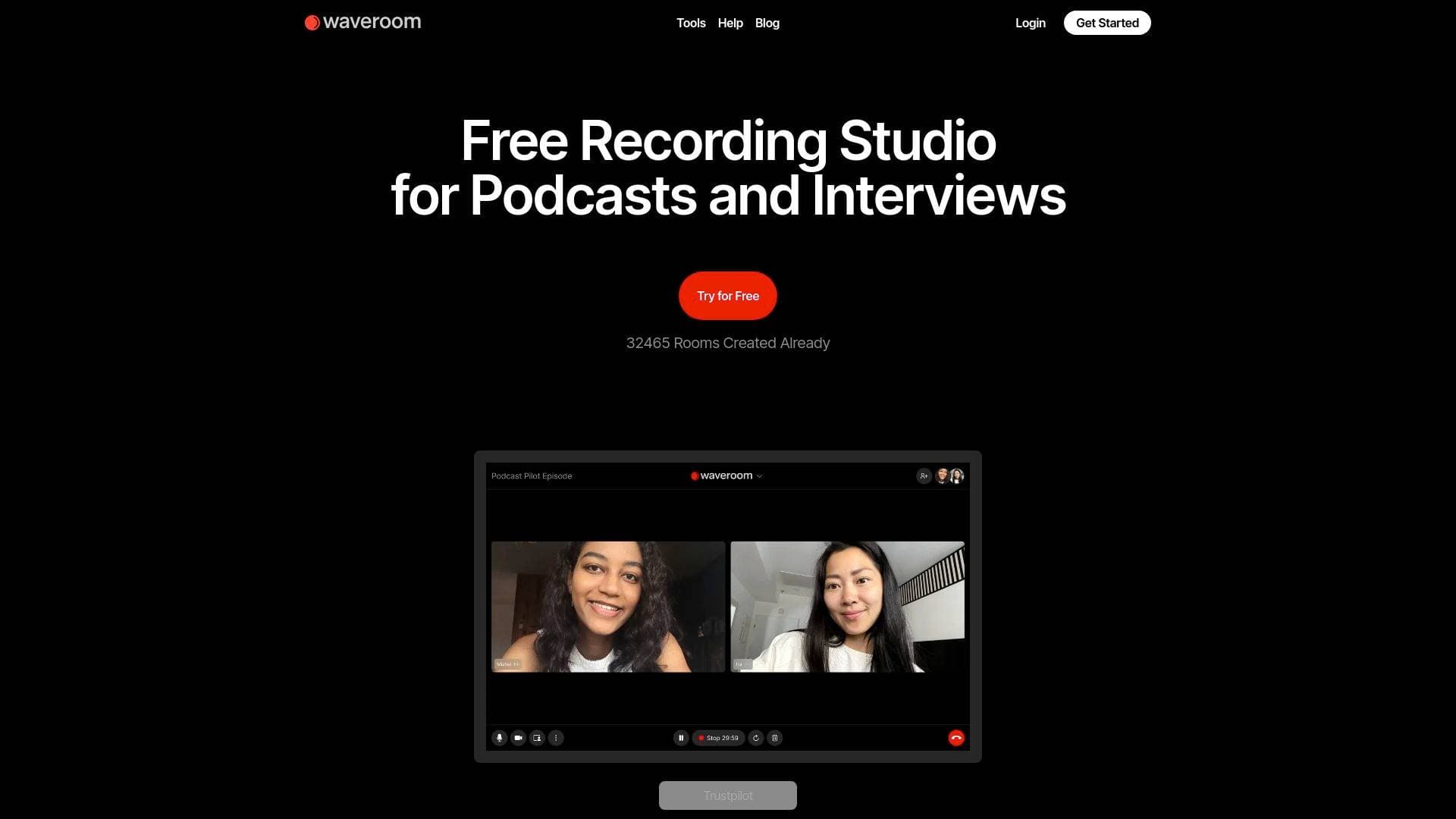
Waveroom is a free online remote recording studio for podcasters and interviewers, capturing separate tracks per participant in 2K video and lossless WAV audio.
What is Waveroom? A Content Creator's Guide
Waveroom is a free online remote recording studio built specifically for podcasters, interviewers, and content creators who need studio-quality audio and video without the complexity of traditional recording setups. The core problem it solves is a familiar one: remote recording tools that rely on cloud-based capture degrade quality whenever the internet connection dips, leaving creators with choppy audio and pixelated video that's painful to edit and embarrassing to publish. Waveroom sidesteps this entirely through local recording technology, meaning each participant's audio and video are captured directly on their own device rather than streamed through a server. The result is a separate, high-quality track for every guest, regardless of how unstable the connection gets. Running entirely from a browser with no software download required, it supports up to 2K (1440p) video resolution and 48 kHz uncompressed WAV audio. Launched in 2022 by OmniSale GmbH, the platform has already seen over 57,000 rooms created, signaling rapid adoption among the creator community. It covers a wide range of content creation formats including podcasts, video podcasts, remote interviews, voice-overs, audiobooks, and webinars.
Waveroom Features That Matter for Content Creators
-
Local Recording Technology: Rather than capturing footage through the cloud, Waveroom records each participant's audio and video locally on their own computer. This is the single biggest quality advantage for podcasters and video creators, because a poor or unstable internet connection has zero impact on the final recording quality.
-
Separate Tracks Per Participant: After every session, creators receive individual audio and video files for each guest. This is essential for post-production, allowing precise editing, volume balancing, and noise removal on a per-person basis rather than working with a single blended track.
-
2K Video Resolution (1440p): Waveroom captures video at up to 1440p resolution in MP4 format. For YouTube creators and video podcasters, this means footage that holds up well in post-production and looks sharp on modern displays.
-
Lossless 48 kHz WAV Audio: Audio is recorded at 48 kHz in uncompressed WAV format, the standard used in professional audio production. Podcasters and voice-over artists get clean, full-fidelity source files that give editors maximum flexibility during mixing and mastering.
-
AI-Powered Noise Removal: Added in the November 2023 update, the AI denoising feature lets creators apply vocal cleaning to all recordings in a room immediately after the session ends. This is a significant time-saver for solo creators who don't want to run audio through separate software before publishing.
-
Completely Free with No Recording Limits: The free plan includes unlimited audio and video recordings with up to 5 participants (1 host and 4 guests), 2K video, and 48 kHz WAV audio. There are no watermarks or artificial quality caps on the free tier, making it genuinely usable for professional content without spending anything.
-
Browser-Based, No Download Required: Waveroom runs entirely in the browser, so guests don't need to install any software before joining a recording session. This removes a major friction point when inviting interview guests or podcast co-hosts who aren't technically savvy.
-
Extendable 120-Minute Sessions: Each session has a technical limit of 120 minutes, but creators can extend it for another 120 minutes without interrupting or stopping the recording. Long-form podcast episodes and extended interviews can be captured in a single continuous session.
-
Automatic Audio and Video Track Merging: Waveroom automatically merges the separate audio and video tracks after a session, so creators get both the merged file and the individual tracks. This saves manual syncing work in the editing phase.
-
90-Day Cloud Storage: Recordings are stored on Waveroom's servers for 90 days after a session, giving creators a reasonable window to download and archive their files without rushing immediately after recording.
-
Transcription Support: Waveroom includes guides for transcribing audio and video to text and supports multiple languages for transcription, which is useful for creators who repurpose podcast content into blog posts, newsletters, or captions.
Which Content Creators Should Use Waveroom?
Waveroom is purpose-built for creators who record remotely with guests, making it a natural fit for anyone whose content depends on multi-person conversations captured at high quality. It's equally accessible to beginners who need a no-fuss setup and experienced creators who want professional-grade source files without paying for expensive recording software.
-
Primary creator types: Podcasters (audio and video), YouTube interviewers, independent journalists, online educators, audiobook narrators, voice-over artists, and webinar hosts.
-
Experience level: Beginner-friendly due to the browser-based interface and no-download requirement, but the multi-track output and lossless audio specs satisfy more advanced production workflows.
-
Team size: Works for solo creators recording with guests, small podcast teams with co-hosts, and larger setups with up to 10+ participants on the Enterprise plan.
-
Specific use cases for content creators:
- A podcaster recording a weekly interview show with remote guests, needing clean separate tracks for each speaker
- A YouTube creator producing a video podcast and wanting 2K footage without paying for a dedicated recording platform
- A blogger or journalist conducting remote interviews and needing reliable audio for transcription and quoting
- A voice-over artist recording narration sessions with a remote director listening in
- An online educator recording tutorial sessions or webinars with co-presenters
- A creator recording customer testimonials or case study videos with subjects in different locations
- An audiobook narrator working with a remote producer who needs to monitor and direct the session
- A newsletter writer who records audio interviews to repurpose as both podcast episodes and written content
-
Content types supported: Audio podcasts, video podcasts, remote interviews, voice-overs, audiobooks, webinars, tutorials, and group meetings.
Getting Started with Waveroom
- Create a free account: Sign up at Waveroom with no credit card required. The free plan is immediately available with full access to 2K video and lossless WAV audio recording.
- Create a room: Set up a virtual recording room from the browser dashboard. No software installation is needed on the host's side or the guest's side.
- Invite participants: Share the room link with up to 4 guests. Guests join directly from their browser without downloading anything.
- Configure device settings: Adjust camera and microphone settings before starting. Waveroom also offers a built-in camera test tool to verify video quality at up to 2K resolution before the session begins.
- Record and download: Start the session, record up to 120 minutes (extendable), then download the individual tracks and merged files for each participant after the session ends.
Waveroom FAQ for Content Creators
Is Waveroom actually free to use? Yes, Waveroom is completely free with no hidden quality restrictions. The free plan supports unlimited recordings, up to 5 participants, 2K video in MP4 format, and 48 kHz WAV audio. An Enterprise plan exists for sessions requiring more than 10 participants.
How does local recording improve podcast quality? Because recording happens on each participant's device rather than over the internet, connection instability doesn't degrade the audio or video. Creators get the same high-quality files whether the guest has a fast fiber connection or a slower home setup.
Can sessions run longer than 120 minutes? Yes. While there is a 120-minute technical session limit, creators can extend the session for another 120 minutes without stopping or interrupting the recording, making it suitable for long-form interviews and extended podcast episodes.
How long are recordings stored? Recordings are stored on Waveroom's servers for 90 days, giving creators a solid window to download and back up their files.
What file formats does Waveroom produce? Video recordings are saved in MP4 format (or MKV in non-Safari browsers for the webcam tool), and audio is captured in uncompressed WAV format at 48 kHz. Both merged and separate per-participant tracks are available.
Does Waveroom support transcription? Yes, Waveroom includes transcription functionality with support for multiple languages, which is useful for creators who repurpose recorded content into written formats like blog posts or show notes.
Is there an AI noise removal feature? Yes. The AI-powered denoising feature, added in November 2023, allows creators to apply vocal cleaning to all recordings in a room immediately after the session, directly within the platform.
The Verdict: Is Waveroom Worth It for Content Creators?
For podcasters and video creators who regularly record with remote guests, Waveroom delivers a genuinely compelling package. The combination of local recording technology, separate per-participant tracks, 2K video, and lossless 48 kHz WAV audio at zero cost is hard to argue with. The browser-based approach removes the guest onboarding friction that plagues many recording tools, and the AI denoising feature adds real post-production value without requiring additional software.
The main limitations to be aware of: sessions cap at 5 participants on the free plan (extendable only through Enterprise), recordings are stored for 90 days rather than indefinitely, and the platform is relatively new (launched 2022), with features like simplified video editing and mobile support still listed as upcoming rather than available.
That said, for solo podcasters, YouTube interviewers, voice-over artists, and online educators who need professional-quality remote recordings without a subscription fee, Waveroom is a strong and practical choice. Creators who record high-volume content with larger guest rosters will want to explore the Enterprise plan. For everyone else, the free tier offers more than enough to produce content that sounds and looks genuinely professional.
Details
One link. Every channel, rate, and piece of work brands need to evaluate you. Built for how creators actually get hired.
Claim your profile
Live creator, content, and marketing roles from real companies, with the pay, market, and context the raw job page never gives you.
Browse jobs

 Post Bridge