

Riverside FM
Riverside FM is an AI-powered platform for recording, editing, repurposing, and distributing studio-quality podcasts, interviews, live streams, and social clips.
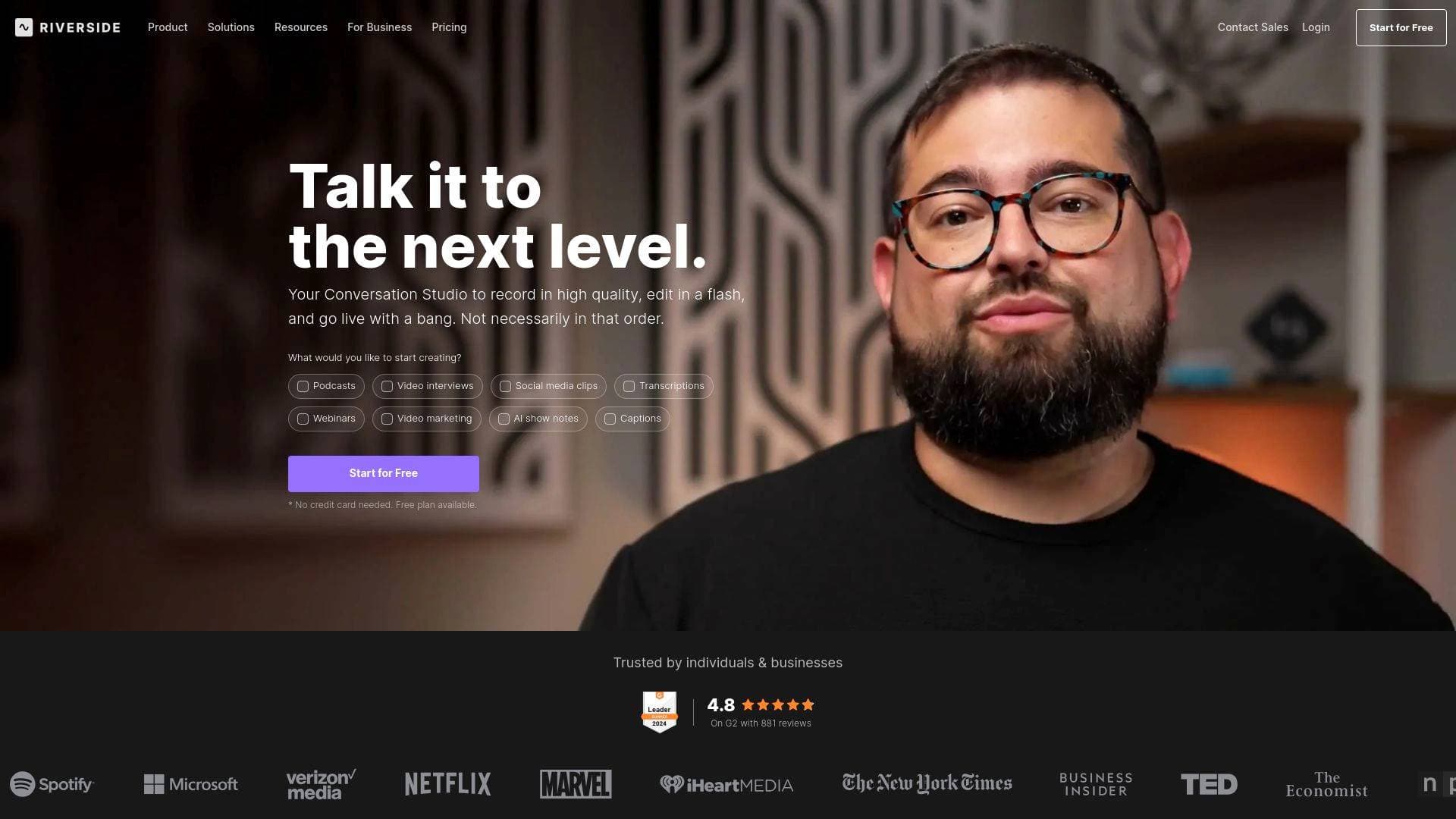
What is Riverside FM? A Content Creator's Complete Guide
Riverside FM is an AI-powered content creation platform built to help creators record, edit, repurpose, and distribute studio-quality content without needing a physical studio or a production crew. The core problem it solves is painfully familiar to any podcaster, YouTuber, or video creator: getting broadcast-quality audio and video while recording remotely with guests, then spending hours in post-production turning that raw footage into polished, publishable content. Riverside tackles the entire video production workflow in a single platform, from the moment you hit record to the moment you publish on Spotify, YouTube, or Apple Podcasts. It supports podcasts, interviews, webinars, live streams, social clips, video marketing, and transcriptions, making it one of the most versatile content creation tools available. What sets it apart is the combination of local recording technology that preserves quality regardless of internet connection, plus a deep suite of AI tools that handle the heavy lifting of editing, clipping, captioning, and content repurposing. Creators like Ali Abdaal (6.4M YouTube subscribers) and Colin & Samir (1.5M subscribers) use it in their workflows, and it carries a 4.8 rating on G2 with over 1,582 reviews.
Riverside FM Features That Matter for Content Creators
-
Local Recording up to 4K Video and 48kHz WAV Audio: Rather than streaming your recording to the cloud in real time, Riverside saves files locally on each participant's device first. This means internet hiccups don't degrade your recording quality. Creators get up to 4K video and uncompressed 48kHz WAV audio, with separate tracks for every participant that upload to the cloud automatically once the session ends.
-
Separate Tracks Per Participant: Every guest and host gets their own individual audio and video track saved as raw, uncompressed files. This gives podcasters and video creators maximum flexibility in post-production, whether that means fixing one person's audio without affecting others, removing crosstalk, or adjusting individual volume levels.
-
Text-Based Video Editor: The built-in editor transcribes every recording and lets creators edit video by editing the transcript, just like working in a document. Search, cut, copy, and paste directly in the transcript to remove sections, and the video timeline updates automatically. Content is also automatically divided into chapters for easier navigation.
-
Magic Audio (AI Audio Enhancement): This AI tool removes background noise, fine-tunes audio levels, and makes any microphone sound like it was recorded in a professional studio. It also includes a Smooth Speech feature that removes filler words like "um" and "ah," and a Set Pace tool that deletes silences to control the flow of conversation.
-
Magic Clips (AI Social Clip Generator): Riverside's AI automatically identifies the most notable highlights from a recording and turns them into ready-to-share social clips. Creators can use them as-is or tweak them further, making it fast to repurpose a single long-form recording into multiple pieces of short-form content for TikTok, Instagram Reels, and YouTube Shorts.
-
AI Co-Creator: Beyond clips, the AI Co-Creator generates a full suite of promotional assets from a single recording, including posts, thumbnails, and headlines, each optimized for different channels. It also handles AI Show Notes, auto-generating titles, descriptions, chapters, takeaways, soundbites, guest bios, and keywords with one click.
-
Multistream Live Streaming up to 1080p HD: Riverside doubles as a live streaming solution, letting creators broadcast simultaneously to multiple destinations including YouTube, LinkedIn, Facebook, Instagram, Twitch, TikTok, X (Twitter), and any custom RTMP destination. Streaming happens directly from the browser with no downloads required, and the platform optimizes the broadcast continuously to handle connectivity issues.
-
Podcast Hosting with Distribution: Built-in podcast hosting lets creators publish directly to Spotify, Apple Podcasts, YouTube, and more from within Riverside. The platform also provides analytics on podcast performance, episode success, and audience behavior, plus automated transcriptions, titles, descriptions, chapters, and keyword-rich takeaways to help new listeners find the show.
-
AI Translation and Dubbing into 30+ Languages: Creators can translate and dub their content into over 30 languages using AI, extending the reach of every recording to global audiences without hiring translators or voice actors.
-
AI Speech Correction (Fix What You Said): If a creator or guest misspoke, they can simply fix the transcript text and the AI syncs the voice and lip movements to match the corrected version, making it look and sound like that's what was said originally.
-
Studio Branding, Captions, and Overlays: Creators can upload their logo, set brand colors, add intro and outro clips, and apply custom overlays to maintain a consistent visual identity across all content. Animated captions are generated with one click and are fully customizable in terms of font, color, size, and animation style, perfect for Reels and TikToks.
-
Media Board and Teleprompter: The Media Board lets creators upload audio and video files in advance to play during a recording, such as intro music, transitions, or sound effects. The built-in teleprompter stores questions, discussion points, and full scripts directly in the studio so creators can stay on track without looking away from the camera.
Which Content Creators Should Use Riverside FM?
Riverside FM is built for creators who care about audio and video quality but don't want to spend hours in post-production or manage multiple disconnected tools. It works equally well for solo creators and teams, and the free plan makes it accessible to beginners while the feature depth satisfies professionals. Here's who gets the most out of it:
- Primary creator types: Podcasters (audio and video), YouTubers, TikTokers, Instagram Reels creators, live streamers, webinar hosts, and newsletter writers who want to repurpose long-form content into short clips.
- Experience level: Beginner-friendly thanks to the text-based editor and AI automation, but powerful enough for professional producers and studios.
- Team size: Works for solo creators recording alone, interview-format shows with remote guests, and larger productions with dedicated producers who need behind-the-scenes control without appearing on camera.
- Specific use cases:
- A podcaster recording remote interviews who needs studio-quality audio from guests regardless of their internet connection
- A YouTuber who wants to record talking-head videos and quickly generate social clips and captions for Instagram and TikTok
- A live streamer who wants to multistream to YouTube, Twitch, and LinkedIn simultaneously while also capturing a high-quality local recording for later editing
- A creator who wants to repurpose one long-form recording into a full week of social content using AI-generated clips, posts, and thumbnails
- A video podcaster who wants to publish directly to Spotify, Apple Podcasts, and YouTube without leaving the platform
- A creator building a global audience who needs their content translated and dubbed into multiple languages
- A webinar host who wants to capture registrant data, engage with live Q&A, and turn the recording into clips and summaries automatically
- A content creator who wants consistent branding across all their video output without manually applying logos and intros every time
Getting Started with Riverside FM
- Sign up for free at riverside.com with no credit card required. The recorder and editor are included in all plans, including the free tier.
- Create a studio and invite guests with a single click. Guests join directly from their browser with no downloads or installations needed.
- Hit record. Riverside saves files locally on each participant's device and progressively uploads them to the cloud during the session, so everything is ready to edit shortly after you finish.
- Open the editor. The platform automatically transcribes the recording, divides it into chapters, and color-codes each speaker in the timeline. Edit by working directly in the transcript, then use AI tools to clean audio, remove silences, generate show notes, and create social clips.
- Publish or export. Push directly to Spotify, Apple Podcasts, or YouTube, or export files for use elsewhere.
Riverside FM FAQ for Content Creators
Does Riverside FM have a free plan? Yes, Riverside offers a free plan that includes access to both the recorder and the editor. No credit card is required to get started.
What video quality does Riverside record in? Riverside captures video in up to 4K resolution and audio in uncompressed 48kHz WAV files. Each participant's tracks are saved separately as raw, uncompressed files for maximum editing flexibility.
Can I livestream and record at the same time on Riverside? Yes. Riverside lets creators capture a high-quality local recording during a live session. The live stream goes out in up to 1080p HD to multiple destinations simultaneously, while the local recording preserves the full quality for post-production editing.
How does the text-based editor work? Every recording is automatically transcribed, and the editor maps each word in the transcript to the corresponding moment in the video timeline. Creators can edit the video simply by deleting, cutting, or rearranging text in the transcript, and the video updates to match.
What platforms can I publish to directly from Riverside? Riverside supports direct publishing to Spotify, Apple Podcasts, and YouTube. It also supports live streaming to YouTube, LinkedIn, Facebook, Instagram, Twitch, TikTok, X (Twitter), and any custom RTMP destination.
Does Riverside work on mobile devices? Yes. Riverside has apps for iPhone and iPad. Creators and guests can join sessions from their phones, and the phone can also be used as a primary webcam or second camera to capture higher-quality video.
How many languages does Riverside support for transcription and translation? Riverside provides automatic transcription in over 100 languages. The AI translation and dubbing feature supports over 30 languages for content localization.
The Verdict: Is Riverside FM Worth It for Content Creators?
For podcasters, video creators, and live streamers who want studio-quality output without a studio setup, Riverside FM delivers a genuinely complete content creation workflow. The local recording technology solves one of the biggest pain points in remote recording, ensuring that a guest's unstable internet connection never ruins a take. The AI editing tools, particularly Magic Audio, Magic Clips, and the text-based editor, dramatically reduce the time between recording and publishing. The ability to go from recording to live streaming to podcast hosting to social clip distribution all within a single platform is a meaningful advantage for creators who want to focus on making content rather than managing tools.
The platform is particularly strong for podcasters who record with remote guests, YouTubers building a video-first content strategy, and any creator who needs to repurpose long-form content into short-form social clips at scale. The free plan makes it easy to test without commitment, and the depth of AI features means creators at every level can find genuine time savings. For any creator serious about audio and video quality and looking to cut down on post-production time, Riverside FM is a platform worth building a workflow around.
Details
One link. Every channel, rate, and piece of work brands need to evaluate you. Built for how creators actually get hired.
Claim your profile
Live creator, content, and marketing roles from real companies, with the pay, market, and context the raw job page never gives you.
Browse jobs

 Post Bridge