

Milk Video
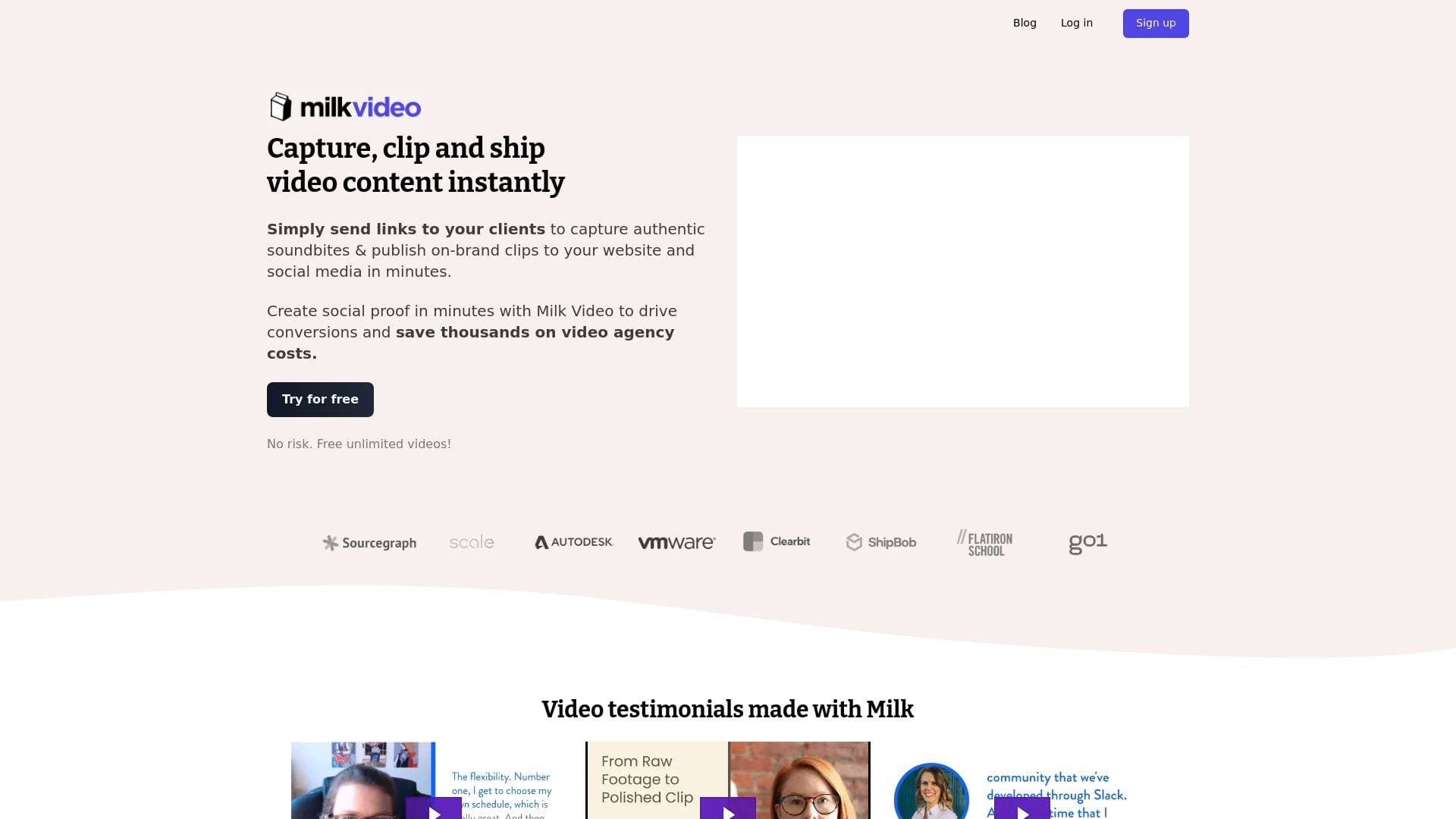
Milk Video is a video repurposing and editing tool that helps content creators remix existing footage into social-ready clips, testimonials, and video ads in minutes.
What is Milk Video? A Content Creator's Guide
Milk Video is a video editing and repurposing tool built to help creators transform raw footage into polished, platform-ready content without spending hours in a traditional editing suite. The core problem it solves is a familiar one: creators sit on hours of recorded webinars, live classes, interviews, and user testimonials that never get repurposed because editing takes too long. Milk Video tackles this by offering a browser-based video production workflow where speech is automatically transcribed, footage can be searched and clipped quickly, and finished videos can be sized and distributed across multiple social channels from a single workspace. One user noted that a task that previously took 8 hours is now handled in a fraction of the time, using the tool to produce Facebook video ads, YouTube Shorts, and Instagram videos from the same source material. The platform supports multiple output formats, including audiograms for audio-only content, making it useful for podcasters and creators who want to squeeze more value out of every recording session. Acquired by Oktopost, Milk Video raised a $1.5M seed round in 2021 backed by Y Combinator, HubSpot co-founder Dharmesh Shah, and Wistia CEO Chris Savage, signaling strong roots in the video content space. For creators who want professional-looking results without hiring a video agency or becoming a design expert, Milk Video positions itself as a fast, accessible alternative.
Milk Video Features That Matter for Content Creators
-
Automatic Speech Transcription: Every video uploaded to Milk Video is automatically transcribed, turning spoken content into searchable, editable text. This makes it dramatically faster to find the best soundbites from long recordings like webinars, interviews, or live streams without scrubbing through footage manually.
-
Video Clipping and Highlight Creation: Creators can clip, caption, and share designed video highlights at any scale directly from the platform. This is particularly useful for YouTubers and podcasters who want to pull short, punchy clips from longer content for social distribution.
-
Drag-and-Drop Template Editor: Milk Video includes pre-built templates that let creators assemble a video ad or social clip in as little as 30 seconds using drag-and-drop building blocks. No design background is required, and the results are polished enough to share publicly without embarrassment.
-
Automatic Captions: Captions are generated automatically from the transcription engine, so every clip is ready for silent viewing on social feeds. This removes a time-consuming manual step that many creators either skip or outsource.
-
Audiogram Creation: Audio-only content, such as podcast recordings, can be converted into audiograms, giving creators a visual format to share audio clips on platforms that favor video. This extends the reach of content that would otherwise be limited to audio-only channels.
-
Multi-Platform Sizing: Creators can produce multiple variations of the same video sized appropriately for different social channels in one workflow. Rather than exporting and resizing separately for each platform, Milk Video handles the formatting variations from a single editing session.
-
Video Testimonial Collection via Link: Creators and content-driven brands can send a simple link to collaborators, guests, or community members to record their responses to custom questions. The recorded footage flows directly into Milk Video for editing, with one example testimonial going from raw recording to finished video in under 3 hours.
-
Brand Asset Management: The platform allows creators to standardize brand elements across all video output, including logos, colors, and design components. This is valuable for creators managing a consistent visual identity across YouTube, Instagram, LinkedIn, and other channels.
-
Browser-Based Editing: Everything happens in the browser, which means no software downloads, no local rendering bottlenecks, and easy sharing by default. Creators can start editing from any device and share work-in-progress content with collaborators or clients directly from the platform.
-
Collaborative Feedback Workflow: Milk Video supports iterative production by aligning the content creation process around feedback collection. Creators working with editors, brand managers, or sponsors can gather input and make revisions without bouncing files back and forth over email.
Which Content Creators Should Use Milk Video?
Milk Video is best suited for creators who regularly produce long-form recorded content and want a faster path to short-form social clips without a steep learning curve or expensive agency costs. The tool is designed around ease of use, with the explicit goal that creators should be able to produce video content without being a "video scientist" or professional designer.
Primary creator types:
- YouTubers and video podcasters who record long interviews, webinars, or educational sessions and want to clip highlights for YouTube Shorts, Instagram Reels, or TikTok
- Podcasters looking to convert audio recordings into audiograms and captioned video clips for social media
- Course creators and educators who run live classes and want to repurpose session recordings into promotional or educational snippets
- Newsletter writers and bloggers who want to add video content to their distribution mix without building a full video production workflow
- Streamers who record live sessions and need a fast way to pull shareable moments for post-stream promotion
- Solo creators managing their own brand who need professional-looking output without hiring a designer or editor
Specific use cases:
- Turning a recorded webinar into multiple short social clips for Facebook, Instagram, and LinkedIn
- Creating video testimonials from community members or customers by sending a recording link
- Converting a podcast episode into a captioned audiogram for Twitter or Instagram
- Producing YouTube Shorts from a longer tutorial or live class recording
- Building video ads from existing footage using pre-built templates in under a minute
- Repurposing a Google Hangouts or Zoom recording into a polished, shareable announcement video
- Generating multiple platform-specific versions of the same clip without re-editing from scratch
Getting Started with Milk Video
- Create a free account: Milk Video offers a 7-day trial with no credit card required, so creators can test the full workflow before committing.
- Upload or import your footage: Move existing videos into Milk Video, where speech is automatically transcribed and content becomes searchable immediately.
- Clip and design your highlights: Use the template editor and drag-and-drop building blocks to assemble clips, add captions, and apply brand assets.
- Create platform variations: Generate multiple versions of each video sized for different social channels in the same session.
- Distribute or share: Publish clips directly to social media or share via link for client review and feedback before final distribution.
Milk Video FAQ for Content Creators
Does Milk Video require any video editing experience? No prior editing experience is needed. The platform is built around the principle that creators should be able to produce professional video content without technical expertise, using pre-built templates and a drag-and-drop interface to handle design and formatting.
How fast can a creator produce their first video? Milk Video is designed for speed. Documented examples show testimonial videos going from raw recording to finished edit in 2 to 3 hours, and video ads can be assembled from templates in as little as 30 seconds.
Can Milk Video handle audio-only content? Yes. Audio recordings can be transformed into audiograms, which are visual representations of audio content suitable for sharing on social platforms that prioritize video formats.
Does Milk Video support automatic captions? Captions are generated automatically through the platform's transcription engine, which processes speech from uploaded video and audio files without requiring manual input from the creator.
Can creators collect video testimonials or interview responses through Milk Video? Yes. Creators can send a custom link to guests, collaborators, or community members who then record their responses to preset questions. That footage flows directly into Milk Video for editing and publishing.
Is Milk Video browser-based? All editing happens in the browser, meaning there is no software to download and content is easy to share or collaborate on by default from any device.
The Verdict: Is Milk Video Worth It for Content Creators?
Milk Video is a strong fit for creators who are sitting on untapped video content and need a faster, more accessible way to turn it into social-ready clips. The combination of automatic transcription, pre-built templates, audiogram creation, and multi-platform sizing removes the most time-consuming parts of a typical video repurposing workflow. Creators who run webinars, record podcasts, host live classes, or conduct video interviews will get the most immediate value from the platform.
The tool is explicitly designed for people without design or editing backgrounds, which makes it approachable for solo creators who handle everything themselves. The ability to collect video responses via a simple link also opens up testimonial and interview-style content for creators who want authentic soundbites without coordinating a full production setup.
One consideration worth noting is that Milk Video has been acquired by Oktopost, which may signal a shift in product direction over time. For creators evaluating long-term tools, it is worth monitoring how the platform evolves post-acquisition. That said, for creators who need a fast, professional video editing tool today, Milk Video delivers a genuinely efficient workflow backed by a well-funded team with deep roots in the video content space.
Details
One link. Every channel, rate, and piece of work brands need to evaluate you. Built for how creators actually get hired.
Claim your profile
Live creator, content, and marketing roles from real companies, with the pay, market, and context the raw job page never gives you.
Browse jobs

 Post Bridge