

Pixabay
Pixabay is a free stock media platform offering 6 million+ royalty-free images, videos, music, and more with no attribution required for content creators.
What is Pixabay? A Content Creator's Guide
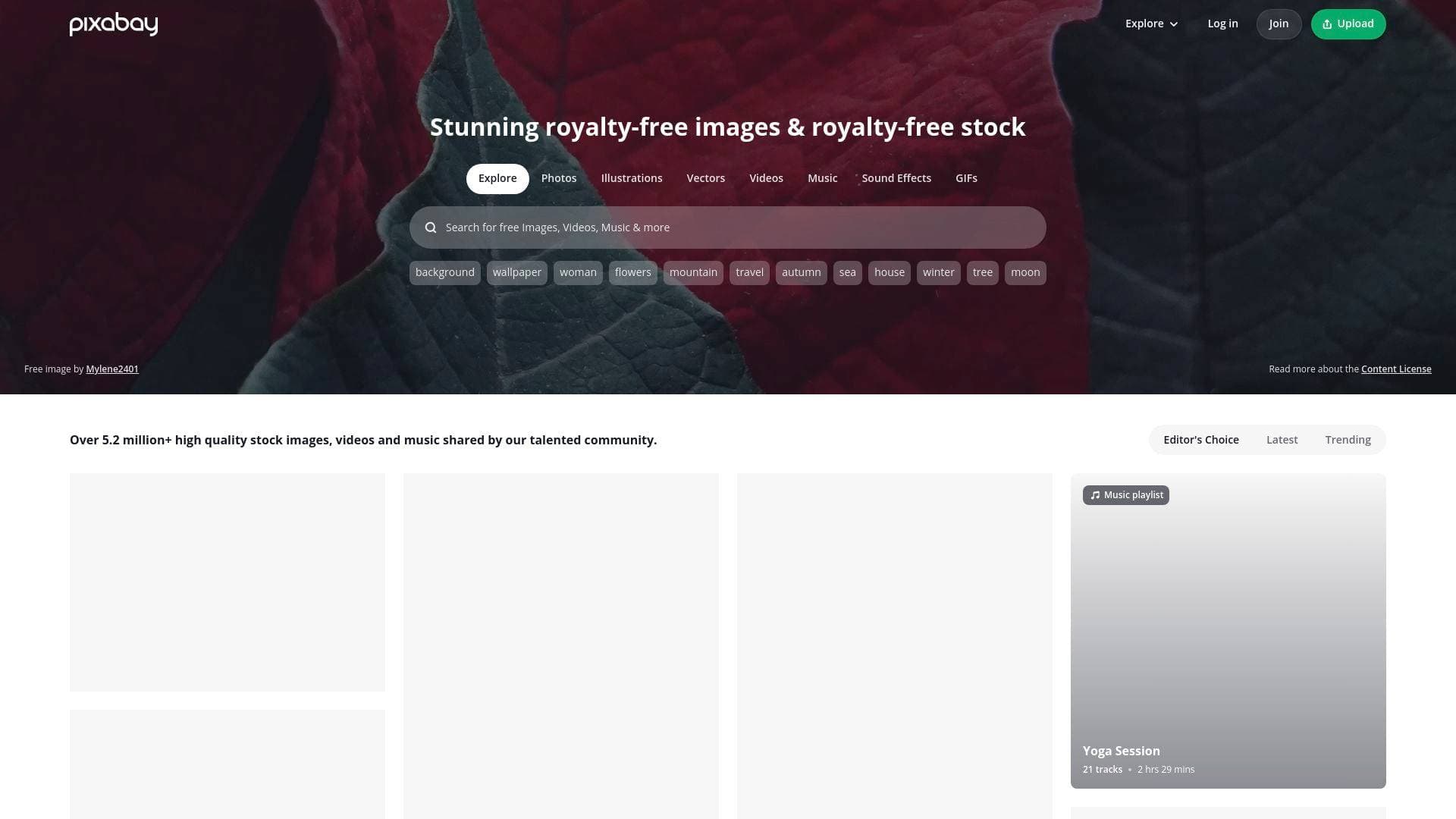
Pixabay is a massive free stock media platform built to solve one of the most persistent headaches in content creation: finding high-quality, legally usable visuals and audio without paying licensing fees or crediting the source. With over 6 million assets spanning photos, illustrations, vectors, videos, music, sound effects, 3D models, and GIFs, it functions as a one-stop creative resource library for creators at every level. The royalty-free content license means assets can be used across projects without attribution requirements, which is a significant advantage for YouTubers, bloggers, and social media creators who want clean, professional output without legal complications. The platform is powered by a global community of contributors who upload original media, keeping the library fresh and continuously growing. For video creators specifically, the combination of free stock footage and royalty-free music tracks in a single platform removes the need to juggle multiple tools during the content creation workflow. Pixabay also integrates directly with Canva's video editor, allowing creators to move from asset discovery to editing without leaving the ecosystem. Whether producing a YouTube documentary, a TikTok montage, a blog header, or a podcast intro, Pixabay covers the visual and audio needs that would otherwise require paid subscriptions elsewhere.
Pixabay Features That Matter for Content Creators
-
Massive Royalty-Free Library (6M+ Assets): Pixabay hosts over 6 million pieces of content, all available under a content license that requires no attribution. For creators publishing across YouTube, Instagram, blogs, or newsletters, this eliminates the risk of copyright strikes or licensing disputes when using third-party media.
-
Photos (4.3M Assets): The photo library alone contains 4.3 million images covering virtually every subject a creator could need, from nature and wildlife to lifestyle, travel, and abstract backgrounds. High-resolution downloads are available, making these suitable for both digital and print applications.
-
Illustrations (1.12M Assets): With over 1.12 million illustrations available, creators working on explainer videos, blog graphics, or branded content have access to a wide range of artistic styles. These are particularly useful for YouTubers who need custom-looking visuals without hiring a designer.
-
Videos (220K Assets): The video library includes 220,000 clips available in HD and 4K resolutions. Content creators can pull b-roll footage for YouTube videos, TikTok backgrounds, or short-form social content without needing to shoot everything themselves.
-
Music (230K Tracks): Pixabay's music library contains 230,000 royalty-free audio tracks spanning genres from cinematic and trailer music to wedding, ambient, rock, and modern classical. Creators can filter by genre, mood, movement, theme, and duration to find the exact sound for their content. Individual tracks have accumulated millions of plays, with one cinematic track reaching nearly 3 million plays and over 271,000 downloads.
-
Sound Effects (120K Assets): Beyond full music tracks, 120,000 sound effects are available for creators who need specific audio moments, whether for podcast production, YouTube video editing, or short-form content on TikTok and Instagram Reels.
-
Vectors and 3D Models: The platform includes 160,000 vector graphics and 2,000 3D model assets. Vectors are ideal for creating scalable graphics for thumbnails, channel art, and social media posts, while 3D models open up possibilities for more advanced visual content.
-
GIFs (12K Assets): A dedicated GIF library with 12,000 animated assets gives creators ready-made motion graphics for social media posts, email newsletters, and blog content without needing animation software.
-
Curated Collections and Playlists: Pixabay organizes assets into themed collections and music playlists, making it faster to find cohesive sets of media for specific content projects. Collections like "Wild Animals," "Celebrating Women," and "Lunar New Year" contain between 46 and 300 curated items, saving creators significant research time.
-
Canva Integration for Editing: Every image and video on Pixabay includes a direct "Edit image" or "Edit video" link that opens the asset inside Canva's editor. This built-in integration makes it practical to go from finding an asset to customizing it for a YouTube thumbnail, social post, or video project in a single workflow.
-
Content ID Registration on Music: Some music tracks on Pixabay are marked as Content ID Registered, which is important information for YouTube creators. This transparency helps creators understand potential monetization implications before using a track in their videos.
-
Community and Creator Forum: Pixabay maintains an active community forum and runs creative contests where creators can showcase their own work, gain exposure, and win prizes. Creators can also upload their own media to the platform, contributing to the library while building visibility.
Which Content Creators Should Use Pixabay?
Pixabay is particularly well-suited for creators who produce content regularly and need a reliable, cost-free source of high-quality media. The sheer breadth of asset types makes it relevant across nearly every content format and platform, from long-form YouTube productions to quick social media posts.
Primary creator types:
- YouTubers who need b-roll footage, background music, and thumbnail graphics without worrying about copyright claims
- Bloggers and newsletter writers who need header images, inline illustrations, and vector graphics to accompany written content
- Podcasters who need royalty-free intro/outro music and sound effects from the 230K+ music and 120K sound effect libraries
- TikTokers and Instagram Reels creators who need short video clips and music tracks cleared for use on social platforms
- Streamers looking for overlay graphics, background music, and animated GIFs for their stream layouts
- Social media managers handling multiple brand accounts who need a steady supply of visuals for posts, stories, and ads
Experience level: Pixabay works equally well for beginners who just need to grab a free photo and for experienced creators who want to filter music by mood, movement, and theme for precise audio matching.
Team size: Solo creators benefit from the zero-cost model, while small creative teams can use the platform collaboratively without per-seat licensing costs.
Specific use cases:
- Downloading 4K nature footage for a travel YouTube channel's b-roll
- Finding cinematic trailer music for a YouTube video intro (tracks with millions of plays are available)
- Sourcing wedding piano music for a client video project
- Pulling vector illustrations for a blog post or email newsletter header
- Finding ambient or dark cinematic background music for a documentary-style video
- Downloading GIFs for use in social media posts or Substack newsletters
- Using curated seasonal collections (Spring, Christmas, Easter) to quickly find themed content for timely posts
- Editing downloaded assets directly in Canva via the built-in integration
Getting Started with Pixabay
- Search by asset type: Use the top navigation to filter between Photos, Illustrations, Vectors, Videos, Music, Sound Effects, 3D Models, and GIFs before searching, so results are immediately relevant to the project at hand.
- Refine with filters: For music, use the Genre, Mood, Movement, Duration, and Theme filters to narrow down tracks quickly. For images and video, filter by orientation, resolution, and publication date.
- Download or edit directly: Click any asset to access the full download options, or use the "Edit image" / "Edit video" button to open the asset in Canva for immediate customization.
- Check Content ID status for music: Before using a music track in a YouTube video, look for the "Content ID Registered" label on the track page to understand any potential monetization implications.
- Explore curated collections: Browse the Collections and Playlists sections for pre-grouped themed assets, which saves time when building content around a specific topic or seasonal moment.
Pixabay FAQ for Content Creators
Is Pixabay actually free to use? All assets on Pixabay are available under the Pixabay Content License at no cost. No attribution is required, meaning creators can use the media in their content without crediting the original photographer, illustrator, or musician.
How many assets does Pixabay have? Pixabay hosts over 6 million assets in total, including 4.3 million photos, 1.12 million illustrations, 160,000 vectors, 220,000 videos, 230,000 music tracks, 120,000 sound effects, 2,000 3D models, and 12,000 GIFs.
Can YouTubers use Pixabay music without getting copyright strikes? Most tracks are royalty-free under the Pixabay Content License, but some tracks are marked "Content ID Registered," which means the rights holder has registered the music with YouTube's Content ID system. Creators should check individual track pages for this label before using music in monetized YouTube videos.
Can I edit Pixabay assets before using them? Yes. Every image and video on Pixabay includes a direct link to edit the asset inside Canva's editor, making it straightforward to resize, add text, adjust colors, or splice video clips before publishing.
Does Pixabay have 4K video footage? Yes. Many video clips in the library are available in 4K resolution, alongside HD options. Creators can filter video search results by resolution to find 4K-specific content.
Can I upload my own content to Pixabay? Yes. Pixabay allows creators to upload their own photos, videos, illustrations, and music to the platform, contributing to the community library while gaining exposure to a large audience of creators.
The Verdict: Is Pixabay Worth It for Content Creators?
For any content creator who regularly needs stock photos, video footage, background music, or graphic assets, Pixabay delivers exceptional value. The combination of 6 million+ free, royalty-free assets across eight distinct media types, zero attribution requirements, and direct Canva integration makes it one of the most practical free resources available in a content creation workflow.
The music library is particularly strong for video creators, with 230,000 tracks filterable by genre, mood, and movement, and individual tracks accumulating millions of downloads. The Content ID transparency on music tracks is a thoughtful feature for YouTube creators who need to protect their monetization.
The main consideration to keep in mind is that some music tracks carry Content ID registration, which requires creators to verify each track before use in monetized YouTube content. This is a minor friction point but worth noting for creators who rely heavily on the music library.
Overall, Pixabay is an essential free tool for YouTubers, bloggers, podcasters, social media creators, and streamers who want professional-quality media assets without subscription costs or attribution obligations. The sheer volume and variety of content, combined with the Canva editing integration, makes it a genuinely useful part of any creator's toolkit.
Details
One link. Every channel, rate, and piece of work brands need to evaluate you. Built for how creators actually get hired.
Claim your profile
Live creator, content, and marketing roles from real companies, with the pay, market, and context the raw job page never gives you.
Browse jobs

 Post Bridge