

Videobolt
Videobolt is a browser-based video creation platform offering 15,000+ professional templates for intros, lyric videos, kinetic typography, music visualizers, and more — no software required.
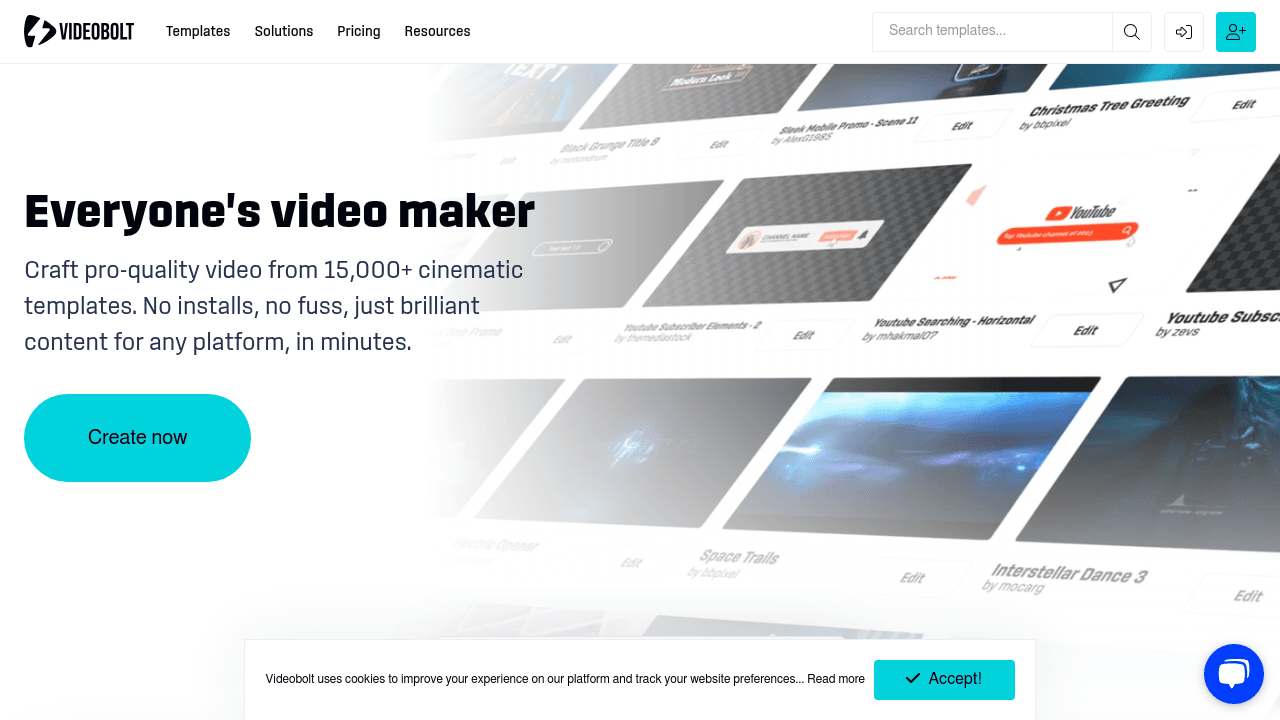
Brief Overview of Videobolt for Content Creators
Videobolt is a browser-based video creation platform built for content creators who want professional-quality results without the steep learning curve of traditional video editing software. The core problem it solves is a familiar one: producing broadcast-ready, visually polished videos used to require expensive tools like Adobe After Effects, motion design expertise, or a freelance agency budget. Videobolt eliminates all three barriers by putting a library of 15,000+ professionally designed templates directly in the browser, ready to customize in minutes. The video production workflow is as simple as picking a template, swapping in your text, logo, colors, and music, then exporting in Full HD, 4K, or ProRes — with no watermarks and no software installs. For YouTube creators, musicians, streamers, and social media managers, this is a significant shift in how fast polished content can actually get made. The platform covers an impressive range of content types: intros, outros, lyric videos, music visualizers, kinetic typography, stream overlays, logo animations, slideshow makers, promo videos, mockup generators, and more. Every template in the library is crafted by visual effects professionals, meaning creators are starting from a high production baseline rather than a blank canvas. With a 4.6 rating across 2,600+ reviews, Videobolt has earned genuine trust from the creator community as a reliable, time-saving video production tool.
Videobolt Key Features for Content Creators
-
15,000+ Professional Video Templates: The template library spans every style imaginable — 3D, glitch, digital, glow, neon, retro, minimalist, cinematic, cyberpunk, lo-fi, grunge, and more. Each template is designed by motion graphics professionals, so creators are never starting from scratch. Whether a YouTuber needs a punchy channel intro or a musician needs an animated lyric video, there's a ready-made starting point for every mood and platform.
-
Fully Browser-Based Editing: Videobolt runs entirely in the browser with no downloads, no installs, and no platform restrictions. Creators can edit, preview, and export videos from anywhere — a coffee shop, a couch, or backstage at an event. The drag-and-drop editor works like filling out a form, making it genuinely accessible for people with zero design or animation background.
-
Kinetic Typography Maker: The dedicated kinetic typography tool lets creators animate text with professional motion effects — glitch, 3D, neon, retro, and minimalistic styles are all available. Text can animate line by line or word by word, and the entire process requires no animation skills. This is particularly useful for YouTube intros, Instagram Reels, promo clips, and any content where a static title card just won't cut it.
-
Lyric Video Maker with 300+ Templates: Musicians and audio-focused creators get a specialized lyric video creation suite with four distinct motion mechanics: kinetic typography, audio reactive, camera motion, and multi-shot styles. Lyrics sync to the beat with visual timing controls, and the library covers 12 style categories including minimalist, street art, cinematic, neon, cyberpunk, space, lo-fi, and more. Exports are available in Full HD and 4K, optimized for YouTube, Spotify Canvas, and DistroKid.
-
Music Visualizer: Tracks can be transformed into dynamic music visualizer videos where waveforms, pulses, and particles react to the beat. This is a go-to feature for musicians promoting singles, DJs building their visual brand, and podcasters turning audio content into shareable social video.
-
Brand Kit and Asset Library: Creators can store logos, color palettes, and fonts in a centralized cloud asset hub. Once set up, brand elements apply across every template with a single click — a major time saver for creators managing consistent visual identities across multiple videos or channels.
-
HD, 4K, and ProRes Export — No Watermarks: Every video exports in Full HD, 4K, or ProRes with no watermarks and no hidden limits. All music, effects, and graphics included in templates are royalty-free, meaning finished videos can be used in commercial projects without licensing concerns.
-
Adobe Integration via Companion App: For creators who work inside Adobe's ecosystem, Videobolt offers a Companion app that syncs finished videos directly to After Effects and Premiere Pro. This bridges the gap between quick template-based creation and more advanced editing workflows without disrupting the creative process.
-
Simple Video Editing Tools: Beyond templates, Videobolt includes a suite of standalone browser-based tools: trim, resize, crop, compress, speed adjustment, loop, FPS change, rotate, flip, reverse, MP4 conversion, GIF conversion, audio removal, audio addition, and audio extraction. These utility tools round out the platform as a one-stop content creation environment.
-
Video Merger Tool: Creators can combine multiple video clips into a single unified video directly in the browser, with no registration required and no watermarks. This is handy for assembling highlight reels, event recaps, or multi-clip social content on the fly.
Videobolt Target Users & Use Cases for Content Creators
Videobolt is built for creators across the full spectrum — from first-time YouTubers to working musicians to freelance video producers. The platform's form-based editor and zero-skill-required approach make it ideal for beginners, while the 4K export, ProRes support, and Adobe integration give experienced creators the output quality they need. Solo creators and small teams alike benefit from the Brand Kit feature, which keeps visual consistency manageable without a dedicated design resource.
- Primary creator types: YouTubers, musicians and DJs, streamers, podcasters, social media managers, freelance video creators, and event organizers
- Experience level: Beginner to intermediate; advanced creators benefit from export quality and Adobe integration
- Team size: Optimized for solo creators, with features that also support small teams managing brand consistency
Specific use cases for content creators:
- YouTube channel branding: Creating custom animated intros and outros that match a channel's visual identity, using the Brand Kit to keep logos, fonts, and colors consistent across every video.
- Music single releases: Building professional lyric videos for new tracks in styles ranging from cyberpunk neon to lo-fi warmth, then exporting in 4K for YouTube or Spotify Canvas.
- Live streaming setup: Designing custom stream overlays that give a Twitch or YouTube Live channel a polished, professional look without hiring a graphic designer.
- Social media content production: Generating kinetic typography videos for Instagram Reels, TikTok, or YouTube Shorts where animated text grabs attention in the first second.
- Podcast promotion: Converting audio episodes into animated subtitle or lyric-style videos for shareable social stories that drive listeners back to the full episode.
- Logo animation for brand building: Turning a static logo into an animated reveal for use at the start of videos, in email signatures, or on a creator's website.
- Event promotion: Creating dynamic kinetic typography invitations or teaser videos for digital or in-person events, complete with branded colors and motion graphics.
- Freelance creator services: Offering clients animated intros, logo reveals, and lyric videos as upsell services, delivered quickly using Videobolt's template library without needing animation expertise.
How to Get Started with Videobolt
- Browse the template library: Head to Videobolt's template library and filter by content type — intro, lyric video, kinetic typography, music visualizer, stream overlay, and more. Preview templates live to see how your content will look in motion before committing.
- Customize in the browser editor: Click into the editor and swap out text, upload your logo, select brand colors, and add or replace background music. Everything updates instantly in the browser — no software needed.
- Set up your Brand Kit: Upload your logo, define your color palette, and set your preferred fonts in the Brand Kit. This makes future projects faster and keeps all your videos visually consistent.
- Export your finished video: Choose your export resolution — Full HD, 4K, or ProRes — and download your watermark-free video. From there, upload directly to YouTube, share on social media, or bring the file into Adobe Premiere Pro or After Effects using the Companion app.
Frequently Asked Questions About Videobolt
Does Videobolt require any software installation? No software installation is needed. Videobolt runs entirely in the browser, so creators can edit, preview, and export videos from any device without downloading anything.
What resolution can videos be exported in? Videobolt supports Full HD, 4K, and ProRes export formats. All exports are watermark-free and ready for use on YouTube, social media, Spotify Canvas, DistroKid, and broadcast projects.
Is the music and audio in Videobolt templates royalty-free? Yes. All music, sound effects, and graphics included in Videobolt templates are royalty-free, meaning creators can use finished videos in commercial projects without worrying about licensing issues.
How long does it take to create a video? Most users complete a custom video in under 10 minutes using Videobolt's template-based workflow. Lyric videos typically take under 15 minutes, even for first-time users.
Can I use Videobolt with Adobe Premiere Pro or After Effects? Yes. Videobolt offers a Companion app that syncs finished videos directly into After Effects and Premiere Pro, making it easy to incorporate Videobolt assets into more advanced editing workflows.
How many templates does Videobolt offer? The platform's library includes 15,000+ professionally designed video templates, with new templates added regularly across all content categories.
Can I maintain consistent branding across multiple videos? Yes. Videobolt's Brand Kit lets creators save their logo, fonts, and color palette, then apply them instantly across any template in the library — keeping every video on-brand without manual repetition.
Does Videobolt work for kinetic typography without animation skills? Absolutely. The kinetic typography maker is designed for creators with no animation background. Picking a template, typing text, and customizing colors is all that's required to produce professional animated text videos.
Bottom Line: Should Content Creators Choose Videobolt?
Videobolt is a strong recommendation for content creators who need professional-quality video output without the time investment of learning complex editing software. YouTube creators benefit most from the intro/outro maker, kinetic typography tools, and stream overlays. Musicians and audio creators get a genuinely capable lyric video and music visualizer suite with 4K export and beat-syncing controls. Freelance creators can use the platform to expand their service offerings without needing animation expertise.
The main advantages are clear: a massive 15,000+ template library built by motion graphics professionals, fully browser-based editing with no installs, watermark-free HD/4K/ProRes exports, royalty-free assets, and Adobe integration for creators who need to go deeper in post-production. The Brand Kit and Asset Library add real value for creators managing consistent visual identities across multiple projects or channels.
For creators who need highly custom, frame-by-frame animation control, Videobolt's template-based approach will have limits. But for the vast majority of content creators who need polished, branded video content produced quickly and affordably, Videobolt delivers a compelling video production workflow that punches well above its weight.
Details
One link. Every channel, rate, and piece of work brands need to evaluate you. Built for how creators actually get hired.
Claim your profile
Live creator, content, and marketing roles from real companies, with the pay, market, and context the raw job page never gives you.
Browse jobs

 Post Bridge