
Dubverse
Dubverse is a Generative AI platform for video dubbing, text-to-speech, and auto subtitles, helping content creators reach global audiences in 60+ languages.
Brief Overview of Dubverse for Content Creators
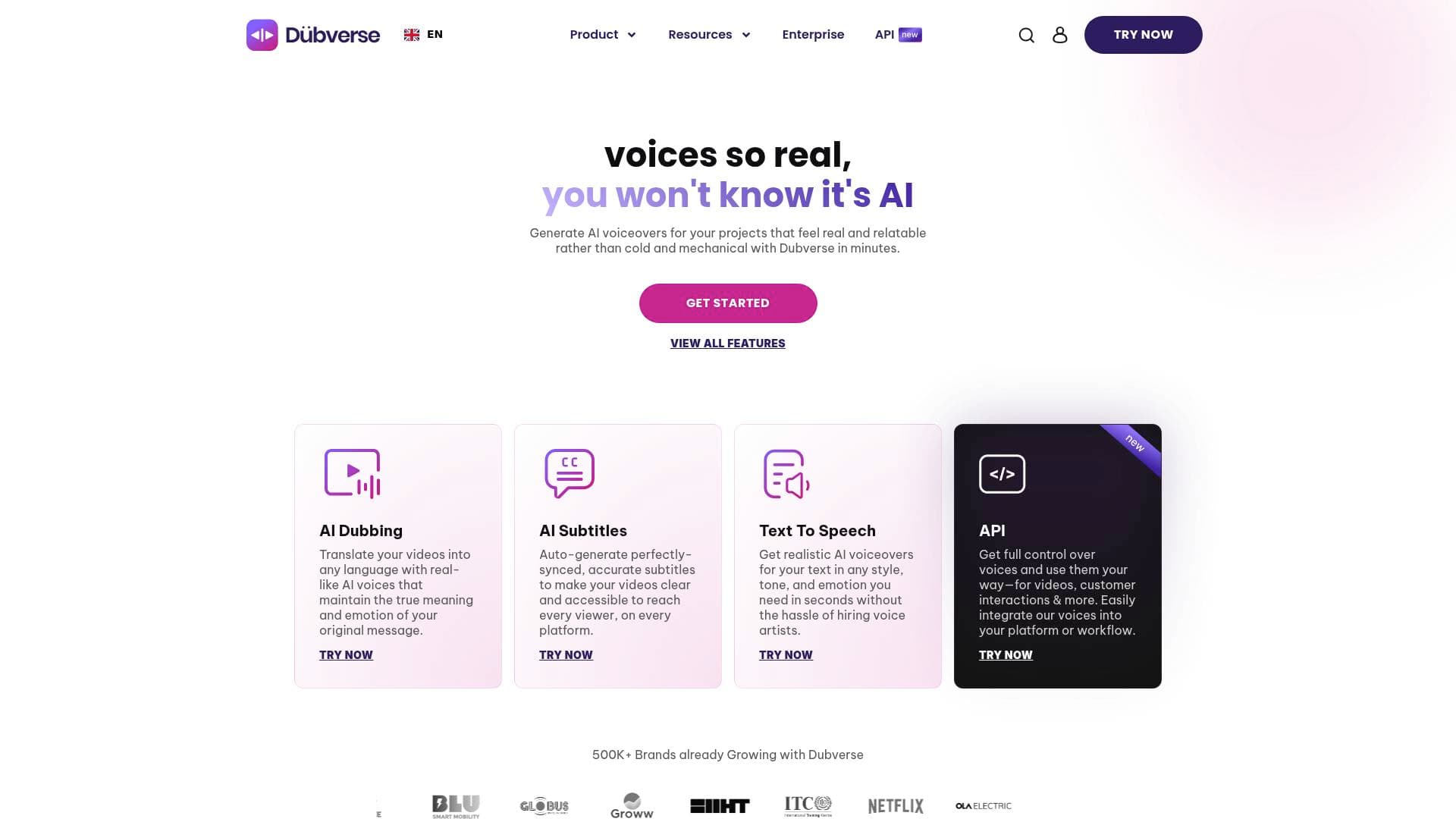
For YouTubers, TikTokers, and video creators who want to reach audiences beyond their native language, Dubverse is a generative AI platform built around three core capabilities: AI video dubbing, text-to-speech voiceover generation, and automatic subtitle creation. The platform directly solves one of the most expensive and time-consuming problems in the content creation workflow — translating and localizing video content without hiring translators, voice artists, or spending weeks in post-production. Powered by advanced machine translation, neural text-to-speech, and generative AI, Dubverse delivers ready-to-publish multilingual videos up to 10x faster than manual dubbing. Creators can dub videos into 60+ Indian and global languages, generate realistic AI voiceovers in any style or tone, and auto-generate perfectly synced subtitles — all from a single platform. The platform has already generated over 5 million voiceovers daily and has onboarded over 11 million creators and developers. With 500K+ brands already using the tool, Dubverse has established itself as a serious video production and localization platform for independent creators and large content teams alike.
Dubverse Key Features for Content Creators
-
AI Video Dubbing: Dubverse translates videos into any language using real-sounding AI voices that maintain the emotion and meaning of the original content. Creators simply upload a video or paste a YouTube link, select a target language and speaker, and the platform handles the rest. The dubbed video can be previewed, edited, and downloaded for sharing on any platform.
-
DubX — Emotive Multi-Speaker Voice Cloning: The newest addition to the platform, DubX supports multi-speaker voice cloning with authentic emotional nuance and covers up to 4 languages in a single project. This is especially useful for creators producing interview-style content, podcasts, or multi-character videos who need distinct, expressive voices for each speaker.
-
AI Text-to-Speech with 200+ Voices: Creators can generate realistic voiceovers from text in any style, tone, and emotion in seconds — no voice artist required. The library includes 200+ customizable AI voices that vary by age, gender, tone, and dialect, covering accents from American and Irish English to Indian and more. Two underlying AI models, Neo.One and Candy.Two, power the voice generation for different quality and speed needs.
-
Auto Subtitle Generation (Dubverse SUB): Dubverse SUB automatically generates 99% accurate, time-stamped subtitles for any video in minutes. Subtitles can be auto-translated into 30+ languages, burned permanently into the video, or downloaded as separate files for uploading to YouTube and other platforms. This feature alone reportedly helped one creator grow from 40 videos to 100K+ subscribers.
-
Custom Voice Cloning: Creators can clone their own voice or build a branded voice that stays consistent across all languages and content types. The cloned voice adapts to different languages and accents, making it possible to maintain a recognizable audio identity across an entire multilingual content library.
-
Self-Servable Script Editor with Real-Time Translation: An advanced built-in script editor lets creators review, tweak, and perfect translated scripts without switching between tools. The editor supports real-time translation and gives full control over the dubbed output before publishing, including the ability to change speakers or swap languages mid-project.
-
Subtitle Customization and Branding: Beyond just generating subtitles, Dubverse SUB lets creators modify fonts, colors, and sizes to match their brand identity. Creators can choose subtitle placement (top, center, or bottom), use preset themes for speed, and even resync subtitles by adjusting Characters Per Second (CPS) or dragging blocks in the timeline.
-
Batch Processing at Scale: For creators managing large content libraries or running a channel with hundreds of videos, batch processing allows multiple audio files or dubbed videos to be generated simultaneously. This is a significant time-saver for tutorial series, course creators, or channels repurposing content across languages.
-
Built-In Social Sharing and Integrations: Subtitled and dubbed videos can be shared directly from the Dubverse studio to YouTube, Facebook, Twitter, WhatsApp, LinkedIn, or via email. Creators can also connect their social accounts directly to the platform to fetch both listed and unlisted videos without copying URLs or switching tabs.
-
Developer API with Ultra-Low Latency: For technically inclined creators or those building their own tools, Dubverse provides a developer-friendly API with response times under 500 ms. The API supports mix-language scripts (like Hinglish or Spanglish), accurate pronunciation of numbers and dates, and advanced text comprehension — making it suitable for integrating AI voices into apps, chatbots, or automated content pipelines.
Dubverse Target Users & Use Cases for Content Creators
Dubverse is built for creators who produce video content and want to expand their reach beyond a single language or audience. Whether working solo or as part of a content team, the platform scales from individual YouTubers to large media operations. The tool is particularly well-suited for creators who already have an established video library and want to unlock new audiences without re-recording everything from scratch.
- Primary creator types: YouTubers, TikTokers, course creators, documentary filmmakers, podcast producers, social media video creators, and indie content creators
- Experience level: Beginner to advanced — the interface is described by users as intuitive enough for teams with little technical knowledge, while the API and batch tools serve more advanced workflows
- Team size: Solo creators and content teams both benefit, with built-in collaboration tools for sharing, reviewing, and editing dubbed projects together
Specific use cases for content creators:
- A YouTube creator dubbing their existing English video library into Hindi, Spanish, or French to tap into new subscriber bases
- A TikToker adding auto-generated subtitles to short-form videos to increase watch time and accessibility for viewers watching without sound
- An online course creator translating educational video content into multiple Indian languages to reach non-English-speaking students
- A podcaster generating AI voiceovers for scripted episodes without hiring a voice artist, using the text-to-speech tool with a cloned or branded voice
- A documentary filmmaker creating multilingual versions of their film using DubX's multi-speaker voice cloning for authentic, emotive delivery
- A creator repurposing how-to or tech tutorial videos for international audiences by dubbing into 60+ languages in a single workflow
- A content team using batch processing to simultaneously generate dubbed versions of an entire video series across multiple languages
- A creator burning subtitles into Instagram Reels or YouTube Shorts to boost engagement among viewers who watch on mute
How to Get Started with Dubverse
- Sign up and access the studio: Visit Dubverse and click "Get Started for Free" — no credit card is required for the free trial. Once inside the web app, the dashboard presents the three core tools: DUB, SUB, and Text-to-Speech.
- Upload your video or paste a URL: For AI dubbing, click "Add a video" from the Dub option and either paste a YouTube link or upload a video file directly from your device or connected platform.
- Select your target language and speaker: Choose from 60+ languages and pick a speaker from the 450+ available voices. Click "Let's Dub" and the platform processes the video automatically.
- Review and edit in the script editor: Use the built-in script editor to review the translated script, adjust wording, change speakers, or fine-tune timing before finalizing.
- Download and share: Preview the dubbed video, then download it or share it directly to YouTube, Facebook, Instagram, or other platforms from within the studio.
Frequently Asked Questions About Dubverse
How many languages does Dubverse support? Dubverse supports 60+ Indian and global languages for video dubbing and translation, and subtitles can be generated and auto-translated in 30+ languages. This includes major global languages like Spanish, French, German, Japanese, and Chinese, as well as a strong selection of Indian languages including Hindi, Bengali, Tamil, Telugu, Kannada, and more.
Can I translate a video into multiple languages at once? Yes. Dubverse allows creators to generate multilingual versions of a video simultaneously rather than repeating the process for each language individually. This is particularly useful for creators targeting multiple regional markets or running multilingual content campaigns.
How accurate are the auto-generated subtitles? Dubverse SUB generates subtitles with 99% accuracy, complete with timestamps. Creators can further edit subtitles in ReDraft Mode, find and replace words, restructure sequences, and resync timing using the built-in timeline editor.
Does Dubverse support voice cloning? Yes. Dubverse offers custom voice cloning that allows creators to replicate any voice and have it adapt across all languages and content types. The newer DubX feature extends this with emotive, multi-speaker voice cloning supporting up to 4 languages in a single project.
Can I use Dubverse for short-form content like Instagram Reels or TikTok? Absolutely. Dubverse SUB is explicitly designed for short-form video platforms including Instagram Reels, YouTube videos, and TikTok. Subtitles can be burned permanently into the video for easy sharing on any platform.
Is there a free trial available? Dubverse offers a free trial with no credit card required and no lock-in commitments, making it accessible for creators who want to test the platform before committing to a subscription.
What is the DubX feature? DubX is Dubverse's latest voice cloning product that focuses on emotive, multi-speaker voice generation. It supports authentic emotional nuance, multiple distinct speakers within a single project, and coverage of up to 4 languages simultaneously — making it ideal for complex video content with multiple characters or presenters.
Bottom Line: Should Content Creators Choose Dubverse?
Dubverse is a strong choice for any video creator who wants to grow their audience internationally without the cost and complexity of traditional localization. The combination of AI dubbing, auto subtitles, and text-to-speech in one platform removes the need to juggle multiple tools or hire external voice artists and translators. The 60+ language support, 200+ AI voices, and 99% accurate subtitle generation cover the vast majority of creator needs — from a solo YouTuber adding Hindi subtitles to their English tutorials, to a course creator building a fully multilingual content library.
The platform's free trial with no credit card requirement lowers the barrier to entry significantly, and the intuitive interface means even non-technical creators can get results quickly. The newer DubX feature adds genuine emotional depth to AI voiceovers, which addresses one of the most common criticisms of AI-generated audio. Creators who need developer-level control also have access to a well-documented API with sub-500ms latency.
The main consideration is that highly nuanced or culturally sensitive content may still benefit from human review — though Dubverse does offer on-demand language experts through the platform for quality assurance. Overall, for content creators focused on scaling their video reach across languages and platforms, Dubverse delivers a comprehensive, fast, and cost-effective video production workflow solution.
Details
One link. Every channel, rate, and piece of work brands need to evaluate you. Built for how creators actually get hired.
Claim your profile
Live creator, content, and marketing roles from real companies, with the pay, market, and context the raw job page never gives you.
Browse jobs

 Post Bridge