
Dropbox
Dropbox is a secure cloud storage and file sharing platform that helps content creators store, organize, and share large files with AI-powered search and collaboration tools.
Brief Overview of Dropbox for Content Creators
Dropbox is a secure cloud storage and file sharing platform trusted by over 700 million registered users, built to help creators find, organize, and share their work all in one place. For content creators drowning in video files, design assets, audio recordings, and brand deliverables, the platform solves one of the most persistent pain points in any creative workflow: keeping everything accessible, organized, and shareable without losing quality. At its core, Dropbox combines traditional cloud storage with an AI-powered layer called Dash, which brings smarter search, faster drafting, summarization, and intelligent organization to the creative process. The platform supports previews for over 175 file types, making it easy to review raw footage, design files, PDFs, and more without downloading anything. Large file transfers are handled natively through Dropbox Transfer, which supports files up to 100 GB, a critical capability for YouTubers and videographers sending polished final cuts to clients or editors. Security is built into every layer, with industry-leading encryption, tamper-proof documents, version history, and a firm commitment to never selling user data. Whether working solo or collaborating with a production team, Dropbox functions as a central content hub that keeps projects moving from any device.
Dropbox Key Features for Content Creators
-
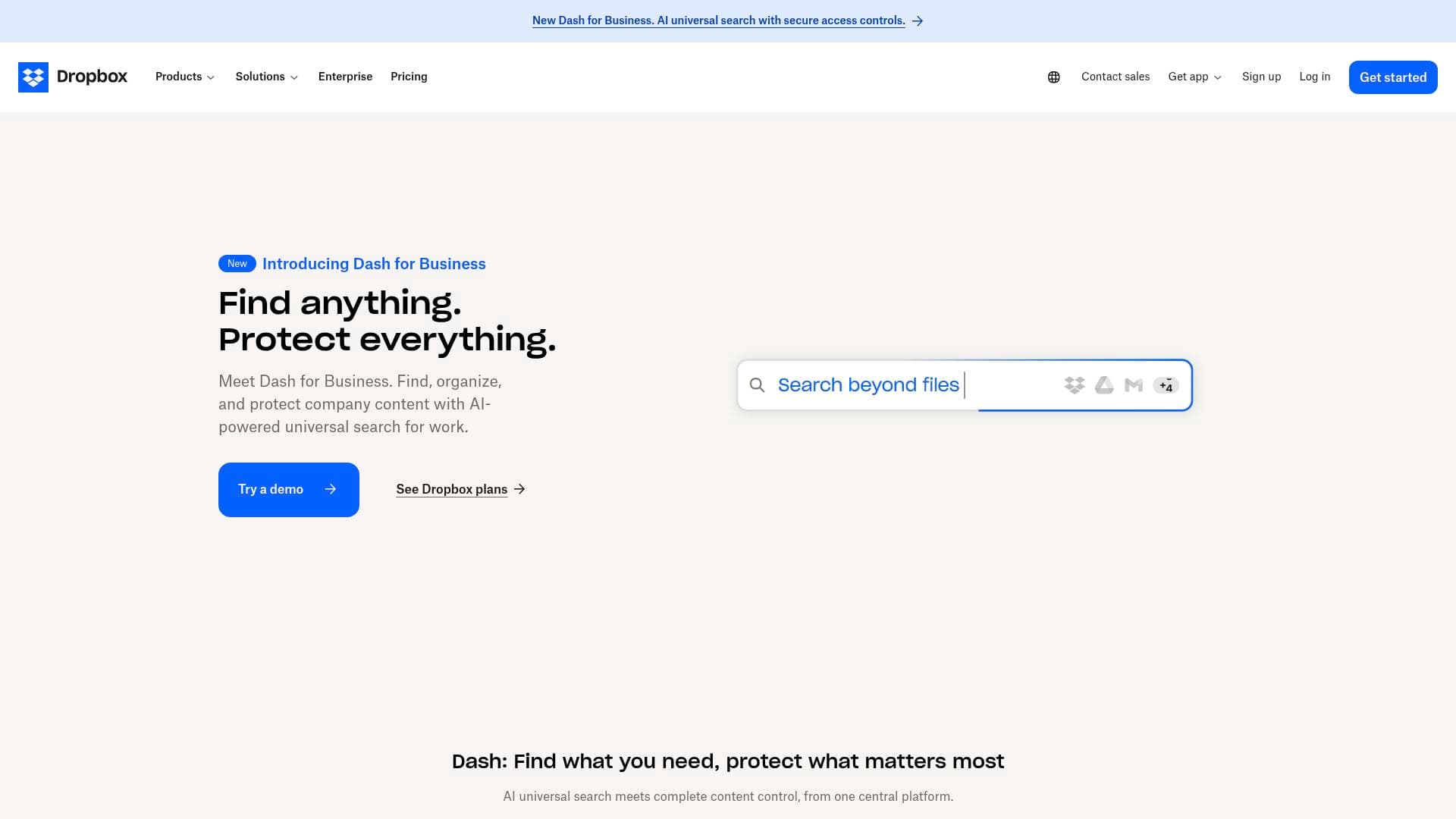
Dropbox Dash (AI Teammate): Dash is an AI-powered layer that understands your work context, your team, and your projects. It helps creators stay organized, find information quickly, and keep content secure from one centralized place. Dash is being integrated directly into Dropbox, bringing smarter search and intelligent organization to everyday creative workflows.
-
AI-Powered Search: Getting to the right file, fact, or message quickly is one of the biggest time drains for active creators managing hundreds of assets. Dropbox's smarter search capability cuts through the noise so creators spend less time hunting and more time producing.
-
Synced Team Folders: For creators working with editors, social media managers, or brand partners, synced team folders keep every version current and accessible to everyone who needs it. Changes sync automatically, so no one is ever working from an outdated file.
-
175+ File Type Previews: Dropbox supports previews for over 175 file types, which means creators can review video files, design mockups, PDFs, audio files, and more directly in the browser without downloading anything. This is a significant time-saver when reviewing deliverables or checking assets on the go.
-
Dropbox Transfer (Large File Delivery): Content creators regularly need to send large, high-quality files to clients, sponsors, or collaborators. Dropbox Transfer supports sending files up to 100 GB (or up to 250 GB with the Dropbox Replay add-on) without any compression, preserving the original quality of videos, photos, and design files. Creators can also track downloads to confirm delivery and brand the transfer with their own logo for a professional touch.
-
Secure Link Sharing with Access Controls: Creators can generate secure sharing links for any file or folder and control exactly what recipients can do with them. Options include password protection, expiration dates, and read-only permissions, giving creators full control over their intellectual property when sharing with clients or brand partners.
-
Built-In PDF Tools: Dropbox includes a comprehensive suite of free PDF tools that creators can use without switching apps. These include editing PDFs (adding, deleting, and editing text), merging multiple files into one, splitting PDFs, reordering and rotating pages, and electronically signing documents. Creators can also convert Word, PowerPoint, JPG, and PNG files directly to PDF.
-
Electronic PDF Signatures: Contracts, brand deal agreements, and licensing documents are a regular part of the creator economy. Dropbox allows creators to sign PDFs electronically in just a few steps, with options to draw, type, or upload a signature image. Signed documents are legally valid in many regions and are saved as new files while the originals remain untouched.
-
Mobile App with Offline Access: The free Dropbox mobile app for iOS and Android keeps creators connected to their files from anywhere. Creators can mark specific files and folders for offline access, ensuring they can review scripts, reference assets, or share content even without an internet connection. The app also supports automatic photo and video backup, so raw footage captured on a phone is immediately protected.
-
Document Scanning via Mobile: The mobile app includes a built-in document scanner that uses the phone's camera to digitize receipts, sticky notes, contracts, and other physical documents in seconds. For creators managing brand deal paperwork or tracking production expenses, this feature eliminates the need for a separate scanning app.
-
Version History and File Recovery: Dropbox maintains version history for files, allowing creators to recover previous versions if an edit goes wrong or a file gets accidentally overwritten. This is an essential safety net for anyone working on iterative creative projects like video edits or design revisions.
-
Feedback and Comments on Shared Files: Viewers can access shared links and preview over 150 file types, then leave comments directly on the file without needing a Dropbox account. This makes collecting feedback from clients, sponsors, or collaborators straightforward and keeps all notes in one place rather than scattered across email threads.
Dropbox Target Users & Use Cases for Content Creators
Dropbox is built for creators who deal with large, high-value files on a regular basis and need a reliable system to store, share, and collaborate without sacrificing quality or security. It scales from solo creators managing their own content library to full production teams coordinating across multiple projects simultaneously.
Primary creator types:
- YouTubers and videographers who need to send large video files to editors or clients without compression
- Photographers and visual content creators managing high-resolution image libraries
- Podcasters storing and sharing audio files with producers or sponsors
- Bloggers and newsletter writers handling contracts, brand deal agreements, and research documents
- Social media managers organizing content assets across multiple client accounts
- Freelance creators who regularly deliver final files to clients and need download tracking to confirm receipt
Experience level: Dropbox is accessible enough for creators just starting to professionalize their workflow, while offering advanced features like access controls, version history, and AI organization tools that experienced creators and production teams will rely on heavily.
Team size: Works equally well for solo creators and collaborative teams. Synced team folders and real-time collaboration features make it practical for any size operation.
Specific use cases for content creators:
- Sending a finished YouTube video (up to 100 GB) to a client or sponsor without any quality loss using Dropbox Transfer
- Organizing a content library of photos, videos, and design assets with AI-powered search to find the right file instantly
- Signing brand deal contracts electronically without printing, scanning, or switching to another app
- Sharing a folder of raw footage with a video editor and controlling whether they can download or only view the files
- Backing up photos and videos automatically from a phone after a shoot
- Collecting feedback from a brand partner on a campaign video by sharing a link that allows comments without requiring a Dropbox account
- Converting a Word document brief or PowerPoint pitch deck to PDF before sending to a sponsor
- Recovering an earlier version of a video project file after an accidental overwrite
How to Get Started with Dropbox
- Create a free account: Visit dropbox.com and sign up for a free plan to start storing and sharing files immediately.
- Install the mobile app: Download the Dropbox app from the App Store or Google Play to access files from anywhere and enable automatic photo and video backup from your phone.
- Upload and organize your content: Start uploading files and folders, then use synced team folders to share assets with collaborators or clients.
- Share files securely: Right-click any file to copy a sharing link, then customize access permissions with password protection or expiration dates before sending to clients or brand partners.
- Explore Dropbox Transfer for large deliveries: For sending final video files or large creative assets, use Dropbox Transfer to send files up to 100 GB with download tracking and branded delivery.
Frequently Asked Questions About Dropbox
How large of a file can creators send with Dropbox Transfer? Dropbox Transfer supports sending files up to 100 GB, and up to 250 GB with the Dropbox Replay add-on. Files are sent without compression, so the recipient receives the exact quality the creator uploaded.
Do recipients need a Dropbox account to receive or comment on files? No. Viewers can access shared links and preview over 150 file types, and they can add comments on shared files without having a Dropbox account. This makes client feedback much easier to collect.
Can creators track whether a client has downloaded a delivered file? Yes. Dropbox Transfer includes download tracking so creators can confirm when a recipient has actually received and downloaded the file, which is useful for client deliverables and sponsor content.
What PDF tools are included in Dropbox? Dropbox includes a full suite of PDF tools: editing text, merging multiple files, splitting PDFs, deleting and reordering pages, rotating pages, electronically signing documents, and converting Word, PowerPoint, JPG, and PNG files to PDF.
Are electronic signatures created in Dropbox legally valid? Digital PDF signatures created in Dropbox are legally valid in many regions and comply with industry standards and regulations, making them suitable for brand deal contracts, licensing agreements, and other professional documents.
Can creators access their files without an internet connection? Yes. The Dropbox mobile app allows creators to mark specific files and folders for offline access, making them available even when there is no internet connection.
What is Dropbox Dash? Dash is an AI teammate being integrated into Dropbox that understands a creator's work context and team. It provides smarter search, faster drafting, summarization, and intelligent organization, helping creators spend less time managing files and more time creating.
Bottom Line: Should Content Creators Choose Dropbox?
For content creators who regularly work with large files, collaborate with editors or clients, and need a dependable system for organizing a growing content library, Dropbox is a strong and well-rounded choice. The combination of large file transfer capabilities (up to 100 GB without compression), robust security features, 175+ file type previews, and the incoming AI-powered Dash layer makes it particularly well-suited for video creators, photographers, and freelance creators managing client deliverables.
The built-in PDF tools and electronic signature support are genuinely useful additions for creators navigating brand deals and contracts, removing the need to jump between multiple apps. The mobile app's offline access and automatic backup features add meaningful value for creators who shoot on the go.
The main consideration is that some of the most powerful features, including larger Transfer limits and advanced collaboration tools, may require a paid plan. Creators just starting out can begin with the free tier to test the workflow before committing. Overall, Dropbox delivers a mature, secure, and creator-friendly platform that handles the practical demands of professional content production at scale.
Details
One link. Every channel, rate, and piece of work brands need to evaluate you. Built for how creators actually get hired.
Claim your profile
Live creator, content, and marketing roles from real companies, with the pay, market, and context the raw job page never gives you.
Browse jobs

 Post Bridge