

Webflow
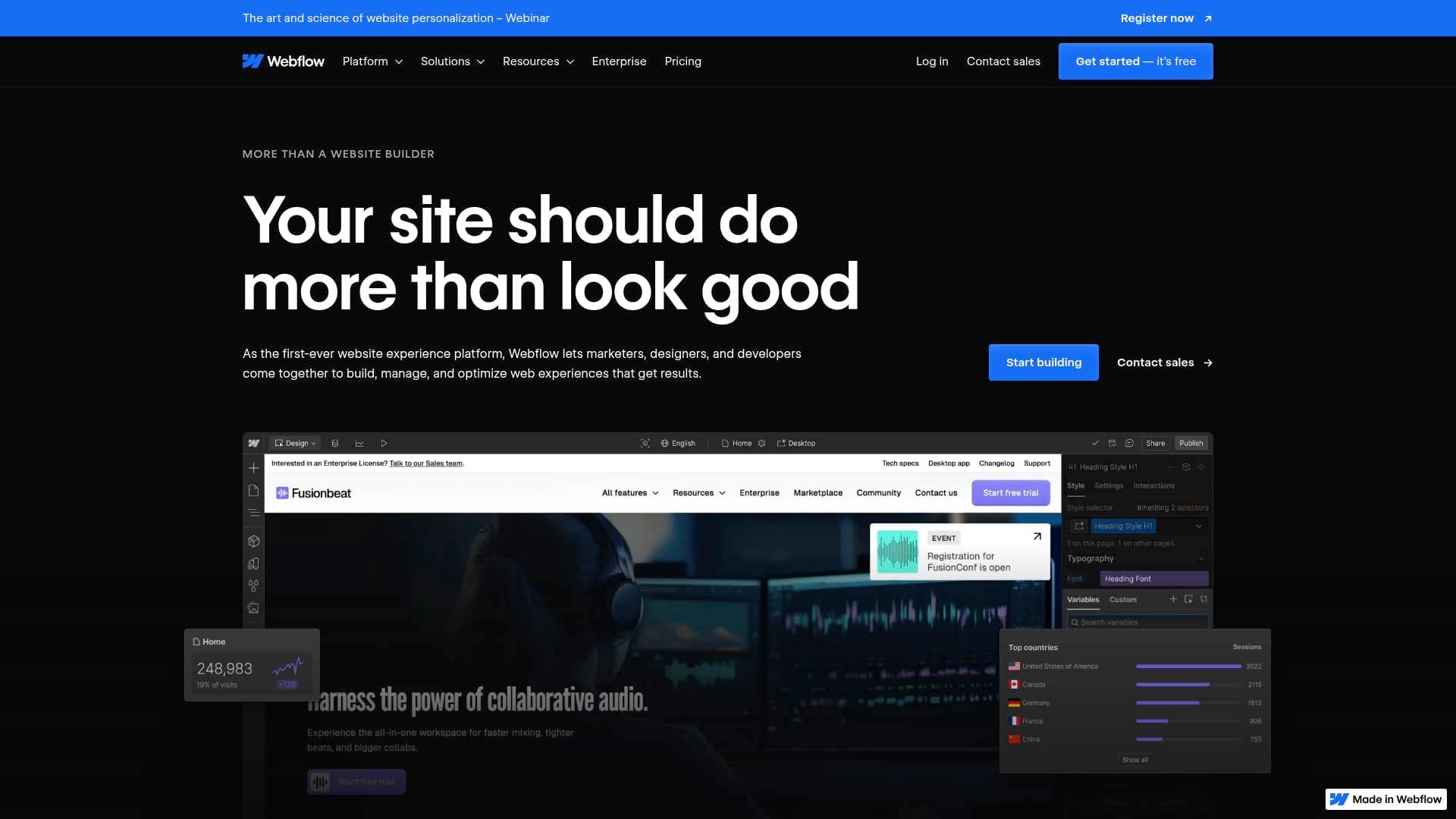
Webflow is a visual website builder that lets content creators design, build, and host custom responsive websites with a flexible CMS, AI tools, and built-in SEO — free to start.
What is Webflow? A Content Creator's Guide
Building a professional website has historically meant either hiring a developer or settling for rigid templates that look like everyone else's. Webflow solves that problem by giving content creators a visual website builder that generates clean, production-ready HTML, CSS, and JavaScript without requiring a single line of code to be written manually. It's a full website creation platform that combines design, content management, hosting, and AI tools into one place. Bloggers, YouTubers, podcasters, and independent creators can build pixel-perfect, responsive sites that look custom-coded because, under the hood, they actually are. The platform supports flexbox and grid layouts with visual control over every detail, making it possible to create exactly the kind of web presence that matches a creator's brand identity. With a free Starter plan available and paid site plans starting at $14/month billed yearly, Webflow is accessible at virtually every stage of a creator's growth.
Webflow Features That Matter for Content Creators
-
Visual Website Builder with Pixel-Perfect Control: Webflow's visual builder uses the full power of HTML5 to construct responsive flexbox and grid layouts. Creators can design with pixel-perfect precision without filing a single developer ticket, which means a blogger or independent creator can launch a fully custom site on their own timeline.
-
Flexible, Composable CMS: The built-in content management system lets creators own their content structure visually. The CMS plan supports up to 2,000 CMS items across 20 collections, while the Business plan scales up to 20,000 items across 40 collections. This is ideal for managing blog posts, podcast episode archives, video libraries, or any structured content that needs to be updated frequently.
-
AI-Powered Site Building and Content Generation: Webflow's agentic AI can draft copy, generate complete pages (like About, Contact, or Team pages), design sections based on an existing design system, and create CMS collection items individually or in bulk. Creators can also generate contextually relevant alt text for images directly within the CMS, saving significant time on accessibility and SEO tasks.
-
Built-in SEO and AEO Tools: Webflow includes AI-powered SEO and Answer Engine Optimization (AEO) controls to surface creator sites in both traditional search and AI-driven discovery experiences. Features include 301 redirects, sitemap controls, Open Graph meta tag management, schema markup support, and structured search support. For creators building an audience through organic search, this is a substantial built-in advantage.
-
GSAP-Powered Interactions and Animations: Creators can build sophisticated scroll-triggered interactions and animations visually, powered by GSAP, directly inside the Webflow designer. No external animation libraries or custom code are required to create immersive, engaging site experiences that capture audience attention.
-
AI-Powered Localization: The Localization add-on uses machine learning to translate site content across multiple locales, including CMS content, static pages, SEO titles and descriptions, and even style adjustments per locale. For creators building a global audience, the Essential plan supports up to 3 locales starting at $9/month, while the Advanced plan supports up to 10 locales at $29/month.
-
Native Analytics (Analyze Add-on): The Analyze add-on provides page-level insights, auto-captured click data, session tracking, and site analytics overviews starting at $9/month. Creators can understand which content is driving traffic and engagement without needing to configure a separate third-party analytics platform.
-
Optimize Add-on for Conversion Testing: The Optimize add-on enables A/B testing, audience personalization, and AI-driven optimization starting at $299/month based on page views. Creators monetizing through sponsorships, courses, or merchandise can run experiments to improve conversion rates on landing pages and sales pages.
-
Figma Integration and React Compatibility: Webflow supports a Figma-to-Webflow workflow, letting creators who design in Figma bring those designs directly into the builder. The platform also supports importing and exporting from React, and the Webflow MCP server connects external AI tools like Cursor and Claude Code for even faster site building.
-
Enterprise-Grade Hosting with 99.99% Uptime: All Webflow sites are hosted on infrastructure with 99.99% uptime, a global CDN using Amazon CloudFront and Fastly for millisecond load times, DDoS protection, 24/7 managed security, automatic site backups, and zero-maintenance platform updates. Creators never have to worry about managing server infrastructure or security patches.
Which Content Creators Should Use Webflow?
Webflow serves a wide range of creators, from solo bloggers launching their first portfolio to established creators managing complex content hubs. The free Starter plan makes it accessible for anyone experimenting with web presence, while the tiered paid plans scale with growing audiences and content libraries. Both solo creators and small creator teams will find the collaboration and role-based access features genuinely useful.
Primary creator types:
- Bloggers and writers who need a CMS-driven site with strong SEO tools and the ability to manage hundreds or thousands of posts
- YouTubers and video creators building a hub site to house their content, link to their channel, and capture email subscribers
- Podcasters who want a custom podcast website with episode archives managed through the CMS
- Freelance creators and designers who build sites for clients and need the Agency or Freelancer workspace plans with client billing, client seats, and project handoff tools
- Newsletter writers launching a personal brand site with a landing page, archive, and subscription form
- TikTokers and social media creators who need a link-in-bio style site or a portfolio that reflects their visual brand with custom animations
Specific use cases for content creators:
- Building a portfolio site with scroll-triggered animations and custom interactions using GSAP
- Launching a blog with structured CMS collections, scheduled publishing, and AI-generated content drafts
- Creating a course or product landing page and running A/B tests with the Optimize add-on
- Setting up a multilingual creator site to reach international audiences using AI-powered localization
- Managing a podcast site where episode pages are generated automatically from CMS templates
- Designing a branded media kit page that matches a creator's visual identity with pixel-perfect precision
- Exporting clean HTML and CSS to hand off to a developer for further customization
- Using the Webflow MCP server to connect AI coding tools for faster custom component development
Getting Started with Webflow
- Sign up for free: Create a Webflow account using Google or email. The free Starter plan includes access to the visual builder, Webflow AI, 2 staging sites, and up to 50 CMS items with no time limit.
- Build your site: Use the visual builder to design pages using flexbox and grid layouts, or use the AI site builder to generate a complete site from scratch. The AI can generate pages, sections, and copy based on prompts.
- Set up your CMS: Create CMS Collections for your blog posts, podcast episodes, or other structured content. Use AI to generate collection items individually or in bulk to populate your site quickly.
- Configure SEO settings: Use the built-in SEO and AEO tools to set meta titles, descriptions, schema markup, and sitemaps before publishing.
- Publish to a custom domain: Upgrade to a paid Site plan (starting at $14/month billed yearly) to connect a custom domain, remove the Webflow badge, and unlock unlimited form submissions and additional bandwidth.
Webflow FAQ for Content Creators
Is Webflow free to use? Webflow offers a free Starter plan that includes access to the visual builder, Webflow AI, 2 staging sites on webflow.io subdomains, 50 CMS items, and 1GB of bandwidth. Publishing to a custom domain requires a paid Site plan starting at $14/month billed yearly.
Can I manage a blog with Webflow? Yes. The CMS plan ($23/month billed yearly) is specifically described as ideal for blogs and SEO-driven pages built with structured content. It supports up to 2,000 CMS items across 20 collections, with features like scheduled publishing, RSS feed generation, and per-item publishing controls.
Does Webflow handle hosting? Webflow includes built-in hosting on all plans. The hosting infrastructure uses a global CDN (Amazon CloudFront and Fastly), offers 99.99% uptime on Enterprise plans, includes DDoS protection, automatic backups, and zero-maintenance security updates. Creators can also export their site code and host it elsewhere on any paid Workspace plan.
Can I export my Webflow site's code? Code export is available on paid Workspace plans (Core and above). Exported files are clean, semantic HTML and CSS. Note that dynamic CMS content cannot be exported as part of the standard export and forms will stop working after export.
Does Webflow support ecommerce? Yes. Webflow has separate Ecommerce site plans starting at $29/month billed yearly for the Standard plan (500 ecommerce items, 2% transaction fee) up to $212/month for the Advanced plan (15,000 ecommerce items, 0% transaction fee). These plans support Stripe, PayPal, Apple Pay, automatic tax calculation, and Facebook/Instagram/Google Shopping integrations.
Can I connect AI tools to Webflow? Webflow supports connecting external AI tools like Cursor and Claude Code through the Webflow MCP server. The built-in AI also handles content generation, page building, copy drafting, SEO improvements, and CMS collection creation directly inside the platform.
What support resources are available? Webflow provides a Help Center, Support Portal, Webflow University with courses and tutorials, a community forum, and email support with a target reply time of 48 hours. Business plan users get access to a priority support queue.
The Verdict: Is Webflow Worth It for Content Creators?
For content creators who want a professional, fully custom website without hiring a developer, Webflow is one of the most capable visual website building platforms available. The combination of a powerful visual builder, a structured CMS, built-in SEO and AEO tools, AI content generation, and enterprise-grade hosting in a single platform removes the need to stitch together multiple services. Bloggers and writers will particularly benefit from the CMS plan's structured content capabilities and SEO tooling. Creators building personal brands or portfolios get pixel-perfect design control and GSAP-powered animations that make sites genuinely distinctive.
The main consideration is the learning curve. Webflow's depth means there's more to learn than a simple drag-and-drop builder, though Webflow University and the AI assistant help flatten that curve considerably. The Optimize add-on for A/B testing starts at $299/month, which may be a significant investment for early-stage creators. However, the free Starter plan provides a genuine no-risk entry point to test the platform before committing.
For creators serious about owning their web presence, growing organic traffic, and building a site that actually reflects their brand, Webflow delivers the tools to do it without compromise.
Details
One link. Every channel, rate, and piece of work brands need to evaluate you. Built for how creators actually get hired.
Claim your profile
Live creator, content, and marketing roles from real companies, with the pay, market, and context the raw job page never gives you.
Browse jobs

 Post Bridge