

Canva
Canva is a free-to-use online graphic design platform that lets content creators build social media posts, videos, presentations, email newsletters, spreadsheets, and documents with AI-powered tools.
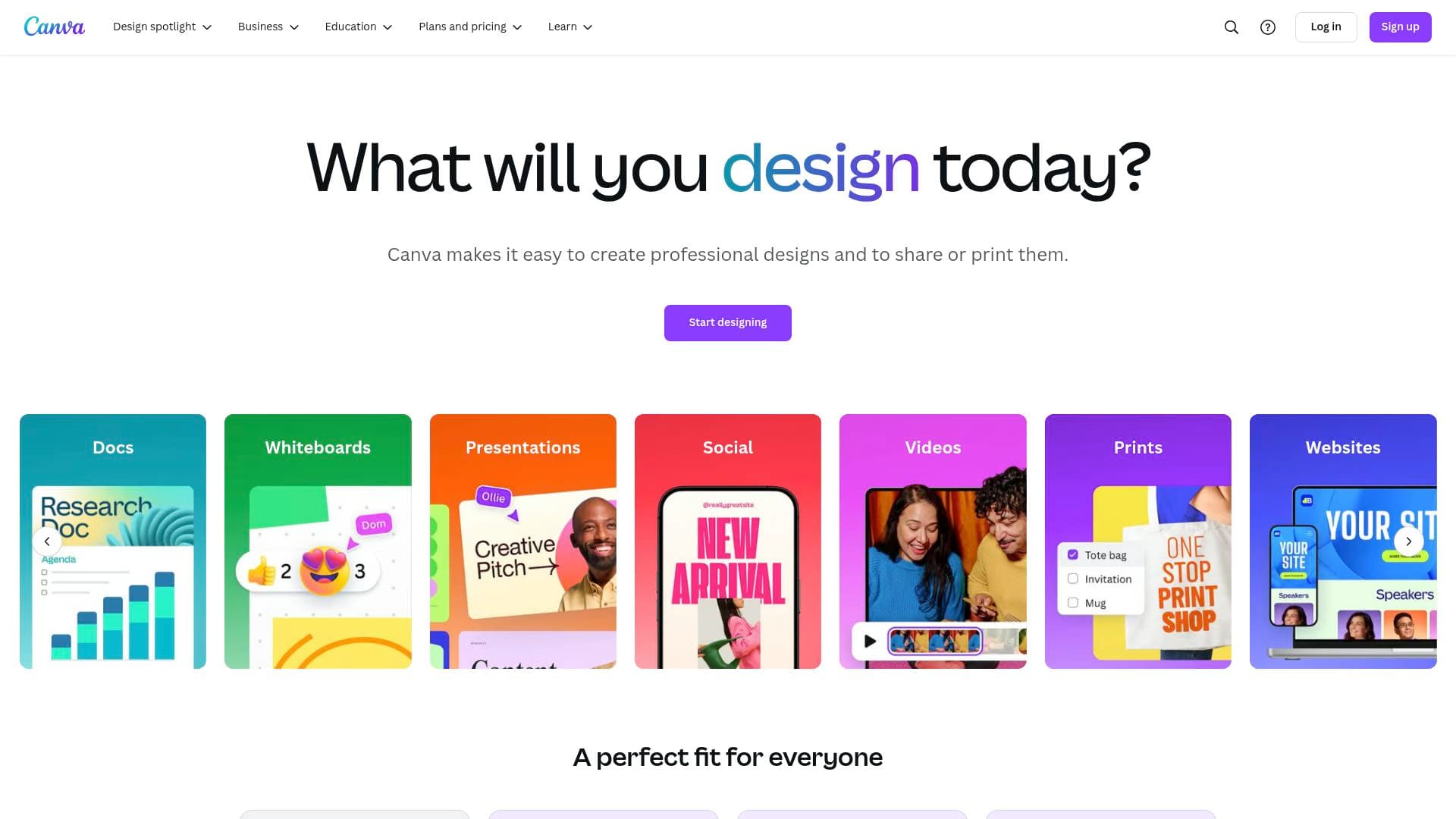
Brief Overview of Canva for Content Creators
Canva is a free-to-use online graphic design platform built to help anyone create professional-quality visuals without needing a design background. For content creators, it solves one of the most persistent problems in the creator economy: producing scroll-stopping graphics, videos, and written content consistently, across multiple platforms, without juggling a dozen separate tools. The platform operates as a full Visual Suite, housing social media design, video editing, email creation, document writing, and spreadsheet management all under one roof. At its core, Canva is powered by AI tools branded under the "Magic" family, including Magic Write for copy generation, Magic Design for instant slide creation, Magic Resize for cross-platform formatting, and Magic Eraser for photo cleanup. Creators can work across desktop, tablet, and mobile with autosave and cloud storage, picking up any project from any device. With over 75 million customers worldwide trusting the platform, Canva has grown into a comprehensive content creation workflow tool that keeps everything from YouTube thumbnails to subscriber newsletters in one shared workspace.
Canva Key Features for Content Creators
-
Magic Write (AI Copywriting): Powered by OpenAI, Magic Write functions as an AI writer and text generator built directly into Canva's editor. Content creators can use it to draft captions, email copy, doc content, and social post text, then expand, summarize, or rewrite it on the spot. It works inside Docs, Sheets, and the Email designer, making it a versatile writing assistant across the entire content creation workflow.
-
Magic Resize: One of the most practical tools for multi-platform creators, Magic Resize instantly transforms a design into the correct dimensions for any channel or print format. A YouTube thumbnail can become an Instagram post, a TikTok graphic, or a print flyer without manually reworking the layout. This dramatically cuts down the time spent reformatting the same content for different platforms.
-
Background Remover (Image and Video): Canva includes a one-click background remover for both photos and videos. Creators can isolate subjects from images for thumbnails, product shots, or promotional graphics, and remove video backgrounds instantly for cleaner, more polished content. No third-party software is needed.
-
Magic Layers: This AI-powered tool converts a static image into a fully editable, layered design layout. For creators who want to repurpose existing photos into branded graphics, Magic Layers opens up the image so individual elements can be moved, restyled, or replaced.
-
Magic Eraser: A photo cleanup tool that removes unwanted objects or distractions from images. Creators can clean up backgrounds, remove photobombers, or tidy up product shots directly inside the editor without switching to a separate photo editing app.
-
AI-Powered Captions for Video: Canva includes an AI caption generator that adds subtitles to videos automatically. For creators posting on platforms where viewers watch without sound, this feature directly boosts engagement and accessibility without requiring manual transcription.
-
Canva Email Designer: Content creators running newsletters can design visually stunning emails using drag-and-drop tools, hundreds of templates, and AI-assisted copy via Magic Write. Completed designs export as HTML for use on any platform, with direct integrations to Gmail and Mailchimp already available and more email service providers coming. The tool includes mobile and desktop preview, test email sending, and Brand Kit support to keep subscriber communications on-brand.
-
Canva Sheets (Visual Spreadsheets): Canva Sheets is a visual-first spreadsheet tool that goes beyond data entry. Creators can use Magic Charts to turn data into animated visualizations, Magic Insights to uncover trends with AI, and Magic Formulas to generate spreadsheet formulas using plain language. Bulk Create lets creators produce batches of on-brand designs directly from spreadsheet data, and the Translate feature converts content into more than 100 languages instantly. Sheets connect to external data sources like Google Analytics and support CSV, XLSX, and PDF import and export.
-
Canva Docs: A visual-first document creator that lets creators build branded, image-rich documents rather than plain text walls. Docs support real-time collaboration, commenting, emoji reactions, Suggesting mode for tracked edits, and built-in engagement insights. Creators can embed Canva designs, presentations, and graphics directly into documents, and the tool runs across desktop, tablet, and mobile. Canva Docs is free and will remain free across all account tiers.
-
Brand Kit: Available on Pro plans, the Brand Kit stores logos, brand colors, and fonts so creators can apply consistent branding across every design type, from social posts to email newsletters to spreadsheets. This is particularly valuable for creators managing a recognizable personal brand across multiple content formats and platforms.
-
Massive Template Library: Canva offers templates for virtually every content format, including social media posts, presentations, videos, emails, spreadsheets, and documents. Templates are organized by industry, style, and use case, giving creators a fast starting point that can be fully customized. Music-inspired video template collections and scroll-stopping social media templates are among the highlighted options.
Canva Target Users & Use Cases for Content Creators
Canva is built for content creators at every level, from solo YouTubers designing their first thumbnail to newsletter writers managing subscriber campaigns and multi-platform social media creators producing content at scale. The platform suits both beginners who need drag-and-drop simplicity and experienced creators who want AI-powered tools to speed up their workflow. Solo creators and small creator teams alike benefit from the collaboration features, real-time editing, and shared workspaces.
- Primary creator types: YouTubers, TikTokers, Instagram creators, newsletter writers, bloggers, podcasters, social media managers, and video content producers
- Experience level: Beginner to intermediate, with advanced AI tools that scale with the creator's needs
- Team size: Solo creators and small creator teams, with real-time collaboration and comment features for working with editors, managers, or brand partners
Specific use cases for content creators:
- Designing YouTube thumbnails and resizing them instantly for Instagram or TikTok using Magic Resize
- Converting a photo slideshow into an MP4 video with music, transitions, and captions for social media
- Building and sending visually branded newsletters to subscribers via the Canva Email designer, exported to Mailchimp or Gmail
- Writing first drafts of captions, email copy, or blog outlines using Magic Write directly inside the design editor
- Creating content calendars, budget trackers, and sponsorship trackers in Canva Sheets with visual data charts
- Producing batches of localized social posts from a single spreadsheet using Bulk Create and the Translate feature (supporting 100+ languages)
- Drafting media kits, brand guidelines, and pitch documents in Canva Docs with embedded graphics and real-time collaboration
- Cleaning up product or lifestyle photos for brand deal deliverables using Magic Eraser and the background remover
- Building animated presentations for brand pitches or YouTube sponsorship proposals using Magic Design and cinematic visual tools
- Designing and ordering print materials like posters and promotional items directly from the platform with free delivery
How to Get Started with Canva
- Create a free account: Visit Canva and sign up for free. The free tier gives access to the core design tools, templates, and basic AI features immediately.
- Choose your content type: From the homepage, select the format you want to create, whether that's a social media post, video, email, doc, or spreadsheet. Canva will load the appropriate editor with relevant templates.
- Pick a template or start from scratch: Browse the template library filtered by format and style, or open a blank canvas. Templates are fully editable, so creators can swap in their own photos, colors, and text.
- Use AI tools to speed up creation: Type a prompt into Magic Write for copy, use Magic Design to generate slides, or apply Magic Resize to reformat a finished design for another platform.
- Download, share, or publish: Export finished designs as MP4, PNG, PDF, or HTML depending on the format. Videos can be downloaded watermark-free in MP4, emails can be exported directly to Gmail or Mailchimp, and spreadsheets can be saved as CSV or XLSX.
Frequently Asked Questions About Canva
Is Canva free to use? Canva is free to start and use across its core tools, including Docs, Email, Sheets, and the main design editor. Some features and premium content elements require a Pro subscription or the use of Canva credits. AI-powered functions like Magic Write, Translate, Magic Insights, and Magic Formulas in Sheets use credits, with more credits available on Pro, Teams, or Enterprise plans.
Can I download videos without a watermark? Yes. Videos created in Canva, including photo-to-video conversions, can be downloaded in MP4 format without a watermark.
What video formats does Canva support for export? Canva exports videos as MP4, which is compatible with virtually all video players, browsers, and social media platforms. MP4 compresses audio and video separately to maintain quality at smaller file sizes, making it ideal for YouTube, TikTok, Instagram, and other social channels.
Can I use Canva on mobile? Yes. Canva runs across desktop, tablet, and mobile. Projects autosave and sync across devices, so creators can start a design on a smartphone and finish it on a desktop without losing any progress.
What email platforms does Canva Email integrate with? Canva Email currently supports direct export to Gmail and Mailchimp. Designs can also be exported as HTML files for use on any other email platform, including Outlook and HubSpot. More direct integrations are described as coming soon.
What file formats does Canva Sheets support? Canva Sheets supports import and export in CSV, XLSX, and PDF formats. External data can also be connected from apps like Google Analytics directly into a sheet.
Can teammates collaborate on Canva without a Canva account? For Canva Docs, real-time collaboration is available even for teammates who do not have a Canva account. Cursor colors and selections keep everyone synced during live editing sessions.
Bottom Line: Should Content Creators Choose Canva?
Canva is an exceptionally strong choice for content creators who want to consolidate their design, writing, video, email, and data tools into a single platform. The free tier is genuinely useful, covering the core graphic design, video editing, and document creation needs that most solo creators have. The AI tools, particularly Magic Write, Magic Resize, and the AI caption generator, directly address the speed and volume demands of modern content creation across multiple platforms.
The platform is best suited to creators who produce content across several channels and formats, since the ability to resize designs instantly, bulk-create localized posts, and manage newsletters alongside social graphics in one workspace is a real time-saver. Newsletter writers specifically benefit from the Email designer's HTML export and direct Mailchimp and Gmail integrations. Creators managing their own content calendars, sponsorship tracking, or audience data will find Canva Sheets a genuinely different kind of spreadsheet tool.
The main consideration is that some of the most powerful AI features, including Magic Resize, Brand Kit, and higher AI credit allowances, sit behind the Pro subscription. Creators who rely heavily on consistent branding across formats or need to produce content at scale will likely find the Pro tier worth exploring. For beginners and mid-level creators, though, the free version of Canva covers an impressive range of content creation needs without requiring any additional software.
Details
One link. Every channel, rate, and piece of work brands need to evaluate you. Built for how creators actually get hired.
Claim your profile
Live creator, content, and marketing roles from real companies, with the pay, market, and context the raw job page never gives you.
Browse jobs

 Post Bridge