

Contao
Contao is a powerful open source CMS that lets content creators build professional, accessible, and SEO-ready websites with multilingual support and scalable architecture.
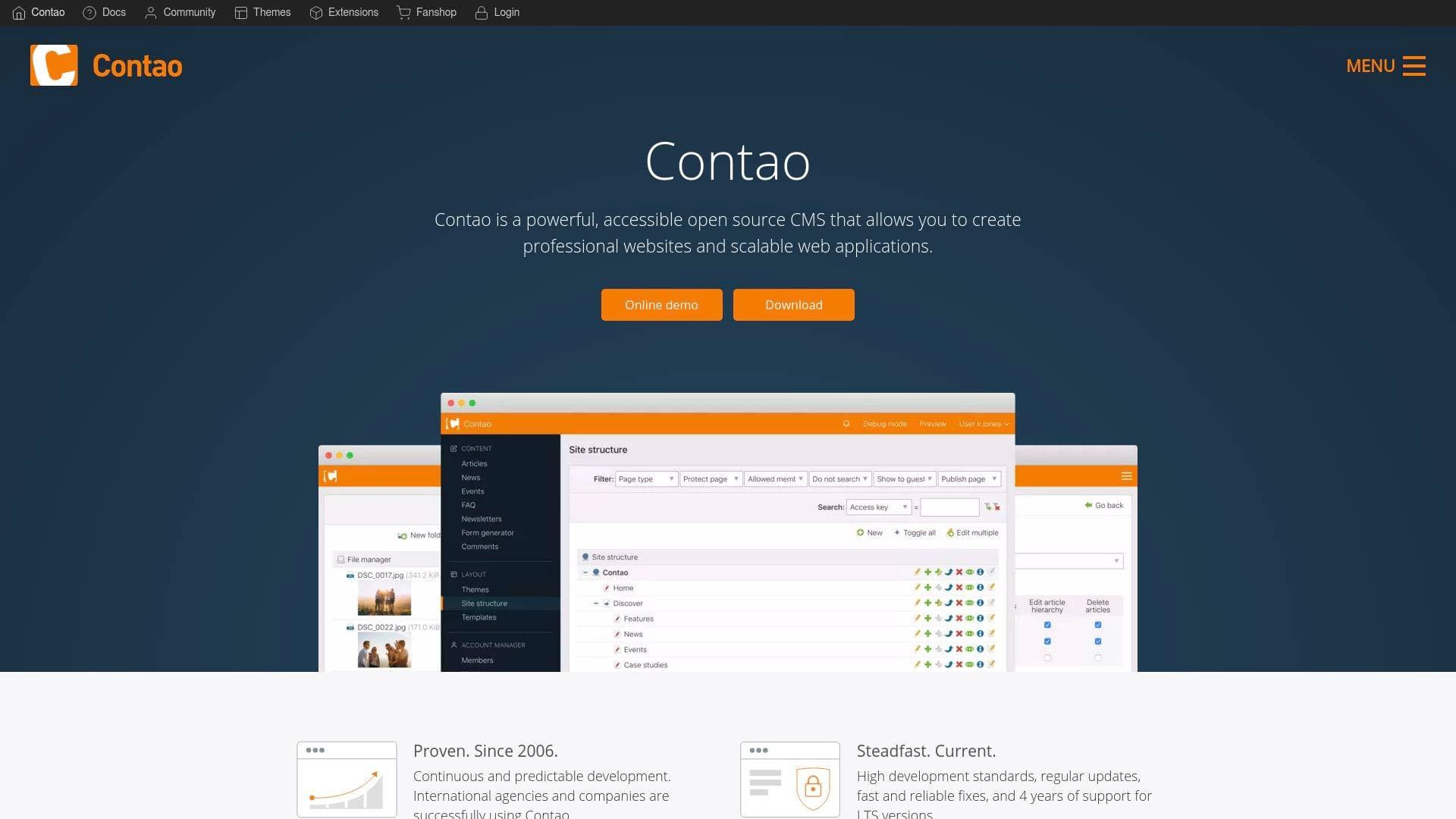
Brief Overview of Contao for Content Creators
Building a professional web presence is one of the most critical challenges for content creators, and Contao is an open source CMS designed to make that process both powerful and approachable. Active since 2006, this content management platform has powered over 175,000 websites ranging from personal blogs and magazine sites to full-scale portals and e-commerce destinations. What sets Contao apart as a website-building tool is its combination of deep customization capability and an intuitive editing interface that editors can learn quickly without a steep technical curve. The platform is built on the Symfony Full Stack Framework, giving technically inclined creators access to over 11,000 available Symfony bundles for extending functionality. It supports multiple websites within a single installation, multilingual content management, and granular user permissions, making it suitable for solo creators and collaborative content teams alike. Contao is licensed under LGPL-3.0, meaning it is free to use even for commercial projects. With built-in SEO tools, accessibility compliance features, and a responsive design foundation, it covers the core needs of any creator looking to grow their audience through a well-structured, search-engine-friendly website.
Contao Key Features for Content Creators
-
Built-in News and Blog Module: Contao includes a native news and blog module as part of its core distribution, supporting multiple news archives and categories, featured posts, user comments, and RSS or Atom feed syndication. Each post can have an attached image and multiple file enclosures, giving bloggers and content publishers a complete publishing toolkit without needing third-party plugins.
-
SEO-Ready Architecture: Every page in Contao allows creators to customize the title, meta description, and robots meta tag individually. The platform automatically generates an XML sitemap compatible with Google and Bing, uses schema.org structured data tagging, and produces search engine-friendly URLs, all of which directly support organic audience growth.
-
Built-in Newsletter Module: The newsletter module handles the full subscription workflow, including double opt-in registration, HTML and plain text email formats, CSV recipient imports, and personalized newsletters for registered members. For creators building a direct audience through email, this removes the need for a separate email marketing platform.
-
Advanced Editing Features: Contao provides a rich text editor powered by TinyMCE with a multilingual spellchecker, plus advanced capabilities like copying or moving records via clipboard, editing multiple records simultaneously, and restoring prior content versions. These tools make managing large volumes of content far more efficient.
-
Responsive Image Management: The built-in file manager automatically generates image thumbnails and file previews, and creators can define central or individually customized image formats with focus points to ensure important visual content always displays correctly across desktop, tablet, and smartphone screens.
-
Built-in Calendar Module: The calendar module supports multiple calendars, all-day events, open-end events, multi-day events, and recurring events, with syndication via RSS or Atom feeds. Creators who publish event-driven content, such as live streamers announcing show schedules or bloggers covering events, can manage everything natively within the CMS.
-
Fine-Grained Permission System: Access rights can be configured down to individual form fields in the back end, and permissions can be set at both the user and group level. For creators working with editors, virtual assistants, or collaborators, this means precise control over who can edit what content.
-
Full-Text Search Engine: Contao ships with a built-in search engine supporting phrase searching, wildcard searching, and AND/OR logic. The search index builds automatically and can optionally include password-protected pages, with results cached and paginated for performance.
-
Contao Manager: The Contao Manager provides a graphical browser-based interface for installing, updating, and managing Contao and its extensions without touching the command line. It also serves as a recovery tool if an installation becomes unavailable, reducing technical maintenance burden for creators.
-
Extensive Compatibility and Extensions: Contao integrates with platforms and services including YouTube, Vimeo, Instagram, Mailchimp, Mailjet, Google Analytics, Matomo, PayPal, Pixabay, Unsplash, Slack, and Amazon Web Services through its extensions marketplace. Additional packages are available through extensions.contao.org and Packagist, all manageable directly from the Contao Manager.
Contao Target Users & Use Cases for Content Creators
Contao suits content creators who want full ownership and control over their web presence without being locked into proprietary platforms. Its intuitive interface makes it accessible to creators who are not developers, while its Symfony foundation and hooks-and-events customization system give technically skilled creators room to build highly tailored experiences. Both solo creators and small content teams will find value here.
-
Primary creator types: Bloggers and writers who need a robust publishing system with categories, comments, and RSS feeds; newsletter creators managing their own subscriber lists; photographers building portfolio sites; creators running magazine-style content hubs; event-focused creators who need calendar and scheduling tools built in.
-
Experience level: Suitable for intermediate creators comfortable with web hosting basics, as well as developers who want a CMS layer on top of a Symfony application.
-
Team size: Works for solo creators managing their own content, as well as small teams where different collaborators need different levels of access to the back end.
-
Specific use cases:
- A blogger launching a multilingual content site to reach international audiences
- A podcaster building a website with an event calendar for live show announcements
- A photographer creating a portfolio site with responsive image galleries and a contact form
- A newsletter writer managing subscriber lists with double opt-in compliance and personalized sends
- A content creator running a community site with password-protected member sections
- A creator building an e-commerce-enabled site using PayPal integration through the extensions ecosystem
- A YouTube creator embedding video content natively via the built-in YouTube and Vimeo media elements
- A creator team where editors, writers, and administrators each need separate, controlled access to different sections of the site
How to Get Started with Contao
- Choose your installation method: Download the Contao Managed Edition for a straightforward setup managed through the Contao Manager browser interface, or install Contao as a Symfony bundle if you are adding CMS functionality to an existing Symfony application.
- Install via Contao Manager: Use the Contao Manager graphical interface to install the Managed Edition directly in your browser, without needing command-line access.
- Review system requirements: Check the official documentation for server requirements your hosting environment must meet before completing the installation.
- Set up your first website: After installation, familiarize yourself with the administration area and create your first website root page to begin building your content structure.
- Extend with packages: Browse extensions.contao.org or Packagist to find additional packages for integrations like Mailchimp, Google Analytics, or Instagram, and install them directly through the Contao Manager.
Frequently Asked Questions About Contao
Is Contao free to use? Contao is open source software licensed under LGPL-3.0, which permits free use even for commercial projects. There are no licensing fees associated with using the CMS itself.
How many websites have been built with Contao? Over 175,000 websites have been built with Contao, spanning landing pages, blogs, portals, e-commerce sites, and enterprise-level web applications.
Does Contao support multilingual websites? Yes, Contao supports maintaining a website in multiple languages natively, making it a practical choice for creators targeting audiences in different regions or language markets.
What is the long-term support policy for Contao? Contao follows a reliable and predictable development cycle that includes both regular releases and LTS (Long Term Support) versions. LTS versions receive 4 years of support, providing stability for creators who do not want to update frequently.
Can multiple people collaborate on a Contao website? Contao includes a fine-grained permission system that allows access rights to be configured at the user or group level, down to individual form fields. This makes collaborative content management practical for creator teams with different roles.
Does Contao handle GDPR compliance? Contao implements data protection measures by default, including the double opt-in method for all subscriptions and registrations, and it maintains logs for the legally required storage period.
What is the Contao Manager? The Contao Manager is a graphical browser-based interface for Composer that allows creators to install, update, and manage Contao and its extensions without using the command line. It also functions as a recovery tool if the installation becomes unavailable.
Bottom Line: Should Content Creators Choose Contao?
Contao is a strong choice for content creators who prioritize ownership, flexibility, and long-term stability in their web presence. Bloggers, newsletter writers, photographers, and event-driven creators will find the built-in modules for news, newsletters, calendars, and forms cover most publishing needs without requiring additional paid tools. The SEO-ready architecture, responsive image handling, and schema.org structured data support directly serve creators focused on organic audience growth. The platform's accessibility compliance with BITV 2.0, WCAG 2.1 AA, and the European Accessibility Act is a meaningful advantage for creators serving broad or regulated audiences. The main consideration is that Contao requires self-hosting and some familiarity with web server environments, which may be a barrier for creators who prefer fully managed, no-setup platforms. For creators comfortable with hosting their own site, Contao delivers a capable, free, and highly extensible CMS that has been actively developed and supported since 2006, with a strong German-speaking community and regular events for ongoing learning and support.
Details
One link. Every channel, rate, and piece of work brands need to evaluate you. Built for how creators actually get hired.
Claim your profile
Live creator, content, and marketing roles from real companies, with the pay, market, and context the raw job page never gives you.
Browse jobs

 Post Bridge