

ClipGen
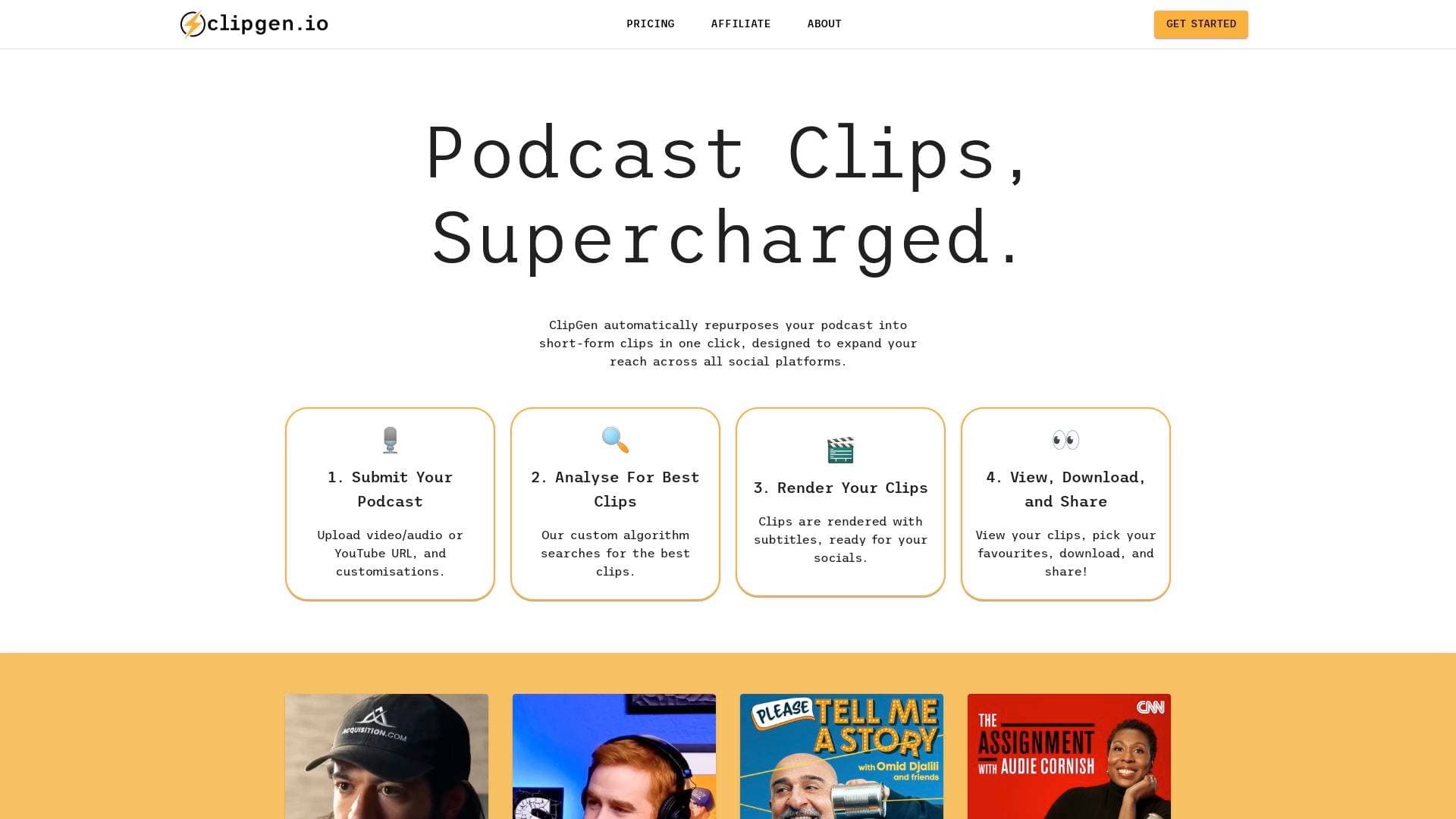
ClipGen is a free automated podcast clipping tool that repurposes podcast episodes into short-form video clips with subtitles, ready to share across all social platforms.
What is ClipGen? A Content Creator's Guide
ClipGen is an automated video clipping tool built specifically for podcasters who want to expand their reach through short-form content. The core problem it solves is a real one: turning long-form podcast episodes into platform-ready social clips is time-consuming, technically demanding, and often gets skipped entirely. ClipGen tackles this with a one-click repurposing workflow that analyzes full podcast episodes and extracts the moments most likely to perform well on social media. Creators can submit a video file, audio file, or even a YouTube URL, and the tool handles the rest. The output arrives in under 20 minutes, complete with subtitles and proper cropping for each platform. It supports portrait formats for Instagram and TikTok as well as square formats for LinkedIn, making it a genuinely versatile short-form video production tool for podcast creators.
ClipGen Features That Matter for Content Creators
-
Automated Clip Analysis: ClipGen's custom algorithm scores thousands of potential clips across a wide range of metrics, then returns only the top performers. This means podcasters are not manually scrubbing through hours of audio to find highlight moments. The entire analysis completes in under 20 minutes.
-
One-Click Repurposing: Submitting a podcast is as simple as uploading a file or pasting a YouTube URL. From that single action, ClipGen handles analysis, editing, rendering, and formatting without requiring any manual video editing skills from the creator.
-
Automatic Subtitle Generation: Every clip is rendered with subtitles already applied, which is critical for social media performance where most viewers watch without sound. Creators can also highlight specific keywords within the subtitles for added emphasis.
-
Transcript-Based Clip Editing: Rather than scrubbing a timeline, creators fine-tune each clip by selecting which words to include or exclude directly from the transcript. This word-level precision makes trimming start and end points fast and intuitive.
-
Typo Correction in Subtitles: The subtitle generation is accurate enough that ClipGen notes corrections are rarely needed, but creators can manually fix any transcription errors before exporting. This keeps the final output polished and professional.
-
Speaker Detection and Auto-Reframing: ClipGen uses speaker detection technology to automatically reframe video content based on the desired output format. Whether a clip needs to be portrait for TikTok or square for LinkedIn, the tool repositions the frame around the active speaker without manual cropping.
-
Multi-Platform Format Support: Portrait and square video exports are both supported natively, covering the format requirements of Instagram, TikTok, and LinkedIn in a single workflow. Creators do not need to manually resize or reformat clips for each platform.
-
View, Download, and Share Workflow: Once clips are rendered, creators can browse all the generated options, pick their favourites, download the files, and share directly. This final review step gives creators full control over which clips actually go out.
-
Free to Start: ClipGen is available to try for free, lowering the barrier for podcasters who want to test automated clip generation before committing to any paid tier.
Which Content Creators Should Use ClipGen?
ClipGen is purpose-built for podcasters, but its value extends to any creator working with long-form audio or video content who wants to build a short-form social presence without spending hours in an editing suite. Whether a creator is just starting out or already publishing consistently, the automated workflow removes the biggest friction point in podcast marketing.
- Primary creator types: Podcasters, video podcasters, interview-format YouTubers, and long-form content creators looking to repurpose episodes into short-form clips
- Experience level: Beginner-friendly by design. No video editing experience is required to produce platform-ready clips
- Team size: Works equally well for solo creators managing their own distribution and small podcast teams handling multiple shows
- Specific use cases:
- A solo podcaster who records weekly episodes but never has time to cut clips for Instagram or TikTok
- A video podcaster uploading to YouTube who wants to automatically generate short-form content from each episode
- A creator running an interview show who wants to surface the best soundbites without manually reviewing footage
- A podcaster growing a LinkedIn presence who needs square-format clips without separate editing software
- A content creator repurposing older podcast episodes into fresh social content
- A small podcast team wanting to automate the clip production step of their publishing workflow
- Content types: Audio podcasts, video podcasts, YouTube-hosted podcast content
Getting Started with ClipGen
- Submit your podcast: Upload a video or audio file directly, or paste in a YouTube URL. Add any customisations at this stage.
- Wait for analysis: ClipGen's algorithm scans the full episode, scoring thousands of potential clips across multiple metrics. Results return in under 20 minutes.
- Review and refine: Browse the top-performing clips returned by the algorithm. Use the transcript editor to fine-tune start and end points, highlight keywords, and correct any subtitle errors.
- Export in your format: Choose portrait output for Instagram and TikTok or square output for LinkedIn. Speaker detection handles the reframing automatically.
- Download and share: Pick your favourite clips, download the rendered files, and publish across your social platforms.
ClipGen FAQ for Content Creators
What types of podcast content can be submitted to ClipGen? ClipGen accepts video files, audio files, and YouTube URLs, giving podcasters flexibility regardless of how their content is hosted or recorded. This covers most standard podcast production setups.
How long does it take to get clips back? The analysis and rendering process completes in under 20 minutes. For creators working on a publishing schedule, this turnaround makes same-day clip creation realistic.
Does ClipGen add subtitles automatically? Yes, every clip is rendered with subtitles already applied. Creators can also highlight specific keywords and correct any transcription errors before the final export.
What video formats does ClipGen export? ClipGen supports portrait video for Instagram and TikTok as well as square video for LinkedIn. Speaker detection technology automatically reframes the content to fit the chosen format.
Can creators control which clips are used? Absolutely. ClipGen returns the top-performing clips identified by its algorithm, but creators review all options, select their favourites, and choose what to download and share. Nothing goes out without creator approval.
Is ClipGen free to use? ClipGen is available to try for free, making it accessible for podcasters who want to explore automated clip generation before deciding on a plan.
The Verdict: Is ClipGen Worth It for Content Creators?
For podcasters who know they should be posting short-form clips but consistently skip it due to time or technical barriers, ClipGen is a direct solution to that exact problem. The automated analysis, subtitle generation, speaker detection, and multi-platform formatting combine into a workflow that takes a full podcast episode and produces share-ready social content in under 20 minutes. The transcript-based editing is a genuinely thoughtful touch, making clip refinement accessible even to creators with no video editing background. The free entry point also means there is no financial risk in testing it out. The tool is clearly focused on podcasters specifically, so creators working in formats outside audio and video podcasting may find less utility here. But for any podcaster looking to build a short-form social presence without hiring an editor or learning a new software suite, ClipGen delivers a focused, practical, and well-designed content creation workflow.
Details
One link. Every channel, rate, and piece of work brands need to evaluate you. Built for how creators actually get hired.
Claim your profile
Live creator, content, and marketing roles from real companies, with the pay, market, and context the raw job page never gives you.
Browse jobs

 Post Bridge