

Tangia
Tangia is an interactive streaming platform that supercharges chat engagement for live streamers on Twitch, YouTube, TikTok, and Kick with AI TTS, memes, alerts, and viewer interactions.
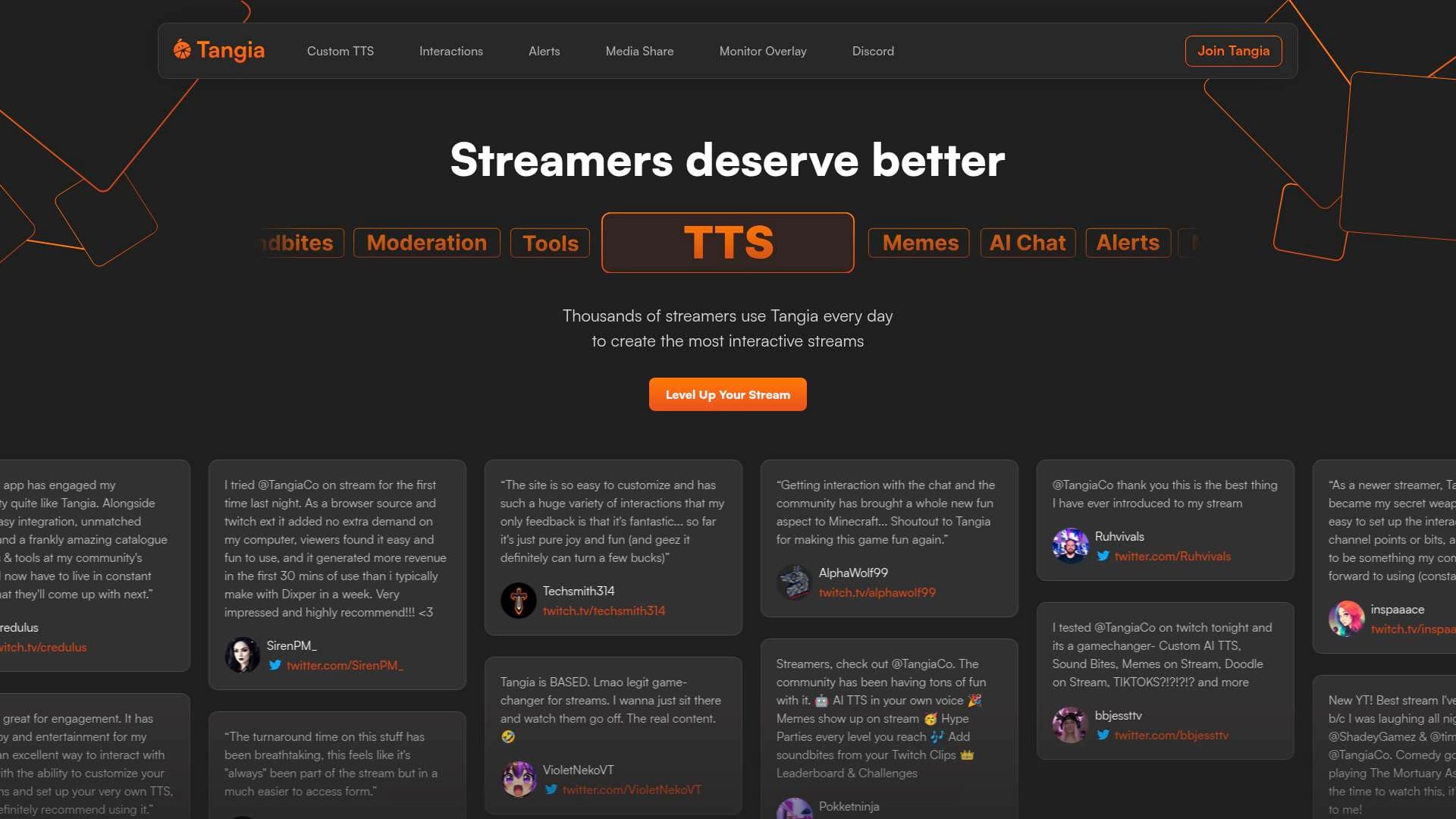
Brief Overview of Tangia for Content Creators
Live streamers constantly battle the same problem: keeping chat engaged and making viewers feel like active participants rather than passive spectators. Tangia is an interactive streaming platform built specifically to solve that challenge, giving thousands of streamers daily access to a massive toolkit of AI-powered text-to-speech, memes, viewer interactions, alerts, media sharing, and more. The platform works as a browser source, meaning it integrates directly with OBS Studio, Streamlabs OBS, and Twitch Studio without adding extra demand on a streamer's computer. Tangia supports streaming across Twitch, YouTube, TikTok, and Kick, making it a versatile engagement solution regardless of where a creator broadcasts. What sets it apart is the combination of cutting-edge AI technology with a tight creator feedback loop, resulting in tools that feel native to a stream rather than bolted on. Streamers can monetize interactions through Twitch channel points, Bits, Tangia Tokens, credit card, and PayPal, turning viewer engagement directly into revenue. The platform has earned a passionate community of streamers who describe it as their secret weapon for building lively, interactive communities.
Tangia Key Features for Content Creators
-
Custom AI Text-to-Speech in Your Own Voice: Using the Tangia TTS Studio, streamers can record a 5-minute script reading and generate a hyper-realistic AI TTS version of their own voice in under 7 minutes. Chat can then trigger that voice to read messages on stream, creating a uniquely personal and hilarious interaction that audiences love. Effects like "Inner Thoughts" (harp chord with echo and reverb), "Phone Call," and adjustable pitch, volume, and speed add even more flavor to the experience.
-
150+ Hand-Crafted TTS Voice Library: Beyond a creator's own voice, Tangia offers a library of over 150 hand-crafted TTS voices available for instant use on stream. The interaction catalogue includes iconic AI voices such as Goku, Sonic, Goofy, Gordon Ramsay, Tony Soprano, Master Chief, Duke Nukem, Jeremy Clarkson, and many more. There's even a "TTS Creative Mode" that lets chat mix and match different voices, delays, and sound effects within a single message.
-
AI Conversations and Custom AI Personas: Tangia lets streamers create custom AI personas tied to their TTS voice, so chat can actually have conversations with an AI version of the streamer. Pre-built AI characters like "Ask AI Lola" and "Ask MEAN Marge" are available out of the box, giving chat spontaneous, unpredictable moments that generate genuine reactions and highlight-worthy content.
-
Thousands of Memes and Overlay Interactions: Tangia provides a curated library of thousands of memes that viewers can trigger to appear directly on stream. From jumpscares (FNAF, Maze, Falling Pipe, Moist Cr1TiKaL) to pop culture overlays and custom community creations, the variety ensures there's always a perfect meme for any moment. Creators can also share their own custom interactions with the community and earn REP whenever others use them.
-
Soundbites from Twitch Clips: Viewers can grab clips directly from a streamer's Twitch channel, trim them inside the Tangia extension, and submit them as playable soundbite interactions. The streamer or a mod approves each soundbite before it goes live, keeping the queue clean while building a library of personalized, community-sourced audio moments.
-
AI Image Generation: Chat can submit image generation prompts that produce visuals displayed live on stream, with the prompt read aloud by TTS. Tangia supports multiple image generation models including FLUX and Google's Nano Banana Pro, giving viewers a creative outlet that produces unpredictable and entertaining results every time.
-
Better Alerts System: Tangia's alert builder lets streamers combine triggers, conditions, and actions into fully customized alert sequences. Triggers can come from Twitch events or Tangia events, conditions filter for specifics like gifted sub tiers or Bit amounts, and actions can chain together any combination of Tangia features. The system also supports full 3D animated alerts via Spline integration and custom iFrame alerts, with trigger properties passed in as variables for advanced customization.
-
Better Media Share: Viewers can share YouTube, Twitch, and TikTok videos directly to the stream using a built-in trimmer that eliminates the frustration of manual timestamp math. Features include a priority queue so viewers can bump their media to the top, mod access to clean the queue, autoplay controls, skipping, and re-queueing. Payment options include Tangia Tokens, credit card, and PayPal.
-
Tangia Parties: Streamers can set a Bit or Token goal that, once reached, triggers a full dance party on stream. This gives chat a collective goal to work toward and creates a celebratory moment that rewards community participation in a visually exciting way.
-
TangiaPass Subscription Benefits: The TangiaPass unlocks additional perks including subscriber discounts on interactions, extra custom TTS slots, early access to features and events for Affiliates and Partners, and the ability to share custom interactions with the community to earn REP. Affiliates and Partners also receive an IRL trophy as part of the program.
Tangia Target Users & Use Cases for Content Creators
Tangia is built for live streamers who want to transform passive viewers into active participants. It works particularly well for creators on Twitch, YouTube Live, TikTok Live, and Kick who are looking to build stronger community bonds and generate additional revenue through viewer-driven interactions. Both newer streamers finding their footing and established creators with large communities have found value in the platform.
- Primary creator types: Live streamers on Twitch, YouTube, TikTok, and Kick; gaming streamers; variety streamers; VTubers; IRL streamers
- Experience level: Beginner-friendly enough for newer streamers to set up quickly using channel points or Bits, yet deep enough for experienced creators to build complex custom alert sequences and AI personas
- Team size: Works for solo streamers as well as those with mod teams, since the media share and soundbite approval systems include dedicated mod access
- Specific use cases:
- A gaming streamer lets chat trigger AI TTS jumpscares and memes during tense horror game moments
- A VTuber sets up a custom AI persona so chat can have conversations with their character between gameplay segments
- A newer streamer uses channel point redemptions tied to Tangia interactions to give their community something to look forward to every stream
- A Twitch Affiliate sets a Bit goal for a Tangia Party to encourage community contribution during milestone streams
- A variety streamer enables media share so chat can queue up YouTube and TikTok videos for group viewing sessions
- A streamer builds a soundbite library from their own Twitch clips, letting chat replay their funniest moments on demand
- A creator uses AI image generation interactions to let chat produce wild, prompt-based visuals live on screen
- A streamer with a mod team uses the Better Alerts system to create 3D animated subscriber alerts using Spline
How to Get Started with Tangia
- Sign up and connect your streaming account: Create a Tangia account and link it to your Twitch, YouTube, TikTok, or Kick channel to enable viewer interactions and trigger-based alerts.
- Add Tangia as a browser source: Add the Tangia browser source to OBS Studio, Streamlabs OBS, or Twitch Studio. It runs without adding extra load to your computer.
- Record your custom TTS voice: Head to the Tangia TTS Studio, record a 5-minute script reading, and generate a hyper-realistic AI version of your voice in under 7 minutes.
- Browse and enable interactions: Explore thousands of pre-built interactions including memes, TTS voices, jumpscares, and image generation, then activate the ones that fit your stream's vibe.
- Configure media share and alerts: Enable media share with a single toggle or customize it extensively, then use the Better Alerts builder to set up triggers and actions for subscriber events, Bit goals, and more.
Frequently Asked Questions About Tangia
What streaming platforms does Tangia support? Tangia works with Twitch, YouTube, TikTok, and Kick. It integrates with any streaming software that supports a browser source, including OBS Studio, Streamlabs OBS, and Twitch Studio.
How long does it take to create a custom AI TTS voice? The entire process takes less than 7 minutes. Streamers record a 5-minute script reading, add any final touches, and the custom TTS interaction is ready for chat to use.
How do viewers pay for interactions? Viewers can send interactions using Twitch channel points, Bits, Tangia Tokens, credit card, or PayPal, giving chat multiple ways to participate regardless of their preferred payment method.
Can mods help manage the stream with Tangia? Yes. The media share feature includes dedicated mod access so moderators can clean the queue and keep the stream safe. The soundbite system also requires streamer or mod approval before any submitted clip goes live.
What is TangiaPass and what does it include? TangiaPass is Tangia's subscription tier that unlocks subscriber discounts on interactions, extra custom TTS slots, the ability to share interactions and earn REP, early access to features and events for Affiliates and Partners, and a Tangia Party feature that triggers a dance party when a Bit or Token goal is reached.
Does Tangia affect streaming PC performance? Multiple streamers have noted that Tangia runs as a browser source and Twitch extension without adding extra demand on their computers, making it a lightweight addition to any streaming setup.
Can streamers create their own custom interactions? Yes. Beyond the thousands of pre-built interactions, streamers can create custom interactions and share them with the Tangia community. They earn REP every time another creator uses one of their shared interactions.
Bottom Line: Should Content Creators Choose Tangia?
Tangia is a strong choice for any live streamer who wants to make their chat feel genuinely involved in the stream rather than just watching from the sidelines. The combination of custom AI TTS, thousands of meme and overlay interactions, soundbite creation from Twitch clips, AI image generation, and a flexible alert builder gives streamers a deep toolkit that can grow with their channel. The platform is accessible enough for newer streamers to get value immediately through simple channel point or Bit redemptions, while offering enough depth for experienced creators to build elaborate, personalized experiences. The multi-platform support across Twitch, YouTube, TikTok, and Kick makes it broadly useful, and the lightweight browser source implementation means there's no performance penalty for adding it to a stream. Creators looking to build a more interactive, community-driven stream and potentially generate additional revenue from viewer interactions will find Tangia worth exploring.
Details
One link. Every channel, rate, and piece of work brands need to evaluate you. Built for how creators actually get hired.
Claim your profile
Live creator, content, and marketing roles from real companies, with the pay, market, and context the raw job page never gives you.
Browse jobs

 Post Bridge