

Choppity
Choppity is an AI-powered video editing platform that turns long-form podcasts and videos into 30+ short clips for TikTok, Instagram Reels, and YouTube Shorts.
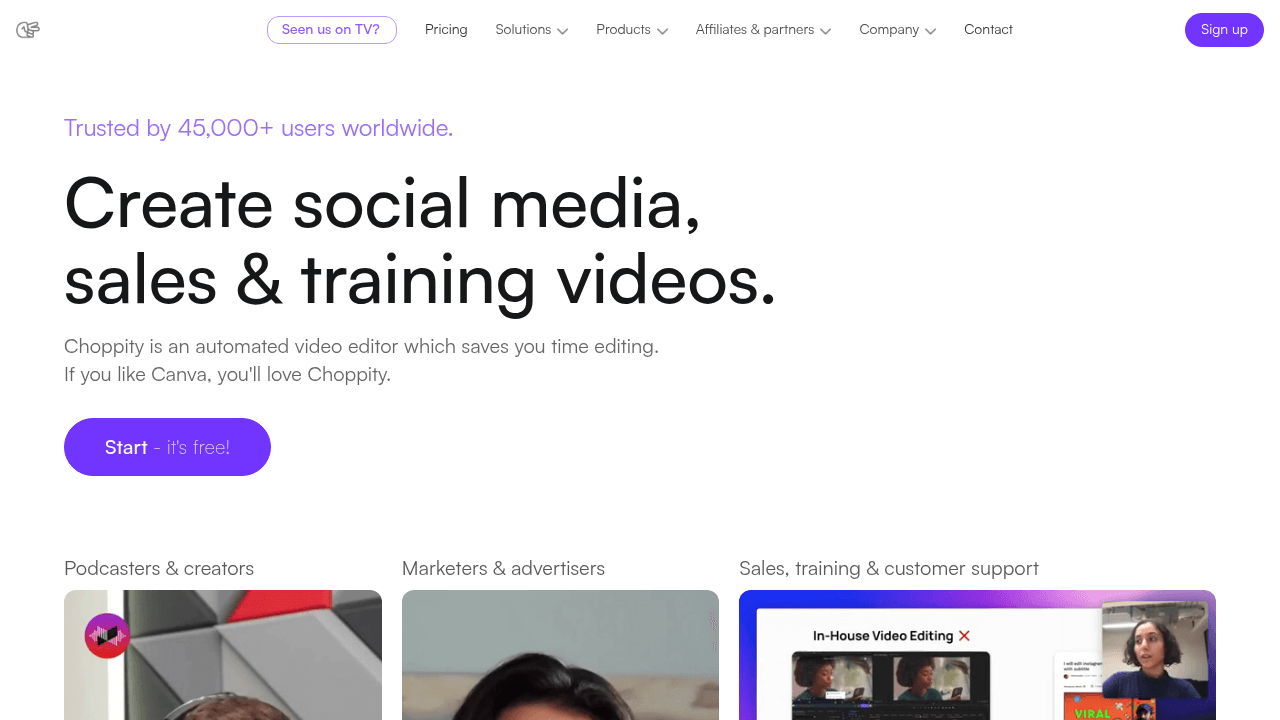
What is Choppity? A Content Creator's Guide
Choppity is an AI-powered video editing tool built specifically to solve one of the most time-consuming problems in a creator's workflow: turning long-form content into short-form clips. The platform automatically identifies, crops, captions, and styles the best moments from podcasts, YouTube videos, webinars, and interviews, delivering 20-50+ ready-to-publish short clips in minutes rather than hours. For YouTubers, podcasters, and social media creators who are sitting on hours of recorded content, this video production tool eliminates the need to manually scrub through timelines looking for highlight-worthy moments. The AI handles transcription, moment detection, framing, and captioning automatically, while still giving creators full creative control to fine-tune every clip. Choppity exports content optimized for TikTok, Instagram Reels, and YouTube Shorts, with automatic aspect ratio adjustments for 9:16, 1:1, and 16:9 formats. Built by a YouTuber with 215,000 subscribers, the platform is 100% bootstrapped and designed around real creator pain points. Over 100,000 users worldwide have used Choppity to generate more than 800,000 clips, collectively saving over 200,000 hours of manual editing time.
Choppity Features That Matter for Content Creators
-
AI Short Clips Generator: The core feature of Choppity's content creation workflow, this tool automatically analyzes your video transcript and identifies high-impact moments, jokes, insights, reactions, and emotional hooks. From a single long-form video, it generates 20-50+ short clips with zero manual editing required, making it ideal for podcasters and YouTubers who want to maximize their content's reach across platforms.
-
Text-Based Video Editing: Rather than scrubbing through a traditional timeline, creators edit video by editing text. Delete a word from the transcript and Choppity cuts it from the video automatically. This approach makes the editing process as intuitive as editing a Word document, and it's accessible to creators who have never touched a video editing timeline before.
-
Automated Captions with 97%+ Accuracy: Choppity generates subtitles in seconds with over 97% accuracy. Creators can customize caption animations to match the style of top creators, and every transcript change instantly updates the on-screen captions, keeping visuals perfectly synced without any manual caption editing.
-
Automated Framing and AI Reframing (9:16): The AI automatically crops landscape video into vertical formats, keeping the subject centered throughout. No manual keyframing is required, which saves significant time for creators converting YouTube videos or podcast recordings into TikTok and Reels content.
-
Automated Speaker Tracking: For multi-speaker podcasts, panel discussions, and Zoom interviews, the AI detects who is talking and switches focus instantly. This is particularly valuable for podcast creators who record with multiple guests and need clean, professional-looking clips without manual camera switching.
-
1-Click Posting and Scheduling: Creators can post or schedule short clips directly to TikTok, Instagram Reels, YouTube Shorts, and more from within Choppity. This content scheduling capability removes the need to download, re-upload, and manually post each clip across platforms separately.
-
Auto-Censor Profanity: With a single toggle, Choppity automatically detects and beeps or mutes swear words. This keeps content monetizable and brand-safe, which is critical for creators who want to repurpose casual, unscripted podcast conversations into clips suitable for broader audiences.
-
Keyword Search and Clip: Creators can search the transcript for specific keywords or quotes and instantly turn that segment into a standalone clip. This is a fast way to pull out specific moments, product mentions, or soundbites without watching the entire video.
-
Brand Templates: Custom fonts, logos, and colors can be set once and the AI applies the brand template to every clip automatically. For creators managing consistent visual identity across a large volume of content, this feature ensures every clip looks on-brand without repetitive manual styling.
-
Team Workspaces with Roles and Permissions: Choppity includes dedicated team workspaces with role-based access, usage tracking, and resource allocation. Editors, managers, and stakeholders each get the right level of access, making it practical for content teams and media agencies producing clips at scale.
Which Content Creators Should Use Choppity?
Choppity is built for creators who produce long-form content and want to extend its reach across short-form platforms without spending hours in a traditional video editor. It works equally well for solo creators and larger content teams, and no prior video editing experience is required to get started.
- Primary creator types: Podcasters, YouTubers, TikTokers, Instagram Reels creators, and content teams at media companies or agencies.
- Experience level: Beginner-friendly by design, with a text-based editing interface that requires no timeline experience. A full editor is also available for power users who want more granular control.
- Team size: Works for solo creators and scales up to large teams with dedicated workspaces, role assignments, and usage tracking.
Specific use cases for content creators:
- A podcaster with a weekly 60-minute episode who wants to generate a week's worth of TikTok and Reels content automatically
- A YouTuber repurposing existing long-form videos into YouTube Shorts to grow a second audience channel
- A finance or education creator who needs clean, filler-free clips without spending hours editing out pauses and mistakes
- A content team managing multiple social accounts who needs to post and schedule clips across platforms from one place
- A creator running multi-guest interview videos who needs automated speaker tracking to produce professional-looking clips
- A podcast creator whose content occasionally includes profanity and needs a clean, brand-safe version for social media
- A media agency producing high volumes of clips for multiple clients who needs brand templates and team permissions to stay organized
- A creator who wants to repurpose existing YouTube content by simply pasting a URL, with no file downloads required
Content types supported: Podcasts, YouTube videos, webinars, interviews, panel discussions, Zoom recordings, and any video containing spoken content. Supported formats include MP4, MOV, and AVI.
Getting Started with Choppity
- Upload your video: Paste a YouTube URL directly into Choppity or upload an MP4, MOV, or AVI file. The AI ingests hour-long content in minutes, so no pre-conversion is needed.
- Set your brand styles: Configure your custom fonts, logos, and colors once. Choppity applies this brand template automatically to every clip it generates.
- Generate your clips: Choppity's AI transcribes the video, identifies the best moments, and produces 20-50+ styled short clips. A 30-minute podcast typically processes in 5-7 minutes; a 2-hour webinar takes around 12-15 minutes.
- Edit and refine: Use the text-based editor to trim dialogue, remove filler words, add B-roll or images, and adjust captions by editing the transcript directly.
- Post or schedule: Publish clips directly to TikTok, Instagram Reels, YouTube Shorts, and more with one click, or schedule them ahead of time to maintain a consistent posting cadence.
Choppity FAQ for Content Creators
Does Choppity offer a free plan? Yes, Choppity has a free plan that lets creators upload videos, generate clips, and explore the editing tools. Paid plans unlock more uploads, storage, team features, and advanced capabilities.
How many clips can one video generate? A single long-form video can produce 20-50+ short clips depending on the length and content richness. The AI uses semantic understanding to identify high-impact moments, jokes, insights, and emotional hooks throughout the video.
What aspect ratios does Choppity export? Choppity automatically reframes clips for 9:16 (TikTok, Reels, YouTube Shorts), 1:1 (Instagram), and 16:9 (YouTube), so creators don't need to manually resize anything for different platforms.
Does transcript editing update captions automatically? Yes. Every change made to the transcript, whether fixing a word, removing filler, or rewriting a sentence, instantly updates the on-screen captions and video timing simultaneously, with no manual caption editing required.
Can Choppity handle multi-speaker content? Absolutely. The automated speaker tracking feature detects who is talking and switches focus instantly, and transcript editing works seamlessly with multiple speakers, interviews, and panel discussions.
How accurate are the auto-generated captions? Choppity generates captions with 97%+ accuracy. Creators can also customize caption animations to match the style of popular creators.
Can creators import existing YouTube videos? Yes. Creators simply paste a YouTube URL and Choppity imports and processes the video directly, with no downloading required. This makes it straightforward to repurpose an entire back catalog of existing content.
The Verdict: Is Choppity Worth It for Content Creators?
For podcasters and YouTubers who consistently produce long-form content and want to grow their presence on short-form platforms, Choppity delivers a genuinely practical solution. The combination of AI clip generation, text-based editing, automated captions, speaker tracking, and 1-click posting covers the entire short-form content creation workflow in one place. The free plan makes it accessible to creators at any stage, while team workspaces and brand templates make it viable for agencies and content teams managing high clip volumes.
The platform's biggest strength is how it removes the technical barrier to short-form video production. Creators who have never used a video editor can produce polished, captioned, platform-optimized clips without touching a timeline. For those who do want more control, the full editor and transcript-based fine-tuning tools are there.
The main consideration is that Choppity is designed for content that contains spoken dialogue. It works best with podcasts, interviews, webinars, and talking-head videos rather than purely visual or music-driven content. For creators in those formats, though, Choppity is one of the most complete AI video clipping tools available, backed by a bootstrapped team that ships updates regularly and answers directly to its user base.
Details
One link. Every channel, rate, and piece of work brands need to evaluate you. Built for how creators actually get hired.
Claim your profile
Live creator, content, and marketing roles from real companies, with the pay, market, and context the raw job page never gives you.
Browse jobs

 Post Bridge