

Supermotion
SuperMotion is a web-based video creation tool that transforms screenshots and screen recordings into polished promo videos with mockups, animations, and annotations.
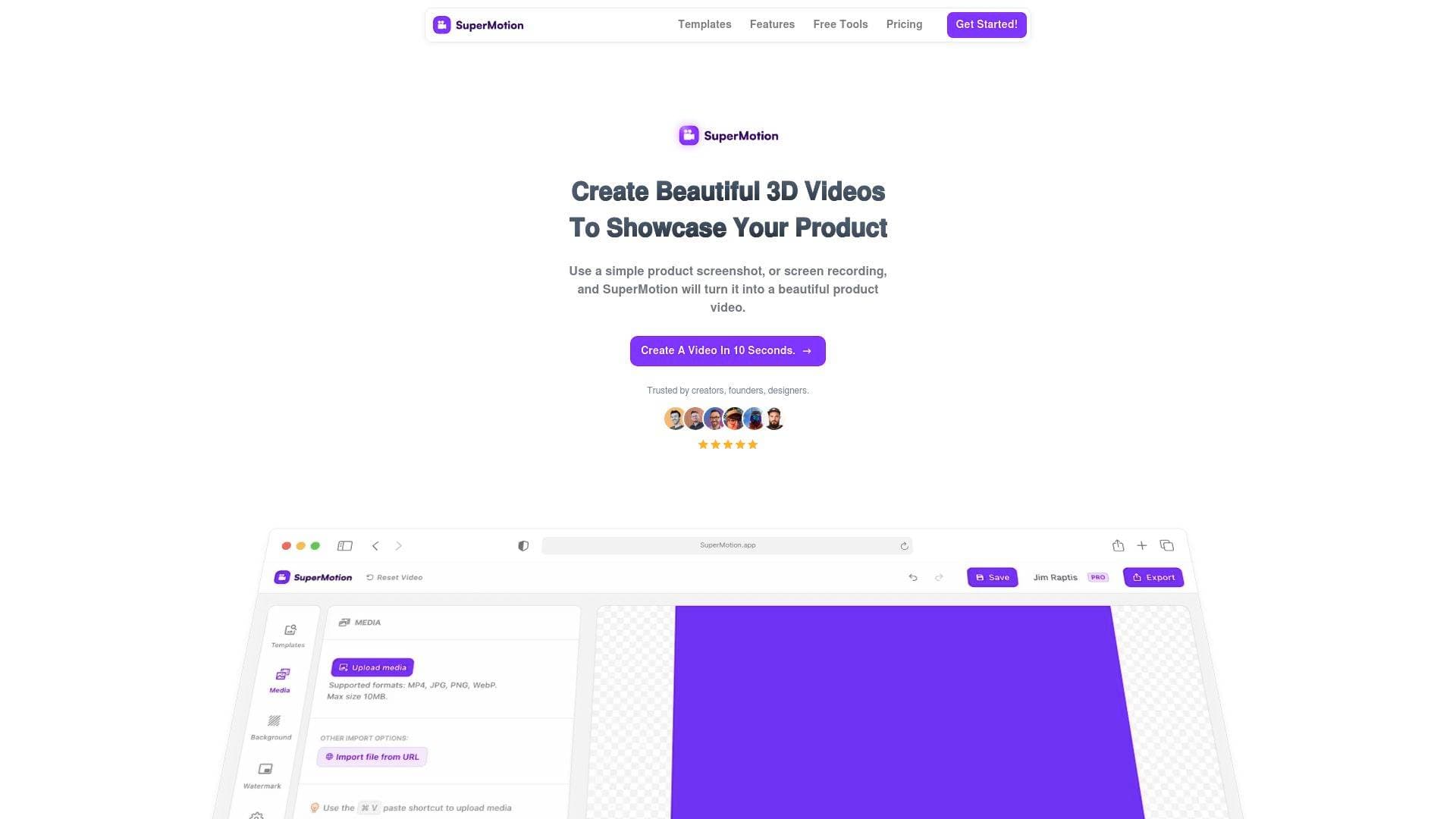
Brief Overview of SuperMotion for Content Creators
Every content creator knows the pain of having a great product, app, or tutorial to show off but no easy way to make it look visually compelling on social media. SuperMotion is a browser-based video creation tool that solves this exact problem, turning plain screenshots and screen recordings into polished, professional-looking promo videos in a matter of seconds. The video production workflow is built around simplicity: drop in a screenshot or screen recording, apply a template, and walk away with a finished video ready to post. No design background is required, and no complex timeline editing skills are needed.
The tool is particularly well-suited for content creators who regularly showcase digital products, apps, tutorials, or web-based work. It supports a wide range of output types including social media product videos, app store previews, feature launch videos, changelog videos, and multi-scene tutorial videos. What sets SuperMotion apart from traditional video editing tools is its focus on a specific, high-value content creation workflow: taking static or recorded screen content and giving it motion, context, and visual polish. The platform operates entirely in the browser, making it accessible without any software installation, and it offers a free tier with no credit card required to get started.
SuperMotion Key Features for Content Creators
-
Zoom & 3D Tilt Animations: SuperMotion lets creators add smooth zoom-in and zoom-out effects as well as 3D tilt animations to any part of a screenshot or screen recording. With over 20 smooth easing options available, these animations naturally guide a viewer's attention to the most important parts of the content without requiring any video editing skills.
-
Device Mockups: Wrapping a screenshot in a device frame instantly elevates its visual quality. SuperMotion includes browser and device frames for Safari, Chrome, and iPhone, with both light and dark themes available. Creators can even set a custom URL in the address bar for a more branded, realistic look.
-
Multi-Scene Editing: Rather than being limited to a single clip, creators can combine multiple scenes into one cohesive video. Scenes can be dragged to reorder instantly, and smooth transitions between scenes give the final output a professional narrative flow. This is particularly useful for tutorial videos or product walkthroughs that need to cover multiple steps or features.
-
Annotation Layers: Animated text callouts, arrows, shape overlays, circles, and rectangles can all be added directly on top of video content to highlight specific features. These annotations support full animation controls with enter and exit effects, making them ideal for silent autoplay videos on social media feeds where viewers watch without sound.
-
Pre-made Templates: A library of hand-crafted templates covers common creator needs including X (formerly Twitter) posts, Dribbble mockup shots, product demos, newsletters, milestone announcements, and more. Template categories include 3D desktop mockups, tilted screenshots, zoom-in hero sections, glare effects, and screenshot demos with CTAs.
-
Screenshot to Smooth Animation: This feature takes static images and converts them into fluid animations by letting creators define focus areas. SuperMotion then generates a smooth transition between those focus points, with adjustable zoom levels and pause durations. It is available for image media and turns a single screenshot into a dynamic, engaging clip.
-
Custom Backgrounds: Video backgrounds are fully customizable, supporting solid colors, gradients, uploaded images, and even animated GIFs. This gives creators full control over the visual context surrounding their content.
-
Video Clip Editing: For screen recordings, SuperMotion includes clip-level editing tools including split, trim, speed adjustment, and freeze frames. Creators can cut out boring sections, speed up repetitive parts, slow down key moments, or pause on an important frame to draw attention to it.
-
Video Overlays: Three dynamic overlay effects are available to add visual texture and style to videos: Focus Blur, Dither-Halftone, and Noise. All effects are fully customizable and designed specifically for product video aesthetics.
-
Library Tab with Reusable Assets: Creators can save scenes and custom text effects to a personal library and reuse them across different projects. This is particularly valuable for creators who produce recurring content formats like intros, outros, or branded announcement templates.
-
Google Fonts & Shape Layers: The editor supports hundreds of Google Fonts directly, along with circle and rectangle shape layers that can be customized with colors, borders, and animations. All shape layers support full animation controls, giving creators typographic and visual flexibility that matches their brand identity.
SuperMotion Target Users & Use Cases for Content Creators
SuperMotion is built for creators who need to produce visually polished video content quickly, without investing time in mastering complex video editing software. It sits at the intersection of design and content creation, making it especially practical for solo creators who wear multiple hats. The tool scales from complete beginners to experienced creators who want a faster production workflow for specific content types.
Primary creator types:
- App developers and indie makers who need to create app store preview videos, Product Hunt launch videos, or feature announcement content without hiring a video editor
- Tutorial creators and educators who record screen walkthroughs and want to add zoom animations, annotations, and device mockups to make their content clearer and more engaging
- Social media content creators focused on X (Twitter), Dribbble, or newsletter audiences who need short, visually striking product videos for regular posting
- Designers and portfolio creators who want to showcase their UI work in motion using 3D mockups and animated screenshots
- Newsletter writers who want to embed short product demo clips in their email content
Specific use cases:
- Creating a feature launch video for a new app update using multi-scene editing and annotation layers
- Producing an App Store preview video from existing screen recordings with device mockups applied
- Designing a milestone social media post (e.g., "1,000 users!") using animated text effects and custom backgrounds
- Building a changelog video that walks through multiple product updates using scene transitions
- Annotating a screen recording tutorial with arrows and callouts to explain UI steps for silent autoplay on social feeds
- Generating a Product Hunt launch video from a single screenshot using zoom animations and a CTA template
- Creating a Dribbble mockup shot with a 3D tilted desktop frame and glare effect for portfolio presentation
- Producing a browser mockup video for a web app with a custom URL in the address bar for a branded look
How to Get Started with SuperMotion
- Access the editor for free: Navigate to the SuperMotion web app and get started without a credit card. The free tier provides access to most features, making it easy to test the tool before committing.
- Upload your media: Paste a screenshot using the keyboard shortcut or upload a screen recording. The editor accepts both image and video inputs.
- Choose a template or build from scratch: Select from the pre-made template library organized by content type (milestone, desktop mockup, product video, tutorial, announcement, etc.) or start with a blank canvas.
- Add mockups, animations, and annotations: Apply a device frame, set zoom keyframes, add annotation layers with arrows or text callouts, and customize the background.
- Export your video: Use the export panel to render the final video. The tool notes it is safe to leave the tab during rendering.
Frequently Asked Questions About SuperMotion
What is the pricing for SuperMotion? SuperMotion offers a one-time payment of $79 (discounted from $149) that provides lifetime access to all features with no recurring subscription fees. Early supporters get permanent full access to the product and all future features. Individual export credits can also be purchased separately at $5 per export with a minimum order of 3 exports.
Is there a free version available? Yes, SuperMotion has a free tier that provides access to most of the product's features without requiring a credit card. This allows creators to fully evaluate the tool before purchasing the lifetime license.
Does SuperMotion offer subscriptions? No subscriptions are currently available. The creator has noted that a subscription option may be added in the future, but all existing customers will retain full access to the product and its future features regardless.
Who built SuperMotion? SuperMotion is an indie product built by Jim Raptis, who is also behind other design tools including MagicPattern and BrandBird.
Are refunds available? SuperMotion does not offer refunds, citing the availability of the free tier as a way for creators to evaluate the product before purchasing.
What types of videos can be created with SuperMotion? SuperMotion supports a wide range of video content creation workflows including social media product videos, app store previews, feature launch videos, changelog videos, multi-scene tutorial videos, Product Hunt launch videos, browser mockup videos, and annotated screen recordings.
Can video clips be edited inside SuperMotion? Yes. The Clips feature allows creators to split, trim, adjust playback speed, and add freeze frames to video inputs directly within the editor.
Bottom Line: Should Content Creators Choose SuperMotion?
SuperMotion is a strong fit for content creators who regularly need to produce polished product demo videos, tutorial content, or social media clips from screenshots and screen recordings. The combination of device mockups, zoom animations, annotation layers, multi-scene editing, and a template library covers the full range of short-form video content creation needs without requiring any design or video editing expertise.
The one-time $79 pricing model is a notable advantage for solo creators and indie makers who want to avoid recurring software subscriptions. The free tier with no credit card required also makes it genuinely risk-free to try before buying. The main limitation to note is that SuperMotion is purpose-built for product and screen-based video content. Creators looking for a general-purpose video editor for talking-head content, podcast clips, or long-form video production will find the tool too narrow for those needs.
For creators who produce app demos, UI showcases, tutorial walkthroughs, social media product posts, or launch content, SuperMotion delivers a fast, focused video production workflow that is difficult to replicate with more complex tools at a comparable price point.
Details
One link. Every channel, rate, and piece of work brands need to evaluate you. Built for how creators actually get hired.
Claim your profile
Live creator, content, and marketing roles from real companies, with the pay, market, and context the raw job page never gives you.
Browse jobs

 Post Bridge