

Crayo AI
Crayo AI is an all-in-one AI video editing platform for content creators to generate viral short-form clips with voiceovers, subtitles, and gameplay optimization.
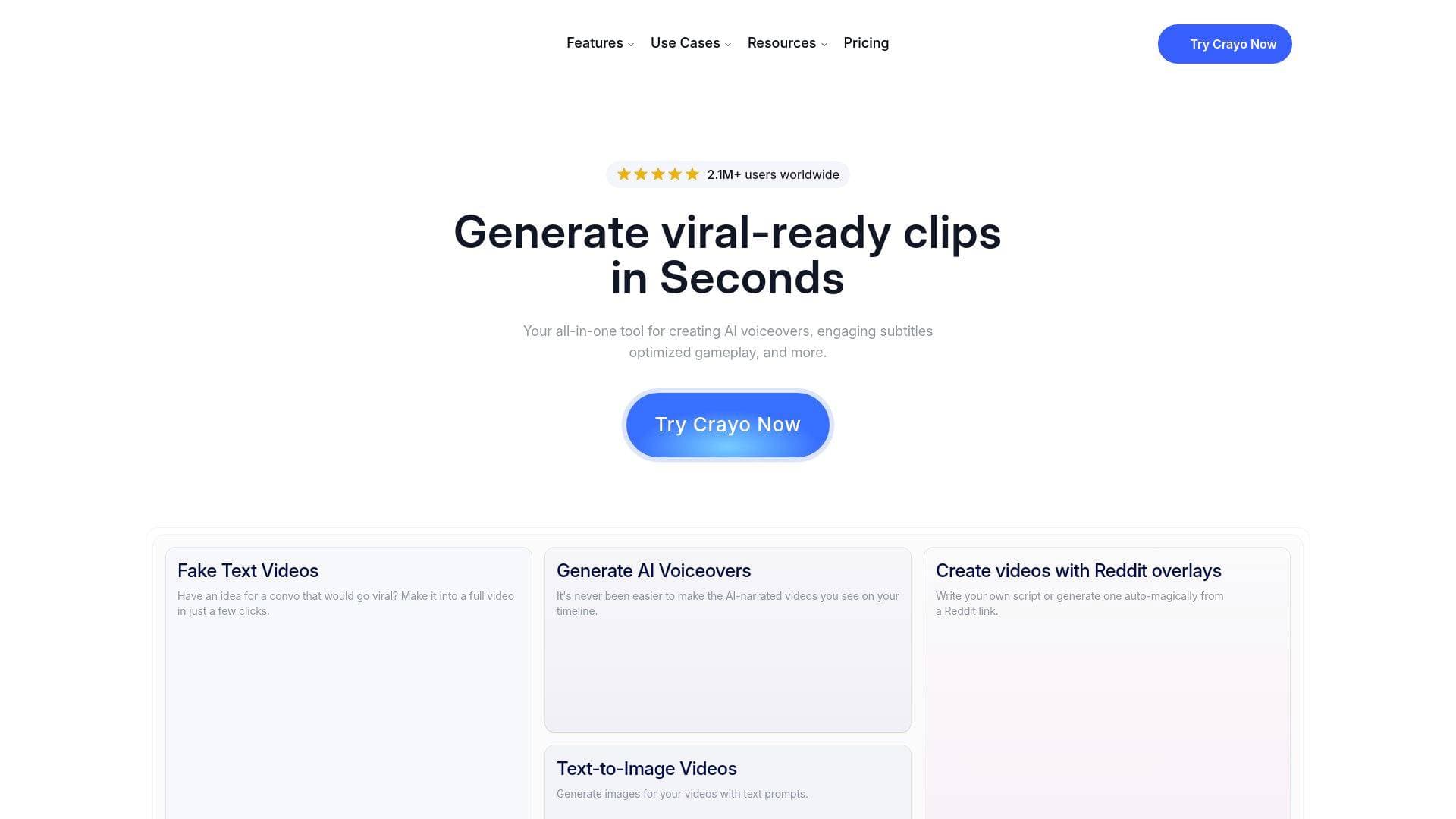
Brief Overview of Crayo AI for Content Creators
Crayo AI is an all-in-one AI video editing platform built specifically for content creators who want to produce viral short-form video content fast. The core problem it solves is the time-consuming, technically demanding process of clipping, formatting, and polishing videos for platforms like YouTube Shorts and TikTok. With over 3.2 million users worldwide and billions of views generated, Crayo has established itself as a go-to video creation tool for clippers and short-form content creators. The platform operates entirely in the browser through a web-based editor, meaning there's no software to download or install. Its three-step workflow lets creators upload a video (or paste a YouTube or TikTok link), select a subtitle style, and generate a finished clip in seconds. Beyond basic clipping, Crayo bundles a wide range of AI-powered tools including voiceover generation, background removal, speech enhancement, vocal removal, AI image generation, and content brainstorming into a single subscription. Co-founded by Musa Mustafa, who has personally created viral content for some of the internet's biggest creators, Crayo was built to solve real scaling problems faced by high-volume content channels.
Crayo AI Key Features for Content Creators
-
AI-Powered Clip Generation: Crayo's core feature lets creators upload any video file or paste a YouTube or TikTok link, then automatically generates a polished short-form clip in seconds. This dramatically cuts down the time spent on manual editing and formatting, making it ideal for creators who need to produce content at scale.
-
15+ Viral Subtitle Styles: Creators can choose from more than 15 subtitle styles designed specifically to maximize engagement on short-form platforms. Subtitles are applied automatically during the generation process, removing the need for manual captioning.
-
AI Voiceovers: The platform includes built-in AI voiceover generation, allowing creators to add professional-sounding narration to their clips without recording audio themselves. This is particularly useful for faceless YouTube channels and Reddit story-style content.
-
Optimized Gameplay Formatting: Crayo includes tools for optimizing gameplay footage, making it a strong fit for gaming content creators and streamers who want to clip and format their best moments for short-form distribution.
-
Background Removal for Images and Video: One of Crayo's standout capabilities is its video background remover, which users have noted performs at a high level compared to other tools. This feature works for both images and video, giving creators more flexibility in how they present their content.
-
Speech Enhancer: A dedicated speech enhancement tool improves audio quality in recorded clips, helping creators deliver cleaner, more professional-sounding content without needing external audio software.
-
Vocal Remover: Crayo includes a vocal remover tool that strips vocals from audio tracks, useful for creators who want to isolate music or create custom audio beds for their videos.
-
AI Image Generator: The platform's image generator allows creators to produce custom visuals directly within Crayo, eliminating the need for separate AI image subscriptions. Users have highlighted this as a significant time and cost saver.
-
Social Video Downloader: Creators can download videos directly from social platforms through Crayo's built-in downloader, making it easy to source and repurpose content without leaving the platform.
-
Fake Text Video Creator: Crayo includes a dedicated tool for generating fake text conversation videos, a popular format for YouTube Shorts and TikTok. Creators can script conversations, assign sender and receiver names, upload profile pictures, and preview estimated video length before generating.
-
Content Brainstorming Tool: For creators who struggle with ideation, Crayo offers a built-in brainstorming feature to help generate content ideas, keeping the entire creation workflow inside one platform.
-
Asset Management (My Assets): All generated videos, images, and audio files are stored in a personal asset library organized by type and last updated date, making it easy to manage and retrieve past creations.
Crayo AI Target Users & Use Cases for Content Creators
Crayo AI is built for content creators who operate in the short-form video space and need to produce clips quickly and consistently. It's particularly well-suited for high-volume creators who manage multiple channels or work as professional clippers for larger accounts. The platform's simplicity also makes it accessible for newer creators who are just getting started with short-form content.
- Primary creator types: Gaming streamers clipping highlights, faceless YouTube channel operators, Reddit story content creators, TikTok creators, YouTube Shorts producers, and professional clippers working for established creators.
- Experience level: The three-step workflow and web-based interface make Crayo approachable for beginners, while the depth of tools available supports experienced creators managing high output volumes.
- Team size: Crayo works well for solo creators as well as small teams managing multiple channels, given its asset library and scalable workflow.
- Specific use cases:
- A gaming streamer clipping and formatting their best moments into vertical shorts for TikTok and YouTube Shorts
- A faceless channel operator using AI voiceovers to narrate content without recording their own voice
- A Reddit story creator generating scripted text conversation videos for YouTube Shorts
- A professional clipper managing content for multiple large creators who needs fast turnaround on formatted clips
- A solo creator removing video backgrounds to create cleaner, more polished short-form content
- A content creator brainstorming new video ideas and generating custom AI images for thumbnails or overlays, all within one tool
- A creator downloading social videos for repurposing and remixing into new short-form content
- A channel operator enhancing speech quality in recorded clips to improve overall production value
How to Get Started with Crayo AI
- Create an account: Sign up at crayo.ai using an email address or by continuing with Google. Account creation takes seconds and unlocks access to the full dashboard.
- Upload your video or paste a link: In the editor, upload a video file directly or paste a YouTube or TikTok URL to pull in existing content.
- Select a subtitle style: Browse through 15+ viral subtitle styles and choose the one that fits your content and target platform.
- Generate your clip: Hit generate and Crayo produces a finished, formatted video in seconds, ready for download and publishing.
- Explore additional tools: From the dashboard, access the AI voiceover generator, background remover, speech enhancer, image generator, fake text video creator, and other tools to build out a full content production workflow.
Frequently Asked Questions About Crayo AI
Can I monetize videos created with Crayo? Yes, Crayo explicitly supports monetization of videos created on the platform, making it a viable tool for creators building revenue-generating channels.
Can I generate content in other languages? Crayo supports content generation in multiple languages, which opens up the platform to creators targeting non-English-speaking audiences.
Can I import images from ChatGPT to Crayo? Crayo supports importing images from ChatGPT, allowing creators to bring in externally generated visuals and incorporate them into their video projects.
Is there 24/7 support available? Crayo offers round-the-clock support through their Discord community, where creators can reach the team with any concerns or questions.
Can I cancel my plan? Crayo offers plan cancellation, giving creators flexibility without being locked into long-term commitments.
What is an export minute? Export minutes are a usage metric within Crayo's credit system that tracks how much video content a creator has generated or exported within their plan.
What is a workflow credit? Workflow credits are the currency used within Crayo to run the platform's various AI-powered generation tools and features.
Bottom Line: Should Content Creators Choose Crayo AI?
Crayo AI is a strong fit for short-form content creators, particularly those focused on clipping, gaming highlights, faceless channels, and Reddit story-style content. The platform's biggest advantage is consolidating a wide range of AI tools, including voiceovers, background removal, image generation, speech enhancement, and subtitle styling, into a single subscription, which reduces the need to juggle multiple separate tools. The three-step workflow makes it fast enough for high-volume creators who need to turn around clips quickly without sacrificing quality. With 3.2 million users and billions of views attributed to content made on the platform, Crayo has a proven track record in the short-form creator space. Creators who primarily produce long-form content or who need advanced manual editing controls may find the platform's focus on automated short-form generation limiting. For anyone building a clipping operation, running faceless channels, or looking to scale short-form video output without a steep learning curve, Crayo AI offers a compelling, creator-first solution.
Details
One link. Every channel, rate, and piece of work brands need to evaluate you. Built for how creators actually get hired.
Claim your profile
Live creator, content, and marketing roles from real companies, with the pay, market, and context the raw job page never gives you.
Browse jobs Post Bridge
