

Restream
Restream is a live streaming and multistreaming platform that lets content creators broadcast to 30+ platforms simultaneously while offering AI-powered tools for clips, transcription, and audio extraction.
What is Restream? A Content Creator's Guide
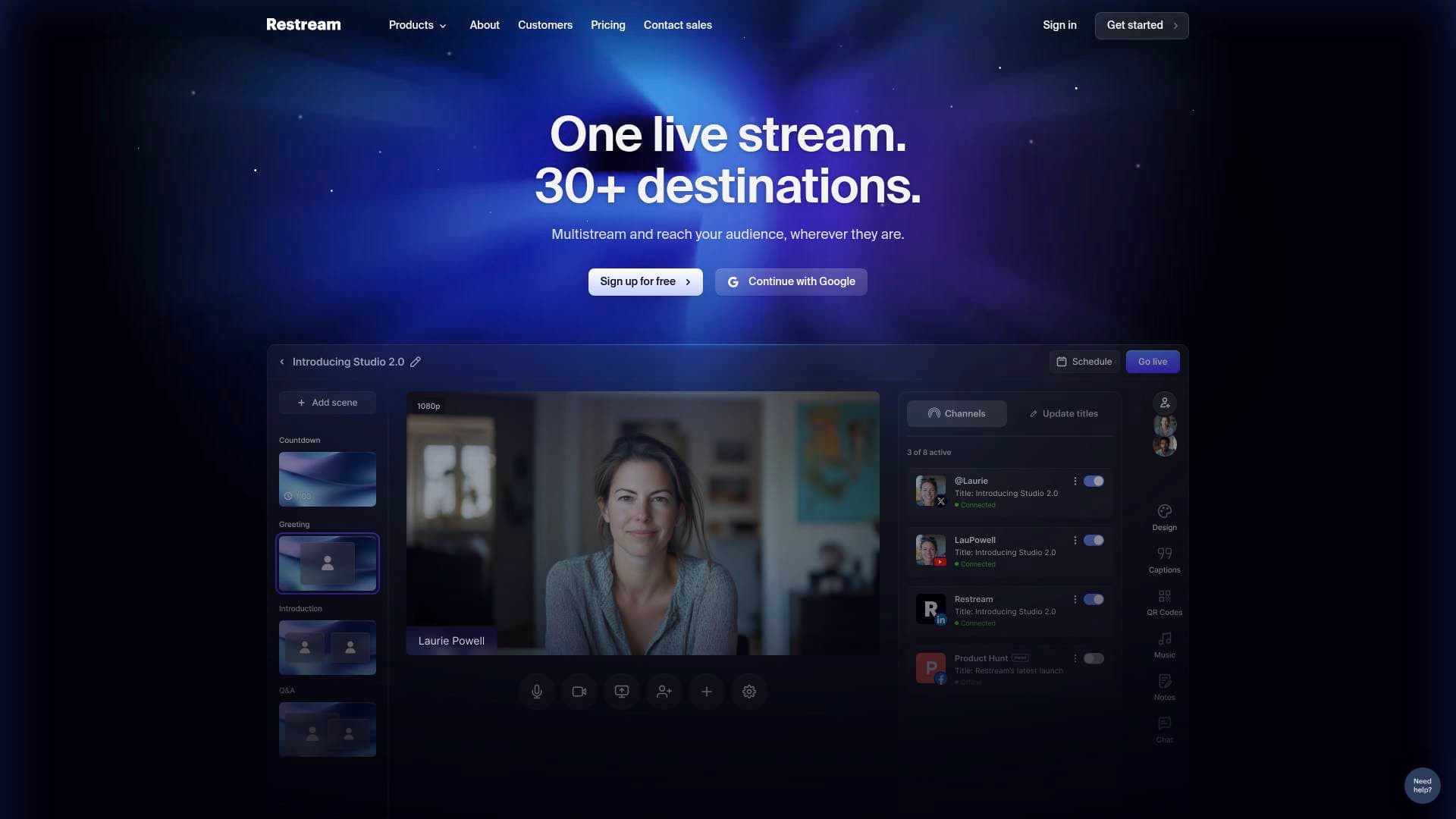
Restream is a live video platform and multistreaming solution trusted by over 10 million creators, built to solve one of the biggest frustrations in live content creation: being locked into a single platform per broadcast. Instead of choosing between YouTube, Twitch, TikTok, or any other destination, Restream lets creators go live on all of them simultaneously from a single setup. Beyond multistreaming, it functions as a full content creation workflow hub, offering tools that span live production, short-form clip generation, AI transcription, audio extraction, and even script generation. The platform supports streaming to 30+ destinations at once, and it automatically transforms live streams into vertical short videos optimized for social media. Restream Studio, its browser-based production environment, eliminates the need to download any software to go live. For creators who want to grow their audience across multiple platforms without doubling their workload, Restream addresses that challenge directly with an all-in-one approach.
Restream Features That Matter for Content Creators
-
Multistreaming to 30+ Platforms: Restream's core capability lets creators broadcast a single live stream to over 30 destinations at the same time. YouTube, Twitch, TikTok, and dozens of other platforms receive the stream simultaneously, maximizing audience reach without any additional effort per platform.
-
Automatic Short Video Creation from Streams: Live streams are automatically transformed into vertical short videos, making it easy for creators to repurpose broadcast content for TikTok, Instagram Reels, and YouTube Shorts without a separate editing session.
-
Restream Studio (Browser-Based Live Production): Restream Studio is a fully browser-based streaming and recording environment, meaning creators can go live without downloading any software. It includes advanced graphics, titles, screen sharing, remote guest support, custom captions, backgrounds, logos, and flexible screen layouts. Streaming settings are automatically optimized for broadcast quality.
-
AI Clips Tool: Restream's AI Clips feature converts long-form videos or live streams into short, social-ready clips. It offers context-aware clipping, customizable captions, complimentary B-roll, and translations in 99 languages. Unlike some dedicated clipping tools, it fits directly into the existing Restream workflow without requiring extra upload steps.
-
AI Video Transcription (36+ Languages): The AI-powered video-to-text tool transcribes uploaded videos with up to 99% accuracy for English and supports 36+ languages including French, German, Japanese, Korean, Mandarin, Spanish, and more. New users can transcribe one video for free, and no software download is required. Supported formats include MP4, AVI, MOV, MKV, and MPEG.
-
Audio Extractor Tool: Creators can extract audio from video files including MP4, MOV, MKV, WEBM, and AVI formats, saving the result as an MP3 file. The entire process happens in the browser with no software or plugins needed. Files are processed securely and removed from servers a few hours after download.
-
Unified Chat Management: When multistreaming to several platforms at once, managing separate live chats becomes overwhelming. Restream consolidates all platform chats into a single view, helping creators stay engaged with their audience across every destination without switching tabs.
-
OBS Studio Integration: For creators already using OBS, Restream integrates directly to add multistreaming capability, unified chat, custom visual effects, and streaming analytics including stream duration and peak viewer counts. OBS natively supports only one streaming destination at a time, so the Restream integration significantly expands its reach.
-
Streaming Analytics: Restream provides insights into stream performance, including stream duration and peak viewers, accessible when using the platform alongside OBS or through its own studio environment.
-
Additional Free Creator Tools: Beyond streaming, Restream offers a suite of browser-based utilities including a video converter (MP4 and WEBM), audio converter (MP3 and WAV), mic test, camera test, audio remover, podcast transcription, audio transcription, AI TikTok script generator, and AI YouTube script generator.
Which Content Creators Should Use Restream?
Restream is built for creators who treat live streaming as a core part of their content strategy and want to maximize the value of every broadcast. It scales from solo streamers just starting out to established creators managing multi-platform audiences. Here is a breakdown of who benefits most:
- Primary creator types: Live streamers on Twitch and YouTube, TikTok creators who want to repurpose live content, podcasters looking to transcribe episodes, gaming creators broadcasting to multiple platforms, and video creators who need fast clip generation from long-form content.
- Experience level: Beginner-friendly through Restream Studio's browser-based setup with auto-optimized settings, while also offering advanced configuration options for experienced streamers using OBS.
- Team size: Works for solo creators and teams alike, with direct publishing, team collaboration features, and 24/7 support mentioned for the Clips product.
- Specific use cases:
- A gaming streamer going live on Twitch and YouTube simultaneously without managing two separate streams.
- A podcaster uploading episode recordings to extract audio as MP3 files for distribution.
- A TikTok creator using the AI script generator to plan short-form content before filming.
- A YouTube creator transcribing long-form videos to generate subtitles and repurpose content as blog posts.
- A live streamer using the AI Clips tool to turn a two-hour broadcast into multiple short clips for Instagram Reels and YouTube Shorts.
- A creator using Restream Studio to host a remote guest interview directly in the browser without additional software.
- An OBS user integrating Restream to unlock multistreaming and unified chat without changing their existing production setup.
- A creator building a multilingual audience using the 99-language translation feature in AI Clips.
- Content types: Live video, short-form vertical video, podcasts, gaming streams, interview-style content, educational videos, and social media clips.
Getting Started with Restream
- Sign up for free at Restream.io using a Google account or email registration.
- Connect your streaming platforms by linking your YouTube, Twitch, TikTok, and other channel accounts to enable simultaneous broadcasting.
- Choose your production method: Use Restream Studio directly in the browser for a no-download experience, or connect OBS Studio to Restream using the platform's integration guide for a custom encoder setup.
- Go live and let Restream distribute the stream to all connected platforms at once while monitoring unified chat from a single dashboard.
- Repurpose your content after the stream by using AI Clips to generate short-form videos, or upload recordings to the transcription and audio extraction tools.
Restream FAQ for Content Creators
Can I stream to more than one platform at the same time? Yes, Restream supports simultaneous broadcasting to 30+ platforms from a single stream. Creators connect their channel accounts once and all destinations receive the live feed at the same time.
Do I need to download software to use Restream? No. Restream Studio runs entirely in a web browser, so creators can go live, record, and manage guests without installing anything. The audio extractor and transcription tools are also fully browser-based.
How accurate is the AI video transcription? For English, accuracy reaches 99%. For other languages, accuracy is slightly lower. The tool supports 36+ languages including Spanish, French, German, Japanese, Korean, Mandarin, and more.
What video formats does the transcription tool support? The AI video-to-text converter accepts MP4, AVI, MOV, MKV, MPEG, and additional formats.
Is the audio extractor free to use? Yes, the audio extractor is free, ad-free, and requires no software download. It accepts MP4, MOV, MKV, WEBM, AVI, and other video formats, and saves audio as an MP3 file.
How does Restream handle chat when streaming to multiple platforms? Restream consolidates live chats from all connected streaming platforms into a single unified view, so creators can interact with their full audience without switching between platform tabs.
Can Restream integrate with OBS Studio? Yes. Connecting OBS to Restream adds multistreaming capability, unified chat, custom visual effects, and analytics including stream duration and peak viewer data.
The Verdict: Is Restream Worth It for Content Creators?
For any creator who goes live regularly and wants to grow across multiple platforms without multiplying their workload, Restream delivers a genuinely practical solution. The multistreaming capability alone addresses a fundamental limitation of most streaming setups, and the surrounding toolkit of AI clips, transcription, audio extraction, and script generation tools adds real value beyond the broadcast itself. The browser-based Restream Studio lowers the barrier to entry significantly, making it accessible to creators who have never streamed before, while OBS integration ensures experienced streamers do not have to abandon their existing workflow.
The main consideration is that some advanced features, such as team collaboration and direct multi-platform publishing for clips, appear to be tied to higher-tier plans. New users can start for free and access tools like the audio extractor and one free video transcription without committing to a paid plan.
Restream is a strong fit for live streamers, gaming creators, podcasters repurposing audio, and any creator building a multi-platform presence. The combination of live production, automated clip generation, and a growing suite of free browser tools makes it one of the more complete content creation platforms available for creators serious about live video.
Details
One link. Every channel, rate, and piece of work brands need to evaluate you. Built for how creators actually get hired.
Claim your profile
Live creator, content, and marketing roles from real companies, with the pay, market, and context the raw job page never gives you.
Browse jobs

 Post Bridge