

OptinMonster
OptinMonster is a lead generation and conversion optimization toolkit that helps content creators grow their email lists and capture subscribers using targeted popups, forms, and Exit Intent® technology.
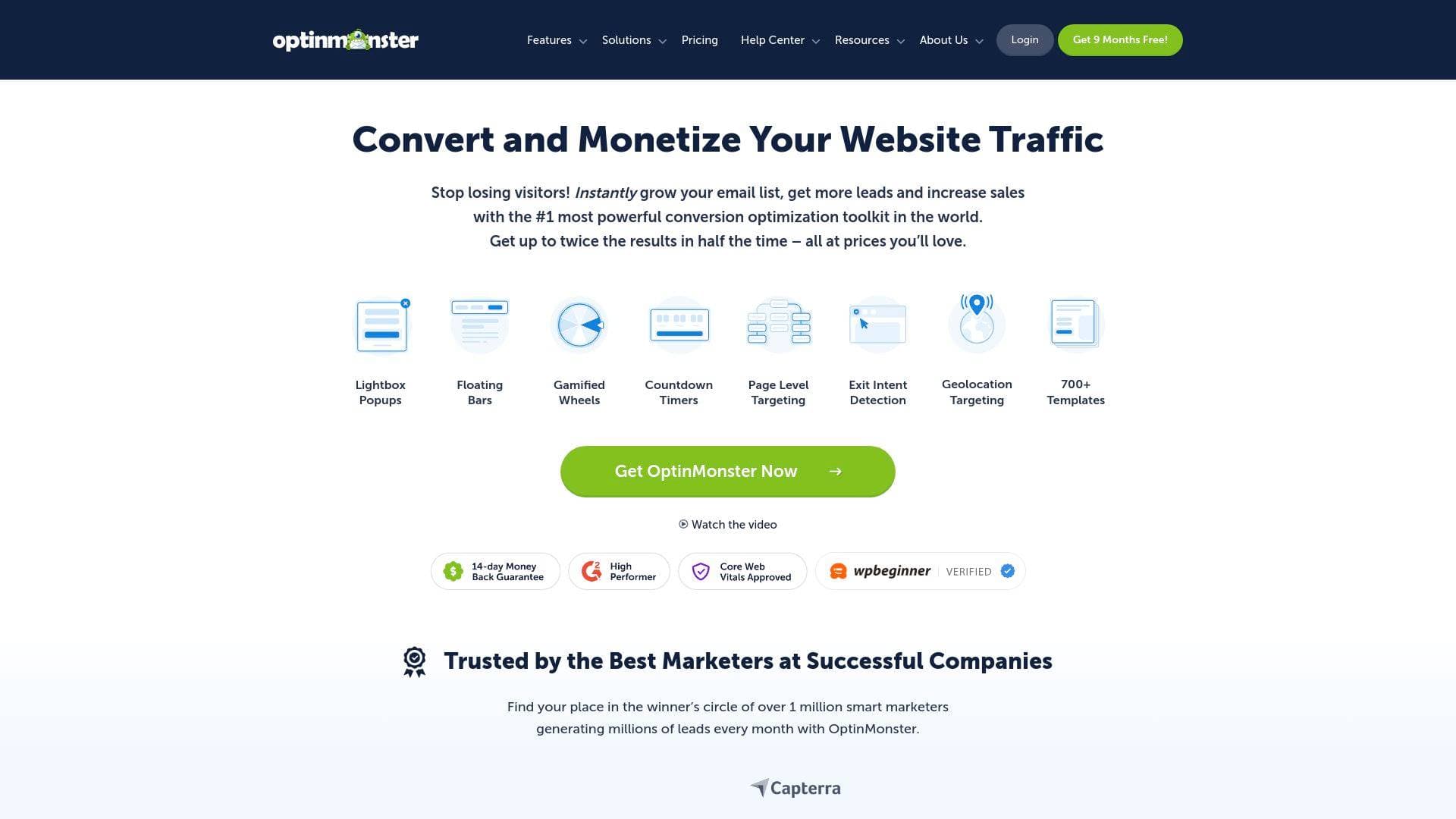
Brief Overview of OptinMonster for Content Creators
Growing an email list is one of the most critical challenges every content creator faces. Over 70% of visitors who leave a website never return, and most sites capture fewer than one email address for every 200 visitors. OptinMonster is a lead generation and conversion optimization toolkit built to solve exactly that problem. Launched in 2013, it works by converting existing website traffic into subscribers and leads through targeted campaigns like popups, floating bars, fullscreen overlays, slide-ins, and gamified spin-to-win wheels. The platform works on virtually any website type, including WordPress, Shopify, and custom single-page applications, making it a flexible audience-growth tool regardless of what platform a creator builds on. What separates OptinMonster from basic popup tools is its behavior-based targeting engine, which shows personalized offers to visitors based on what they're doing, where they came from, and whether they're about to leave. For bloggers, newsletter writers, and creators who depend on a direct line to their audience, this platform functions as the front end of an entire email marketing operation.
OptinMonster Key Features for Content Creators
-
Exit Intent® Technology: This is OptinMonster's signature feature. It detects when a visitor is about to leave a page and triggers a targeted campaign at that exact moment. For creators, this means a reader who's about to bounce from a blog post can be shown a newsletter signup offer before they disappear. One documented case saw 95,654 new email subscribers added in just 7 months using this feature alone.
-
700+ Pre-Built Templates with Drag-and-Drop Builder: Creators can choose from over 700 conversion-optimized templates and customize every detail using a drag-and-drop editor that requires zero coding knowledge. This makes it practical for solo creators who don't have a developer on call to build and launch professional-looking opt-in forms in minutes.
-
Multiple Campaign Types: OptinMonster supports lightbox popups, floating bars, inline forms, slide-in scroll boxes, fullscreen overlays, and gamified coupon wheel campaigns. Having this variety lets creators match the right format to the right moment in a reader's journey, rather than relying on a single one-size-fits-all approach.
-
AI Popups: The platform includes AI-powered popup creation, available even on the Basic plan. This helps creators generate campaign copy and designs faster, reducing the time spent building individual opt-in campaigns from scratch.
-
Page Level Targeting and Behavior Automation: OptinMonster's targeting engine lets creators show specific offers based on which page a visitor is reading, how long they've been on the site, how far they've scrolled, their device type, referral source, geographic location, and more. A food blogger, for example, could show a recipe ebook opt-in only to visitors reading recipe posts, rather than showing the same generic popup to everyone.
-
A/B Testing: Built-in split testing lets creators test different headlines, designs, and calls to action against each other to find what actually converts. This removes guesswork from audience growth decisions and is available starting at the Plus plan tier.
-
OnSite Retargeting® and Follow-Up Campaigns: Rather than showing the same campaign to every visitor every time, OptinMonster can show different offers to new visitors versus returning readers, or follow up with a second offer after someone has already interacted with the first. This is particularly useful for creators running multi-step funnels or promoting different content to different audience segments.
-
Content Locking: Creators can gate specific content behind an email opt-in, requiring visitors to subscribe before accessing a resource, guide, or exclusive post. This is a direct audience-growth tactic that pairs well with lead magnets like ebooks, templates, or bonus content.
-
Countdown Timers: Available on the Pro plan, countdown timers add urgency to limited-time offers. Creators promoting a course launch, a limited enrollment window, or a time-sensitive freebie can use these to increase conversion rates on their campaigns.
-
Integrations with Major Email Platforms: OptinMonster connects directly with a wide range of email service providers including Mailchimp, ConvertKit (Kit), ActiveCampaign, Drip, AWeber, GetResponse, Klaviyo, Brevo, MailerLite, and many more. Leads captured through OptinMonster campaigns flow automatically into a creator's chosen email platform, feeding directly into automated welcome sequences or nurture workflows.
OptinMonster Target Users & Use Cases for Content Creators
OptinMonster is explicitly designed for bloggers and content-driven websites, making it a natural fit for the creator economy. It scales from solo creators just starting to build their lists all the way up to high-traffic publishers managing multiple sites. No coding skills are required, which keeps the barrier to entry low for independent creators.
Primary creator types this tool serves well include bloggers, newsletter writers, course creators, podcasters with companion websites, and YouTubers who drive traffic to a home base site. The platform's WordPress plugin integration is especially relevant given how many creators build on WordPress.
Experience level: The drag-and-drop builder and template library make it accessible to beginners, while advanced targeting rules, A/B testing, and custom JavaScript options give experienced creators room to build sophisticated campaigns.
Team size: Solo creators can manage everything independently. The Growth plan adds sub-accounts and client logins, which suits creators who work with a small team or manage content for multiple brands.
Specific use cases for content creators include:
- A blogger using Exit Intent® to capture email addresses from readers who are about to leave a post without subscribing
- A newsletter writer locking a premium article section behind an opt-in form to grow their subscriber list
- A course creator using countdown timers on a popup to promote an enrollment deadline
- A podcaster using page-level targeting to show a "subscribe to the show" offer only on episode pages
- A YouTuber driving traffic to a landing page and using a fullscreen overlay to capture leads before visitors scroll away
- A creator using geolocation targeting to show region-specific offers or event promotions to visitors in specific locations
- A content creator using OnSite Retargeting® to show a second, different offer to returning readers who already dismissed the first campaign
- A blogger using the gamified coupon wheel campaign to make a freebie download feel more interactive and engaging
How to Get Started with OptinMonster
-
Choose a plan and sign up: Plans start at $21/month (billed monthly) for the Basic tier, which covers one site and 2,500 pageviews per month with unlimited campaigns and subscribers. A 14-day money-back guarantee is included on all plans, making it risk-free to test.
-
Install on your website: For WordPress users, a dedicated plugin is available for free at WordPress.org that extends OptinMonster's functionality with deep WordPress-specific integrations. For other platforms, installation requires adding a custom JavaScript snippet to the body of your site's pages.
-
Create your first campaign: Select one of the 700+ pre-built templates, customize the copy and design using the drag-and-drop builder, and connect it to your email service provider so new subscribers flow directly into your list.
-
Set targeting rules: Configure when and to whom your campaign appears. A good starting point is an Exit Intent® campaign set to appear sitewide, which OptinMonster itself recommends as a baseline for most creators.
-
Monitor and optimize: Use the built-in analytics to track which campaigns are converting, then run A/B tests to improve performance over time.
Frequently Asked Questions About OptinMonster
Does OptinMonster work on WordPress? Yes, OptinMonster has a dedicated WordPress plugin available for free at WordPress.org. It extends the platform's core functionality with WordPress-specific features like targeting by category, tag, or custom post type, showing campaigns to logged-in users, and deep integration with plugins like WooCommerce, WPForms, MemberPress, and Easy Digital Downloads.
Do I need coding skills to use OptinMonster? No coding knowledge is required. Campaigns are built entirely through the drag-and-drop builder, and templates handle the design work. Creators can build, customize, and A/B test opt-in forms without hiring a developer. Custom CSS and JavaScript options are available for those who want them on higher-tier plans.
Will OptinMonster slow down my website? No. The embed code loads asynchronously in a non-blocking way, meaning it does not impact page load times. This is important for creators who rely on fast-loading content for both user experience and search rankings.
Can I use OptinMonster on more than one site? The Basic plan covers one site. The Plus plan supports two sites, Pro covers three, and the Growth plan allows use on up to five sites. This makes it practical for creators who run multiple blogs or content properties.
What happens if I exceed my pageview limit? OptinMonster does not turn off campaigns if a creator goes over their plan's impression limit. The platform will automatically upgrade to the next tier when limits are exceeded, and the team will reach out to discuss needs if usage surpasses the Growth plan's 100,000 monthly pageviews.
Is there a money-back guarantee? Yes. All plans come with a 14-day, 100% no-questions-asked money-back guarantee if the tool doesn't deliver positive results within that period.
Can I use OptinMonster on client websites? Yes. The Growth plan includes unlimited sub-accounts, client logins, activity logging, and custom branding, making it suitable for creators who also manage content or marketing for other brands or clients.
Bottom Line: Should Content Creators Choose OptinMonster?
For content creators who are serious about growing an email list from their existing website traffic, OptinMonster is one of the most purpose-built tools available. Bloggers and newsletter writers will find the most immediate value, particularly through Exit Intent® campaigns and page-level targeting that turn casual readers into subscribers without requiring more traffic. The 700+ template library and no-code builder mean creators can launch campaigns quickly, and the A/B testing tools ensure those campaigns improve over time rather than stagnating.
The main consideration is that OptinMonster is not a standalone email marketing platform. It captures and routes leads, but creators still need a separate email service provider to send newsletters and manage their lists. It's best understood as the front end of an email growth system rather than an all-in-one solution.
Pricing starts at $21/month (billed monthly) for the Basic plan, with more advanced features like Exit Intent® technology, countdown timers, and mobile-specific campaigns available on the Pro plan at $87/month. Annual billing reduces costs significantly compared to monthly rates.
Creators who drive meaningful website traffic and want to convert more of that traffic into direct subscribers, rather than depending entirely on platform algorithms, will find OptinMonster a practical and well-supported investment in audience ownership.
Details
One link. Every channel, rate, and piece of work brands need to evaluate you. Built for how creators actually get hired.
Claim your profile
Live creator, content, and marketing roles from real companies, with the pay, market, and context the raw job page never gives you.
Browse jobs

 Post Bridge