
OneStream Live
OneStream Live is a cloud-based multistreaming platform that lets content creators broadcast live or pre-recorded videos to 45+ social media platforms simultaneously from any browser.
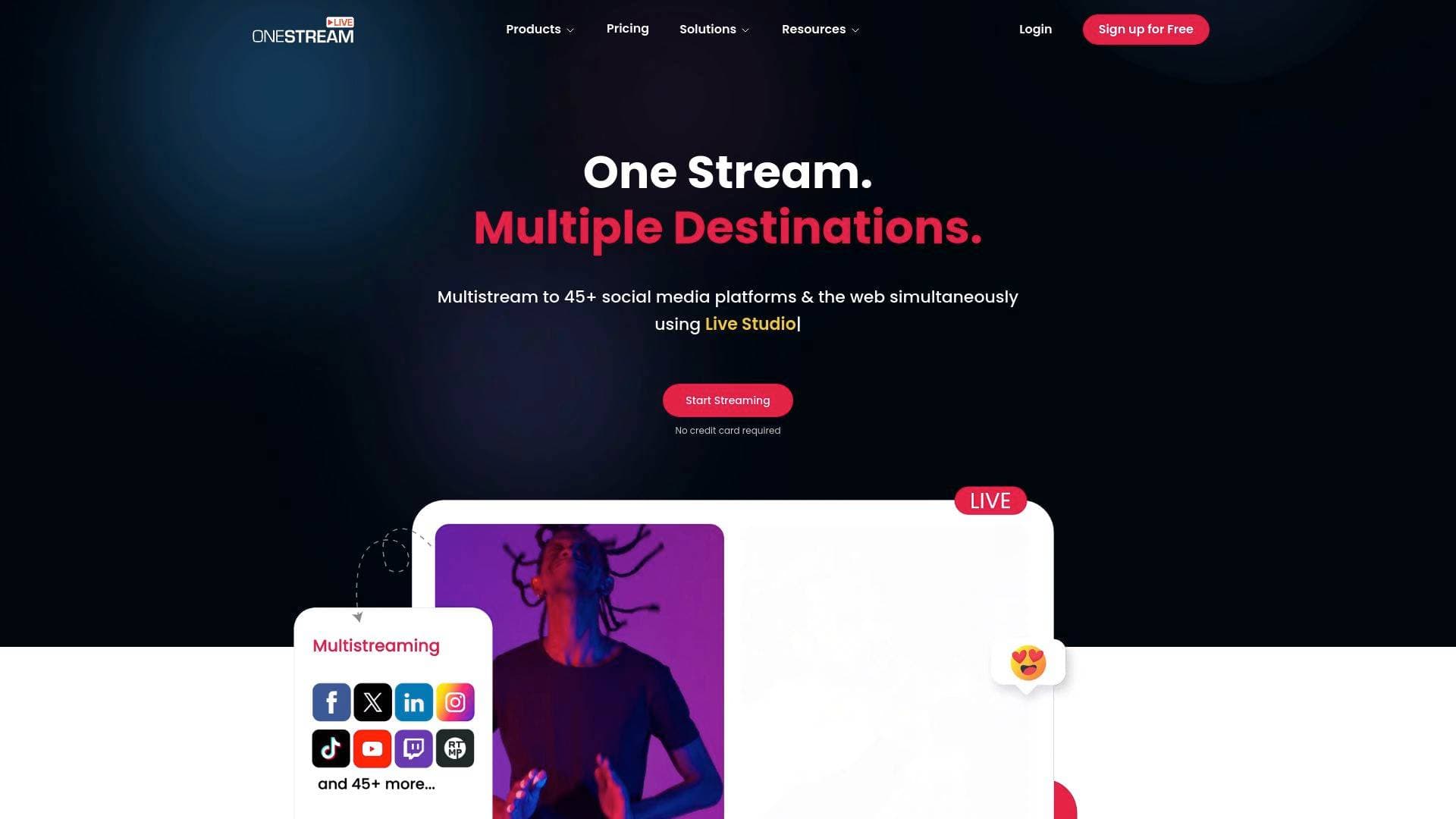
Brief Overview of OneStream Live for Content Creators
OneStream Live is a cloud-based multistreaming solution built for content creators who want to maximize their reach without multiplying their workload. The core problem it solves is simple but powerful: instead of going live on one platform at a time, creators can broadcast simultaneously to 45+ social media platforms and custom RTMP destinations in a single session. Trusted by over 2 million users worldwide, the platform operates entirely from a browser, meaning there's no software to download and no hardware lock-in. Whether a creator wants to go live in real-time, schedule pre-recorded content up to 60 days in advance, or run a 24/7 streaming channel on YouTube, OneStream Live covers all three use cases under one roof. The live streaming software supports HD-quality streaming with ABR (Adaptive Bitrate) technology, ensuring broadcast quality holds up across different network conditions. Creators can also build branded hosted landing pages, embed streams anywhere on the web, and manage audience chat from all platforms in one unified window. It's a genuinely comprehensive multistreaming platform designed for individual creators, influencers, gamers, podcasters, and coaches who need professional output without a professional production team.
OneStream Live Key Features for Content Creators
-
Multistreaming to 45+ Platforms: The flagship capability of OneStream Live is its ability to broadcast simultaneously to Facebook Live, YouTube Live, Instagram Live, Twitch, and over 45 other social media platforms plus any custom RTMP destination. Creators stop choosing between audiences and instead reach all of them at once, dramatically expanding content visibility with no extra effort per platform.
-
Live Studio (Browser-Based): The built-in Live Studio lets creators produce professional-looking branded streams directly from a browser, with no downloads required. Creators can connect up to 4 cameras, switch between angles mid-stream, invite up to 10 guests on screen (with more waiting backstage), add overlays, logos, banners, tickers, intros, outros, and custom backgrounds. A built-in teleprompter helps creators stay on script without breaking eye contact with the camera.
-
Pre-Recorded Video & Playlist Streaming: Creators can upload pre-recorded videos and schedule them to stream live across all connected platforms, with scheduling available up to 60 days in advance. Videos can be queued into playlists, looped for continuous engagement, and streamed as if they were live broadcasts. Supported formats include .mp4, .mov, .m4v, .webm, and even 180° or 360° immersive video formats.
-
24/7 Live Streaming: For YouTube creators who want a non-stop channel presence, OneStream Live supports uninterrupted 24/7 streaming of pre-recorded content. This feature is available in the Enterprise Plan and also as an add-on, making it accessible to creators at different subscription levels who want to maintain a constant broadcast presence and qualify for YouTube monetization options.
-
RTMP Encoder Integration: Creators already using tools like OBS Studio, Streamlabs, XSplit, Zoom, Wirecast, Ecamm Live, vMix, or Switcher Studio can pipe their streams directly into OneStream Live via RTMP. From there, OneStream Live redistributes the broadcast to all connected platforms simultaneously, making it a powerful restreaming hub for creators with existing production setups.
-
Hosted Live Pages: OneStream Live provides personalized landing pages hosted on its own infrastructure, so creators don't need external domains or web hosting to have a branded streaming home. Creators can customize fonts, colors, backgrounds, layouts, and even set up a custom domain. Each page supports live chat, event schedules, call-to-action buttons, social media links, donation collection, and password protection for private or paid streams.
-
Embed Live Streams Anywhere: Creators can embed their live streams on personal websites, blog sites, or e-commerce storefronts using either a permanent embed code that works for all streams or a unique code per stream. This is particularly useful for creators who want to drive traffic to their own web properties rather than relying entirely on social platforms.
-
Unified Live Chat: Managing audience comments across a dozen platforms simultaneously is a real challenge for active streamers. OneStream Live consolidates incoming messages and comments from all connected platforms into a single screen, allowing creators to engage with their entire audience without jumping between tabs or apps.
-
Cloud Storage Integration: Creators can import videos directly from Google Drive, Dropbox, OneDrive, pCloud, Zoom, Webex, Amazon S3, and OneStream Live's own storage. This removes the friction of re-uploading files and saves bandwidth, making the content creation workflow faster and more flexible.
-
Portrait Mode (Vertical Streaming): Live Studio includes a Portrait Mode that switches the broadcast to vertical format, making it natively compatible with Instagram, TikTok, Facebook, and YouTube's vertical video formats. This is a meaningful feature for creators targeting mobile-first audiences who expect full-screen vertical content rather than landscape video with black bars.
-
Live Selling: Creators and influencers can sell products directly during live streams by adding product descriptions, price tags, and purchase links within the Live Studio interface. This turns any live broadcast into a potential revenue stream without needing a separate e-commerce tool.
-
Stream Recording: Every live session can be recorded and downloaded directly from the platform. Creators can repurpose recorded streams as pre-recorded content for future scheduled broadcasts, extending the life and reach of every piece of live content produced.
OneStream Live Target Users & Use Cases for Content Creators
OneStream Live is built for a wide range of creators, from solo streamers just starting out to established influencers managing large audiences across multiple platforms. The platform's free tier makes it accessible to beginners, while its Enterprise Plan and add-ons cater to creators who need 24/7 streaming or advanced team collaboration. Here's how different creator types can put it to work:
- Primary creator types: YouTubers, TikTokers, Instagram Live creators, Twitch streamers, podcasters, gaming content creators, coaches, influencers, and live event broadcasters.
- Experience level: Suitable for beginners thanks to its browser-based interface and no-download setup, while also powerful enough for experienced streamers using OBS, Wirecast, or Ecamm Live.
- Team size: Solo creators can manage everything independently, while teams can collaborate using the built-in Team Management feature, which allows inviting members as admin or manager roles.
Specific use cases for content creators:
- Multiplatform live shows: A creator hosts a weekly live Q&A on YouTube, Facebook, Instagram, and Twitch simultaneously without managing four separate streams.
- Scheduled pre-recorded drops: A podcaster records episodes in batches and schedules them to stream as "live" events across platforms up to 60 days out, maintaining a consistent publishing cadence.
- 24/7 YouTube channel: A creator sets up a looping playlist of their best content to run continuously on YouTube, keeping their channel active and eligible for monetization even when they're not actively producing.
- Guest interview shows: A creator invites up to 10 guests on screen at once for panel discussions, interviews, or collaborative streams, all produced directly from the browser.
- Branded landing pages for live events: An influencer builds a custom-branded hosted live page for a product launch or giveaway event, complete with a call-to-action button and donation link, without needing a web developer.
- OBS-powered multistreaming: A gaming creator uses OBS for its advanced scene management and audio controls, then routes the stream through OneStream Live to broadcast to Twitch, YouTube, and Facebook simultaneously.
- Vertical content for mobile audiences: A creator switches Live Studio into Portrait Mode to produce TikTok and Instagram-native vertical streams that look polished on mobile without black bars.
- Live selling streams: A creator or brand ambassador showcases products during a live stream, adding price tags and purchase links in real-time to convert viewers into buyers.
- Embedded streams on personal sites: A blogger or course creator embeds their live stream directly on their website, keeping their audience on their own domain rather than sending them to a social platform.
How to Get Started with OneStream Live
- Sign up for free: Create an account at OneStream Live without a credit card. The free plan is available immediately and includes access to Live Studio and multistreaming features.
- Connect your social platforms: Link your YouTube, Facebook, Instagram, Twitch, and any other accounts or custom RTMP destinations from the dashboard.
- Choose your streaming method: Select Live Studio for browser-based production, upload a pre-recorded video for scheduled streaming, or connect an RTMP encoder like OBS for real-time restreaming.
- Customize your stream: Add overlays, logos, banners, and backgrounds in Live Studio, or set up a Hosted Live Page for a branded web presence.
- Go live or schedule: Hit broadcast to stream immediately to all connected platforms, or pick a date and time up to 60 days in advance and let OneStream Live handle the rest automatically.
Frequently Asked Questions About OneStream Live
Is OneStream Live free to use? OneStream Live is available as a free live streaming software with no credit card required to get started. Additional subscription plans are available for creators who need more advanced features, higher limits, or the 24/7 streaming capability.
How many platforms can I stream to at once? OneStream Live supports simultaneous multistreaming to 45+ social media platforms including Facebook Live, YouTube Live, Instagram Live, Twitch, and any custom RTMP destination, all from a single broadcast session.
Can I stream pre-recorded videos as if they were live? Yes. Creators can upload pre-recorded videos and schedule them to broadcast as live streams across all connected platforms. Videos can be looped, queued in playlists, and scheduled up to 60 days in advance.
What video formats does OneStream Live support? The platform supports .mp4, .mov, .m4v, .webm, and .flv formats for pre-recorded streaming. It also supports 180° and 360° video formats for immersive streaming experiences.
Can I invite guests to my live stream? Yes. Live Studio supports up to 10 guests on screen simultaneously, with additional participants able to wait backstage. Guests don't need a OneStream Live account and can join via a shared link without downloading anything.
How many cameras can I connect to Live Studio? Creators can connect up to 4 cameras to Live Studio and switch between different camera angles during a live broadcast.
Can I edit a scheduled playlist before it goes live? Yes. Playlist live streaming allows creators to change videos and reorder the playlist up to 30 minutes before the stream begins.
Can I live stream on multiple Hosted Live Pages at once? Creators can live stream on up to 10 Hosted Live Pages simultaneously, making it possible to serve different audience segments or branded experiences at the same time.
Bottom Line: Should Content Creators Choose OneStream Live?
OneStream Live is a strong choice for any content creator who wants to grow their audience by broadcasting across multiple platforms without doubling their production effort. The combination of real-time multistreaming, pre-recorded scheduling, 24/7 YouTube streaming, and a fully browser-based Live Studio makes it one of the more complete live streaming platforms available for individual creators. Gamers, podcasters, influencers, coaches, and live event creators will each find specific features tailored to their workflows, from Portrait Mode for TikTok-native content to live selling tools for monetizing broadcasts directly.
The free plan lowers the barrier to entry significantly, and the platform's compatibility with popular RTMP encoders like OBS, Streamlabs, and Ecamm Live means creators don't have to abandon their existing setups. The 24/7 streaming feature being limited to the Enterprise Plan (or available as a paid add-on) is worth noting for creators who specifically want a non-stop YouTube channel presence.
For creators who feel stretched thin managing separate live sessions across YouTube, Instagram, TikTok, and Twitch, OneStream Live offers a practical multistreaming solution that consolidates that effort into a single broadcast. The platform's 2 million+ user base and reviews from active content creators suggest it delivers reliably on its core promise: one stream, multiple destinations.
Details
One link. Every channel, rate, and piece of work brands need to evaluate you. Built for how creators actually get hired.
Claim your profile
Live creator, content, and marketing roles from real companies, with the pay, market, and context the raw job page never gives you.
Browse jobs

 Post Bridge