

Minvo
Minvo is an AI-powered video editing tool that helps content creators extract viral short-form clips, images, and text from long-form videos in minutes.
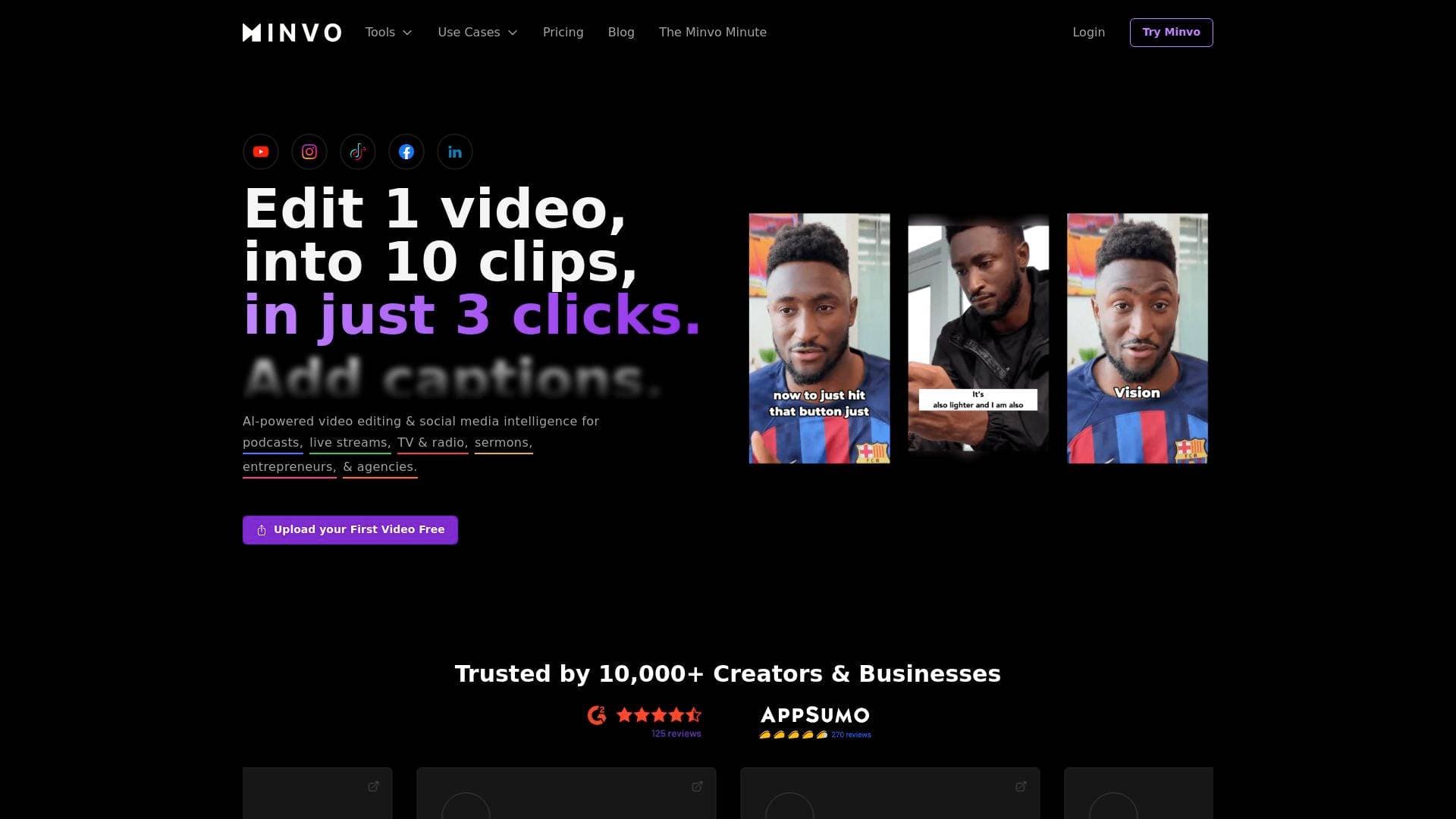
Brief Overview of Minvo for Content Creators
Long-form video content is a goldmine that most creators leave largely untapped. Minvo is an AI-powered video editing tool built specifically to solve that problem, turning a single long video into up to 10 viral short-form clips in a fraction of the time it would take manually. The platform positions itself as the number one video shorts editing tool for extracting viral shorts from long videos, and its feature set backs that claim up with a comprehensive content creation workflow that goes well beyond simple trimming. Trusted by over 10,000 creators, Minvo handles everything from AI-driven clip detection and transcript-based editing to social media scheduling and cross-platform analytics. Podcasters, live streamers, vloggers, and interview-format creators are the primary beneficiaries, since their long recordings are exactly the type of raw material Minvo is designed to process. The platform's MagicMoment and MagicEdit tools, powered by GPT-4o, handle the heavy lifting of identifying the most engaging moments and applying professional edits automatically. For creators who want to scale their content production without hiring a video editor or virtual assistant, Minvo offers a compelling all-in-one solution.
Minvo Key Features for Content Creators
-
MagicMoment AI Clip Detection: Minvo's flagship feature analyzes a long video and automatically identifies up to 10 of the most engaging, viral-worthy moments. Rather than surfacing random segments, the AI pinpoints genuinely interesting parts of the content, including automatically removing silences between sentences to keep the pacing tight and engaging.
-
MagicEdit Powered by GPT-4o: This AI editing suite handles the polish that would otherwise require hours of manual work. It auto-cuts filler words like "um" and "ah," AI-inserts relevant emojis directly into the video, and adds contextually appropriate B-roll footage, all driven by GPT-4o's language understanding capabilities.
-
Transcript-Based and Timeline Editing: Creators can edit videos the same way they edit a document, simply highlighting text in the transcript to cut that section from the video. For those who need more precision, a full timeline editor lets creators fine-tune cuts down to the individual frame. This dual-mode approach makes the tool accessible to beginners while still offering the depth that experienced editors expect.
-
Animated Subtitles with Hundreds of Styles: Minvo includes a library of hundreds of animated subtitle styles, making it easy to add eye-catching captions that keep viewers engaged on silent autoplay. Captions can be added directly to short clips and customized to match a creator's brand aesthetic.
-
AI Subtitle Translation in 50+ Languages: The Translate Video feature uses AI to translate subtitles into more than 50 languages, letting creators reach international audiences without any manual translation work. This is a significant advantage for creators looking to grow beyond their primary language market.
-
Branding, Templates, and Presets: Custom brand kits and reusable templates let creators apply consistent visual identities across all their clips without rebuilding styles from scratch each time. Presets save editing configurations so that recurring content formats, like a weekly podcast clip, can be processed rapidly.
-
Social Scheduling and Direct Publishing: Creators can schedule and post directly to YouTube, TikTok, Instagram, Facebook, and LinkedIn from within Minvo. The platform also generates AI-written social captions and hashtags, reducing the time spent on post copy alongside the video itself.
-
Unlimited Brands and Social Accounts: Minvo supports managing unlimited brands, social accounts, and posts from a single dashboard. This makes it particularly useful for creators who manage multiple channels or content verticals simultaneously.
-
Integrated Social Analytics: Performance tracking is built directly into the platform, allowing creators to monitor views, likes, and comments across connected social accounts without switching to separate analytics tools. This data helps inform which types of clips perform best and guides future content strategy.
-
Content Repurposing into Multiple Formats: Beyond video clips, Minvo converts video content into other formats including articles, LinkedIn posts, and tweets. This multiplies the value of a single recording across text-based platforms and audiences.
-
Auto-Apply Video Effects: Zoom effects, pop animations, and other dynamic visual enhancements are applied automatically to keep viewers visually engaged throughout a clip. These effects add a professional production quality without requiring manual keyframing or effects work.
-
Sound Effects Library: A built-in library of sound effects lets creators add audio atmosphere and emphasis to their clips, enhancing the overall production value of short-form content.
Minvo Target Users & Use Cases for Content Creators
Minvo is built for creators who produce long-form video content and want to maximize its reach through short-form distribution. The tool is particularly well-suited to solo creators who lack the time or budget for a dedicated video editor, but it also scales effectively for agencies and teams managing multiple clients and social accounts.
- Primary creator types: Podcasters, live streamers, vloggers, interviewers, and any creator producing long-form video content on YouTube or similar platforms.
- Experience level: Accessible enough for beginners through its transcript-based editing and AI automation, with sufficient depth for experienced editors via the precision timeline editor.
- Team size: Works for solo creators managing a single channel as well as agencies handling multiple brands and social accounts simultaneously.
- Specific use cases:
- A podcaster pulling their weekly YouTube episode into Minvo to automatically generate 10 short clips for Instagram Reels, TikTok, and YouTube Shorts.
- A live streamer repurposing hours of stream footage into highlight clips ready for social distribution.
- A vlogger using MagicEdit to auto-remove filler words and add B-roll to make raw footage feel professionally edited.
- A creator targeting international audiences using the 50+ language subtitle translation to localize content without manual effort.
- An interview-format creator selecting specific transcript moments to clip, ensuring the most impactful quotes are highlighted.
- A solo creator using the social scheduling feature to queue up a week's worth of short-form posts across five platforms in a single session.
- A multi-brand creator managing separate channels under one Minvo account with distinct brand kits and templates for each.
- A creator tracking which clip formats drive the most engagement using Minvo's built-in social analytics to refine their short-form strategy.
How to Get Started with Minvo
- Sign up and upload a video: Create a free account and upload a long-form video directly, or pull in a video already published on YouTube using a link.
- Run MagicMoment: Let the AI analyze the video and generate up to 10 viral clip suggestions automatically, complete with silence removal and highlight detection.
- Edit and customize: Use the transcript editor to highlight and cut sections, or switch to the timeline editor for frame-level precision. Apply animated subtitles, add sound effects, and set up branding presets.
- Apply MagicEdit enhancements: Use GPT-4o-powered tools to auto-remove filler words, insert emojis, and add AI-generated B-roll to polish the clips.
- Schedule and publish: Connect social accounts, let Minvo generate captions and hashtags, then schedule posts directly to YouTube, TikTok, Instagram, Facebook, and LinkedIn.
Frequently Asked Questions About Minvo
How many clips can Minvo generate from a single video? Minvo's MagicMoment feature can generate up to 10 viral clip suggestions from a single long-form video. The AI is designed to identify genuinely interesting moments rather than random segments, and it automatically removes silences between sentences to keep clips engaging.
Which social media platforms does Minvo support for direct publishing? Minvo supports direct scheduling and posting to YouTube, TikTok, Instagram, Facebook, and LinkedIn. The platform also generates AI-written captions and hashtags for each post to reduce the time spent on copy.
Does Minvo support multiple languages for subtitles? Yes. The Translate Video feature supports AI subtitle translation into more than 50 languages, making it practical for creators who want to reach international audiences with localized captions.
Can creators manually select which moments to clip? Absolutely. Beyond the automated AI suggestions, creators can browse the full transcript and manually select any section they want to turn into a clip. This gives creators full control over which moments are highlighted.
Is Minvo suitable for managing multiple brands or channels? Minvo supports unlimited brands, social accounts, and posts from a single account, making it a strong fit for creators managing multiple channels or agencies handling content for several clients.
What AI editing capabilities does MagicEdit include? MagicEdit, powered by GPT-4o, can automatically cut filler words like "um" and "ah," insert contextually relevant emojis, add AI-selected B-roll footage, remove silences, enhance audio, and auto-frame faces within the video.
Does Minvo include analytics? Yes. Minvo has integrated social analytics that track views, likes, and comments across connected platforms, allowing creators to monitor performance without leaving the tool.
Bottom Line: Should Content Creators Choose Minvo?
Minvo is a strong choice for any content creator who regularly produces long-form video and wants to build a consistent short-form presence without spending hours in a traditional video editor. Podcasters and live streamers in particular will find the most immediate value, given how directly the tool maps to their content creation workflow. The combination of AI clip detection, GPT-4o-powered editing, animated subtitles, 50+ language translation, and built-in social scheduling makes Minvo one of the more complete video repurposing platforms available for individual creators.
The main limitation noted by real users is download speed, though the workaround of queuing multiple clips for batch processing largely addresses this. For solo creators who have been relying on a virtual assistant or juggling multiple separate tools for editing, captioning, and scheduling, Minvo consolidates that entire workflow into a single platform. The free trial entry point also makes it low-risk to test against existing workflows. Creators who produce content at scale across multiple platforms and want to extract maximum value from every long-form recording will find Minvo's feature depth well worth exploring.
Details
One link. Every channel, rate, and piece of work brands need to evaluate you. Built for how creators actually get hired.
Claim your profile
Live creator, content, and marketing roles from real companies, with the pay, market, and context the raw job page never gives you.
Browse jobs

 Post Bridge