

MemberSpace
MemberSpace is a membership site software that lets content creators sell memberships, digital products, online courses, and paid communities directly on their existing website.
What is MemberSpace? A Content Creator's Guide
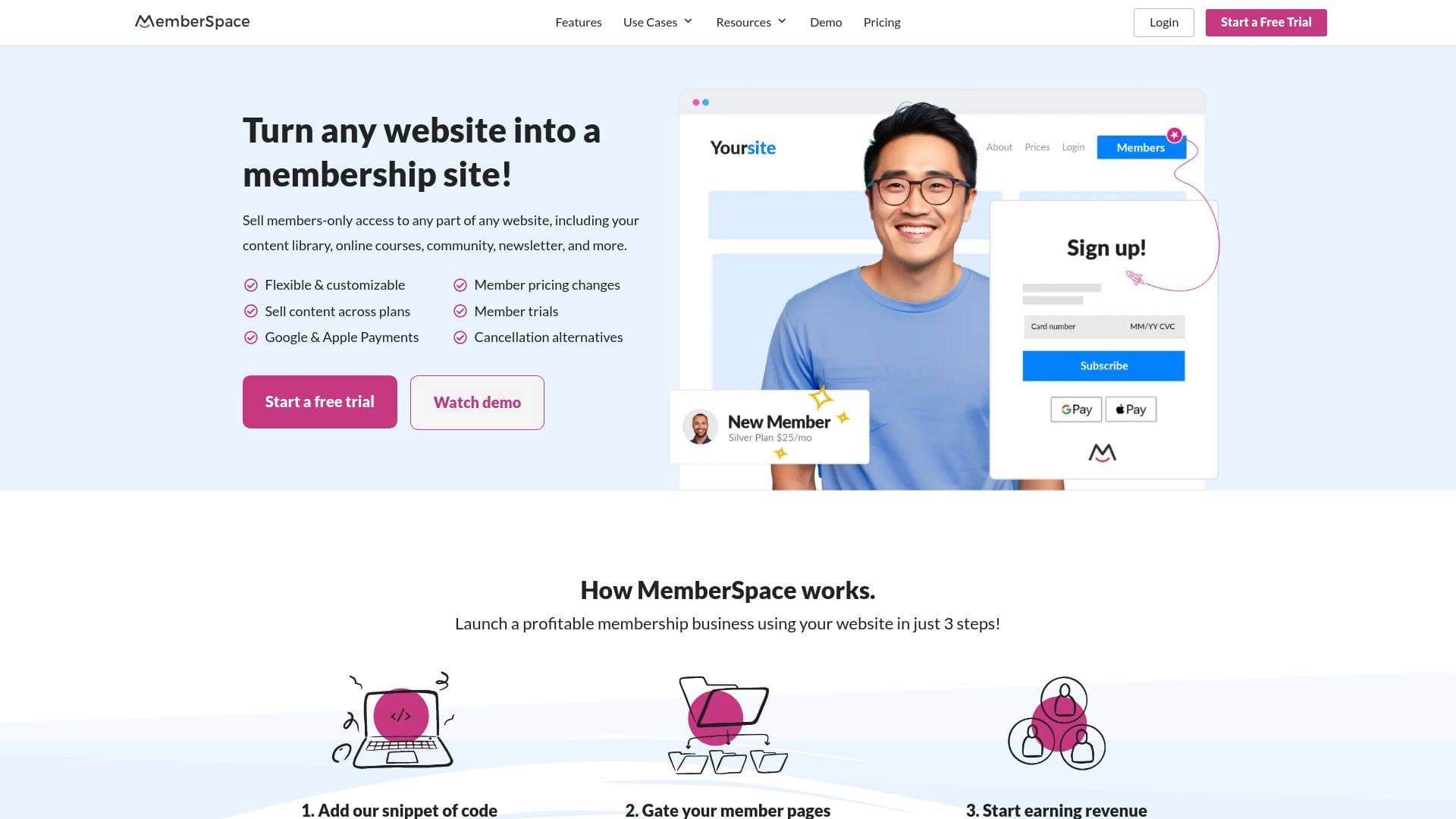
MemberSpace is a membership site software built specifically to help creators, educators, and entrepreneurs turn their existing websites into fully functional membership businesses. The core problem it solves is a familiar one for creators: most website builders offer weak or limited native membership tools, leaving creators unable to properly gate content, manage tiers, or accept flexible payments. MemberSpace plugs directly into whatever platform a creator already uses, whether that's WordPress, Squarespace, Wix, Notion, Webflow, Showit, Duda, Carrd, Weebly, or even a custom HTML site. The result is a powerful membership monetization layer that works on top of any existing site without requiring a developer or technical skills.
For content creators specifically, MemberSpace supports selling a wide range of digital products including content libraries, online courses, newsletters, communities, paid podcasts, and gated video content. What sets it apart is the combination of advanced flexibility, built-in revenue growth tools, and real human support, all accessible through a simple code snippet installation that takes roughly 5 minutes. With over $300 million earned by creators and business owners on the platform, and more than 10,000 customers, it has a proven track record in the creator economy.
MemberSpace Features That Matter for Content Creators
-
Sell Content Across Tiers: Creators can offer the same content across multiple membership plans or tiers without duplicating work. Build your content library once, then assign it to any combination of plans, giving total flexibility to structure free, entry-level, and premium tiers however makes sense for your audience.
-
Apple Pay and Google Pay Support: Members can complete purchases with a single tap using Apple Pay or Google Pay, for both recurring subscriptions and one-time purchases. Reducing checkout friction directly impacts conversion rates, which matters enormously for creators trying to convert casual visitors into paying members.
-
One-Click Google Signup and Login: New members can sign up or log back in using their existing Google account, removing the friction of creating yet another password. This smoother onboarding experience helps boost both initial conversions and long-term retention.
-
Trial Periods: Creators can set up free or discounted trial periods, with the ability to configure different trial lengths for different plans. This lets creators experiment with what trial structure drives the highest long-term engagement and subscription conversions.
-
Automated Retention Tools: When a member attempts to cancel, MemberSpace can automatically present them with a coupon, discount, or extended trial as a reason to stay. These smart cancellation alternatives activate at the critical moment and help creators recover revenue they would otherwise lose passively.
-
Abandoned Signup Reminders: Email reminders and popups automatically follow up with users who started the signup process but didn't complete it. For creators investing in marketing and traffic, this feature recovers signups that would otherwise fall through the cracks.
-
Drip Content Delivery: Creators can grant access to different content and products over time rather than all at once. This is ideal for online course creators who want to release lessons on a schedule, or newsletter writers who want to structure a multi-week program.
-
Member Messages and Newsletter Campaigns: The built-in "Member Messages" feature lets creators email blast their entire member base or send newsletters directly through MemberSpace. This keeps member communication centralized without requiring a separate email tool for basic outreach.
-
Affiliate Program: Creators can build an affiliate program directly within MemberSpace to incentivize existing members or partners to refer new subscribers. This is a practical audience growth tool that turns a loyal community into a distribution channel.
-
Advanced Membership Analytics: A dedicated analytics dashboard shows membership revenue, member activity, and product engagement all in one place. Creators get a clear picture of what content is performing, which plans are growing, and where revenue is coming from.
-
Upsells: MemberSpace automatically prompts members to upgrade their plan when they try to access content beyond their current tier. This passive upsell mechanism helps creators increase average revenue per member without any manual follow-up.
-
Zapier Integration and API Access: Unlimited Zapier automations connect MemberSpace to thousands of third-party tools, and API access is available for more advanced customization. Creators who rely on specific tools in their workflow can build automated pipelines around their membership business.
-
Organized Content Hub: A built-in navigation tool automatically appears on a creator's site once MemberSpace is installed, making it easy for members to browse and access premium content. Creators can add files, videos, and posts, organize everything with folders and Spaces, allow members to save Bookmarks, and enable content search.
-
Account Sharing Protection: MemberSpace includes tools to block multiple users from sharing a single account, protecting creators from revenue loss due to credential sharing.
Which Content Creators Should Use MemberSpace?
MemberSpace is a strong fit for independent creators who already have a website and want to add a paid membership layer without rebuilding their entire online presence. It works equally well for solo creators just launching their first paid offering and for more established creators managing multiple membership tiers or websites. The no-code setup makes it accessible to creators at any technical level.
Primary creator types:
- YouTubers and video creators looking to monetize their audience beyond ad revenue with a paid content library or exclusive video archive
- Online course creators who want to sell structured educational content with drip delivery and tiered access
- Bloggers and newsletter writers who want to gate premium written content or run a paid newsletter community
- Podcasters building a paid podcast tier with bonus episodes or early access content
- Musicians and artists (like the real-world example of Leah, who monetized her YouTube following through piano lesson memberships) who want to move beyond one-on-one work
- Community builders who want a members-only discussion space integrated directly into their existing website
- Creators on Notion who want to turn a Notion workspace into a gated, paid resource hub
- Multi-site creators who manage several content brands and want to run them all under one MemberSpace account
Specific use cases:
- Gating a premium content library behind a monthly subscription
- Selling a self-paced online course with tiered pricing
- Running a paid community with member discussions and exclusive posts
- Offering a free trial to convert cold traffic into paying subscribers
- Migrating an existing paid membership from another platform without losing billing data
- Setting up an affiliate program to grow a subscriber base organically
- Accepting international payments in multiple currencies for a global audience
Getting Started with MemberSpace
- Sign up for free - No credit card is required to start, and the free plan is available immediately upon signup.
- Paste the code snippet - Copy MemberSpace's code snippet and paste it into the header section of your existing website. This takes approximately 2 minutes and works on Squarespace, WordPress, Wix, Notion, Webflow, and more.
- Lock your member content - Use MemberSpace's dashboard to restrict access to specific pages, Spaces, or content areas, and assign them to membership plans or tiers.
- Configure payment options - Set up single payments, multi-payments, or recurring subscriptions, and enable Apple Pay and Google Pay for one-click checkout.
- Launch and manage from the dashboard - Once live, manage members, track analytics, send member messages, and use growth features like trial periods, upsells, and cancellation alternatives from a central dashboard.
MemberSpace FAQ for Content Creators
Can I use MemberSpace on my existing website without rebuilding it? Yes. MemberSpace installs on any existing website via a code snippet that takes about 5 minutes to add. It works with Squarespace, WordPress, Wix, Notion, Webflow, Showit, Duda, Carrd, Weebly, and custom HTML sites, so creators don't need to migrate their content or change platforms.
Can I switch website platforms later without losing my members? Yes. MemberSpace is designed so creators can switch between different website platforms without losing their membership settings, member data, or billing details. This is a significant advantage for creators who might outgrow one platform and want to move to another.
Does MemberSpace support migrating members from another platform? Yes. MemberSpace has a dedicated migration process where creators upload their existing member list using a provided spreadsheet. If Stripe customer IDs are available, MemberSpace can sync payment details so members don't need to re-enter billing information. Existing billing dates can be preserved or new billing cycles can be initiated.
What types of content can I sell through MemberSpace? Creators can sell access to content libraries, online courses, newsletters, communities, paid podcasts, gated videos, downloadable files, and any web pages on their site. Content can be sold as one-time purchases, multi-payments, or recurring subscriptions.
Is MemberSpace free to use? MemberSpace offers a free plan with no credit card required to get started. A paid plan is required before members can be migrated from another platform.
What kind of support does MemberSpace offer? MemberSpace provides 5-star real human support, extensive self-service help documentation, MemberSpace University, and on-demand videos. The support team is also available for personalized customization requests.
Can I run multiple membership sites under one account? Yes. Creators can manage multiple websites or businesses under a single MemberSpace account and subscription, making it practical for creators who run more than one content brand.
The Verdict: Is MemberSpace Worth It for Content Creators?
MemberSpace is a well-rounded membership monetization platform that genuinely removes the technical barriers standing between creators and recurring revenue. For creators who already have a website they love and don't want to abandon it for a dedicated membership platform, MemberSpace is one of the most practical solutions available. The ability to install it in minutes on virtually any website builder, combined with a deep feature set covering tiered plans, drip content, affiliate programs, automated retention, and advanced analytics, makes it capable of supporting creators at every stage of growth.
The platform is particularly strong for online course creators, community builders, YouTubers monetizing their audience, and newsletter writers who want to add a paid tier to their existing content operation. The built-in revenue recovery tools, such as abandoned signup reminders, cancellation alternatives, and automatic failed payment recovery, are genuinely valuable for creators who want to protect and grow their recurring revenue without manual intervention.
One limitation worth noting is that migration to MemberSpace requires being on a paid plan first, so creators cannot test the migration process during a free trial. Overall, MemberSpace delivers a strong value proposition: advanced membership features, flexible platform support, and real human support, all accessible without hiring a developer.
Details
One link. Every channel, rate, and piece of work brands need to evaluate you. Built for how creators actually get hired.
Claim your profile
Live creator, content, and marketing roles from real companies, with the pay, market, and context the raw job page never gives you.
Browse jobs

 Post Bridge