

MagicRoll
Magicroll.ai is an AI-powered video editing tool that automatically adds B-roll, captions, and visual effects to talking videos, helping content creators produce polished videos in minutes.
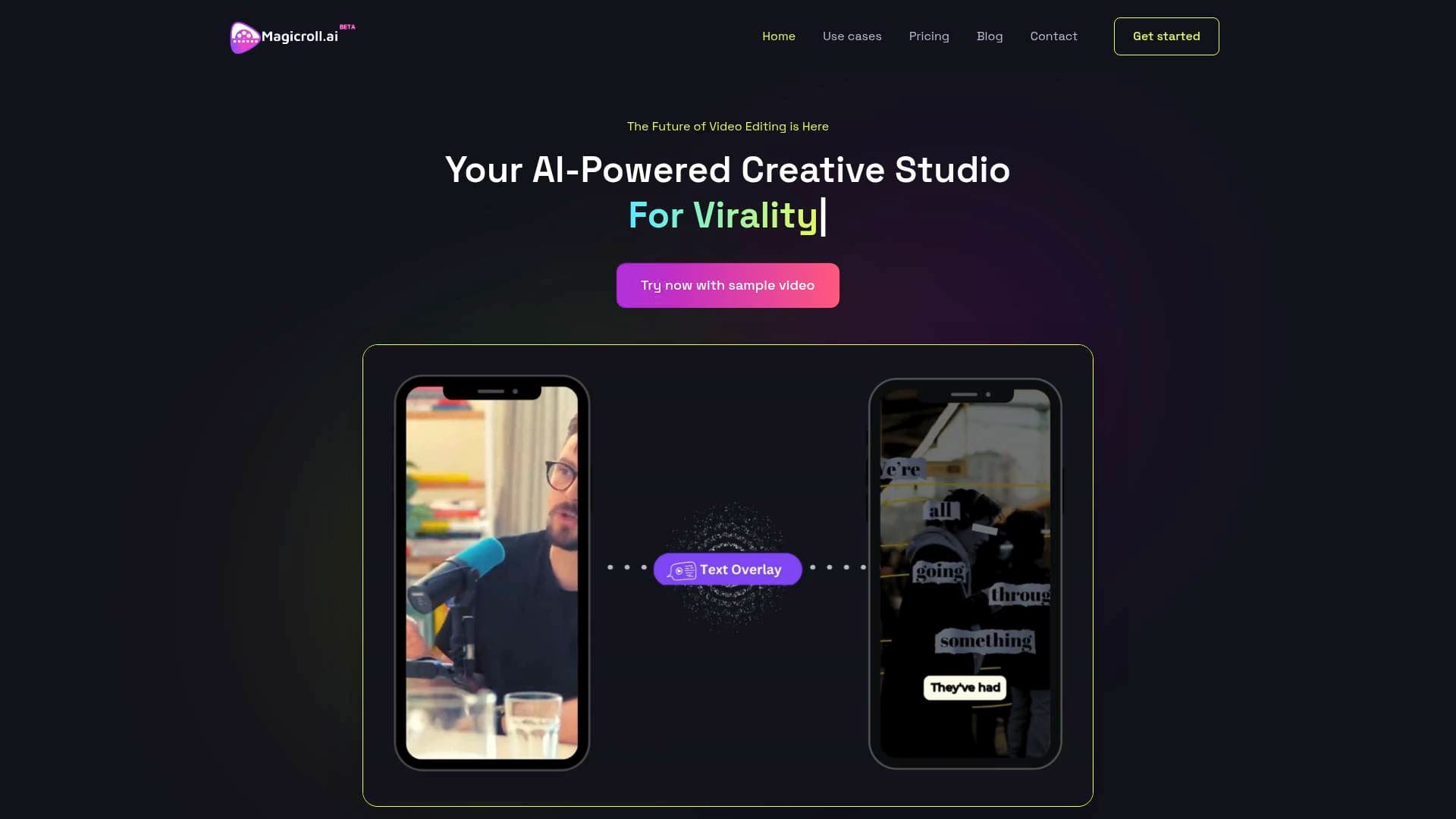
What is Magicroll.ai? A Content Creator's Guide
Magicroll.ai is an AI-powered video editing tool built specifically to help content creators turn raw talking footage into polished, engaging videos with minimal effort. The core problem it tackles is the sheer time drain of manual video editing, particularly the tedious process of sourcing and inserting B-roll footage, adding subtitles, and applying visual effects. Rather than spending hours in a traditional video editing workflow, creators simply upload their footage and let the AI handle the heavy lifting. The platform is optimized for talking-head style content, making it a natural fit for video podcasters, educators, commentators, and product reviewers. Backed by NVIDIA Inception, Microsoft, and Razorpay Rize, Magicroll.ai positions itself as a serious AI video production platform with strong institutional support. It also earned recognition on Product Hunt as a top post, signaling real traction in the creator community. For creators who want professional-grade output without the learning curve of complex editing software, Magicroll.ai offers a compelling one-click video creation solution.
Magicroll.ai Features That Matter for Content Creators
-
Auto B-Roll Generation: The AI analyzes the content of a creator's video and automatically inserts contextually relevant B-roll footage. Rather than manually searching for clips, the system pulls from an extensive library and non-copyrighted real images from the internet, tailoring selections to match the specific tone and subject matter of each video. This alone can save hours per video for creators who regularly produce educational or commentary content.
-
Tailored B-Roll Selections: Beyond just matching context, Magicroll.ai personalizes B-roll choices based on a creator's specific preferences and video tone. This means the output feels intentional rather than generic, giving creators more editorial control without requiring hands-on editing.
-
Instant Backdrop Swapping: Magicroll.ai claims to be the first platform to bring one-click backdrop swapping to market. With a single click, a static video background transforms into a dynamic visual, replacing the monotony of plain or cluttered backgrounds with engaging visuals that hold viewer attention.
-
AI-Powered Auto-Subtitles: The platform generates subtitles with near-perfect accuracy using advanced AI transcription. Captions are fully customizable in appearance to match a video's style and tone, and they support multiple languages, allowing creators to reach global audiences and improve accessibility for viewers with hearing impairments.
-
AI Visual Enhancement: Beyond B-roll and captions, Magicroll.ai applies automated visual enhancements to footage, improving the overall production quality of raw clips without requiring any manual color grading or effects work from the creator.
-
Multiple Transitions (Creator Plan): Creators on the paid Creator Plan gain access to multiple transition effects, adding a layer of production polish that helps videos feel more dynamic and professionally edited.
-
1080p Video Output: The Creator Plan delivers videos at 1080p quality, suitable for publishing across YouTube, social media, and other platforms where high-resolution content is expected. The Free plan outputs at 720p, which still covers basic publishing needs.
-
90% Cost Reduction: For creators who currently outsource video editing, Magicroll.ai claims to deliver up to 90% cost reduction, making professional-quality editing accessible without hiring a dedicated editor or production team.
-
Viral Shorts Production: The platform is specifically designed to transform long-form videos into viral short-form clips in minutes, making it directly useful for creators repurposing podcast episodes, interviews, or educational content into YouTube Shorts or similar formats.
Which Content Creators Should Use Magicroll.ai?
Magicroll.ai is purpose-built for creators who produce talking-head style content and want to dramatically cut down their video production time. It requires no prior editing experience, making it accessible to beginners while still delivering output quality that more experienced creators will find useful. Solo creators working without a production team will get the most immediate value here.
Primary creator types:
- Video podcasters looking to repurpose audio or talking-head recordings into visually engaging video content
- Educational content creators who need clean, well-edited explainer videos without spending hours in post-production
- Commentary and reaction creators whose talking-head footage benefits most from contextual B-roll insertion
- Product reviewers who want polished visuals to complement their spoken reviews
- Influencers wanting celebrity-style edits to elevate their personal brand content
- DIY tutorial creators who need crisp, clear video that viewers can easily follow
- News and current events creators who need fast turnaround on concise, impactful video storytelling
- Event videographers capturing and packaging event highlights quickly
Specific use cases for content creators:
- Turning a raw podcast recording into a fully edited video with B-roll and captions for YouTube
- Repurposing long-form educational content into short viral clips
- Adding professional subtitles in multiple languages to reach international audiences
- Quickly producing motivational speech videos with dynamic backdrops and visual enhancements
- Creating marketing videos for brand deals or sponsored content without outsourcing editing
- Producing explainer videos that make complex topics visually accessible
Getting Started with Magicroll.ai
- Sign up for the free plan to access a 30-day free trial, which includes 10 magic coins of video processing time, equivalent to approximately 5 video clips.
- Upload your video directly to the platform. The AI works best with talking-head style videos such as podcasts, educational content, commentary, product reviews, and motivational speeches.
- Let the AI process your footage, automatically adding contextually relevant B-roll, visual enhancements, and captions based on your video's content and tone.
- Review and adjust any B-roll selections, subtitle styling, or backdrop choices to match your preferences before exporting.
- Export your finished video at 720p on the Free plan or 1080p on the Creator Plan, ready to publish across your channels.
Magicroll.ai FAQ for Content Creators
Is Magicroll.ai free to use? Magicroll.ai offers a free plan that includes 3 videos per month at up to 60 seconds duration and 720p quality. New users also get a 30-day free trial with 10 magic coins of processing time, covering approximately 5 video clips.
What types of videos work best with Magicroll.ai? The AI algorithm is optimized for talking-head style videos. Content that performs particularly well includes video podcasts, educational videos, commentary videos, product reviews, and motivational speeches.
How much does the Creator Plan cost? The Creator Plan is priced at $25 per month on a monthly billing cycle, or $19 per month when billed annually (saving approximately 24%, totaling $228 per year). It includes 20 videos per month, up to 60 seconds duration, multiple transitions, and 1080p video quality.
Can I get a discount on the Creator Plan? Booking a 15-minute demo call with the Magicroll.ai team unlocks a free month of the Creator Plan. This is a straightforward way for creators to try the paid tier before committing to a subscription.
What languages does the subtitle feature support? Magicroll.ai supports subtitles in multiple languages, enabling creators to make their content accessible to global audiences and viewers with hearing impairments.
How can I get support or ask questions? Creators can reach the Magicroll.ai team through their Discord community or by emailing admin@magicroll.ai. Updates are also shared via LinkedIn and Twitter at @magicrollAI.
The Verdict: Is Magicroll.ai Worth It for Content Creators?
For content creators who regularly produce talking-head video content and want to cut editing time dramatically, Magicroll.ai delivers a genuinely useful set of AI-powered tools. The automatic B-roll generation is the standout feature, solving one of the most time-consuming parts of video production for podcasters, educators, and commentators. The one-click backdrop swapping and AI-generated captions with multi-language support add further value for creators focused on audience growth and accessibility.
The platform's free tier is limited to 3 videos per month at 60 seconds and 720p, which may not be sufficient for high-volume creators. The 60-second duration cap on both the Free and Creator plans is also a notable constraint for creators producing longer-form content. However, the claimed 90% cost reduction compared to outsourcing editing makes the Creator Plan at $19 per month an attractive proposition for solo creators currently paying for freelance editing.
Magicroll.ai is best suited for video podcasters, educational creators, and commentary-style YouTubers who want professional-looking output without investing in complex editing software or a production team. If your content is primarily talking-head footage and you want AI to handle the visual storytelling layer, this tool is worth exploring.
Details
One link. Every channel, rate, and piece of work brands need to evaluate you. Built for how creators actually get hired.
Claim your profile
Live creator, content, and marketing roles from real companies, with the pay, market, and context the raw job page never gives you.
Browse jobs

 Post Bridge