

Loomly
Loomly is a social media management platform that helps content creators plan, schedule, and auto-post across 10+ platforms while tracking performance and collaborating with clients.
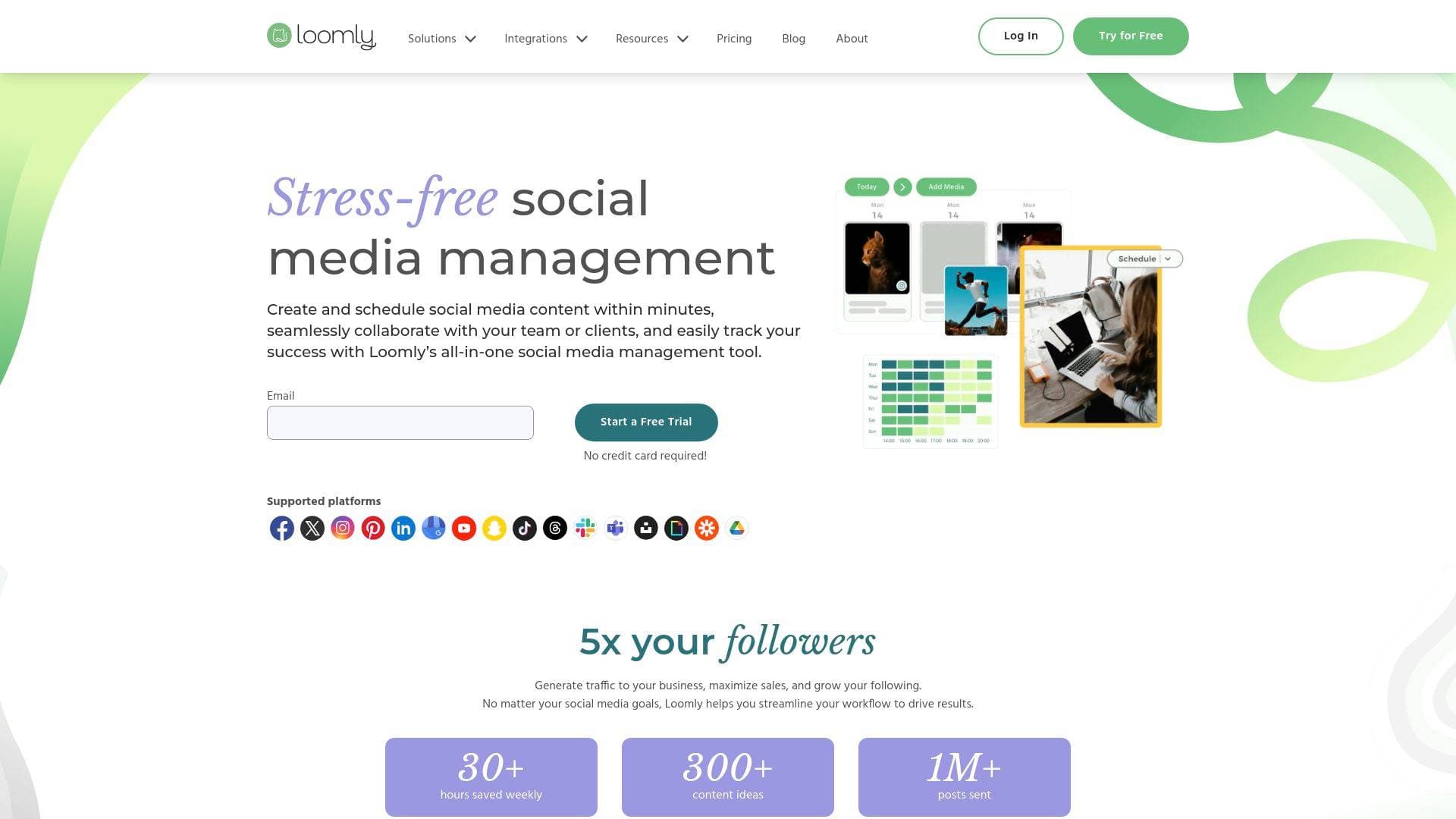
Brief Overview of Loomly for Content Creators
Managing content across a dozen social platforms is one of the biggest time drains for modern creators. Loomly is a social media management platform built to solve exactly that problem, letting creators craft, optimize, schedule, and analyze content across all their social channels from a single collaborative dashboard. Founded in 2015, the platform has grown to serve 50,000+ customers and has powered over 1 million posts sent. The content scheduling tool supports a wide range of platforms including Instagram, TikTok, YouTube, Facebook, Pinterest, LinkedIn, Snapchat, Threads, Bluesky, and Google Business Profile, making it one of the more comprehensive multi-platform solutions available. What sets Loomly apart for creators is its combination of built-in creative tools, daily post inspiration, client approval workflows, and advanced analytics, all under one roof. Users report saving 30+ hours weekly, and the platform surfaces over 300 content ideas to keep posting cadences consistent. Whether a creator is running their own brand or managing social for clients, Loomly's content scheduling and publishing tools are designed to cut production time significantly.
Loomly Key Features for Content Creators
-
Multi-Platform Scheduling and Auto-Publishing: Loomly supports direct publishing and unlimited scheduling across 10+ social platforms including TikTok, Instagram, YouTube, Pinterest, Threads, and Bluesky. Creators can preview posts before they go live and set up bulk posting to push out large volumes of content at once, which is especially useful for campaign launches or content batching sessions.
-
Best Time to Post: The platform includes a built-in "best time to post" feature that takes the guesswork out of timing. Rather than manually testing posting windows, creators get data-backed recommendations to maximize reach and engagement on each platform.
-
Built-In Media Editor and Slideshow Creator: Loomly includes an in-house image and video editor, so creators can make quick edits without jumping to a separate app. There's also a slideshow creator for building video slideshows directly within the platform, which is useful for Instagram carousels, TikTok-style content, and LinkedIn visual posts.
-
Canva, Unsplash, Google Drive, and Giphy Integrations: Content creators can pull visuals directly from Canva exports, browse over 5 million royalty-free photos and videos via Unsplash, access GIFs through Giphy, and upload assets straight from Google Drive. This keeps the entire creative workflow inside one interface rather than bouncing between multiple tools.
-
AI Caption Generation: Loomly includes an AI caption feature that helps creators draft post copy faster. This is particularly helpful for creators managing high-volume posting schedules across multiple platforms where writing unique captions for each channel would otherwise be time-consuming.
-
Post Inspiration and Ideas Board: The platform provides daily post inspiration and a dedicated Ideas Board where creators can draft and store content concepts before turning them into scheduled posts. With 300+ content ideas available, it's a practical tool for breaking through creative blocks and maintaining a consistent posting cadence.
-
Post Templates and Recurring Posts: Creators can save post templates for content they repeat regularly, such as weekly roundups, product promotions, or event announcements. The recurring posts feature automates this even further, letting creators set up posts that publish on a defined schedule without manual re-entry each time.
-
Multi-Level Approval Workflows: For creators working with brand partners, clients, or a content team, Loomly's customizable approval workflows let multiple stakeholders review and sign off on posts before they go live. The platform tracks full post history end-to-end and allows posts to be updated even while pending approval, which keeps client review cycles moving efficiently.
-
Advanced Analytics and Automated Reports: Loomly tracks follower growth, audience engagement, demographic shifts, and individual post performance. The built-in URL shortener also tracks link clicks, giving creators a clearer picture of traffic driven by their social content. Reports can be scheduled to send automatically on a recurring basis, which is a major time-saver for creators reporting to brand partners or agency clients.
-
Unified Community Management Inbox: All messages, comments, and replies across connected social channels flow into a single inbox. Creators can assign conversations to teammates, use saved replies for common responses, and archive old chats to keep things organized. This is particularly valuable for creators with growing audiences who need to stay responsive without getting overwhelmed.
Loomly Target Users & Use Cases for Content Creators
Loomly is built for a wide spectrum of content creators, from solo influencers managing their own brand presence to freelance social media managers handling multiple client accounts simultaneously. The platform explicitly supports creators, agencies, and freelancers as distinct user groups, making it a strong fit for anyone whose work revolves around consistent social media output.
Primary creator types:
- Social media managers and freelancers who manage multiple client accounts and need approval workflows, client-facing previews, and organized campaign tracking
- YouTubers and video creators who cross-post content to TikTok, Instagram, and LinkedIn and need a centralized scheduling hub
- TikTokers and short-form creators who benefit from the platform's TikTok Interactions support and best-time-to-post recommendations
- Bloggers and newsletter writers who use social media to drive traffic and need consistent posting without daily manual effort
- Brand creators and influencers managing their own presence across 10+ platforms who want to batch-schedule content and track what's performing
Specific use cases for content creators:
- Batch-scheduling a full week of Instagram, TikTok, and Pinterest posts in a single session using bulk posting
- Pulling royalty-free visuals from Unsplash and editing them in Loomly's media editor without leaving the platform
- Sending a client a post preview link for approval before anything goes live, using the multi-level workflow
- Using the Ideas Board to capture content concepts throughout the week, then converting them into scheduled posts
- Tracking which posts drove the most link clicks using the built-in URL shortener analytics
- Setting up recurring posts for weekly content series so they publish automatically without manual re-scheduling
- Managing all audience comments and DMs from Instagram, TikTok, and LinkedIn in one unified inbox
- Exporting Canva designs directly into Loomly to finalize and schedule branded content
How to Get Started with Loomly
- Start a 15-day free trial with full access to core features on the highest plan tier, no credit card required.
- Get onboarded within minutes using Loomly's guided setup, which includes onboarding emails, tips, and support resources to help creators get up and running quickly.
- Create a content calendar, connect social media accounts, and begin building and scheduling posts using the drag-and-drop calendar view or list view.
- Choose a plan that fits your needs, with the option to upgrade anytime. Monthly and yearly billing are both available, with yearly plans offering a 25% discount.
Frequently Asked Questions About Loomly
What social media platforms does Loomly support? Loomly supports Instagram, Facebook, TikTok, Threads, Bluesky, YouTube, LinkedIn, Pinterest, Google Business Profile, and Snapchat. Creators can manage all of these channels from a single dashboard, customizing content for each platform within the same post.
Does Loomly offer a free trial? Yes, Loomly offers a 15-day free trial with full access to core features on the highest plan. No credit card is required to get started.
What are the pricing options? Loomly offers monthly and yearly billing. The monthly plan is charged month-to-month with no long-term commitment, while the yearly plan is charged upfront for 12 months and includes a 25% discount. The Starter plan supports up to 12 social media accounts and 3 users, while the Beyond plan supports up to 60 social accounts and unlimited users.
Can creators customize posts for different platforms? Yes. Loomly allows creators to customize each social media account's post separately while working within the same post draft, so there's no need to build individual posts for every platform from scratch.
Does Loomly offer a nonprofit discount? Loomly offers a 50% lifetime discount for nonprofit organizations upon presentation of a determination letter or equivalent government-issued document.
Is there a mobile app? Yes, Loomly has iOS and Android apps available on both major mobile platforms, allowing creators to manage their content calendar and scheduling on the go.
What collaboration tools are included? Loomly includes multi-level approval workflows, user roles, custom roles and workflows, Slack integration, Microsoft Teams integration, and the ability to assign conversations in the community inbox. These tools make it practical for creators working with editors, brand managers, or agency clients.
Bottom Line: Should Content Creators Choose Loomly?
Loomly is a strong pick for content creators who are serious about maintaining a consistent posting schedule across multiple platforms without spending hours each week on manual publishing. The combination of unlimited scheduling, bulk posting, best-time-to-post recommendations, and a built-in media editor gives creators a genuinely complete content workflow tool rather than just a basic scheduler.
Freelance social media managers and creators who work with clients will find particular value in the multi-level approval workflows and automated reporting, which reduce back-and-forth and make client management far more efficient. The platform's integrations with Canva, Unsplash, Google Drive, and Giphy also mean creators rarely need to leave the platform to source or edit visuals.
The Starter plan's limit of 12 social accounts and 3 users may feel restrictive for larger agencies, but the Beyond plan's unlimited users and 60 social accounts addresses that ceiling. For solo creators or small teams managing a handful of brands, the Starter plan covers the essentials well.
Overall, Loomly delivers a well-rounded social media management experience that saves meaningful time, supports a broad range of platforms, and gives creators the analytics visibility they need to grow their audience strategically. It's especially well-suited for creators who value clean UX, client-ready approval tools, and a centralized hub for their entire content creation workflow.
Details
One link. Every channel, rate, and piece of work brands need to evaluate you. Built for how creators actually get hired.
Claim your profile
Live creator, content, and marketing roles from real companies, with the pay, market, and context the raw job page never gives you.
Browse jobs

 Post Bridge