

Lightstream
Lightstream is a cloud-native live streaming software that lets content creators go live directly from a browser with no downloads, supporting console capture, multistreaming, and guest collaboration.
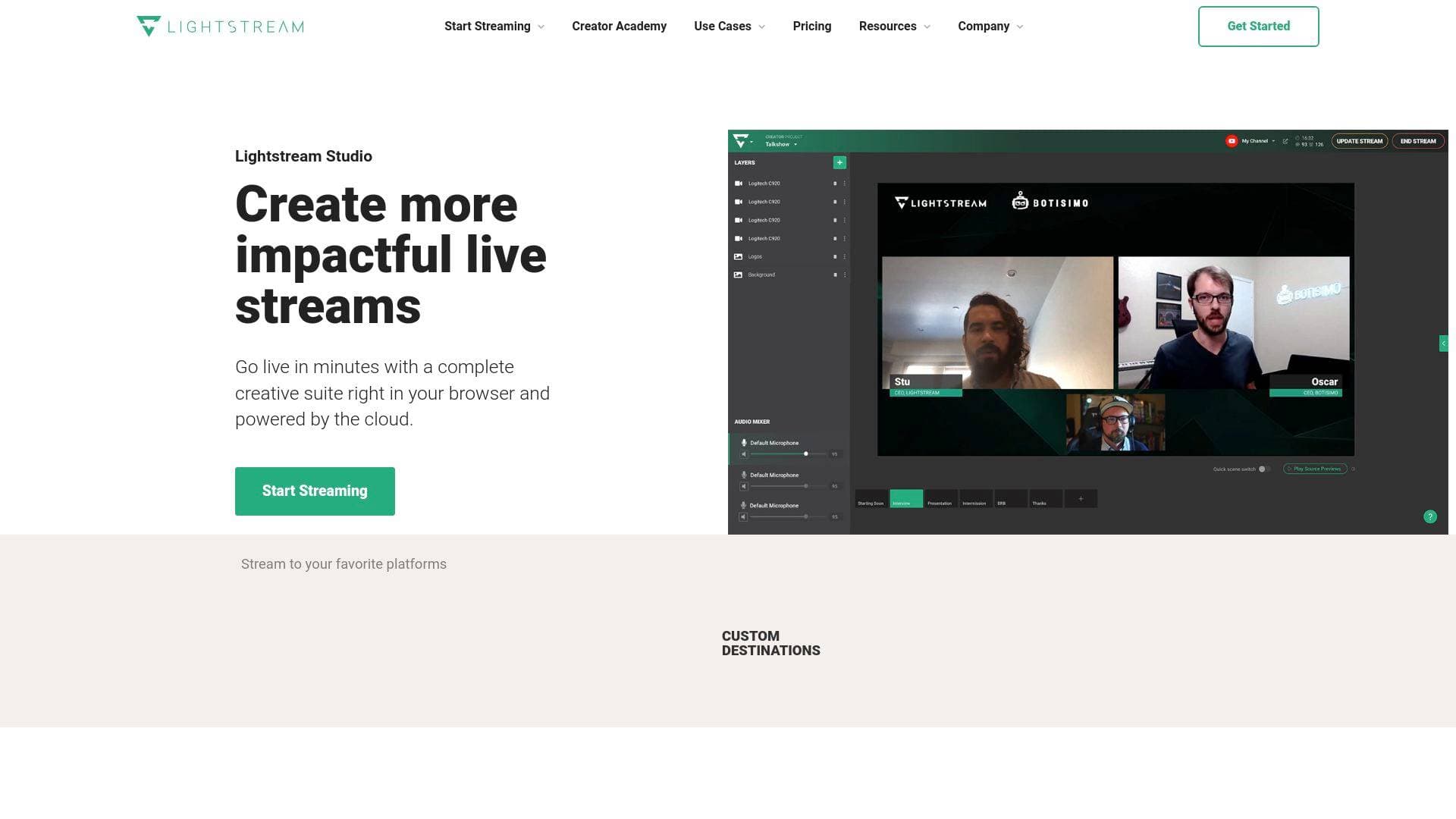
Brief Overview of Lightstream for Content Creators
Getting a professional live stream off the ground has historically required expensive hardware, capture cards, and a powerful PC. Lightstream is a cloud-native live streaming software that removes those barriers entirely, letting content creators go live directly from a web browser with no downloads and no technical setup required. The platform runs entirely in the cloud, which means the heavy lifting happens on Lightstream's servers rather than a creator's local machine. This makes it a particularly compelling multistreaming solution for console gamers who want to broadcast from their Xbox or PlayStation without a capture card or high-end PC. Beyond gaming, the platform supports talk shows, podcasts, IRL streaming, and musician broadcasts, making it a versatile live streaming tool for a wide range of creator types. Lightstream supports simultaneous broadcasting to Twitch, YouTube, Facebook, and custom RTMP destinations, giving creators the ability to grow their audience across multiple platforms at once. A free tier is available, with premium plans starting at $9/month on an annual subscription, making professional broadcast quality accessible at nearly every budget level.
Lightstream Key Features for Content Creators
-
Cloud-Native Browser Streaming: Lightstream runs entirely in a web browser with no software to download or install. Creators simply sign up, select a destination, and click "Go Live" — the entire production suite lives in the cloud, which means it works on virtually any computer with an internet connection.
-
Console Cloud Capture (No Capture Card Required): One of Lightstream's most distinctive capabilities is its cloud-based console capture for Xbox and PlayStation. Gamers can send their gameplay feed directly to Lightstream and layer on overlays, alerts, and scenes without needing a capture card or a streaming PC. This dramatically lowers the cost of entry for console streamers.
-
Simulcasting to Up to 5 Destinations: Creators can broadcast simultaneously to up to five platforms at once, including Twitch, YouTube, Facebook, and custom RTMP destinations. This multistreaming capability is available on both the free and premium plans, making audience-building across platforms accessible from day one.
-
Multiplayer and Guest Streaming: The premium plan allows up to 10 guests to join a stream, while Creator project plans support up to 8 participants. Guests are invited via a simple link to a private "Green Room" waiting room, and the host can bring them onto the live stream when ready. This is ideal for co-op gaming sessions, TTRPG nights, podcast interviews, and talk show formats.
-
Integrated Overlays, Alerts, and Templates: Lightstream comes with pre-built stream templates and overlays ready to use immediately. Creators can use these as-is or upload their own custom overlays for a fully branded look. XPN alerts and overlays are also included, and third-party integrations enable on-stream alerts, motion graphics, and social media messaging to drive viewer engagement.
-
Unlimited Projects, Scenes, and Layouts: Rather than locking creators into fixed layouts, Lightstream provides unrestricted drag-and-drop control over scene design. Creators can build unlimited projects and scenes, switching between up to 20 scenes at once on the premium plan (3 scenes on the free tier).
-
Remote Mobile Control: While streaming, creators can use a mobile device to start and stop their stream or switch between scenes. This is especially useful for IRL streamers and those producing from remote locations who aren't sitting at a computer during the broadcast.
-
IRL and Travel Streaming with Signal Resilience: For creators who stream on the go, Lightstream keeps the stream live even if the creator loses signal temporarily. Branded stream designs can be set to automatically activate when going live, maintaining a professional look regardless of location.
-
High-Fidelity Audio for Musicians: Lightstream skips the browser audio processing that typically degrades sound quality, offering high-fidelity audio capture for musicians who need their streams to sound as polished as they look.
-
Third-Party URL Integrations (Premium): Premium plan subscribers can import URLs from any third-party service, enabling integration with external overlay tools, alert systems, and other streaming widgets. RTMP video sources are also available (noted as coming soon), and Creator plans support up to 4 external live video sources.
Lightstream Target Users & Use Cases for Content Creators
Lightstream is built specifically for live content creators who want professional-quality streams without the complexity of traditional desktop broadcasting software. The platform's two project types — Gamer Projects and Creator Projects — make it relevant for a broad range of creator niches, from console gamers to podcast hosts. Its browser-based, no-download approach makes it especially appealing to creators who are newer to streaming or working with older hardware.
- Primary creator types: Console gamers (Xbox and PlayStation), Twitch streamers, talk show hosts, podcasters, IRL and travel streamers, musicians, and multiplayer gaming groups
- Experience level: Beginner to intermediate streamers who want professional results without deep technical knowledge; the one-click templates and simple guest invite system keep the learning curve low
- Team size: Solo creators and small collaborative groups; guest streaming supports up to 10 participants depending on plan
- Specific use cases:
- A PlayStation gamer streaming to Twitch without owning a capture card or gaming PC
- A podcaster inviting remote guests via link to a Green Room before pulling them live on air
- A travel creator streaming IRL content that stays live even when the mobile signal drops
- A musician broadcasting a live performance with high-fidelity audio and a custom-designed visual layout
- A TTRPG group running a multiplayer stream with up to 10 participants on screen
- A Twitch streamer simulcasting to YouTube and Facebook simultaneously to grow their audience across platforms
- A creator using URL overlays and third-party alert integrations to boost viewer engagement during streams
- A streamer managing their broadcast remotely from a phone while away from their main setup
How to Get Started with Lightstream
- Sign up for a free account: Visit Lightstream Studio and register for the free tier, which includes cloud capture, simulcasting to up to 5 destinations, templates, overlays, and 720p streaming with no upfront cost.
- Choose your project type: Select a Gamer Project if streaming from Xbox or PlayStation, or a Creator Project for talk shows, podcasts, IRL content, or streams mixing remote video feeds.
- Pick a template or build your layout: Choose from preset stream templates to go live in seconds, or use the drag-and-drop editor to design a custom scene layout with overlays, alerts, and branding.
- Connect your streaming destination: Link your Twitch, YouTube, Facebook, or custom RTMP destination, then set up simulcasting if broadcasting to multiple platforms at once.
- Go live from your browser: Click "Go Live" — no downloads, no capture card, no high-end PC required.
Frequently Asked Questions About Lightstream
Does Lightstream require any software downloads? No downloads are required at any point. Lightstream runs entirely in a web browser, powered by cloud infrastructure. All a creator needs is a computer and an internet connection to go live.
Can console gamers use Lightstream without a capture card? Yes. Lightstream's cloud-based console capture works directly with Xbox and PlayStation, allowing gamers to send their gameplay to Lightstream and add overlays and alerts without a capture card or dedicated streaming PC.
What platforms can creators stream to with Lightstream? Lightstream supports simultaneous streaming to Twitch, YouTube, Facebook, and custom RTMP destinations. Both free and premium plans include simulcasting to up to 5 destinations at once.
What is the difference between the free and premium plans? The free plan includes core Studio features with a Lightstream logo on streams, 720p streaming, a 10-hour stream limit, and up to 3 scenes at once. The premium plan ($12/month or $9/month annually) removes the logo, unlocks 1080p streaming, extends the stream limit to 48 hours, allows up to 20 scenes, supports up to 10 guests, and enables URL imports from third-party services.
How does guest streaming work in Lightstream? Creators can invite guests via a simple link to a private waiting room called the "Green Room." Guests wait there until the host is ready to bring them onto the live stream. The premium plan supports up to 10 guests for multiplayer games, TTRPG sessions, podcast interviews, and more.
Does Lightstream work for IRL streaming? Yes. Lightstream supports IRL and travel streaming, and it keeps the stream live even if the creator temporarily loses their mobile signal. Branded stream designs can be set to activate automatically when going live.
What bitrate does Lightstream recommend for streaming? Lightstream recommends a minimum bitrate of 3,000 kbps for 720p at 30fps with a smooth video feed. For 1080p streaming, a bitrate of 6,000 kbps or more is recommended.
Bottom Line: Should Content Creators Choose Lightstream?
Lightstream is a strong pick for content creators who want to go live quickly and professionally without investing in expensive hardware or learning complex desktop software. Console streamers in particular get exceptional value here — the ability to stream from Xbox or PlayStation with overlays, alerts, and simulcasting, all without a capture card or streaming PC, is a genuine differentiator. Podcasters and talk show hosts will appreciate the Green Room guest system, which makes bringing remote guests on air as simple as sharing a link.
The free tier is genuinely functional, covering simulcasting, templates, overlays, and 720p streaming, though the Lightstream logo on streams and the 3-scene limit may push active creators toward the premium plan. At $9/month on an annual subscription, the premium plan is competitively priced for what it delivers: 1080p streaming, up to 20 scenes, 10-guest support, and third-party URL integrations.
Where Lightstream may fall short is for creators who need highly advanced production setups with many RTMP sources or deep customization beyond what browser-based tools currently offer. But for the vast majority of streamers — especially those just building their audience on Twitch, YouTube, or Facebook — Lightstream delivers broadcast quality live streaming with minimal friction and a clear, accessible pricing structure.
Details
One link. Every channel, rate, and piece of work brands need to evaluate you. Built for how creators actually get hired.
Claim your profile
Live creator, content, and marketing roles from real companies, with the pay, market, and context the raw job page never gives you.
Browse jobs

 Post Bridge