

Klap
Klap is an AI-powered video clipping tool that transforms long YouTube videos into viral TikToks, Reels, and Shorts automatically for content creators.
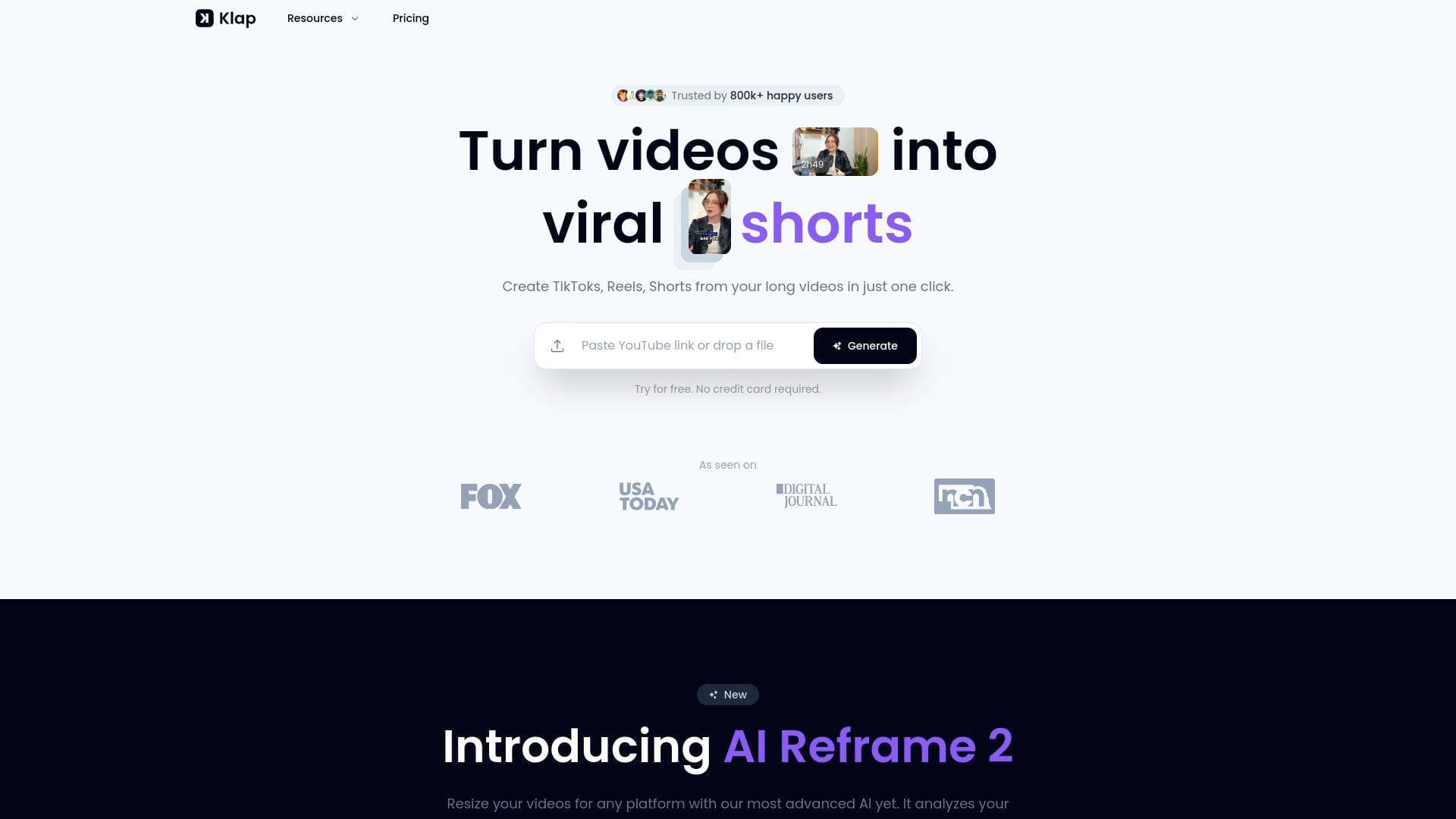
Brief Overview of Klap for Content Creators
Klap is an AI-powered video editing tool built specifically to solve one of the biggest challenges in modern content creation: turning long-form videos into short-form clips without spending hours in an editor. The platform takes YouTube videos or uploaded video files and automatically generates multiple vertical, viral-worthy clips ready to post on TikTok, Instagram Reels, and YouTube Shorts. Rather than juggling multiple tools for transcription, subtitle animation, reframing, and editing, Klap handles the entire video production workflow in a single pass. The AI identifies the most compelling topics within a video, applies intelligent framing with facial recognition, and adds beautifully designed captions, all with minimal input from the creator. A standout feature, AI Reframe 2, analyzes scenes and applies the optimal layout, whether that's Split Screen, Screencasts, Gaming formats, or others, making it adaptable across different content styles. With over 11.7 million clips generated by 2.2 million creators, Klap has established itself as a go-to content repurposing platform for creators who want to grow their audience across multiple platforms without doubling their workload.
Klap Key Features for Content Creators
-
AI Editing and Topic Extraction: Klap's AI scans long-form videos and automatically identifies the most interesting and engaging topics, then edits them into standalone clips. A single one-minute video can produce approximately five ready-to-publish clips, meaning a two-hour podcast could yield a substantial library of short-form content in minutes.
-
AI Reframe 2: This advanced reframing engine analyzes individual scenes and applies the most appropriate layout automatically. It supports specialized formats including Split Screen, Screencasts, and Gaming layouts, making it useful for a wide range of creator niches beyond just talking-head content.
-
Auto Reframing with Facial Recognition: Beyond scene-level analysis, Klap uses facial recognition to keep the most important subject in frame at all times. This is particularly valuable for interview-style content, podcasts, and educational videos where the speaker is the focal point.
-
Engaging Captions and Subtitles: Klap generates responsive, beautifully designed subtitles automatically and also provides recommended captions to accompany posts. These are built to boost engagement and are styled to match the aesthetic expectations of short-form platforms.
-
Viral Score Prediction: Each generated clip receives an AI-assessed score for its potential to go viral. Creators can prioritize which clips to post first based on this scoring, taking some of the guesswork out of content strategy.
-
Full Brand Customization: Creators can customize fonts, colors, logos, and framing to match their brand identity. This ensures that every clip feels consistent with the creator's overall visual style across all platforms.
-
Publish and Schedule Directly: Klap connects directly to TikTok, YouTube, Instagram, and LinkedIn, allowing creators to share clips immediately or schedule them to fit a content calendar. This eliminates the need for a separate social media scheduling tool.
-
AI Dubbing and Translation: Available on Pro and Pro+ plans, Klap can translate and dub videos into 29 languages using AI. This opens up international audience growth without requiring creators to produce separate multilingual content.
-
Multi-Language Transcription: Klap edits and transcribes videos in 52 languages, including English, Spanish, French, Japanese, Arabic, Hindi, Portuguese, Korean, and many more. This makes it accessible to creators producing content in virtually any major language.
-
High-Resolution Export: Depending on the plan, creators can export clips in HD or 4K quality, ensuring that repurposed content meets the quality standards of professional short-form video.
Klap Target Users & Use Cases for Content Creators
Klap is purpose-built for video-first content creators who produce long-form content and want to extend its reach across short-form platforms without additional editing time. It works best for speech-heavy content, since the AI relies heavily on speech detection to identify compelling moments. Solo creators and small creator teams alike will find value here, particularly those who are already producing content regularly and want to multiply their output without multiplying their effort.
-
Primary creator types: YouTubers with long-form video libraries, podcasters looking to clip highlights, educators and course creators repurposing lesson content, product reviewers, interviewers, and streamers with recorded session footage.
-
Experience level: Klap is designed to be intuitive and beginner-friendly. Multiple users highlight how simple and easy the editor is to use, making it accessible even for creators who have no formal video editing background.
-
Team size: Works well for solo creators managing their own channels, as well as small creator teams or brands managing multiple social accounts.
-
Specific use cases:
- A podcaster uploads a two-hour episode and receives dozens of high-quality short clips to post across Instagram, TikTok, and YouTube Shorts throughout the week.
- A YouTuber with an existing video library pastes video URLs into Klap to batch-generate months of short-form content in a single session.
- An educational content creator repurposes training videos and tutorials into bite-sized clips for LinkedIn and Instagram.
- A multilingual creator uses the AI dubbing feature to translate their clips into 29 languages and reach international audiences.
- A gaming creator uses the AI Reframe 2 Gaming layout to automatically format long gameplay recordings into vertical clips for TikTok.
- A creator managing a personal brand schedules clips directly to TikTok, YouTube, Instagram, and LinkedIn from within Klap, removing the need for a separate scheduling tool.
- A screencast educator uses the Screencasts layout in AI Reframe 2 to properly format tutorial content for vertical viewing.
- A creator in the affiliate space uses Klap's affiliate program to earn 30% recurring monthly commissions by recommending the tool to their audience.
How to Get Started with Klap
-
Create a free account: Sign up using Google or an email address. The free tier allows creators to generate one video at no cost, making it easy to test the tool before committing to a paid plan.
-
Upload your video: Paste a YouTube video link directly into Klap or upload a video file. The platform accepts videos up to 45 minutes on the base plan, up to 2 hours on Pro, and up to 3 hours on Pro+.
-
Let the AI generate clips: Klap's AI processes the video and produces multiple viral-worthy vertical clips automatically. No manual editing is required at this stage.
-
Review and customize: Make any final adjustments using the editor, including tweaking fonts, colors, logos, framing, and captions to match your brand.
-
Export and publish: Download clips in HD or 4K and share them directly to TikTok, YouTube, Instagram, or LinkedIn, or schedule them for future posting within the platform.
Frequently Asked Questions About Klap
How many clips can Klap generate from a single video? As a general rule, a one-minute video produces approximately five clips. This means a 30-minute video could generate around 150 clips, though the AI selects the most engaging moments rather than clipping the entire video indiscriminately.
What types of videos work best with Klap? Klap performs best with speech-heavy content since its AI relies on speech detection to identify compelling moments. Ideal content types include podcasts, interviews, educational videos, product reviews, and training content.
How many languages does Klap support? Klap transcribes and edits videos in 52 languages, covering a wide range of global languages from Arabic and Chinese to Welsh and Swahili. AI dubbing and translation into 29 languages is available on Pro and Pro+ plans.
What are Klap's pricing options? There are three paid tiers billed annually: the base plan at $23/month (10 videos, up to 45-minute videos, 100 clips, HD download), Pro at $63/month (30 videos, up to 2-hour videos, 300 clips, 4K download, AI dubbing), and Pro+ at $151/month (100 videos, up to 3-hour videos, 1,000 clips, 4K download, AI dubbing). A free trial allows one video to be processed at no cost.
Which platforms can Klap publish to directly? Klap supports direct publishing and scheduling to TikTok, YouTube, Instagram, and LinkedIn, covering the major short-form and professional video platforms creators use most.
Does Klap have an affiliate program? Yes. Creators can join the Klap affiliate program and earn a 30% recurring monthly commission on every subscription made through their referral link. Payouts are processed through PayPal once earnings reach $20, and affiliates get access to a dashboard to track visits and sales.
Bottom Line: Should Content Creators Choose Klap?
Klap is a strong choice for any content creator who regularly produces long-form video and wants to build a consistent short-form presence without dedicating additional hours to editing. Podcasters, YouTubers, educators, and interviewers will get the most out of it, given the platform's reliance on speech detection for clip selection. The ability to go from a raw YouTube link to multiple branded, captioned, platform-ready vertical clips in just a few clicks is genuinely useful for creators trying to maintain a high posting frequency across TikTok, Reels, and Shorts simultaneously.
The tiered pricing structure is flexible enough for solo creators starting out (base plan at $23/month) and scales up for high-volume creators or teams needing 4K output and AI dubbing. The free trial, which covers one full video, gives creators a real sense of what the tool delivers before any financial commitment.
One thing to keep in mind: Klap works best for speech-driven content. Creators producing primarily music videos, cinematic content, or non-verbal formats may find the AI's clip selection less effective. For everyone else, particularly those sitting on a backlog of long-form content they haven't had time to repurpose, Klap offers a practical and well-rounded video production solution that can meaningfully accelerate audience growth across platforms.
Details
One link. Every channel, rate, and piece of work brands need to evaluate you. Built for how creators actually get hired.
Claim your profile
Live creator, content, and marketing roles from real companies, with the pay, market, and context the raw job page never gives you.
Browse jobs Post Bridge
