
Basecamp
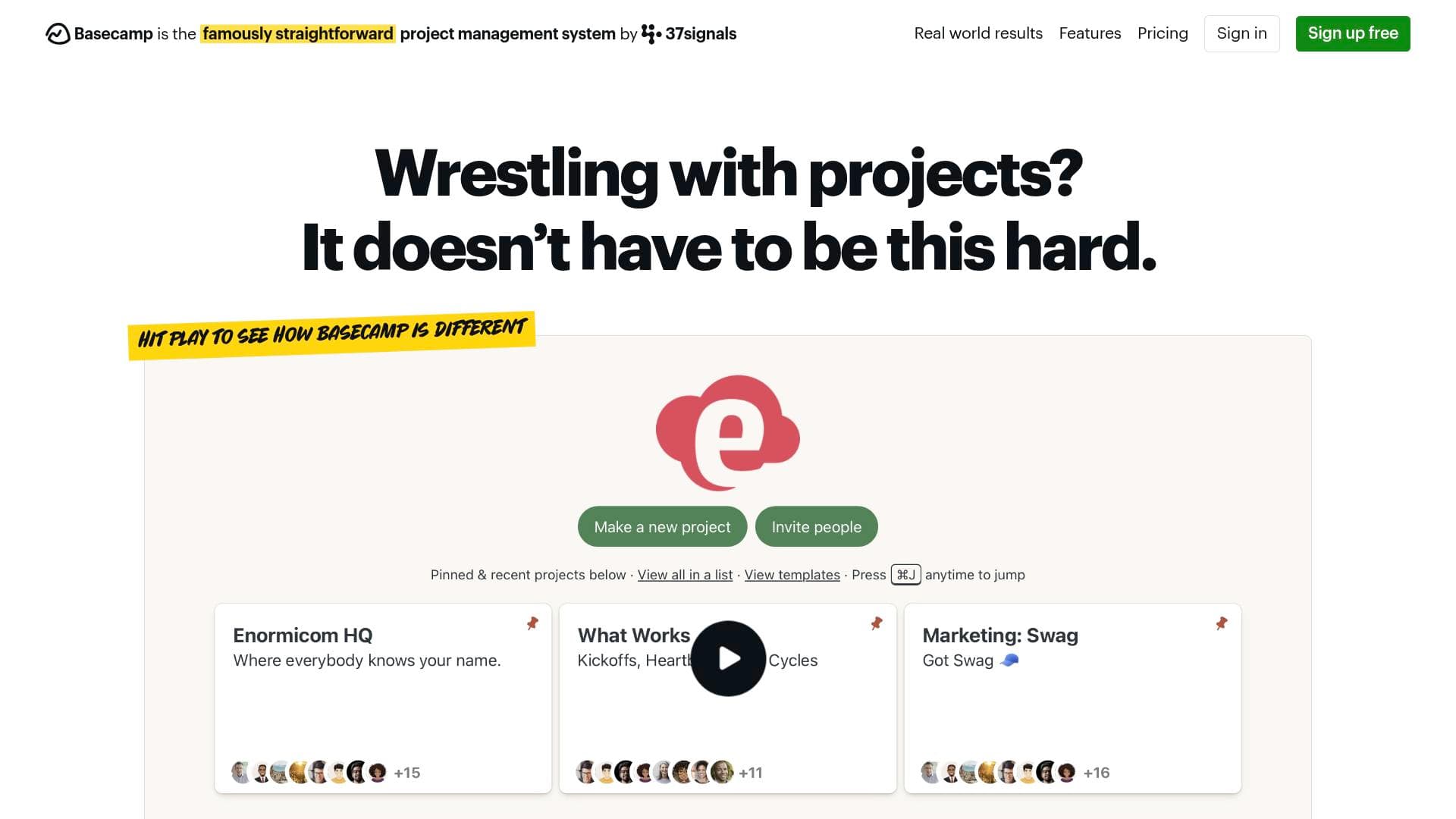
Basecamp is a project management and online collaboration platform that centralizes tasks, communication, files, and client feedback in one organized workspace.
Brief Overview of Basecamp for Content Creators
Managing a content creation operation — whether it's a solo YouTube channel with a small editing team, a podcast with multiple contributors, or a freelance creative agency — means juggling tasks, files, feedback, and deadlines across a dozen different apps. Basecamp is a project management and online collaboration platform built to pull all of that chaos into one calm, organized place. With a 21-year track record and over 75,000 organizations across 166 countries relying on it, Basecamp has proven itself as a durable, no-nonsense project management solution that replaces a stack of separate tools. The platform is designed specifically for smaller, hungrier operations rather than bloated enterprise setups, making it a natural fit for content creator teams, freelance creators, and creative agencies. Every project in Basecamp holds tasks, discussions, files, schedules, and team communication in a single, predictably structured space. Creators who work with brand partners, editors, thumbnail designers, or social media managers will find the built-in client management tools particularly useful for keeping feedback organized and approvals on the record. Basecamp is operated by 37signals, a company that has been profitable for 25 straight years, carries zero debt, and is privately held — meaning the platform is built for longevity, not a quick exit.
Basecamp Key Features for Content Creators
-
Home Screen Dashboard: The home screen brings together all projects, personal assignments, and upcoming events on a single screen. For creators juggling multiple content series, brand deals, or client projects simultaneously, this morning overview eliminates the need to dig through multiple tools just to figure out what needs attention today.
-
Project Workspaces: Each project in Basecamp functions as a self-contained hub where tasks, discussions, deliverables, decisions, and files all live together. A creator could set up separate projects for a YouTube series, a podcast season, a brand sponsorship campaign, and a newsletter — keeping everything for each initiative neatly separated and accessible to the right people.
-
To-Dos and Task Management: Basecamp's to-do system lets creators assign tasks to multiple people at once, attach discussions directly to individual tasks, and track what's overdue across every project from a single screen. This is especially useful for content teams where editors, writers, and designers each need clear ownership of deliverables.
-
Card Table (Kanban Board): The Card Table is Basecamp's take on Kanban-style workflow management, letting creators visualize how content moves through a production pipeline — from ideation to scripting, filming, editing, review, and publishing. Custom workflows and priorities can be added through third-party integrations like TrackedHQ.
-
Message Board: Rather than burying important creative decisions in a Slack thread or email chain, the Message Board keeps structured discussions organized by topic and permanently on the record. Creators can reference conversations from months or years ago without digging through inboxes.
-
Campfire Chat: Built-in group chat means creators don't need a separate messaging app for quick team questions. Campfire handles real-time, informal communication inside the same platform where the actual work happens.
-
Pings (Direct Messages): For private, one-on-one conversations — like following up with an editor about a missed deadline or discussing a sensitive brand deal detail — Pings provide direct messaging without pulling in the whole team.
-
Client Access Controls: Creators who work with brand sponsors, agency clients, or collaborators can control exactly what those external parties see inside a project. Clients can be given access to final files without ever seeing unfinished drafts, and their feedback and approvals are kept on the official record. Clients can even respond to messages directly from their email inbox without needing a Basecamp account.
-
Docs and File Storage: All files, documents, and assets live inside the relevant project, with clear version tracking so teams always know where the latest edit or approved thumbnail is. Files from Google Docs, Figma, Dropbox, and Airtable can also be linked directly inside Basecamp using the Doors feature.
-
Visual Progress Tools (Lineup, Mission Control, Hill Charts): The Lineup shows every project laid out on a visual timeline from start to finish. Mission Control gives a bird's-eye view of which projects are on track. Hill Charts visually display the progress of to-do lists, showing what's been figured out and what still needs work. For creators managing multiple content series or client campaigns at once, these tools make it easy to spot bottlenecks before they become missed deadlines.
-
Reports and Activity Tracking: Basecamp's reporting surfaces the actual work rather than abstract metrics — creators can see everything that's overdue, everything completed on a given day, who worked on what, and who's responsible for which deliverables. Time tracking is also built in, and integrates with dedicated time tracking tools like Harvest, Clockify, Toggl, and Everhour.
-
Hey! Notification Menu: All notifications are aggregated into a single, non-intrusive menu rather than scattered across the interface. Creators can also follow a project quietly without receiving any notifications, which is useful for staying aware of a collaboration without getting buried in alerts.
Basecamp Target Users & Use Cases for Content Creators
Basecamp is built for smaller, focused teams rather than large corporate structures, which makes it a strong match for the way most content creators actually operate. Whether working solo with a handful of contractors or running a small creative agency, the platform scales to fit without overwhelming users with unnecessary complexity.
-
Primary creator types: YouTubers managing editors, thumbnail designers, and scriptwriters; podcasters coordinating guests, audio editors, and show notes writers; freelance content creators handling multiple client campaigns; newsletter writers working with researchers or designers; social media managers juggling content calendars across multiple brands; and creative agencies producing content for clients.
-
Experience level: The platform is designed to be straightforward and easy to pick up, with live walkthrough classes, tutorial videos, and detailed help guides available. It suits creators at any experience level who want a reliable system without a steep learning curve.
-
Team size: Primarily suited for solo creators with contractors, small content teams, and small-to-medium creative agencies. Basecamp is explicitly designed for smaller, hungrier operations rather than large enterprise teams.
-
Specific use cases for content creators:
- Organizing a YouTube video production pipeline from concept through publishing using Card Tables and to-dos
- Managing brand sponsorship deliverables with client access controls so sponsors can review and approve assets without seeing unfinished work
- Coordinating a podcast production schedule with editors and guest coordinators using the Schedule and Message Board tools
- Keeping all creative briefs, scripts, and final assets centralized in project file storage so nothing gets lost across email threads
- Running a content agency with separate projects for each client, controlling exactly what each client can see
- Tracking time spent on content production for accurate client billing using integrations with Harvest, Clockify, or Toggl
- Managing a newsletter production workflow with writers, editors, and designers each assigned clear tasks with due dates
- Referencing past creative decisions and approved briefs from months ago without digging through email or Slack archives
How to Get Started with Basecamp
- Try Basecamp for free: Basecamp offers a free trial that lets creators explore the full platform before committing to a paid plan.
- Set up your first project: Create a project for an active content series or client campaign, then invite collaborators — editors, designers, or brand partners — and configure what each person can see.
- Populate your project tools: Add to-dos with assigned owners and due dates, upload relevant files and assets, and start a Message Board thread for the first creative brief or campaign discussion.
- Attend a live class: Basecamp offers free live walkthrough classes and Q&A sessions on a regular basis, covering setup, rolling out the platform to a team, and working with clients. These are available directly through Basecamp's classes page.
- Connect your existing tools: Use the Doors feature to link Google Docs, Figma, Dropbox, or Airtable files directly inside projects, and explore the integrations page to connect time tracking, reporting, or automation tools already in use.
Frequently Asked Questions About Basecamp
Can clients respond to messages without having a Basecamp account? Yes. Clients can respond to messages directly from their email inbox, and those replies are captured inside the Basecamp project on the official record. This makes it easy to work with brand sponsors or agency clients who prefer not to log into another platform.
Does Basecamp replace tools like Slack, Dropbox, and task managers? Basecamp is designed to replace a whole stack of separate products. It includes built-in chat (replacing Slack), task management with Kanban boards (replacing standalone task tools), and file storage (replacing Dropbox). It also replaces document tools like Google Docs and Notion for many teams, though files from those tools can still be linked inside Basecamp using the Doors feature if needed.
What integrations are available for content creators? Basecamp connects with a wide range of third-party tools through its full-featured API and integrations page. Time tracking integrations include Harvest, Clockify, Toggl, Everhour, Timely, and more. Automation tools like Zapier (750+ apps) and Zoho Flow (650+ apps) are also supported, along with reporting, feedback collection, and workflow tools.
How reliable is Basecamp's uptime? Historical uptime over multiple decades is well over 99.99%, with real-time status available on the 37status.com page.
Can data be exported if a creator decides to leave? Yes, data export is entirely self-service, can be done as often as needed, and is provided in a format that can be browsed directly in a web browser — no need to contact support or request permission.
Is Basecamp available in languages other than English? Currently, Basecamp's interface is only available in English, though users in over 160 countries write and communicate in their own native languages within the platform.
What support options are available? Support options include direct customer support from specialist team members, tutorial videos, detailed help guides, and live walkthrough classes with Q&A sessions. Basecamp's co-founders, Jason Fried and David Heinemeier Hansson, are also directly reachable by email and respond personally.
Bottom Line: Should Content Creators Choose Basecamp?
Basecamp is a strong choice for content creators who are tired of managing their work across a fragmented mix of apps and want one reliable, organized home for everything. It's particularly well-suited for creators who work with external collaborators — editors, designers, brand sponsors, or agency clients — thanks to its client access controls, approval tracking, and email-based client communication. Small content teams and freelance creators will appreciate the straightforward design and the fact that it replaces multiple paid subscriptions with a single platform. The interface-only English limitation is worth noting for international teams, and the platform is explicitly designed for smaller operations rather than large enterprise setups. For YouTubers, podcasters, newsletter creators, and content agencies looking for a no-nonsense project management solution with a 21-year track record, Basecamp delivers a calm, organized alternative to the chaos of scattered tools and overflowing inboxes.
Details
One link. Every channel, rate, and piece of work brands need to evaluate you. Built for how creators actually get hired.
Claim your profile
Live creator, content, and marketing roles from real companies, with the pay, market, and context the raw job page never gives you.
Browse jobs Post Bridge
