

GraphicRiver
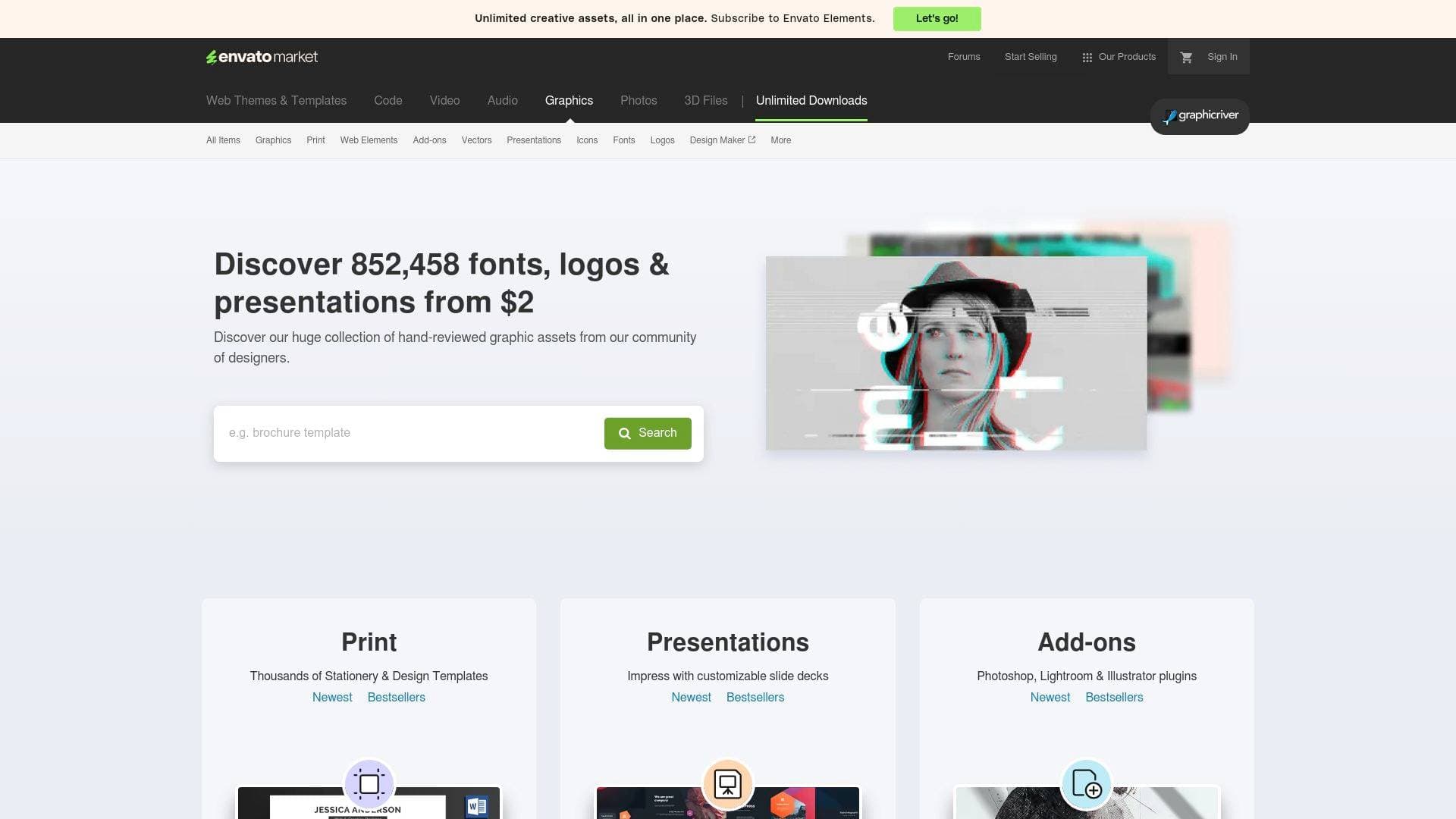
GraphicRiver is a graphic asset marketplace offering 832,363+ fonts, logos, icons, vectors, and design templates from $2, sourced from a global community of designers.
What is GraphicRiver? A Content Creator's Guide
GraphicRiver is a graphic asset marketplace part of the Envato Market ecosystem, giving content creators instant access to over 832,363 hand-reviewed fonts, logos, icons, vectors, presentations, and design templates — all starting from just $2. The platform solves one of the most persistent pain points in content creation: sourcing professional-quality visual assets without hiring a designer or spending hours building graphics from scratch. Whether a YouTuber needs a channel logo, a podcaster wants branded presentation slides, or a blogger is hunting for the perfect display font, GraphicRiver covers the full spectrum of visual content needs. Assets are contributed by a global community of graphic designers, with each item reviewed for quality before it goes live. The marketplace spans categories from print templates and Photoshop add-ons to social media graphics and game assets, making it relevant across virtually every content format. Items are available for individual purchase, so creators only pay for what they actually need.
GraphicRiver Features That Matter for Content Creators
-
Massive Asset Library (832,363+ Items): The sheer volume of available assets means content creators can find highly specific visuals without settling for generic alternatives. From hand-drawn monoline signature fonts to RPG game asset packs, the catalog covers niche creative needs that broader stock sites often miss.
-
Low Entry Price Point (From $2): Individual assets start at just $2, which makes GraphicRiver accessible for solo creators and indie podcasters who need professional visuals without a design budget. Many high-quality Photoshop actions, vector sets, and font files fall in the $4–$12 range.
-
Logo Templates: A dedicated logo template section covers categories including Abstract, Animals, Buildings, College, Company, Crests, Food, Humans, Letters, Nature, Numbers, Objects, Restaurant, Sports, and Symbols. Creators building a personal brand or YouTube channel identity can find a professionally designed starting point without commissioning custom work.
-
Font Categories: GraphicRiver's font library spans Cool, Decorative, Ding-bats, Fancy, Graffiti, Handwriting, Sans-Serif, Script, and Serif styles. Bloggers and newsletter writers looking for distinctive typography for thumbnails, headers, or branded graphics will find both display fonts and signature-style script options.
-
Photoshop Add-ons: The add-ons section includes Photoshop actions, brushes, plugins, text effects, and Lightroom presets — tools that plug directly into a creator's existing editing workflow. Bestsellers like the Real Paint FX Add-On (10,700+ sales) and Realistic Embroidery Actions (20,000+ sales) demonstrate the depth of this category.
-
Presentation Templates: Customizable slide decks for PowerPoint, Keynote, and Google Slides give creators a polished foundation for sponsor pitches, media kits, or educational content. Templates like the Infographics Complete Bundle (110+ ratings) are particularly useful for creators who produce data-driven video content.
-
Vector Graphics and Illustrations: The vectors section includes characters, conceptual art, decorative elements, objects, and web elements — all scalable without quality loss. Creators producing YouTube thumbnails, blog headers, or social media graphics can drop these directly into their design tools.
-
Social Media Graphics: A dedicated Social Media subcategory under Web Elements gives creators ready-made Instagram sets, banners, and promotional graphics. Items like the Purple Green Utilitarian Business Instagram Set show the range of platform-specific templates available.
-
Print Templates: Covering brochures, business cards, flyers, magazines, newsletters, packaging, and stationery, this section is useful for creators who sell merchandise, attend events, or produce physical media kits for brand partnerships.
-
Lightroom Presets: The retouching section includes an extensive library of Lightroom presets (1,700+ items) covering portrait, cinematic, travel, and color grading styles. Creators who shoot their own photography for thumbnails, Instagram, or blog content can apply consistent visual styles across their work.
-
Quality-Reviewed Items: Every asset on GraphicRiver is reviewed before going live, which filters out low-effort submissions and gives creators confidence that purchased items meet a baseline standard of quality.
-
Regular and Extended Licensing: Items come with clearly defined license options. The Regular License covers use in a single end product where end users are not charged, while the Extended License applies when the end product itself is sold — relevant for creators who produce templates or digital products for resale.
Which Content Creators Should Use GraphicRiver?
GraphicRiver works best for creators who need professional visual assets on demand, without the overhead of a full design subscription or the cost of custom design work. It's particularly well-suited to creators who work across multiple visual formats and need specific assets rather than unlimited bulk downloads.
-
Primary creator types: YouTubers building channel branding, TikTokers creating visual overlays, bloggers sourcing fonts and header graphics, podcasters designing cover art and presentation decks, newsletter writers looking for distinctive typography, and streamers who need game assets or social media graphics.
-
Experience level: The marketplace caters to both beginners (who benefit from ready-made templates requiring minimal editing) and experienced creators who use Photoshop actions, Illustrator add-ons, and Lightroom presets to accelerate their existing workflows.
-
Team size: GraphicRiver works equally well for solo creators managing their own visual identity and small creator teams where a social media manager or editor handles design assets.
-
Specific use cases:
- A YouTuber purchasing a logo template to establish channel branding without hiring a designer
- A blogger downloading a script font for use in Pinterest graphics and blog headers
- A podcaster buying a PowerPoint presentation template for a media kit pitch to sponsors
- A content creator using Photoshop actions to batch-process thumbnail images with consistent color grading
- A streamer sourcing game asset packs for gaming content thumbnails or overlays
- A newsletter writer finding a distinctive display font to differentiate branded email headers
- An Instagram creator purchasing a social media graphic set for cohesive feed aesthetics
- A video creator downloading vector illustrations to use as motion graphic elements
-
Content types supported: Visual branding assets, thumbnail graphics, presentation slides, social media templates, print materials, photo editing tools, typography, and game-related visuals.
Getting Started with GraphicRiver
- Create a free Envato account to access the full marketplace, save items to collections, and complete purchases.
- Browse by category using the top navigation (Fonts, Logos, Vectors, Add-ons, Presentations, etc.) or use the search bar to find specific asset types.
- Filter results by price range, sales volume, rating, date added, and software version to narrow down to the most relevant items for your content creation workflow.
- Select a license at checkout — Regular License for personal or client projects where end users aren't charged, Extended License if the asset will be incorporated into a product sold to others.
- Download and integrate the purchased files (available in formats including AI, EPS, SVG, PNG, PSD, and more depending on the item) directly into Photoshop, Illustrator, Lightroom, or your preferred design tool.
GraphicRiver FAQ for Content Creators
How much do assets cost on GraphicRiver? Items start at $2, with most assets falling in the $4–$19 range. Prices vary by asset type and complexity — a simple vector set might cost $4, while a comprehensive Photoshop plugin or logo template can reach $40. All prices are in US dollars and exclude tax and handling fees.
What file formats are available? File formats vary by item but commonly include AI (Adobe Illustrator), EPS, SVG, PNG (transparent), PSD (Photoshop), and JPG. Many vector and logo items are fully resizable, meaning they scale to any size without quality loss.
Are the assets quality-reviewed? Every item on GraphicRiver is hand-reviewed by the Envato team before it becomes available for purchase, ensuring a baseline level of quality across the catalog.
What is the difference between Regular and Extended License? The Regular License covers use in a single end product where end users are not charged. The Extended License applies when the purchased asset is incorporated into a product that end users pay for — relevant for creators selling templates, digital downloads, or merchandise.
Can creators also sell their own assets on GraphicRiver? GraphicRiver operates as a community marketplace where graphic designers contribute and sell their work. Content creators who also design can apply to become authors and list their own assets for sale.
Is there an alternative subscription option? Envato Elements is promoted alongside GraphicRiver as a subscription alternative offering unlimited downloads on stock assets plus AI tools. GraphicRiver itself operates on a pay-per-item model rather than a subscription.
The Verdict: Is GraphicRiver Worth It for Content Creators?
GraphicRiver is a strong fit for content creators who need specific, high-quality graphic assets without committing to a monthly subscription. The pay-per-item model starting at $2 makes it accessible for creators at any stage, and the catalog depth — over 832,000 items across fonts, logos, vectors, Photoshop add-ons, Lightroom presets, presentation templates, and more — means it can serve as a reliable resource across the entire content creation workflow.
The quality-review process adds meaningful confidence that purchased items are professionally made, and the range of file formats (AI, EPS, SVG, PNG, PSD) ensures compatibility with the tools most creators already use. The main consideration is that GraphicRiver is a per-purchase marketplace rather than an unlimited library, so creators who need high volumes of assets regularly may want to evaluate whether a subscription model better fits their usage pattern.
For YouTubers building a brand identity, bloggers sourcing distinctive fonts, podcasters designing sponsor pitch decks, or any creator who needs professional visual assets on demand, GraphicRiver delivers genuine value at a price point that works for independent creators.
Details
One link. Every channel, rate, and piece of work brands need to evaluate you. Built for how creators actually get hired.
Claim your profile
Live creator, content, and marketing roles from real companies, with the pay, market, and context the raw job page never gives you.
Browse jobs

 Post Bridge