

EbSynth
EbSynth is VFX software that lets content creators transform entire videos by editing just one frame, enabling hand-drawn animation, retouching, and colorizing without manual tracking.
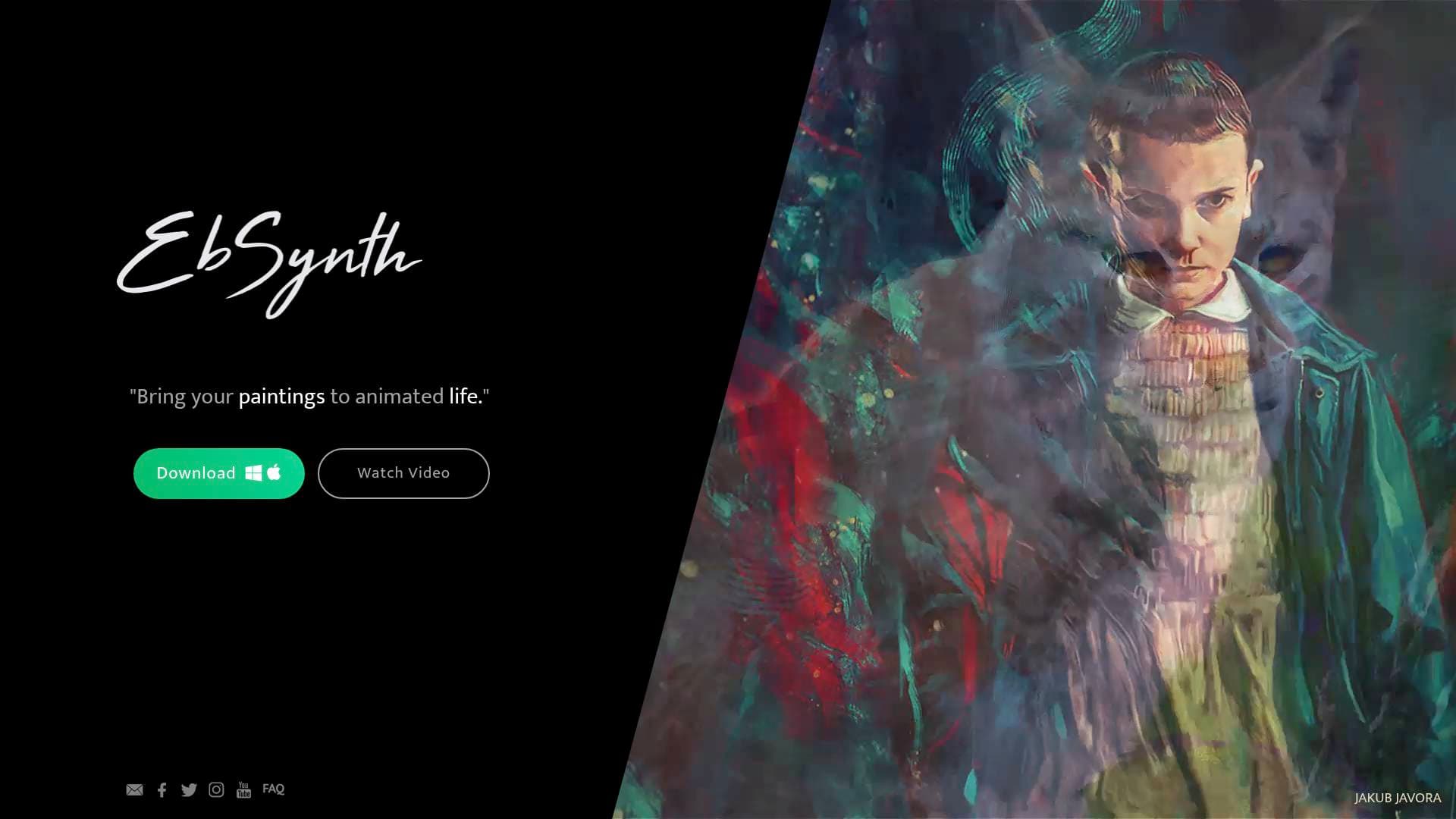
Brief Overview of EbSynth for Content Creators
EbSynth is a VFX software tool built for creative video transformations, retouching, and rotoscopy. The core concept is deceptively simple: edit a single frame, and EbSynth propagates that change across the entire video. For content creators who want to add hand-drawn animation styles, apply digital makeup, or colorize footage without spending hours on manual frame-by-frame work, this video production tool eliminates the most tedious parts of the process. Rather than relying on generative AI trained on external datasets, EbSynth uses a texture-synthesis algorithm that works exclusively with the creator's own video and keyframes, giving artists full creative control over the final output. The tool runs in-browser and is optimized for Chrome, with processing handled server-side and files deleted immediately after results are returned. Created by Šárka Sochorová and Ondřej Jamriška at Secret Weapons, EbSynth was designed specifically to unlock new ways of storytelling and put creative control in the hands of artists. A free plan with no time or functional limitations makes it accessible to creators at any stage of their journey.
EbSynth Key Features for Content Creators
-
Keyframe-Based Video Transformation: The defining feature of EbSynth is its ability to transform an entire video clip by painting or editing just one or a few keyframes. Creators paint the look they want on a single frame, and the texture-synthesis algorithm handles propagating that style across the full timeline, saving enormous amounts of time compared to frame-by-frame manual editing.
-
Hand-Drawn Animation from Live Footage: Creators can turn real-life performances directly into hand-drawn animation. By painting keyframes in an illustrated or animated style, EbSynth transfers that aesthetic across the entire video, making it possible to produce animated content from live-action footage without traditional animation workflows.
-
Video Retouching and Digital Makeup: Applying digital makeup or retouching video no longer requires manual tracking of every frame. EbSynth handles the propagation automatically, making touch-ups fast and practical for creators who need polished visuals without a professional VFX pipeline.
-
Colorizing Video Footage: EbSynth supports colorizing video, allowing creators to add color to black-and-white footage or shift the color palette of existing clips. The keyframe approach means creators only need to define the color treatment on select frames rather than painting every single one.
-
Optional AI Keyframe Generation: There is an optional "Generate Image" AI feature that lets creators generate their keyframes using AI. This can accelerate the creative process, and if the AI output has artifacts, creators can use a paintbrush to correct errors and run another AI pass at lower strength to refine the result.
-
Multi-Track Layered Synthesis: Creators can divide a shot into independently moving parts, such as the background, face, or eyes, and work on each area in a separate video track. Keyframes with transparent backgrounds and alpha channels allow for precise, isolated adjustments to specific elements without affecting the rest of the frame.
-
Optical Flow-Based Propagation: The quality of EbSynth's propagation relies on calculating optical flow from the guiding video. This means the tool analyzes actual motion in the footage to intelligently apply keyframe styles across frames, producing more accurate and consistent results when the source video is shot with good lighting and textured clothing.
-
4K Export and PNG Sequence Output (Pro): The Pro plan at $20/month unlocks up to 4K video export, PNG sequence output for post-production workflows, 100 generated images, and priority processing. The free plan covers all core functions with 720p HD export in MP4 format, which is sufficient for most social media content creation needs.
-
Fully Offline Studio Plan: For creators handling sensitive projects or working in environments without reliable internet, the Studio plan runs entirely offline with complete data privacy, command-line automation, and dedicated support. Pricing for Studio is custom and available by contacting the team directly.
-
Project Privacy by Default: Even on the free and Pro plans, projects stay on the creator's computer. Videos and keyframes are only temporarily uploaded to servers for rendering, then immediately deleted once results are returned, with no sharing or internal use of creator files.
EbSynth Target Users & Use Cases for Creators
EbSynth is built for creators who work with video and want to apply artistic transformations, visual effects, or retouching without the overhead of traditional VFX workflows. It suits both independent creators experimenting with visual styles and more experienced artists who need a faster pipeline for animation and rotoscopy work.
- Primary creator types: YouTubers producing stylized or animated content, short-film creators, TikTok and Reels creators experimenting with unique visual aesthetics, music video directors, and digital artists working with video as a medium.
- Experience level: The keyframe-based workflow is approachable for creators with basic video editing knowledge, while the multi-track synthesis and alpha channel features offer depth for more advanced users.
- Team size: Works well for solo creators and small production teams alike, with the Studio plan offering command-line automation suited to more structured production pipelines.
- Specific use cases:
- Converting a live-action performance into a hand-drawn animated video for YouTube or social media
- Applying consistent digital makeup or beauty retouching across an entire video shoot without manual tracking
- Colorizing archival or black-and-white footage for documentary or creative projects
- Creating stylized music videos by painting an artistic look onto a single frame and propagating it
- Producing rotoscoped animation for short films or branded content
- Rapidly iterating on visual styles during pre-production to explore different creative directions
- Isolating and retouching specific facial features, like eye movements, using alpha channel keyframes on separate tracks
- Generating AI-assisted keyframes and refining them with manual painting for a hybrid creative workflow
How to Get Started with EbSynth
- Access the app: Navigate to the EbSynth web app and start on the free plan, which requires no payment and includes all core functions with 720p HD export.
- Watch the tutorial: A 10-minute tutorial covers everything needed to get started, making the initial learning curve manageable even for creators new to VFX tools.
- Prepare your guiding video: For best results, shoot with soft diffuse lighting, choose clothing with interesting textures, and increase frame rate for fast-moving shots to reduce motion blur, all of which improve optical flow tracking.
- Paint your keyframes: Start with a single keyframe painted in the style or look you want. Select frames that show the most content and clear poses rather than frames captured mid-movement.
- Run synthesis and refine: Let EbSynth propagate the keyframe style across the video. Fix any broken areas by adding additional keyframes in those spots, and use separate video tracks for independently moving elements like the background or face.
Frequently Asked Questions About EbSynth
Does EbSynth use AI to transform videos? The core keyframe propagation does not use AI. It relies on a texture-synthesis algorithm that works exclusively with the creator's own video and keyframes, without drawing on generative models trained on external datasets. There is, however, an optional "Generate Image" AI feature available for creating keyframes.
Is EbSynth free to use? Yes, EbSynth offers a free plan with no time or functional limitations. The free plan includes all core functions, 720p HD video export, and MP4 format output. Creators who need 4K export, PNG sequence output, or more AI-generated images can upgrade to the Pro plan at $20/month.
Are creator files stored or shared? Projects stay on the creator's computer. Videos and keyframes are temporarily uploaded to EbSynth's servers only for rendering, then immediately deleted once results are sent back. Files are never shared or used for any internal purposes. Creators who want fully offline processing with no uploads can opt for the Studio plan.
What browser works best with EbSynth? Chrome is recommended for the best experience, particularly for large projects involving long or high-resolution videos. Chrome handles memory-intensive processing most reliably, and on laptops, using a dedicated graphics card is advised for optimal performance.
How do you cancel a Pro subscription? Cancellation is handled through the user menu in the top right corner of the app by selecting "Manage Subscription." The plan remains active until the end of the current billing period after cancellation.
What is the Studio plan and who is it for? The Studio plan is a custom-priced tier that runs entirely offline, offers complete data privacy, supports command-line automation, and includes dedicated support. It is suited for creators or production teams with specific privacy requirements or who need to integrate EbSynth into automated production pipelines.
Bottom Line: Should Content Creators Choose EbSynth?
EbSynth is a genuinely distinctive video production tool for creators who want to apply artistic transformations, animation styles, or retouching to video without the time investment of traditional frame-by-frame VFX work. The keyframe propagation approach is its strongest differentiator, making complex visual effects accessible to creators who are not professional VFX artists. The free plan is generous, covering all core functions with no time limits, which makes it easy to evaluate before committing to the $20/month Pro tier for 4K output and advanced features.
Creators focused on stylized YouTube content, animated short films, music videos, or visually experimental social media content will find the most value here. The tool is less suited to creators who need real-time effects or standard video editing features, as EbSynth is purpose-built for the specific workflow of style propagation and retouching. For any creator looking to add a distinctive hand-crafted or illustrated visual style to their video content without a massive time investment, EbSynth delivers a focused and capable solution.
Details
One link. Every channel, rate, and piece of work brands need to evaluate you. Built for how creators actually get hired.
Claim your profile
Live creator, content, and marketing roles from real companies, with the pay, market, and context the raw job page never gives you.
Browse jobs

 Post Bridge