

Designs AI
Designs AI is an AI-powered platform that lets content creators generate images, videos, copy, designs, audio, and slides from a single unified workspace.
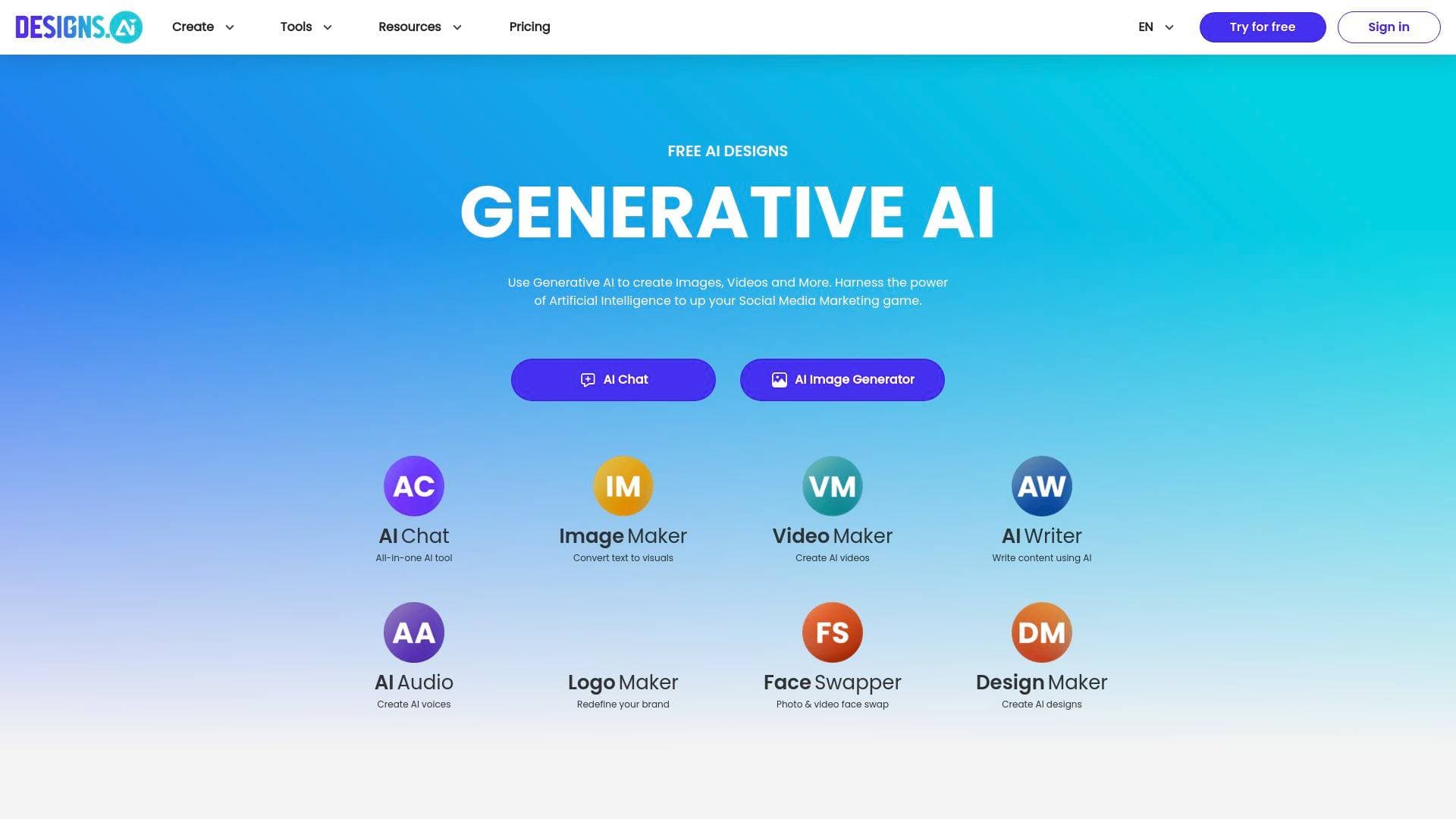
Brief Overview of Designs AI for Content Creators
Content creators constantly juggle multiple tools to produce their work, switching between design apps, video editors, copywriting assistants, and audio generators. Designs AI solves that fragmentation by consolidating all of those capabilities into a single AI-powered content creation platform. Trusted by over one million users, it covers the full spectrum of creative output: images, videos, copy, designs, audio, and slides, all accessible from one workspace. The platform runs on multi-LLM intelligence, meaning it integrates leading language and creative AI models within days of their public release, so creators always have access to the most current capabilities. A standout feature is the one-click brand extraction system, which automatically applies brand guidelines, including logos, color systems, and typography, across every asset produced. The workflow is built around natural language input, so creators describe what they want, choose a format, select an AI model, and receive polished, ready-to-publish results. This AI-powered design platform positions itself as a complete creative production environment rather than a single-purpose utility.
Designs AI Key Features for Content Creators
-
Multi-Format Content Generation: Designs AI covers six distinct content types in one platform: chat-assisted copy, design templates, AI-generated images, video production, audio creation, and presentation slides. For content creators who regularly produce across multiple formats, this eliminates the need to maintain separate subscriptions for each creative category.
-
Multi-LLM Access: The platform integrates multiple leading language and creative AI models, updating its model library within days of new releases. Creators can select the specific AI model that best fits their project, giving them flexibility to match the right tool to the right task rather than being locked into a single AI engine.
-
One-Click Brand Extraction: Brand consistency is built directly into every output through a one-click extraction system that pulls logos, color systems, and typography into all generated assets automatically. This is particularly useful for creators managing a consistent visual identity across YouTube thumbnails, social posts, and promotional materials.
-
AI Image Generation: Creators can generate on-brand visuals directly from text prompts. This removes the need for stock photo subscriptions or manual graphic design work when producing thumbnails, blog headers, or social media visuals.
-
AI Video Production: The platform supports high-quality video content generation using AI-powered tools. Creators can produce video assets quickly without requiring advanced editing skills or dedicated video production software.
-
Audio Creation Tools: Designs AI includes text-to-speech generation, branded voiceovers, and music jingle creation. Podcasters, video creators, and anyone needing narration or background audio can produce these assets directly within the platform.
-
AI Chat for Ideation and Copywriting: The built-in chat feature uses AI assistance to help creators develop ideas, refine messaging, and generate written copy. It functions as a creative collaborator for scripting, caption writing, blog drafting, and content planning.
-
Presentation and Slides Builder: Creators can build structured, presentation-ready slides with intelligent layouts. This is useful for creators who pitch to brand partners, produce educational content, or create webinar materials.
-
Design Templates: A library of design templates gives creators a starting point for visual projects, reducing production time when building social graphics, promotional banners, or branded content.
-
Secure Infrastructure: The platform is built with secure infrastructure and governance controls, which matters for creators handling client work, brand partnerships, or sensitive creative assets.
Designs AI Target Users & Use Cases for Creators
Designs AI is built for creators who need to produce a high volume of varied content without expanding their toolkit or hiring additional help. The natural language workflow makes it accessible to beginners, while the multi-LLM model selection and brand consistency controls offer enough depth for experienced creators and small creative teams.
-
Primary creator types: YouTubers needing thumbnails, video assets, and channel art; bloggers requiring featured images and written copy; podcasters generating voiceovers and audio intros; social media creators producing graphics and captions at scale; newsletter writers developing copy and visual headers; and freelance creators managing branded deliverables for multiple clients.
-
Experience level: The natural language input system and template library make Designs AI approachable for beginners, while the model selection flexibility suits more advanced creators who want control over which AI engine powers their output.
-
Team size: Plans support between 2 and unlimited user accounts depending on tier, making it suitable for solo creators on the Plus plan all the way up to small creative teams on Pro or Enterprise plans.
-
Specific use cases:
- A YouTuber generating AI thumbnails and channel graphics from text prompts without opening a separate design tool
- A podcaster creating branded voiceover intros and background music jingles for episode production
- A blogger using the chat feature to draft post copy and generate matching header images in the same session
- A newsletter writer producing both written content and visual assets for each edition without switching platforms
- A freelance content creator maintaining separate brand profiles for multiple clients using the brand extraction system
- A TikTok creator producing short video assets and on-brand captions quickly to keep up with posting schedules
- A creator pitching brand partnerships by building polished slide decks directly within the platform
- A social media manager generating consistent visual content across multiple formats from a single workspace
How to Get Started with Designs AI
- Create an account: Sign up at Designs AI using an email address or Google account. No credit card details are required at the sign-up stage based on the registration flow.
- Choose a plan: Select from the Plus plan at $24.92 per month (billed annually at $299), the Pro plan at $58.25 per month (billed at $699 annually), or the Enterprise plan at $159.50 per month (billed at $1,914 annually) depending on your credit needs and team size.
- Describe your project: Use natural language to tell the platform what you want to create, then select the content format (copy, design, image, video, audio, or slides).
- Select an AI model: Choose from the available LLMs and creative models that best match your project type.
- Publish your output: Receive polished, on-brand results ready to use immediately across your content channels.
Frequently Asked Questions About Designs AI
What types of content can creators produce with Designs AI? Designs AI supports six content categories: images, videos, copy, designs, audio, and slides. Creators can generate everything from social graphics and video content to voiceovers, music jingles, written copy, and presentation decks within a single platform.
How does one-click brand extraction work for creators? The brand extraction feature automatically pulls a creator's logos, color systems, and typography into every asset generated on the platform. This ensures that thumbnails, graphics, copy, and video content all align with an established visual identity without manual adjustments.
What are the pricing options for Designs AI? Three annual plans are available. The Plus plan costs $24.92 per month ($299 billed annually) and includes 2,500 credits and 2 user accounts. The Pro plan costs $58.25 per month ($699 billed annually) with 10,000 credits and 5 user accounts. The Enterprise plan costs $159.50 per month ($1,914 billed annually) and includes 25,000 credits, unlimited user accounts, and a dedicated account manager.
Can creators use Designs AI for commercial and client work? The Plus and Pro plans include a standard license with indemnity coverage up to $5,000. The Enterprise plan includes an enterprise license with indemnity coverage up to $25,000, making it more suitable for creators doing high-volume commercial or client work.
How current are the AI models available on the platform? Designs AI integrates new leading language and creative models within days of their public release. Creators can select from multiple available models to match the best AI capability to their specific project needs.
Is Designs AI suitable for beginner creators? The platform is designed to be accessible to beginners through its natural language input system and template library. Creators describe what they want in plain language and receive ready-to-publish outputs without needing technical design or production skills.
What support options are available? Plus plan users receive email and chat support. Pro plan users get priority email and chat support. Enterprise plan users receive 24/7 dedicated support along with a dedicated account manager.
Bottom Line: Should Content Creators Choose Designs AI?
Designs AI is a strong option for content creators who want to consolidate their creative production into a single AI-powered workspace. The combination of image generation, video production, audio tools, copywriting assistance, design templates, and slide building in one platform addresses a real pain point for creators who currently maintain multiple separate tools. The one-click brand extraction feature adds particular value for creators who need consistent visual identity across formats, and the multi-LLM model access ensures the platform stays current as AI technology evolves rapidly.
The credit-based pricing model means creators need to assess their monthly output volume before committing to a plan. The Plus plan at $24.92 per month with 2,500 credits suits individual creators with moderate production needs, while the Pro plan at $58.25 per month is better suited for creators running small teams or producing content at higher volume. Creators doing client work should note the indemnity limits on each plan tier.
Designs AI is best suited for multi-format creators, freelance content producers managing brand consistency across projects, and small creator teams looking to reduce tool sprawl. Creators who only need one specific capability, such as audio-only or design-only, may find the platform broader than necessary, but those producing across multiple content types will find genuine value in having everything in one place.
Details
One link. Every channel, rate, and piece of work brands need to evaluate you. Built for how creators actually get hired.
Claim your profile
Live creator, content, and marketing roles from real companies, with the pay, market, and context the raw job page never gives you.
Browse jobs

 Post Bridge