
Craft CMS
Craft CMS is a flexible, self-hosted content management system that lets content creators build fully custom websites with intuitive authoring tools, live preview, and powerful content modeling.
What is Craft CMS? A Content Creator's Guide
Craft CMS is a flexible, self-hosted content management platform designed to give content creators complete control over how their content is structured, displayed, and managed. Unlike rigid platforms that force creators into predefined templates or bloated theme systems, Craft starts with a blank slate and lets creators define exactly what their content looks like from the ground up. This makes it a standout content creation workflow tool for bloggers, newsletter writers, digital publishers, and anyone building a custom web presence. The platform is built on a modern tech stack using Twig templating and a native GraphQL API, which means creators can either build traditional template-driven sites or go fully headless. With over 150,000 sites built on Craft and a community of 8,000+ Discord members, it has proven staying power in the CMS space. For creators who want their website to reflect their unique brand rather than a recycled theme, Craft delivers a genuinely custom content management experience.
Craft CMS Features That Matter for Content Creators
-
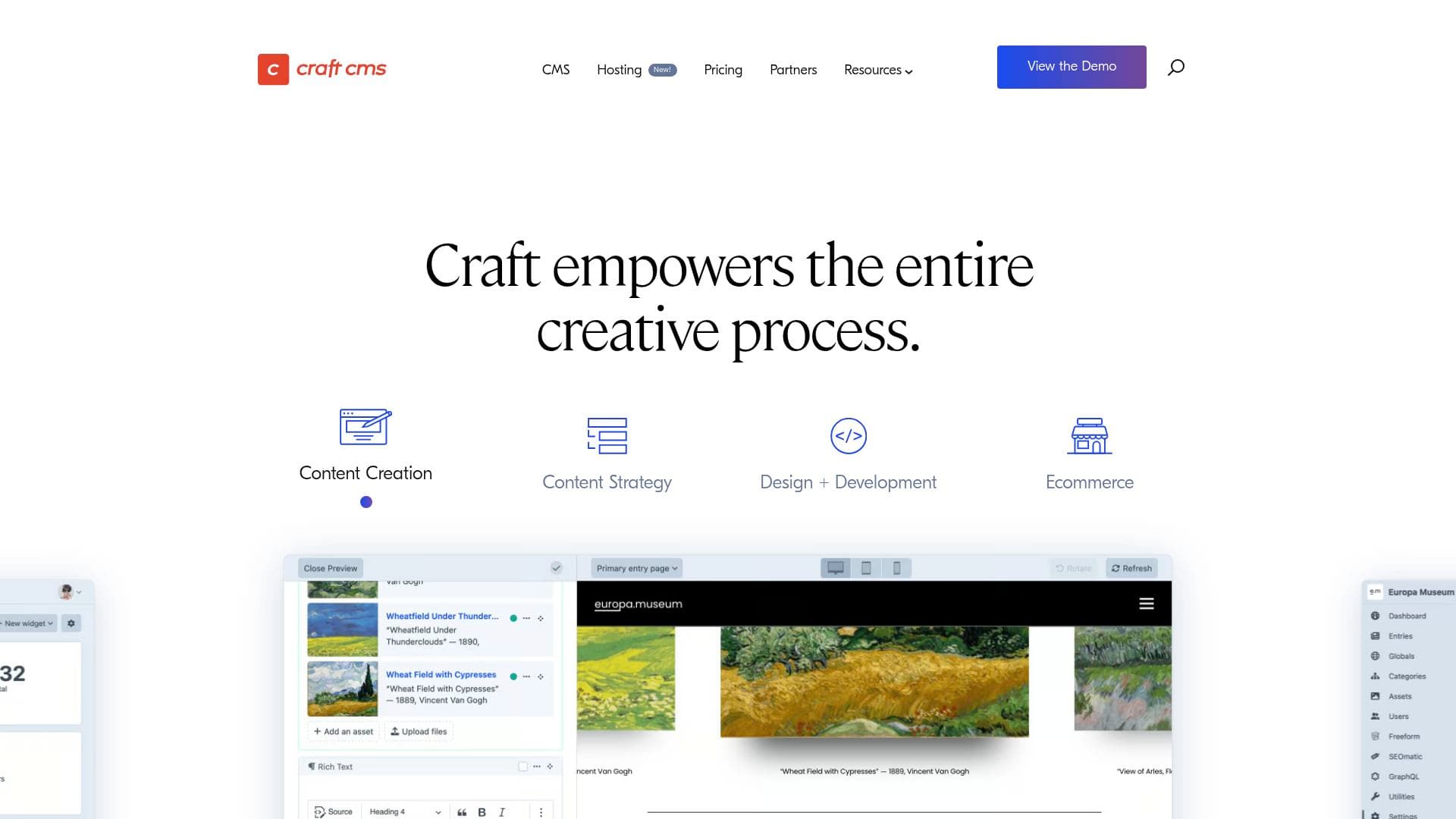
Live Preview: Craft includes a real-time Live Preview feature that lets creators see exactly how their content will look before hitting publish. Authors can also generate shareable private preview URLs to get feedback from collaborators or clients without making content public.
-
Custom Fields and Content Modeling: Craft includes 23 built-in custom field types, covering everything from plain text and rich media to addresses, icons, money fields, and more. Creators can define semantically named content types like "Articles" or "Projects" and assign exactly the fields that make sense for each type, resulting in a cleaner, more intuitive editing experience.
-
Multiple Authors and Version Control: Entries in Craft support multiple authors, and the platform includes version control so creators can track who changed what and when. Multiple authors can work on drafts simultaneously, and drafts can be merged to prevent overwriting another contributor's work.
-
Asset Management: Craft handles file management with full asset support, including custom fields on assets themselves. Files can be stored locally or with cloud-based providers like Amazon S3 and Google Cloud Storage, giving creators flexibility in how they manage media libraries.
-
Localization and Multi-Site Support: Content creators targeting international audiences can translate and localize content across an unlimited number of sites, languages, and locales from a single Craft installation. The control panel itself is translated into 25 languages and supports hundreds of locales.
-
Built-in GraphQL API and Headless Mode: Craft includes a self-generating GraphQL API and a fully headless mode, making it suitable for creators who want to publish content across multiple platforms or build decoupled front-end experiences. This opens up possibilities for distributing content beyond a traditional website.
-
Plugin Store and Integrations: Craft connects to marketing tools like Salesforce, Mailchimp, and HubSpot through its integration-ready architecture. The built-in Plugin Store provides access to extensions for SEO (including SEOmatic), forms (Freeform, Formie), and ecommerce (Craft Commerce, Shopify, Stripe), all managed and licensed from within the CMS.
-
SEO Tools: The SEOmatic plugin brings comprehensive SEO best practices to Craft, and is trusted by major industry authorities. Additional plugins like Retour handle intelligent URL redirects to preserve SEO value when restructuring a site.
-
Matrix and Nested Entries: Craft's Matrix field allows creators to build complex, structured content with nested entries. Authors can choose between cards, entry lists, or classic block views to manage layered content clearly without losing context.
-
Craft Cloud Hosting: Craft offers its own scalable hosting platform called Craft Cloud, built by the same team behind the CMS. When hosted on Craft Cloud, the Team and Pro editions are included free, removing the need to pay separately for self-hosted licenses.
Which Content Creators Should Use Craft CMS?
Craft CMS is best suited for content creators who need more than a cookie-cutter website and want a platform that adapts to their content rather than the other way around. It works particularly well for creators who publish regularly, manage multiple content types, or collaborate with a small team. Solo creators with some technical knowledge and teams working with developers will get the most out of what Craft offers.
-
Primary creator types: Bloggers building custom editorial sites, digital publishers managing multiple content categories, newsletter writers who want a web presence that mirrors their brand, podcasters building show websites with episode archives, and video creators who need a content hub beyond a social profile.
-
Experience level: Craft's authoring interface is designed to require little-to-no training once set up. However, initial setup and customization typically involves a developer, making it better suited for creators who work with a web developer or have basic technical skills.
-
Team size: Craft's Solo edition supports a single admin account at no cost. The Team edition supports up to five user accounts, and the Pro edition supports unlimited users with per-user permissions, making it scalable from solo creators to full editorial teams.
-
Specific use cases:
- A blogger building a fully custom article site with unique field layouts for different post types
- A podcaster managing episode entries with custom fields for show notes, guest info, and audio files
- A newsletter writer who wants a public archive of past issues with structured metadata
- A content team where multiple authors collaborate on drafts before publishing
- A creator publishing content in multiple languages for international audiences
- A digital publisher who wants to distribute content headlessly to a website, app, or other platforms
- A creator building a membership site using Craft's user management and public registration features
- A freelance content creator managing client websites from a single, consistent CMS environment
-
Content types: Long-form articles, podcast episodes, video archives, photo galleries, product pages, localized content, and structured editorial content across multiple sites.
Getting Started with Craft CMS
- Try the demo: Craft offers an interactive demo at craftcms.com/demo that lets creators explore the content management interface before committing to an installation.
- Install Craft: Craft can be installed via Composer using the official documentation at craftcms.com/docs/5.x/install.html, or scaffolded quickly using the built-in Generator tool.
- Choose an edition: The Solo edition is free forever and supports a single admin account. Team ($279/project) and Pro ($399/project) editions unlock additional user accounts and features, both of which are included free when hosted on Craft Cloud.
- Set up content types and fields: Define custom content types with the 23 built-in field types to match the specific structure of your content, whether that's blog posts, podcast episodes, or portfolio pieces.
- Extend with plugins: Browse the Plugin Store from within the control panel to add SEO tools, form builders, ecommerce functionality, or marketing integrations as needed.
Craft CMS FAQ for Content Creators
Is Craft CMS free to use? The Solo edition of Craft CMS is free forever and supports a single admin account. It includes content modeling, multi-site support, live preview, Twig templating, and the GraphQL API. Paid editions (Team at $279 and Pro at $399 per project) unlock additional user accounts and features, and both are included free when hosted on Craft Cloud.
Does Craft CMS support multiple authors? Yes. Entries in Craft support multiple authors. The Team edition supports up to five user accounts, while the Pro edition supports unlimited user accounts with per-user permissions and user group assignments.
Can I preview my content before publishing? Craft includes a Live Preview feature that shows exactly how content will appear on the front end while editing. Creators can also generate private preview URLs to share work-in-progress content with collaborators without making it publicly visible.
Does Craft CMS support multilingual content? Craft includes world-class localization features, allowing creators to translate and localize content across an unlimited number of sites, languages, and locales from a single installation. The control panel is translated into 25 languages.
What hosting options are available for Craft CMS? Craft can be self-hosted on any compatible server, or deployed to Craft-optimized hosting services including Craft Cloud (the official hosting platform by the Craft team), Servd, and Arcustech, as well as general-purpose services like Digital Ocean.
Does Craft CMS have SEO tools? Craft supports SEO through plugins available in the Plugin Store. SEOmatic is a comprehensive SEO plugin trusted by major industry authorities. Retour handles intelligent URL redirects to preserve SEO value when restructuring content.
How does Craft CMS handle ecommerce for creators? Craft supports ecommerce through first-party and third-party plugins including Craft Commerce, Shopify integration, and Stripe sync. These allow creators to sell products, manage subscriptions, and build content-first storefronts directly within Craft.
The Verdict: Is Craft CMS Worth It for Content Creators?
Craft CMS is a strong choice for content creators who want a platform that genuinely adapts to their content rather than forcing them into predefined structures. The intuitive authoring interface, real-time Live Preview, multiple author support, and 23 built-in field types make it a capable content management tool for bloggers, digital publishers, podcasters, and editorial teams alike. The free Solo edition makes it accessible to solo creators, while the Team and Pro editions scale up for collaborative workflows.
The main consideration is that Craft is not a drag-and-drop website builder. Initial setup and customization typically requires developer involvement, which means it is better suited for creators who have technical support or are comfortable working with a developer to configure the platform. Once set up, however, the authoring experience is designed to be clean, minimal, and easy to use without ongoing technical knowledge.
For content creators who are serious about building a custom, professional web presence with full control over their content structure, Craft CMS delivers a well-built, secure, and highly flexible platform that grows with the creator's needs.
Details
One link. Every channel, rate, and piece of work brands need to evaluate you. Built for how creators actually get hired.
Claim your profile
Live creator, content, and marketing roles from real companies, with the pay, market, and context the raw job page never gives you.
Browse jobs

 Post Bridge