

Chopcast
Chopcast is an AI-powered video editing and content repurposing tool that helps podcasters and creators convert long-form audio and video into short-form social clips.
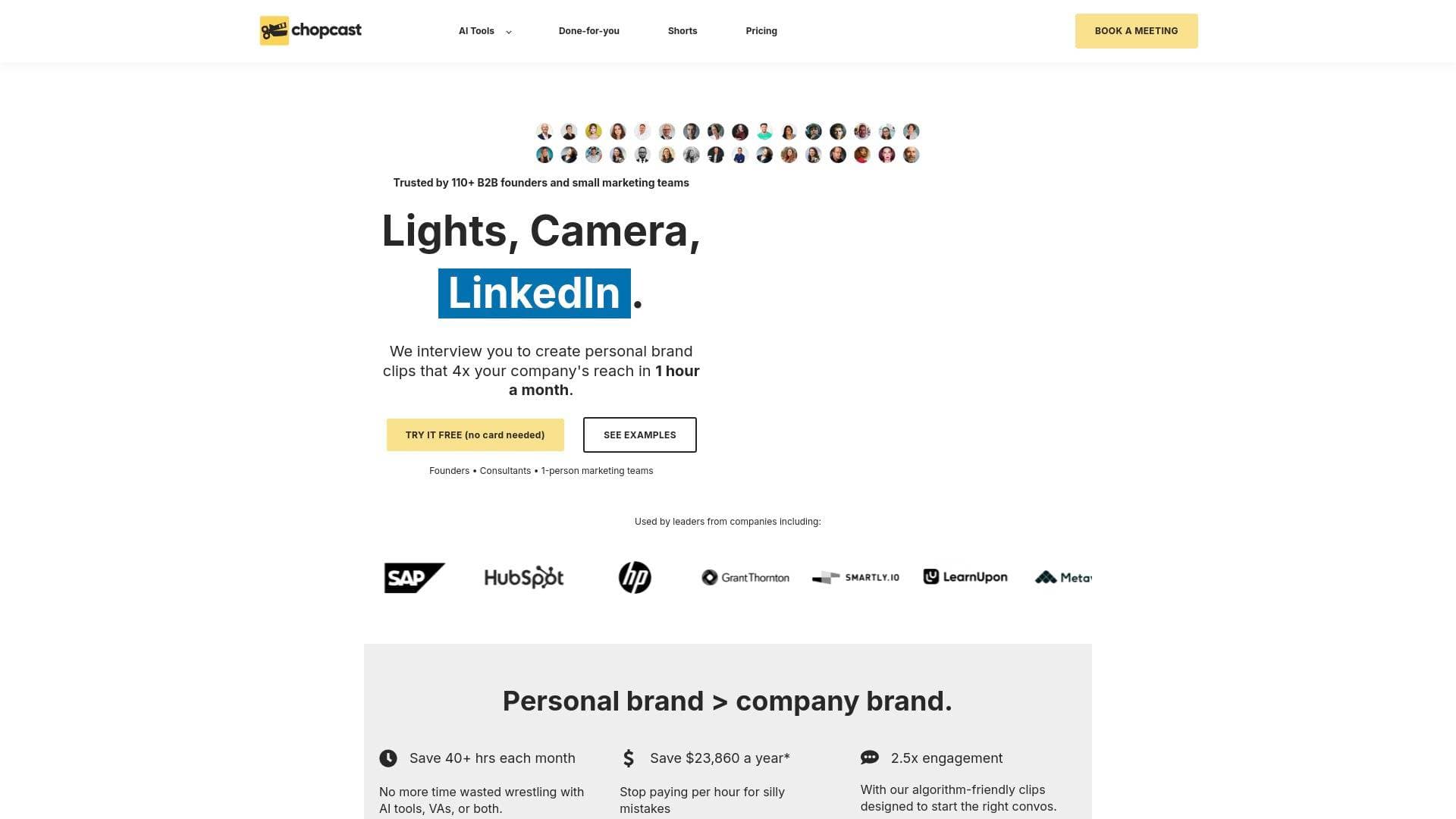
Brief Overview of Chopcast for Content Creators
Chopcast is an AI-powered content repurposing platform built specifically for creators who want to extract maximum value from their long-form recordings. The core problem it solves is a familiar one for any podcaster, YouTuber, or video creator: hours of recorded content sitting largely untouched because clipping, editing, and formatting it for social media is brutally time-consuming. Chopcast tackles this video production workflow challenge by using AI to automatically watch uploaded footage, identify the most impactful moments, and generate ready-to-share short-form clips in minutes. The platform supports a wide range of content types, including podcasts, webinars, Zoom recordings, and YouTube videos, and outputs clips formatted for YouTube Shorts, TikTok, Instagram Reels, LinkedIn, Facebook, and Twitter. Trusted by over 20,000 creators, it operates as a free-to-use web-based tool, meaning no software installation is required. For creators who want a fully managed solution, Chopcast also offers a done-for-you service where a team handles everything from studio interviews to caption writing and posting. One user reported their personal LinkedIn following growing 100% year-over-year after using the platform, while another noted that Chopcast's auto-generated clips overlapped 70-80% with the ones they had previously selected manually.
Chopcast Key Features for Content Creators
-
AI-Powered Clip Generation: Chopcast's AI watches uploaded videos and automatically identifies key moments based on the subject matter being discussed. This removes the need for creators to manually scrub through hours of footage and jot down timestamps, a process one user described as taking "99% of the manual labor out of extracting clips."
-
Podcast-to-Video Conversion: Podcasters can upload audio files and convert them directly into video format. Options include adding automated visuals or a static image with a moving waveform, making audio content immediately shareable on video-first platforms like YouTube and Facebook. Output formats include MP4 and MOV, among others, and the original audio quality is preserved throughout the conversion.
-
Automatic Video Subtitling: Chopcast generates subtitles at 97% accuracy for all videos and clips. Creators can edit captions on the fly, and the tool also produces instant transcripts and .SRT files, making content more accessible and boosting engagement across platforms where videos autoplay without sound.
-
Speaker-Based Clips: For interview-format podcasters and multi-guest shows, Chopcast can analyze audio and automatically segment content by individual speaker. Each speaker's clips are timestamped and fully editable, making it easy to pull out a guest's best moments or highlight a specific voice from a panel discussion.
-
Text-Based Video Trimming: Creators can edit their video by simply deleting or modifying text in the transcript. This is a significant time-saver for creators who find traditional timeline editing tedious, allowing them to cut sections of a recording as easily as editing a document.
-
One-Click Filler Word Removal: The platform includes a feature to instantly remove audio imperfections like "umms" and filler words with a single click. This polishes recordings without requiring manual audio editing skills.
-
Multi-Platform Clip Customization: Clips can be resized and reformatted to match the aspect ratio requirements of different social platforms. Whether a creator needs a vertical clip for TikTok or a square format for Instagram, the tool handles the reformatting without additional editing software.
-
Clip Management Hub: All generated clips are stored and managed in one centralized place. Creators no longer need to dig through long video files to find specific moments, as everything is organized and searchable by topic.
-
Audiograms and Additional Outputs: Beyond video, Chopcast also generates audiograms, transcripts, and .SRT files from uploaded content. This gives podcasters multiple content formats from a single recording session.
-
Done-for-You Service (Studio Sessions): For creators who want a fully hands-off approach, Chopcast offers a managed service where their team conducts video interviews, produces professional clips with unlimited revisions, writes LinkedIn captions, and distributes content across platforms. Turnaround is 1-2 working days, and the service includes strategy consulting from team members with backgrounds at LinkedIn, Google, and HubSpot.
Chopcast Target Users & Use Cases for Content Creators
Chopcast is built for creators who produce long-form content regularly and need a faster path to short-form social distribution. It works equally well for solo creators managing everything themselves and for small content teams looking to increase output without adding headcount. The platform is accessible enough for beginners, with a user-friendly interface, while offering enough depth for experienced creators managing high-volume production.
Primary creator types:
- Podcasters looking to convert audio episodes into video clips for YouTube, TikTok, and Instagram
- YouTubers who want to repurpose long-form videos into Shorts and social clips without manual editing
- Interview-format creators who need speaker-based segmentation to highlight individual guests
- Webinar hosts who want to extract the best moments from long recordings for social promotion
- Solo creator-founders building a personal brand on LinkedIn through short-form video
Specific use cases:
- A podcast host uploads a 60-minute episode and receives AI-generated clip suggestions within minutes, ready for Instagram Reels and YouTube Shorts
- A creator running a weekly interview show uses speaker-based clips to pull out each guest's most quotable moments separately
- A YouTuber converts a long tutorial video into multiple short clips, each reformatted for TikTok's vertical format
- A creator removes filler words and awkward pauses from a Zoom recording with a single click before publishing
- A solo creator uses text-based trimming to cut sections from a transcript rather than scrubbing a timeline
- A content creator converts a podcast audio file into a waveform video for YouTube, preserving audio quality while adding a visual element
- A creator uses the audiogram feature to share podcast highlights on Twitter and LinkedIn without producing a full video
- A creator enrolled in the done-for-you service submits one hour of their time per month and receives professionally edited clips, captions, and scheduled posts across LinkedIn and YouTube
How to Get Started with Chopcast
- Sign up for free: Chopcast is a web-based platform, so no software download is needed. Create a free account directly from the browser.
- Upload your content: Drag and drop a video or audio file into the editor. Content can come from YouTube, Zoom recordings, podcast files, or any other source.
- Let the AI analyze your footage: Chopcast scans the content and automatically generates clip suggestions based on key moments. For speaker-based content, enable the speaker-based clips option to segment by individual voice.
- Edit and customize: Review the AI-generated clips, make any adjustments using text-based trimming or the visual editor, remove filler words, add captions, and resize for your target platform.
- Export and share: Download the finished clips in your preferred format (MP4, MOV, etc.) or save directly to cloud storage, then distribute across YouTube, TikTok, Instagram, LinkedIn, Facebook, and Twitter.
Frequently Asked Questions About Chopcast
Is Chopcast free to use? Yes, Chopcast offers a free-to-use AI platform. There is no daily limit on conversions, and creators can convert as many podcasts or videos as needed. A done-for-you managed service is also available at paid tiers starting at $997 per month.
Does converting a podcast to video affect audio quality? No. Chopcast prioritizes maintaining the original audio quality throughout the conversion process, so listeners get the same audio experience in the video version as in the original recording.
What video formats does Chopcast support for export? Chopcast supports a range of video formats including MP4 and MOV, making outputs compatible with major platforms and desktop use.
Can creators add captions to their videos? Yes. Chopcast automatically generates subtitles at 97% accuracy, and creators can edit them on the fly. The tool also produces .SRT files for use on external platforms.
Does Chopcast require any software installation? No. It is entirely web-based and accessible directly from a browser, with no additional software required.
Can multiple podcasts be converted at the same time? Currently, the podcast-to-video converter processes one podcast at a time. The platform notes this is an area of ongoing development.
How accurate is the speaker identification feature? Accuracy depends on audio quality and how distinguishable each speaker's voice is. Chopcast uses advanced audio analysis to maximize accuracy, and all generated clips are fully editable after generation.
Can clips be saved to cloud storage? Yes. Converted videos and clips can be saved directly to popular cloud storage services for easy access and file management.
Bottom Line: Should Content Creators Choose Chopcast?
Chopcast is a strong fit for podcasters, YouTubers, and video creators who produce long-form content regularly and want to multiply their social media output without spending hours in a traditional editing timeline. The AI clip generation, speaker-based segmentation, text-based trimming, and automatic subtitling at 97% accuracy make it a genuinely practical tool for creators at any experience level. The free tier removes the barrier to entry entirely, and the web-based format means there is nothing to install or configure.
The main limitation worth noting is that the podcast-to-video converter currently handles one file at a time, which could slow down creators with very high-volume production needs. The done-for-you service plans are priced at a premium level ($997 to $4,997 per month), making them better suited for creators with established revenue or content budgets rather than those just starting out.
For creators who want to turn one recording session into a week's worth of social content across YouTube, TikTok, Instagram, LinkedIn, and Facebook, Chopcast delivers a focused, AI-driven solution that removes the most tedious parts of the content repurposing workflow.
Details
One link. Every channel, rate, and piece of work brands need to evaluate you. Built for how creators actually get hired.
Claim your profile
Live creator, content, and marketing roles from real companies, with the pay, market, and context the raw job page never gives you.
Browse jobs

 Post Bridge