

BannerBear
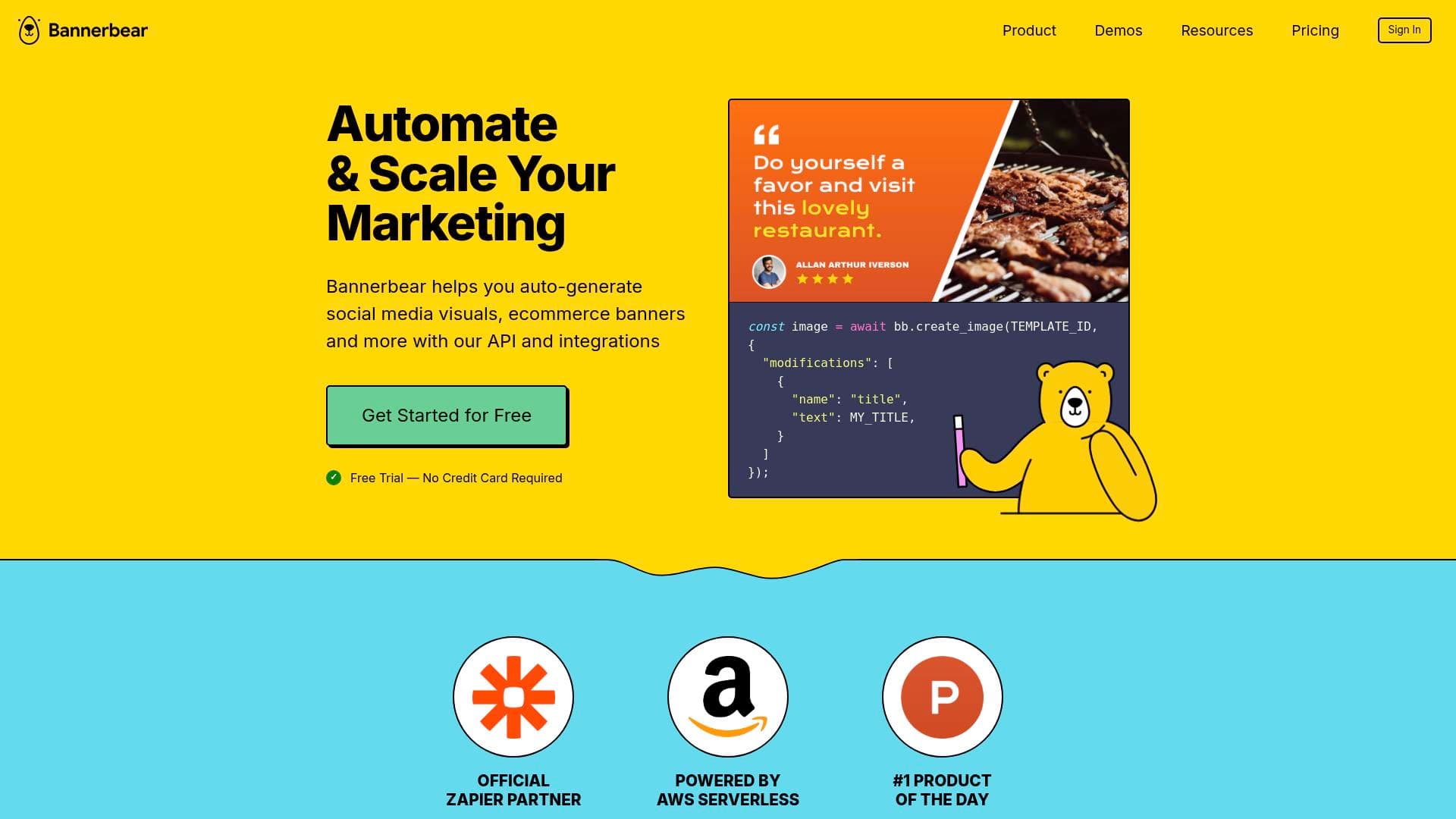
Bannerbear is an image and video generation API that helps content creators auto-generate social media visuals, podcast clips, thumbnails, and more via API or no-code integrations.
What is Bannerbear? A Content Creator's Guide
Every content creator knows the grind: publish a blog post, then manually create a thumbnail, an Instagram graphic, a Twitter card, and an Open Graph image. Bannerbear is an automated image and video generation platform built to eliminate exactly that repetitive work. It lets creators auto-generate social media visuals, ecommerce banners, podcast videos, and more using either a REST API or no-code integrations. The core idea is simple: design a template once, then let Bannerbear produce hundreds of on-brand variations automatically whenever new content is published.
What makes this tool particularly compelling for creators is its dual-path approach. Developers can tap into official libraries in Ruby, Node, and PHP, while non-technical creators can build automated workflows through Zapier, Airtable, Make.com (Integromat), or URL-based triggers. Whether a solo blogger or a podcast network producing content at scale, there's a path in. The platform is powered by AWS Serverless infrastructure, which means image rendering is fast — simple images render in as little as 1-2 seconds.
Bannerbear supports generating images, videos, animated GIFs, PDFs, and multi-image collections from a single request. It integrates with WordPress, Airtable, Zapier, Make.com, and more, making it a strong fit for creators who already have existing content workflows they want to automate. The template library covers YouTube thumbnails, podcast cover art, Instagram posts, Open Graph images, and dozens of other content formats creators need daily.
Bannerbear Features That Matter for Content Creators
-
Image Generation API: The core product lets creators generate images programmatically by passing data into pre-built templates. A blogger can trigger a new featured image every time a post goes live in Airtable, with the title and description automatically pulled in — no manual design work required.
-
Video Generation API: Beyond static images, Bannerbear generates videos automatically. Creators can produce podcast clips, watermarked videos, videos with subtitles, and more through the API or integrations. This is particularly useful for podcasters and video creators who need consistent branded clips for social media promotion.
-
PDF Generation API: Creators who sell digital products, send media kits, or distribute course materials can auto-generate PDFs from templates. Multi-page PDFs are supported, and the output can be saved directly to Airtable or sent via Zapier workflows.
-
Animated GIF Generation: Bannerbear can produce animated GIFs automatically, opening up creative options for Instagram, Twitter, and email newsletters without any manual animation work.
-
No-Code Workflow Integrations: For creators who don't write code, Bannerbear connects natively with Zapier, Make.com (Integromat), and Airtable. A real-world example: when a blog post is marked "published" in Airtable, the title, description, and image are automatically fed into a Bannerbear template to produce a featured image and social card.
-
Template Editor with Custom Fonts: The built-in template editor supports custom OTF, WOFF, and WOFF2 fonts, so creators can match their exact brand identity. Templates support up to 5000x5000 pixels and there is no limit on how many templates can be created.
-
AI Face Detection and Smart Crop: Bannerbear includes an AI-powered face detection feature and smart crop functionality. For creators who use headshots or portraits in thumbnails and social posts, this ensures faces are always properly framed without manual cropping.
-
Multi-Image Collections (Template Sets): Creators can generate a full set of images across multiple dimensions in a single API request — for example, producing a YouTube thumbnail, Instagram post, Instagram Story, and Twitter card all at once from the same content data.
-
Simple URLs and Signed URLs: On Scale and Enterprise plans, creators can generate images directly from URL parameters. This is useful for dynamic Open Graph images on blog posts or personalized visuals for newsletter subscribers.
-
Extensive Template Library: The template library covers a wide range of creator-specific formats including YouTube thumbnails, podcast cover art, podcast clip graphics, Instagram carousels, Open Graph images, Twitter banners, and certificates. Templates are filterable by category, type, and style.
-
WordPress Integration: A dedicated WordPress plugin lets bloggers and content publishers auto-generate custom Open Graph images for every post, removing one of the most tedious parts of the publishing workflow.
-
Free Tools: Bannerbear includes free standalone tools including a Facebook Open Graph Preview Tool, Twitter Card Preview Tool, and Pretty Screenshot Tool — useful for creators checking how their content appears when shared on social platforms.
Which Content Creators Should Use Bannerbear?
Bannerbear is built for creators who produce content at volume and are tired of manually creating the same types of visuals over and over. It rewards those who want to invest a little setup time upfront in exchange for fully automated visual production going forward.
Primary creator types:
- Bloggers and publishers who need featured images, Open Graph cards, and social share graphics generated automatically for every new post
- Podcasters who want branded episode artwork, quote graphics, and podcast clip videos produced without touching a design tool
- YouTubers who need consistent, on-brand thumbnails generated from episode titles and guest names
- Newsletter writers who want personalized header images or dynamic visuals for each send
- Course creators and educators who need to auto-generate certificates of completion for students
- Social media managers handling multiple accounts who need batches of platform-specific graphics produced from a single content source
Experience level: Bannerbear serves both developers (via REST API with Ruby, Node, and PHP libraries) and non-technical creators (via Zapier, Airtable, and Make.com no-code workflows). The free trial includes 30 API credits with no credit card required, making it accessible to experiment with.
Team size: Solo creators can use the Automate plan starting at $49/month, while the Scale plan at $149/month adds team member access with roles and permissions — useful for content teams or agencies managing creator accounts.
Specific use cases for content creators:
- Auto-generating YouTube thumbnails when a new video is added to an Airtable content calendar
- Creating podcast episode cover art and quote graphics automatically from episode metadata
- Producing Open Graph images for every WordPress blog post on publish
- Generating branded social media posts for Instagram, Twitter, and LinkedIn from a single Zapier workflow
- Auto-creating subtitled video clips from podcast recordings for social media
- Producing completion certificates for online course students automatically
- Generating personalized welcome images for new newsletter subscribers
- Creating consistent Instagram carousel slide sets from blog post content
Getting Started with Bannerbear
- Sign up for a free trial — the free trial includes 30 API credits and requires no credit card. This is enough to test image generation across several templates.
- Build or choose a template — use the Template Editor to create a custom design with your fonts and brand colors, or pick a starting point from the template library which includes YouTube thumbnails, podcast graphics, Open Graph images, and more.
- Connect your workflow — for no-code creators, connect Bannerbear to Zapier or Airtable and map your content fields (title, description, image URL) to the template layers. For developers, grab the API key and follow the API Quick Start guide using the Ruby, Node, or PHP library.
- Trigger your first generation — publish a piece of content or manually trigger the workflow to see Bannerbear produce your first auto-generated visual. Simple images render in 1-2 seconds.
Bannerbear FAQ for Content Creators
What can Bannerbear generate? Bannerbear auto-generates social media visuals, ecommerce banners, dynamic email images, podcast videos, animated GIFs, PDFs, and multi-image collections. It covers virtually every visual format a content creator needs.
How fast does image rendering take? Simple images render in 1-2 seconds. Rendering time scales with the complexity of the template and the number of elements being modified.
Can non-developers use Bannerbear? Yes. Bannerbear supports no-code automated workflows through Zapier, Make.com, Airtable, and Forms integrations. Creators can build fully automated visual pipelines without writing a single line of code.
Can images be generated synchronously? The API is primarily asynchronous, but a synchronous endpoint is available for use cases where the image needs to be returned immediately in the API response.
Is there a limit on templates? There is no limit on the number of templates that can be created. Templates can be up to 5000x5000 pixels in size.
Can custom fonts be used? Any OTF, WOFF, or WOFF2 font can be uploaded to Bannerbear and used in the Template Editor, enabling full brand consistency.
Does Bannerbear support languages other than English? Bannerbear works with all languages as long as a compatible font for that language or writing system is used.
What happens if the API credit limit is reached? It is not possible to exceed the monthly API credit limit — generation simply stops until the plan is upgraded. Only POST requests (actual generation requests) count against the credit quota.
Can team members be added? Team collaboration with roles and permissions is available on the Scale plan ($149/month) and above. Project ownership can also be transferred to another team member.
The Verdict: Is Bannerbear Worth It for Content Creators?
Bannerbear is a strong fit for high-volume content creators who are spending significant time manually producing the same types of visuals. Bloggers who publish frequently, podcasters with regular episode schedules, and YouTubers who need consistent thumbnails will get the most value from the automation capabilities.
The main advantages are clear: no-code workflow support through Zapier and Airtable makes it accessible without technical skills, the template library covers the most common creator formats out of the box, and the rendering speed means visuals are ready almost instantly. The AI face detection and smart crop features are genuinely useful for creators who work with portraits and headshots.
The primary consideration is that Bannerbear is most valuable when there's a repeatable visual production task to automate. Creators who only occasionally need custom graphics may find the $49/month starting price harder to justify compared to the value unlocked by high-frequency publishing. The free trial with 30 credits and no credit card required is the right way to evaluate fit before committing.
For creators who publish consistently and want to stop manually producing the same graphics every week, Bannerbear delivers a well-built automation layer that can genuinely remove hours of repetitive design work from the content creation workflow.
Details
One link. Every channel, rate, and piece of work brands need to evaluate you. Built for how creators actually get hired.
Claim your profile
Live creator, content, and marketing roles from real companies, with the pay, market, and context the raw job page never gives you.
Browse jobs

 Post Bridge