

2Short
2short.ai is an AI-powered YouTube Shorts generator that automatically extracts the best moments from long-form videos to create engaging short clips for YouTube, TikTok, and Reels.
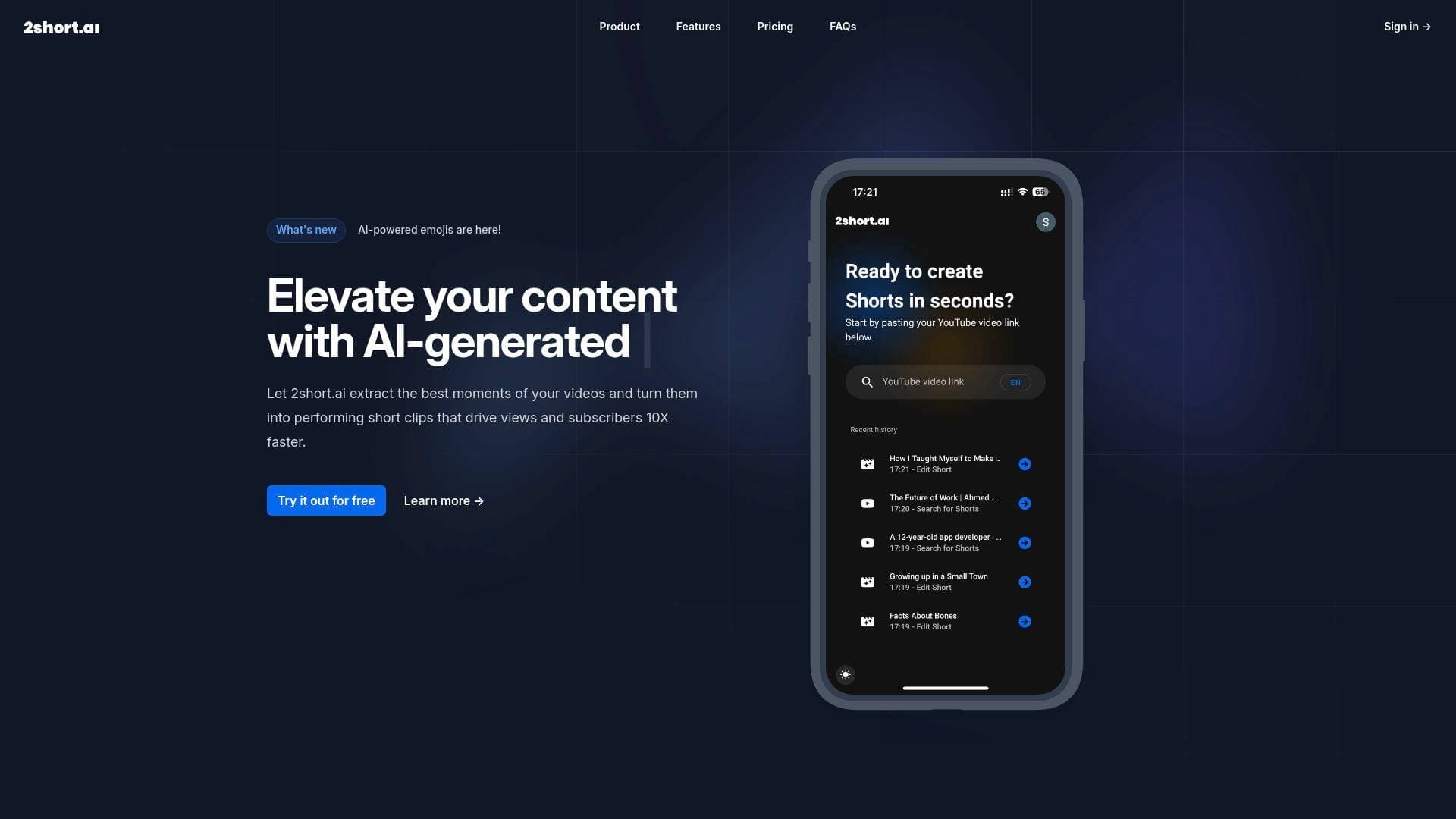
Brief Overview of 2short.ai for Content Creators
2short.ai is an AI-powered video repurposing tool built specifically to help content creators transform long-form YouTube videos into high-performing short clips for YouTube Shorts, TikTok, and Instagram Reels. The core problem it solves is one every active creator faces: spending enormous amounts of time manually scrubbing through footage to find the moments worth clipping. Instead of doing that work by hand, 2short.ai uses AI to intelligently analyze video content, identify the most engaging segments, and package them into ready-to-publish short-form videos. The platform promises to accelerate the repurposing workflow up to 10X faster compared to manual editing. It works with videos that contain spoken words, using captions and dialogue to understand context and extract compelling moments. Support for vertical, square, and horizontal aspect ratios means creators can publish directly to any short-form platform without additional reformatting. For YouTubers, podcasters, educators, and commentary creators sitting on libraries of long-form content, this tool offers a practical way to extend reach and grow subscribers without doubling the editing workload.
2short.ai Key Features for Content Creators
-
AI-Powered Moment Extraction: The AI analyzes spoken content within videos to identify and extract the most engaging segments automatically. Creators simply paste a YouTube link and the system does the heavy lifting, making it ideal for anyone who wants to repurpose content without spending hours in a timeline editor.
-
Center Stage Facial Tracking: 2short.ai uses facial tracking technology to automatically keep active speakers centered on screen when converting horizontal video to vertical format. This is critical for talking-head content, interviews, and podcasts where keeping the subject in frame matters for viewer retention.
-
One-Click Animated Subtitles: With a single click, creators can add animated subtitles to their short clips. Animated captions are a proven driver of watch time and engagement on short-form platforms, and having this baked in removes the need for a separate captioning tool.
-
Unlimited High-Quality Exports at 1080p: There are no watermarks on exported videos, and exports are delivered at 1080p resolution. This means creators can publish polished, professional-looking shorts without any branding from the platform appearing in their content.
-
Versatile Aspect Ratio Support: The platform supports vertical (9:16), square (1:1), and horizontal (16:9) aspect ratios. This flexibility lets creators produce shorts optimized for YouTube Shorts, TikTok, Instagram Reels, or any other platform from a single source video.
-
Advanced Editing and Cropping Tools: Beyond the automated features, 2short.ai includes manual editing and cropping options for situations where the AI's automatic framing needs adjustment. This gives creators precise control when the automated output needs a human touch.
-
Brand Presets with Logos and Overlays: Creators can add brand logos and overlays to exported videos, ensuring every short clip maintains a consistent visual identity. This is particularly valuable for creators building a recognizable brand across multiple platforms.
-
Google Drive and Public URL Imports: Beyond YouTube links, the Lite plan and above support video imports directly from Google Drive and public URLs. This opens the tool up to creators who store footage outside of YouTube or want to repurpose content that isn't yet published.
-
Multi-Language Support: 2short.ai supports over 25 languages including English, Spanish, French, German, Japanese, Korean, Portuguese, Italian, and many more. This makes the tool accessible to creators producing content for non-English-speaking audiences around the world.
2short.ai Target Users & Use Cases for Content Creators
2short.ai is built for creators who produce long-form video content and want to extend its reach through short-form clips without adding hours of editing to their workflow. The tool is particularly well-suited for creators who are comfortable with YouTube but want to expand their presence on TikTok and Instagram Reels simultaneously.
-
Primary creator types: YouTubers with existing libraries of long-form content, podcasters who record video versions of their episodes, educators publishing lecture-style or tutorial content, commentary creators, product reviewers, and motivational or interview-format creators.
-
Experience level: The one-click workflow and automated AI features make this accessible to beginner and intermediate creators, while the advanced editing tools give experienced creators enough control to fine-tune results.
-
Team size: Solo creators benefit most from the time-saving automation, though the Premium plan is positioned for content creators and agencies managing higher volumes of content.
-
Specific use cases:
- A YouTuber with a 45-minute podcast episode wants to pull three viral-worthy clips for TikTok without watching the whole video again
- An educational creator repurposes a long tutorial into bite-sized YouTube Shorts to drive subscribers back to the full video
- A product review creator clips the most compelling moments from a 20-minute review to post as Instagram Reels
- A motivational speaker turns a full keynote recording into multiple short clips for cross-platform distribution
- A commentary creator uses the facial tracking feature to reformat horizontal videos into vertical Shorts without manual cropping
- An agency managing multiple creator accounts uses the Premium plan's 50 hours of AI analysis to process high volumes of content monthly
- A creator building a brand adds logos and overlays to every exported short to maintain consistent visual identity across platforms
-
Content types supported: Spoken-word videos with captions, including podcasts, educational videos, commentary videos, product reviews, and motivational speeches. The platform requires captions to function, though YouTube auto-generates captions for most uploaded videos.
How to Get Started with 2short.ai
- Create a free account: Sign up for the Starter plan at no cost, which includes 30 minutes of AI video analysis per month and full access to all features.
- Import your video: Copy a YouTube video link and paste it directly into the 2short.ai app. Lite plan users and above can also import from Google Drive or public URLs.
- Let the AI analyze your content: The AI processes the video's spoken content and captions to identify the most engaging moments and generate short clip candidates automatically.
- Review and customize: Browse the generated clips, apply animated subtitles with one click, adjust framing using the advanced editing tools if needed, and add brand logos or overlays via brand presets.
- Export and publish: Export clips at 1080p with no watermarks in your chosen aspect ratio, then publish directly to YouTube Shorts, TikTok, Instagram Reels, or any other platform.
Frequently Asked Questions About 2short.ai
Does 2short.ai add watermarks to exported videos? No, there are no watermarks on any exported videos. All plans, including the free Starter tier, allow creators to export clean 1080p clips without any platform branding.
What kinds of videos work best with 2short.ai? The tool works best with videos that contain spoken words, since the AI uses dialogue and captions to identify engaging moments. Podcasts, educational videos, commentary videos, product reviews, and motivational speeches are all strong use cases. Videos must have captions available, though YouTube auto-generates captions for most videos automatically.
How many languages does 2short.ai support? Over 25 languages are currently supported, including English, Spanish, French, German, Italian, Portuguese, Japanese, Korean, Dutch, Polish, Russian, Turkish, and Ukrainian, among others. The platform continues to expand its language support over time.
What is included in the free Starter plan? The free Starter plan includes 30 minutes of AI video analysis per month, the ability to view and export already-generated short clips, and full access to all platform features. It is designed as an entry point for creators who want to test the tool before committing to a paid plan.
What are the differences between the paid plans? All plans include full feature access. The primary difference is the amount of AI video analysis time available per month: 5 hours on Lite ($9.90/mo), 15 hours on Pro ($19.90/mo), and 50 hours on Premium ($49.90/mo). The Lite plan adds 60 minutes of fast server-side exports per month and removes ads. Pro unlocks unlimited fast server-side exports. Premium adds priority support and access to the newest beta features.
Can I import videos from sources other than YouTube? Yes, starting with the Lite plan, creators can import videos from Google Drive and public URLs in addition to YouTube links.
Bottom Line: Should Content Creators Choose 2short.ai?
2short.ai is a strong fit for YouTubers, podcasters, educators, and commentary creators who produce regular long-form content and want a faster way to repurpose it into short-form clips. The AI-driven moment extraction, automatic facial tracking, one-click animated subtitles, and watermark-free 1080p exports cover the core needs of most short-form repurposing workflows without requiring advanced editing skills.
The free Starter plan makes it easy to test the tool with no financial commitment, and the paid tiers are priced accessibly for independent creators. The main limitation to be aware of is that the tool requires captions to function, so videos without any caption data won't be processable. It also works specifically with spoken-word content, meaning purely visual or music-based videos won't benefit from the AI analysis.
For creators looking to grow their audience across YouTube Shorts, TikTok, and Instagram Reels without spending hours in a video editor, 2short.ai offers a practical, well-structured solution at a price point that works for creators at multiple stages of growth.
Details
One link. Every channel, rate, and piece of work brands need to evaluate you. Built for how creators actually get hired.
Claim your profile
Live creator, content, and marketing roles from real companies, with the pay, market, and context the raw job page never gives you.
Browse jobs

 Post Bridge