
How to Find Trending Audio on Instagram (The Easy Way)
Stop scrolling for hours to find trending audio on Instagram. Learn the professional dashboard secret that gives you personalized trending sound recommendations.
Details
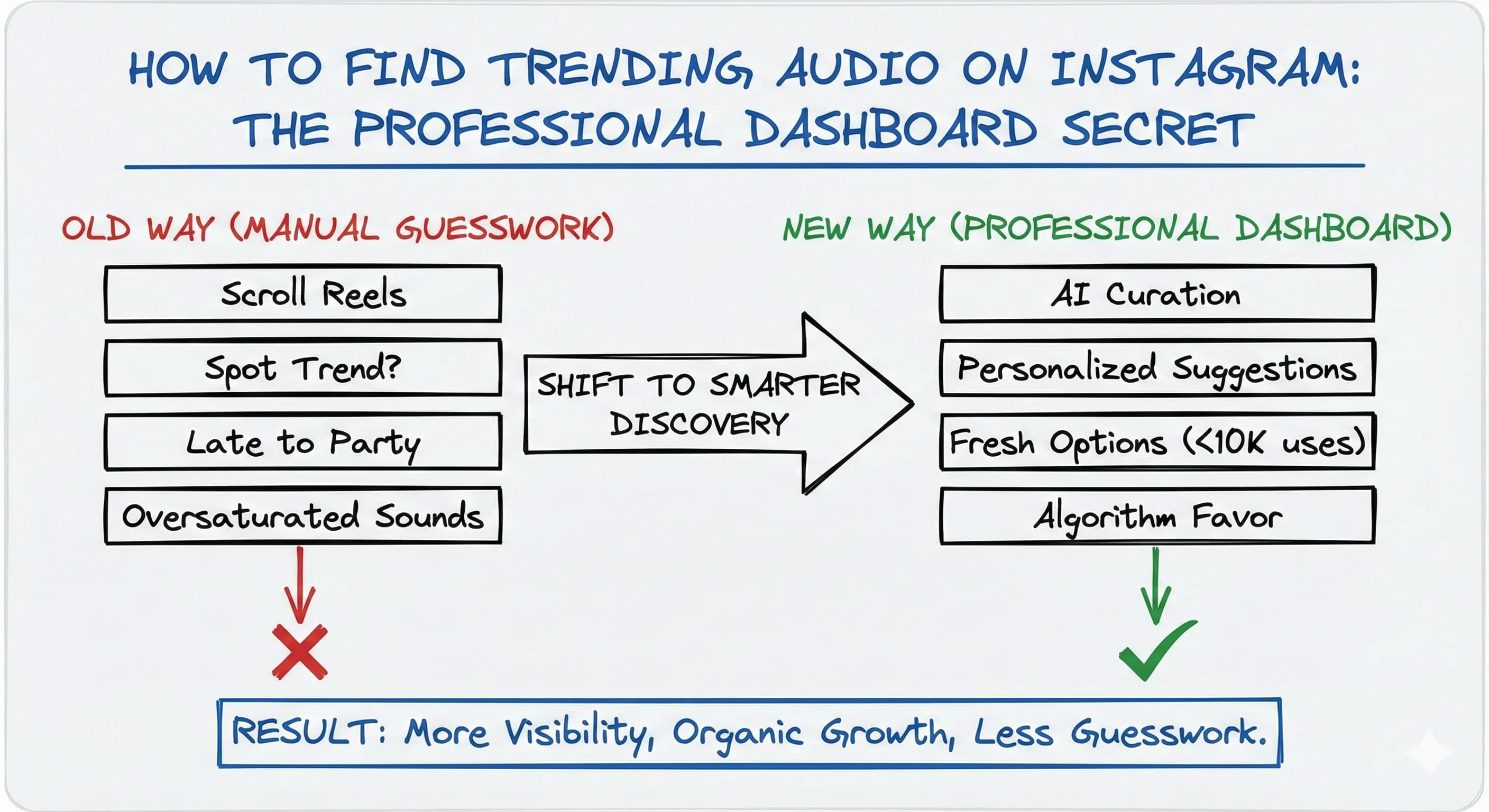
You've probably spent countless hours scrolling through Instagram reels, desperately trying to spot the next trending sound. There's actually a hidden feature in Instagram's professional dashboard that eliminates this guesswork entirely, and most creators have no idea it exists. It's the fastest way to find trending audio for an Instagram reel, and there are a few other ways to find trending sounds we'll cover too.
While this guide focuses on Instagram, the same instinct applies on TikTok: a trending reel and a trending TikTok both live or die by the audio. Instagram audio trends move fast, so knowing where to look is half the battle.
Why Instagram's Professional Dashboard Changes Everything
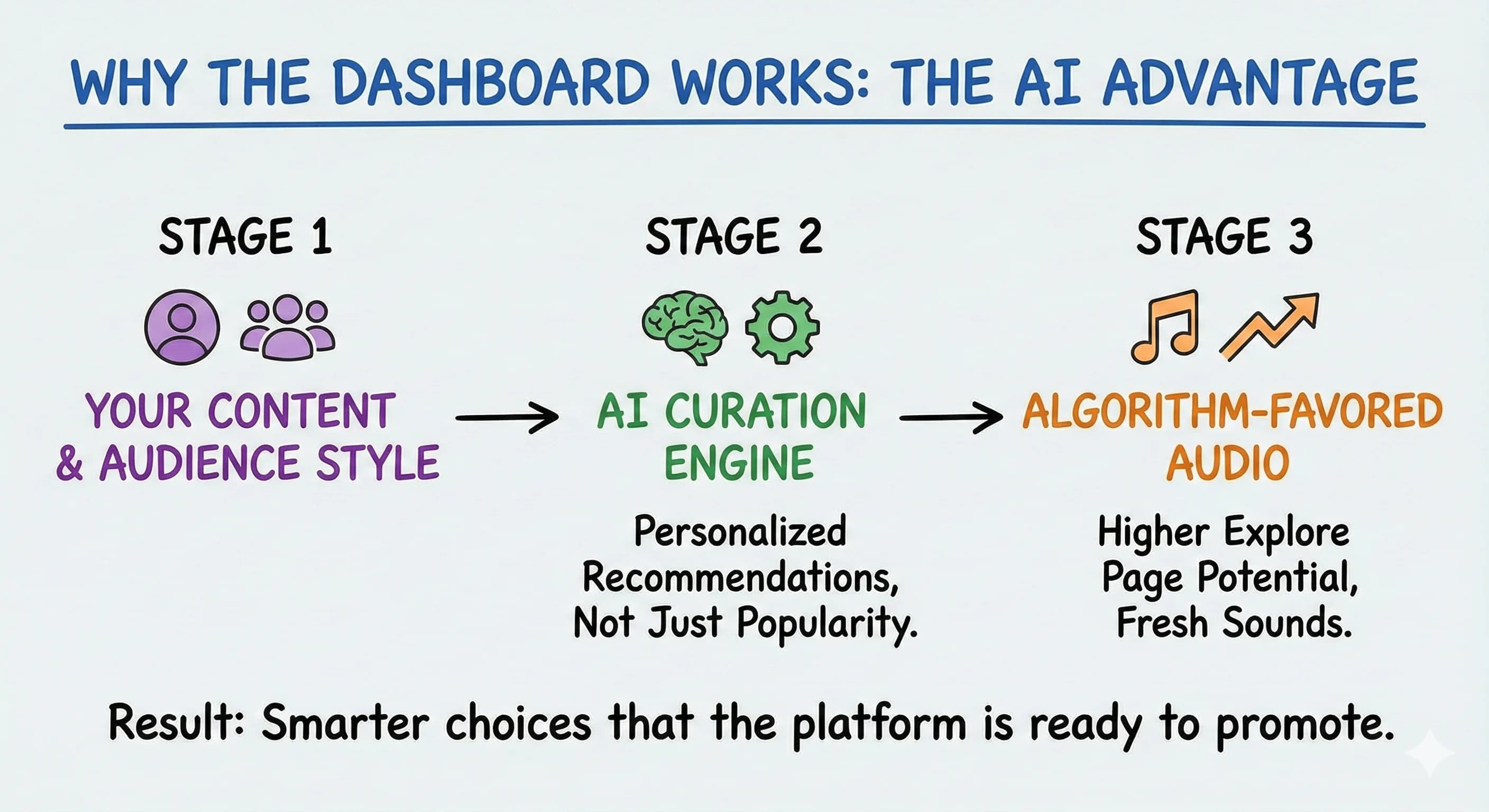
Instead of competing for the same viral tracks as every other creator, Instagram's AI curates trending audio recommendations specifically for your account. This means you're getting personalized suggestions based on your content style and audience, not just whatever's popular with dance creators.
The dashboard updates regularly with fresh trending sound options before they become oversaturated. When you use trending audio that Instagram's algorithm actively promotes, your reels are significantly more likely to reach the explore page.
How to Find Trending Audio on Instagram Using the Built-in Tool
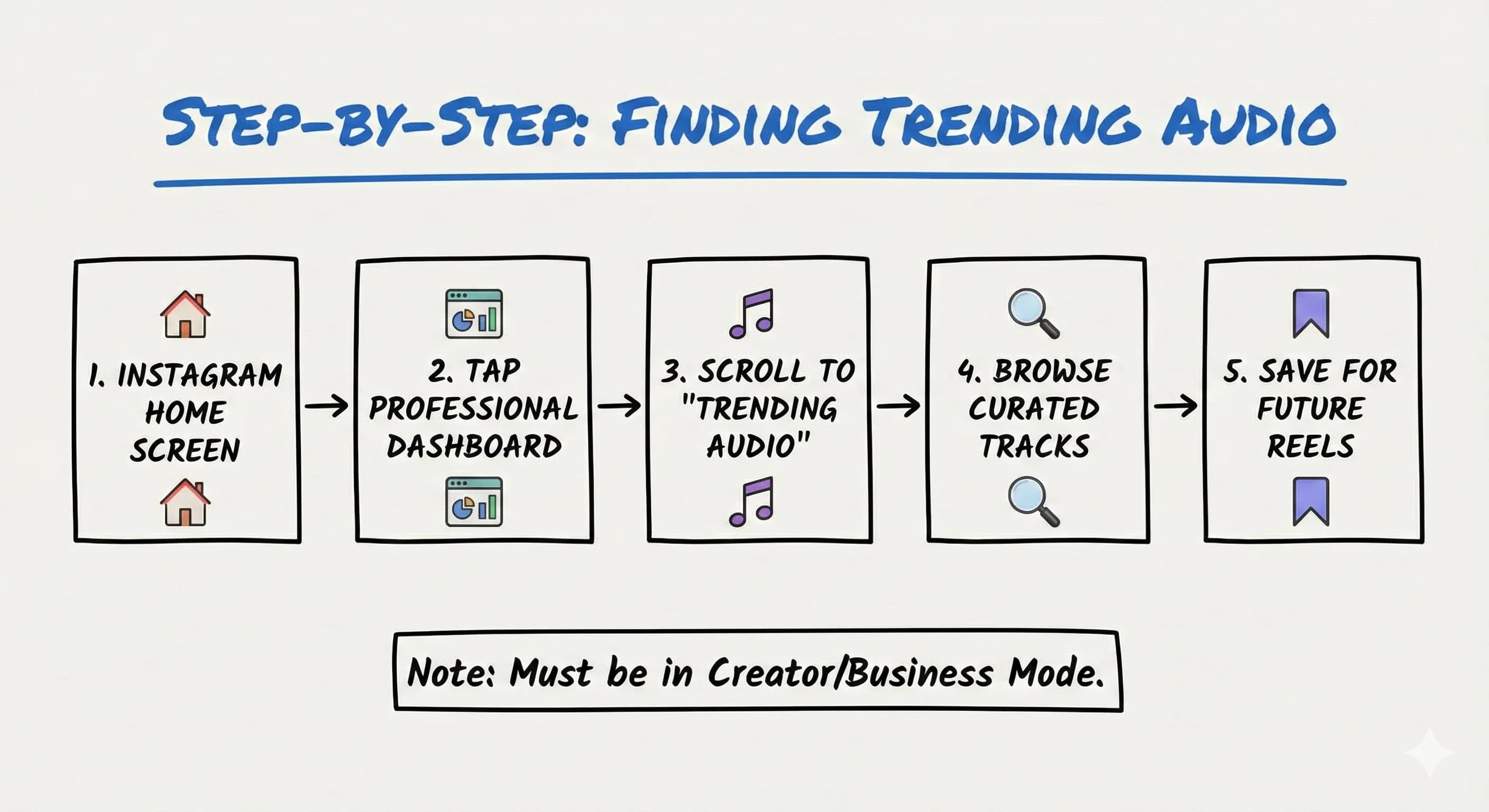
First, you'll need to switch from a personal account to creator mode if you haven't already. This unlocks insights and the professional dashboard feature that most creators overlook.
Here's the step-by-step process:
- Go to your Instagram home screen
- Tap the professional dashboard tab
- Scroll down to find the "trending audio" section
- Browse recommended tracks curated for your account
- Save relevant sounds for future reel production
What makes this approach so effective is that you're not just getting random trending sounds, you're getting audio that Instagram's algorithm believes will work specifically for your audience.
Real Creator Success with This Strategy
While specific dashboard success stories are limited, creators using trending audio consistently see dramatic results. Hootsuite's experiment showed that reels with trending tracks like Ciara's "Level Up" outperformed original audio by up to 2.5x views. One account's top reel gained 16.3K views using Fleetwood Mac's "Dreams" compared to just 6K views with original audio.
Brands like @olaplex and @fourthraybeauty leverage popular sounds with voiceovers, yielding 110% more views for longer voiceover content. The key isn't just using trending audio: it's using the right trending audio for your specific niche and audience.
Can Business Accounts Use Trending Audio on Instagram?
Yes! Both creator and business accounts can access this feature through the professional account setting. The trending audio section appears under "Tips and Resources" after switching to creator mode and navigating from your profile's professional dashboard.
However, there are some regional limitations for related features like the Reels Trend tool, so availability might vary depending on your location.
Advanced Strategies to Maximize This Tool
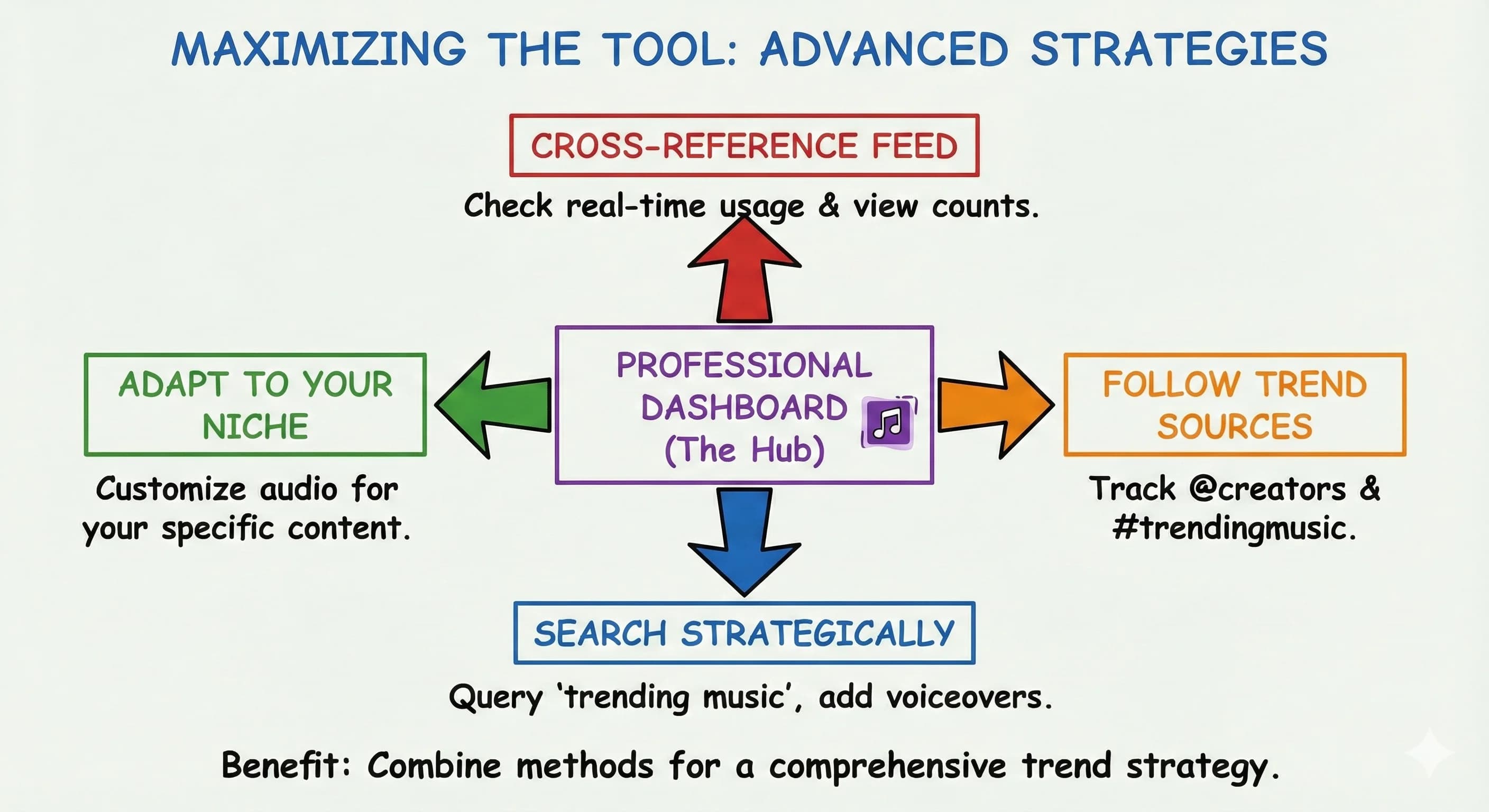
Don't rely solely on the dashboard. Combine it with these other ways to find trending audio for better results, each is a reliable way to find trending sounds before your next Instagram reel:
Cross-reference with your feed: After saving sounds from the dashboard, scroll through your home feed or explore page to see real-time usage stats like view counts and how many reels are using each track.
Follow trend sources: Pair dashboard recommendations with updates from @creators and hashtags like #trendingmusic for broader trend awareness.
Search strategically: Query "trending music" in Instagram's search bar, then use those tracks natively for better algorithm preference. Add voiceovers or captions for 63-110% view lifts.
Adapt trends to your niche: Customize dashboard audio for your specific content area. Tech creators might use "then vs. now" challenge audio differently than lifestyle creators.
How to Tell If a Sound Is Actually Trending
Not every popular track is a trending song worth using. When you tap an audio track in the reels feed, Instagram shows the track name and how many reels use it, that's your fastest signal. A little upward arrow next to a sound means it's currently trending on Instagram. Look for these signs of trending reels audio:
- The trending arrow on the audio page (Instagram's own "what's trending" marker)
- Rising, not saturated, use counts, ideally under 10,000 reels so you're early
- Recent uploads, check that the latest trending clips using it are days old, not months
- A named artist track, not just "original audio", since trending songs on Instagram tend to travel further
You can also browse Instagram's trending audios directly: from the reels audio picker, tap the search bar and look at the top 50 trending songs and audio, which Instagram keeps updated weekly. Pair a trending song with a text overlay or an on-screen caption to squeeze even more reach out of it. To find trending Instagram audio consistently, make checking that audio page part of your weekly routine.
The Smart Way to Stay Ahead
Instead of manually hunting through the explore page or following dozens of trend accounts, check your professional dashboard weekly. Look for sounds with under 10,000 uses, these are often the golden opportunities before everyone jumps on them.
Save a handful of trending tracks each week so you're ready when it's time to post your next Instagram reel. Remember that Instagram audio trends change quickly, so a sound that makes a trending reel today might be oversaturated next week.
This simple shift in how you discover trending audio can significantly boost your content's visibility and help you attract new followers organically. The dashboard essentially gives you early access to sounds that Instagram's algorithm is already prepared to promote.
Read more about Becoming a Content Creator
📚 Complete Guides
- How to Become a Content Creator: Complete Beginner's Guide
- Content Creator Platform Guide: Choose the Right Platform to Start Your Creator Journey
⚡ Tactics & Strategies
- 50% Retention Rate Optimization for YouTube Algorithm Success
- Age Bracket as Superpower Strategy for Older UGC Creators
- AI Workflow Integration for Content Reduction
- Audience Consistency Strategy to Avoid Algorithm Penalties
- Audience Poll on Instagram to Source Q&A Content in Advance of Recording
📄 Related Articles
- Brand Partnerships: How Creators Win Them and Keep Them
- Social Media Competitor Analysis: How to Decode Their Strategy
- Founder-Led Marketing: How to Scale It Past 7 Figures
- Content Decay: How to Find and Fix Pages Losing Rankings
- Newsletter Niche: Should You Niche Down or Go Broad?
- Social Media SEO: How UGC Creators Get Found by Brands
- Podcast Formats: Solo vs Interview (and How to Choose)
- How to Soft Launch a Product: Staggered Launch Strategy for Content Creators
Read more about Systems, Workflows & Operations for Content Creators
Read more Instagram Resources for Content Creators
📚 Complete Guides
⚡ Tactics & Strategies
- Audience Poll on Instagram to Source Q&A Content in Advance of Recording
- Community-First Creator Sourcing to Maximize Small Influencer Budgets
- Consistent Aesthetic Elements Strategy
- Creating Viral Content Through Polarizing and Educational Hooks
- Earning Influence Through Trust Rather Than Attention Spikes
🧮 Calculators
Free: The Instagram Trending Audio Playbook
Get the interactive tool, downloadable PDF, and Notion template - all free.
No spam. Unsubscribe anytime.

Alex Kirillov
Details
One link. Every channel, rate, and piece of work brands need to evaluate you. Built for how creators actually get hired.
Claim your profile
Live creator, content, and marketing roles from real companies, with the pay, market, and context the raw job page never gives you.
Browse jobs
