

Wavve
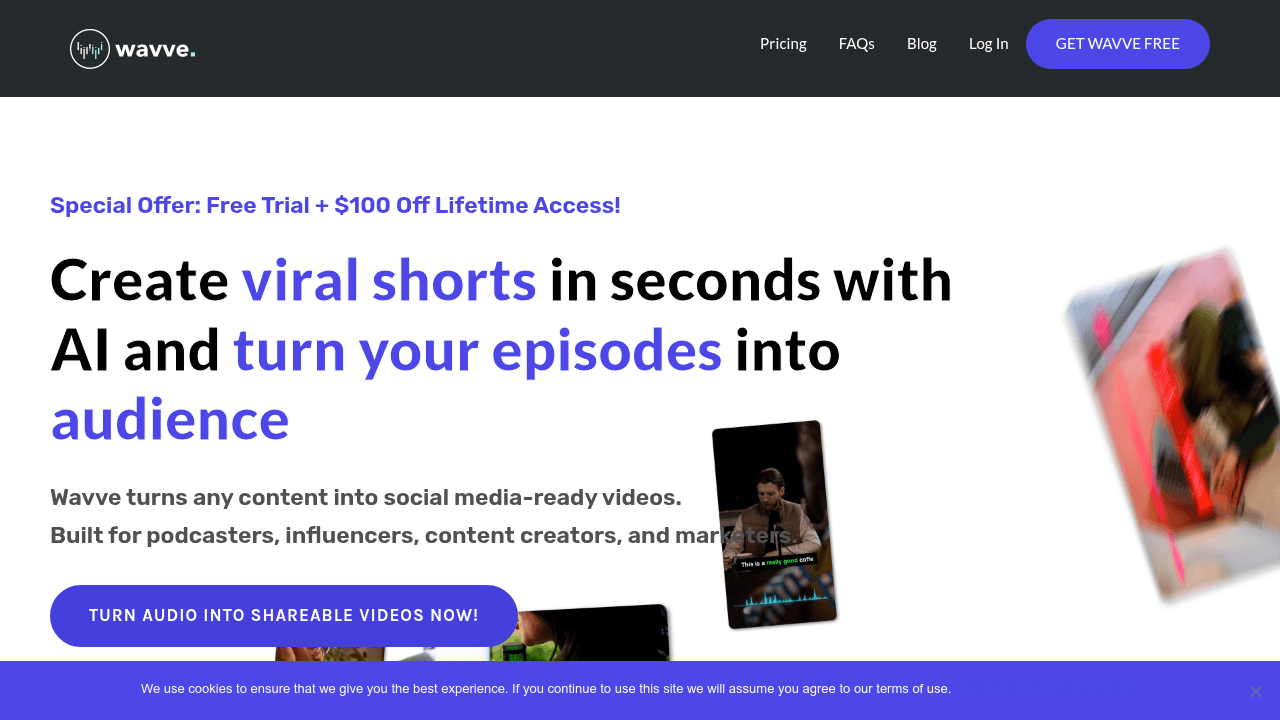
Wavve is an audio-to-video creation tool that helps podcasters and content creators turn episode clips into shareable social media videos with AI-powered highlights, captions, and waveform animations.
What is Wavve? A Content Creator's Guide
For podcasters and audio-first content creators, the biggest challenge isn't making great content — it's getting people to discover it. Wavve is an audio-to-video creation platform built specifically to solve that problem, turning podcast episodes and audio clips into scroll-stopping social media videos that drive real audience growth. Powered by Disctopia, it targets podcasters, influencers, content creators, and musicians who want to repurpose their audio into visually engaging short-form video content without needing any video editing expertise. The platform's core approach is simple: take your best audio moments, wrap them in eye-catching visual elements like waveform animations and captions, and push them across every major social channel. What sets Wavve apart is the combination of AI-powered clip identification, a drag-and-drop design editor, built-in social scheduling, and a dedicated podcast landing page tool — all in one content creation workflow. For creators who are camera-shy or simply don't have time to produce video from scratch, it offers a genuinely practical path to growing a visual social media presence from audio alone.
Wavve Features That Matter for Content Creators
-
AI Hot Spot Identification (Magic Clips): Wavve's AI automatically scans your audio and pinpoints the most compelling moments, turning them into shareable clips without manual scrubbing. This is a major time-saver for podcasters who record long-form episodes and need to extract the best 60-second highlights for Instagram or TikTok.
-
Waveform Animations (Wavveforms): Every audio clip gets paired with animated waveform graphics and progress bars that visualize the sound in real time. These animated visuals are specifically designed to stop the scroll in social media feeds, making audio content feel dynamic and watchable even before a viewer hits play.
-
Captions in 60+ Languages: Wavve generates transcriptions and captions for video clips in over 60 languages. This is critical for creators targeting global audiences or optimizing for silent autoplay on platforms like Instagram and Facebook, where most users scroll without sound.
-
Drag-and-Drop Design Editor: The in-browser editor lets creators upload custom images and logos, then drag and drop text, animations, and design elements into place. No design software or technical skills are required, making it accessible to beginners while still offering enough customization for brand-conscious creators.
-
Ready-to-Go Templates: Seasonal designs and platform-ready templates cover everything from holiday campaigns to everyday posts. Creators can jump straight into a polished design without starting from scratch, which keeps the content creation workflow fast and consistent.
-
Auto-Resizing for Every Platform: Create a clip once and Wavve automatically adapts it to fit the correct dimensions for each social channel. This eliminates the tedious manual resizing that typically comes with cross-posting content to Instagram, YouTube, LinkedIn, Facebook, and beyond.
-
SRT and Transcript Downloads: Beyond captions burned into videos, Wavve also exports SRT files and full transcripts. Creators can use these to repurpose episode content into blog posts, newsletters, or subtitles for other video platforms, extending the reach of every recording.
-
Social Scheduling and Posting: Wavve includes built-in tools to post content immediately or schedule it for later across social platforms. This turns it into a lightweight social media management tool, removing the need for a separate scheduling app for audio-derived video content.
-
Content Imports from YouTube and RSS: Creators can pull content directly from YouTube or their podcast RSS feed, centralizing the workflow inside Wavve. Additional integrations are noted as coming, making it a growing hub for multi-source content repurposing.
-
Wavve Link — Podcast Landing Page: Every account includes access to Wavve Link, a dedicated podcast webpage (wavve.link/yourpodcast) that auto-syncs with any RSS feed. The premium version adds page analytics, email subscriber collection, a custom domain, and an episodes page — essentially a lightweight podcast website built into the platform.
Which Content Creators Should Use Wavve?
Wavve is purpose-built for audio-first creators who want to grow their presence on visual social media platforms without becoming video producers. It works equally well for solo creators and small podcast teams, with plans that include up to 2 team members and the option to add additional users for $4/month.
- Primary creator types: Podcasters are the clearest fit, but musicians, radio hosts, influencers, and filmmakers also appear in the user base. Any creator with audio content to promote will find immediate value.
- Experience level: Explicitly designed for beginners to advanced creators. The platform emphasizes no clunky menus and no guesswork, with the Wavve Wizzard feature specifically helping new users get started quickly.
- Team size: Solo creators and small podcast production teams. The Pro plan includes 2 team members, making it practical for co-hosted shows or creator-plus-editor setups.
- Specific use cases:
- A podcaster clipping a key interview moment into a 60-second audiogram for Instagram
- A musician uploading a WAV file and turning it into a YouTube-ready video without video editing software
- A radio host creating branded social clips from broadcast segments
- A creator scheduling a week's worth of social posts from a single episode recording
- A podcast team generating multilingual captions to reach international listeners
- A camera-shy creator building a social media presence through audio-visual content instead of face-to-camera video
- A solo podcaster using Wavve Link to create a professional podcast landing page with a custom domain
- A content creator exporting SRT files to repurpose episode transcripts into written content
- Content types: Short-form social video clips (audiograms), podcast promotional content, music promotion videos, and podcast landing pages.
Getting Started with Wavve
- Sign up for a free trial: Wavve offers a 7-day free trial that includes access to all features, so creators can test the full workflow before committing to a paid plan.
- Upload your media: Import audio or video content directly, or pull it in from YouTube or your podcast RSS feed.
- Create your design: Use the drag-and-drop editor to choose a template, add your logo and images, and customize the waveform animation and captions to match your brand.
- Review and export: Double-check your auto-generated captions, download SRT files if needed, and export your clip.
- Share or schedule: Post your video immediately to your social channels or schedule it for a later time using Wavve's built-in scheduling tools.
Wavve FAQ for Content Creators
What does Wavve cost? Wavve Pro is available at $19.99/month (billed monthly) or $15.99/month (billed annually, saving 3 months). A one-time Lifetime Access option is available for $400. A free 7-day trial is included for all new accounts. Wavve Link is also available as a standalone free plan or at $9.99/month for the premium version.
What's included in the Pro plan? The Pro plan includes unlimited video generation minutes, unlimited transcriptions, unlimited Wavve Link premium podcast webpages, unlimited designs with no Wavve branding, and 2 team member seats. Additional users can be added for $4/month each.
Does Wavve add watermarks to videos? No — unlimited designs are explicitly available with no Wavve branding included in the paid plans.
Can Wavve handle multiple languages? Yes. Wavve generates transcriptions and captions in over 60 languages, making it practical for creators with international audiences.
What is Wavve Link? Wavve Link is a podcast landing page tool that generates a custom webpage (wavve.link/yourpodcast) from your RSS feed. It auto-updates as new episodes go live, includes a built-in podcast player, and links out to streaming services. The premium tier adds analytics, email collection, an episodes page, and a custom domain.
Can creators import content from other platforms? Yes. Wavve supports imports from YouTube and RSS feeds, with more integrations noted as coming.
Is there live customer support? Live support is available Monday through Friday, 9:00 a.m. to 5:00 p.m. New York (EST) time.
The Verdict: Is Wavve Worth It for Content Creators?
For podcasters specifically, Wavve is one of the most focused and practical tools available for turning audio content into social media-ready video. The AI clip identification alone saves significant time for creators who record long episodes and need to extract shareable moments quickly. Add in multilingual captions, auto-resizing, waveform animations, and built-in scheduling, and it covers the full audiogram creation and distribution workflow in a single platform.
The tool is best suited for podcasters, musicians, and radio creators who are serious about growing their social presence but don't want to invest in complex video editing software. The pricing is straightforward, the free trial removes the risk of commitment, and the Lifetime Access option at $400 makes strong financial sense for creators who plan to use it long-term. The one notable limitation is that the affiliate program has been suspended as of May 2023, so referral-based income isn't currently an option for creator-affiliates. Overall, Wavve delivers a clear, well-scoped solution for the very real problem of making audio content visible in a video-dominated social media landscape.
Details
One link. Every channel, rate, and piece of work brands need to evaluate you. Built for how creators actually get hired.
Claim your profile
Live creator, content, and marketing roles from real companies, with the pay, market, and context the raw job page never gives you.
Browse jobs

 Post Bridge