

Taskade
Taskade is an AI app builder that lets content creators vibe code apps, deploy AI agents, and automate workflows from a single prompt, with no coding required. Start free.
What is Taskade? A Content Creator's AI Workflow Platform
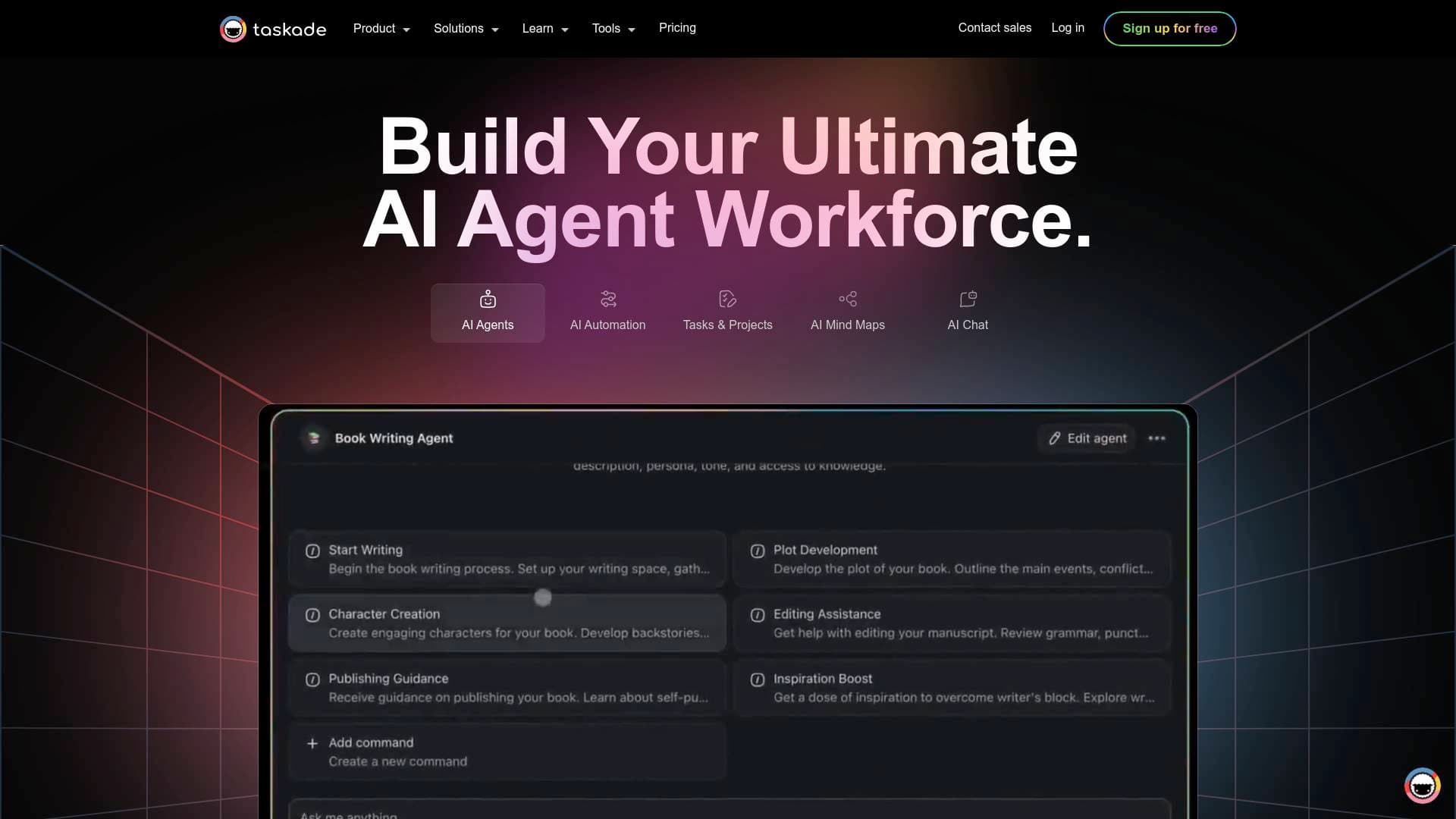
Taskade is an AI app builder and workflow automation platform that transforms a single text prompt into a fully deployed, living software system — complete with a database backend, AI agents, and automated workflows. For content creators drowning in repetitive tasks, scattered tools, and manual publishing processes, this platform offers a genuinely different approach: describe what you want to build, and Taskade Genesis assembles the entire system for you. The core technology runs on what Taskade calls "Workspace DNA," a self-reinforcing loop of three pillars — Memory (projects and databases), Intelligence (AI agents), and Execution (automations). These three layers work together continuously: memory feeds intelligence, intelligence triggers execution, and execution writes back to memory. With over 100,000 live apps already built on the platform and 500,000+ agents deployed, Taskade has proven traction across a wide range of creator and productivity use cases. It supports web, desktop, and mobile apps, and connects to 100+ integrations including YouTube, RSS feeds, WordPress, Slack, Google Sheets, and more. For content creators looking to automate their content creation workflow, manage multi-platform publishing, or build custom AI-powered tools without hiring a developer, Taskade is a compelling all-in-one solution.
Taskade Features That Matter for Content Creators
-
Taskade Genesis AI App Builder: The flagship feature lets creators type a single prompt and receive a fully wired, deployed application — not a mockup or prototype. The system includes a backend database, embedded AI agents, and connected automations from the moment it launches. A creator could prompt "Build a content calendar with AI scheduling" and receive a working system immediately, no assembly required.
-
Custom AI Agents with Persistent Memory: Creators can deploy AI agents that maintain persistent memory across sessions, meaning the agent remembers past conversations, project context, and workspace data. Each agent supports 22+ built-in skills and can be assigned one of 11+ frontier AI models from OpenAI, Anthropic Claude, or Google Gemini — letting creators pick the best model for each specific task, whether that's writing YouTube scripts, analyzing audience feedback, or drafting newsletter copy.
-
Multi-Platform Publisher App: A ready-to-clone community app specifically built for content distribution, the Multi-Platform Publisher includes 1 AI agent, 6 automations, and 8 projects pre-wired together. This is a practical tool for creators who need to push content across multiple channels without manually repeating the same steps on every platform.
-
Content Curation for Weekly Digests Automation: This pre-built automation workflow gathers and organizes trending articles, blog posts, and news relevant to a chosen topic, consolidates them from multiple sources, auto-categorizes content by tags, and generates summaries. Newsletter writers and bloggers can use it to cut hours off their weekly research and curation process.
-
AI Content Teaser Generator: Built specifically for the content creator category, this generator produces compelling content teasers designed to increase click-through rates, reduce bounce rates, and drive audience engagement. It's particularly useful for YouTubers crafting video descriptions, bloggers writing preview copy, and social media managers teasing upcoming posts.
-
Workflow Automations with 100+ Integrations: Taskade Automations run on Temporal durable execution, the same engine used by Netflix and Uber, meaning workflows retry automatically and never fail silently. Creators can build branching, looping, and filtering logic that connects YouTube monitoring, RSS feeds, WordPress post creation, Slack notifications, Google Sheets, Discord, email, and more — all without writing a single line of code.
-
Clone and Remix Community Apps: The Taskade community gallery hosts a library of pre-built apps that creators can clone and customize. Categories include content workflows, dashboards, forms, websites, and entertainment tools. Cloning an app means inheriting all its embedded agents, automations, and project structures — then adapting them to a specific niche or audience.
-
AI-Powered Content Generators: Beyond app building, Taskade includes a suite of AI generators specifically categorized for content creators. Available tools include an AI Video Topic Generator, AI Thumbnail Design Idea Generator, AI Social Media Schedule Generator, AI Storyboard Idea Generator, AI Slide Deck Generator, and AI Guest Post Topic Generator — covering the full content production pipeline from ideation to publishing.
-
Embeddable AI Agents for Creator Websites: Creators can publish AI agents publicly and embed them on any website using a simple script tag. Each agent supports custom branding including colors, avatars, conversation starters, and custom domains. Agents can be trained on files, URLs, Google Drive, or Dropbox data, making it possible to build a branded AI assistant for a creator's audience without any backend development.
-
Free Plan with Upgrade Path: The free plan includes AI agents, all 8 project views, and access to web, desktop, and mobile apps. Automations are limited to 3 on the free tier, with unlimited automations, 100+ integrations, and 50,000 AI credits per month available on the Pro plan at $16/month.
Which Content Creators Should Use Taskade?
Taskade is built for creators who know exactly what they want to build but don't have the engineering resources to build it. Whether working solo or as part of a small team, the platform scales from a single newsletter writer automating their weekly digest to a multi-person content operation managing YouTube channels, social media, and branded client portals.
Primary creator types:
- YouTubers and video creators who want AI agents to monitor YouTube performance, generate video topic ideas, and automate thumbnail concept generation
- Newsletter writers who need to automate weekly content curation, generate summaries from multiple sources, and publish digests without manual effort
- Bloggers looking to auto-generate content calendars from form submissions, create content teasers, and auto-update posts with new research
- Social media managers who need hashtag suggestions, social media schedule generation, and multi-platform publishing workflows
- Podcasters who want to build booking systems, manage guest outreach workflows, and track episode production stages
- Independent creators building digital products who can use Taskade Genesis to launch storefronts, invoice generators, or client portals without hiring developers
Experience level: The platform is designed for creators with no coding background. The prompt-based creation system means anyone can build functional tools by describing what they want in plain language.
Team size: Works for solo creators and small teams alike. The workspace structure supports collaborative projects where multiple contributors feed into shared AI agents and automations.
Specific use cases for content creators:
- Building a content calendar app with AI scheduling from a single prompt
- Automating weekly newsletter curation by pulling from RSS feeds and generating summaries
- Creating a branded AI chatbot embedded on a creator's website to engage their audience
- Setting up a multi-platform publishing workflow that pushes content to WordPress, social media, and email simultaneously
- Generating video topic ideas, storyboard concepts, and thumbnail designs using built-in AI generators
- Tracking brand deal invoices and payments using the Invoice Generator app
- Monitoring YouTube channels and triggering Slack alerts when new content goes live
- Building a content feedback portal with AI sentiment scoring to analyze audience responses
Getting Started with Taskade
- Sign up for free at Taskade.com — the free plan includes AI agents, all 8 project views, and up to 3 automations, with no credit card required to start.
- Open the AI App Builder and type a prompt describing the tool or workflow you want to create. Taskade Genesis will generate a fully wired app with projects, agents, and automations already connected.
- Browse the community gallery to clone an existing app kit — options like the Multi-Platform Publisher (1 agent, 6 automations, 8 projects) are ready to customize immediately.
- Set up your first automation by navigating to the Automations tab, clicking Add Automation, selecting a trigger (such as a form submission or scheduled time), and defining the actions (such as generating an article body with Taskade AI and publishing it to WordPress).
- Embed or share your AI agent by publishing it publicly with a shareable link or adding a script tag to your existing website for a branded, audience-facing AI assistant.
Taskade FAQ for Content Creators
Is Taskade free to use? Taskade offers a free plan that includes AI agents, all 8 project views, and access to web, desktop, and mobile apps. The free tier supports up to 3 automations and basic integrations. The Pro plan at $16/month unlocks unlimited automations, 100+ integrations, and 50,000 AI credits per month.
What AI models does Taskade support? Every agent on Taskade has access to 11+ frontier AI models across three providers: OpenAI (best for complex reasoning and content generation), Anthropic Claude (best for nuanced analysis and precise writing), and Google Gemini (best for multimodal tasks, large context, and research). Creators can assign a different model to each individual agent.
Can I build a content publishing workflow without coding? Yes. Taskade Genesis builds full-stack apps from a single text prompt, with no code required. The platform includes pre-built automation templates for content workflows including multi-platform publishing, weekly digest curation, social media monitoring, and auto-generated content calendars from Google Forms submissions.
Can I embed a Taskade AI agent on my own website? Yes. AI agents can be published publicly and embedded on any website using a script tag. Creators can customize the agent's branding, colors, avatars, and conversation starters, and train it on their own files, URLs, Google Drive, or Dropbox content.
How many apps have been built on Taskade Genesis? Over 150,000 apps have been built on Taskade Genesis, with more than 500,000 agents deployed across the platform. A community gallery lets creators browse, preview, and clone existing apps across categories including content, dashboards, forms, workflows, and entertainment.
What integrations does Taskade support for content creators? Taskade connects to 100+ integrations relevant to creators, including YouTube monitoring, RSS feeds, WordPress post creation, Slack, Discord, email, Google Sheets, Airtable, Stripe, Shopify, GitHub, and webhooks. Automations can trigger across these services with branching and looping logic.
What is Workspace DNA? Workspace DNA is Taskade's core architecture — a self-reinforcing loop where Memory (projects and databases) feeds Intelligence (AI agents), which triggers Execution (automations), which writes back to Memory. This means every app built on Taskade is a living system that continuously updates and improves based on new data and agent activity.
The Verdict: Is Taskade Worth It for Content Creators?
Taskade stands out as a genuinely powerful platform for content creators who want to automate their workflows, build custom AI tools, and manage multi-platform publishing without touching code. The combination of persistent AI agents, durable automations, and a prompt-based app builder in one platform is rare, and the free tier makes it accessible to solo creators just getting started.
The strongest use cases are for newsletter writers who want automated content curation, social media managers who need multi-platform publishing workflows, YouTubers looking for AI-powered content ideation tools, and independent creators who want to build branded AI assistants for their audiences. The community gallery of cloneable apps is a practical shortcut for creators who want a working system without starting from scratch.
The main limitation to note is that the free plan caps automations at 3, which may feel restrictive for creators with complex publishing pipelines. Upgrading to Pro at $16/month removes that ceiling and unlocks the full integration library. For creators who rely heavily on automation to maintain consistent publishing schedules, the Pro plan is where Taskade's full value becomes clear. Overall, Taskade is a strong choice for any content creator looking to build a smarter, more automated content operation without hiring a developer.
Details
One link. Every channel, rate, and piece of work brands need to evaluate you. Built for how creators actually get hired.
Claim your profile
Live creator, content, and marketing roles from real companies, with the pay, market, and context the raw job page never gives you.
Browse jobs

 Post Bridge