

Taja
Taja AI is an AI-powered video repurposing tool that turns long-form videos into shorts, clips, blog posts, and scheduled social content across YouTube, TikTok, Instagram, LinkedIn, and more.
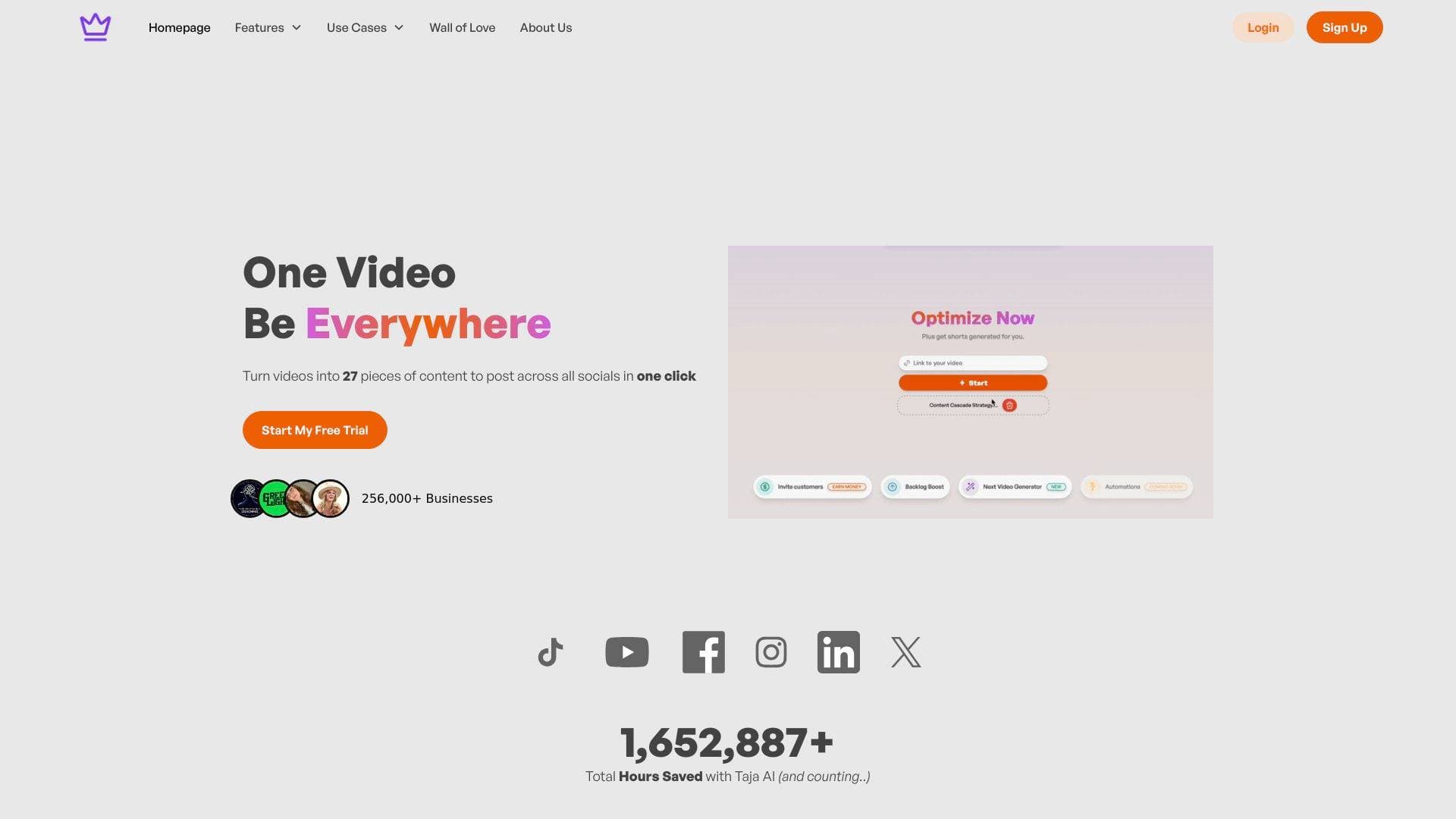
Brief Overview of Taja AI for Content Creators
The post-production grind is one of the biggest bottlenecks in any creator's workflow. Recording the video is the fun part. Everything that comes after — writing descriptions, researching SEO, clipping shorts, designing thumbnails, scheduling posts — can eat up hours that most solo creators simply don't have. Taja AI is a video repurposing and content automation platform built specifically to eliminate that bottleneck. Upload a single long-form video and the AI analyzes the content, understands the channel's niche and brand voice, then generates up to 27 shorts, clips, and text outputs from that one video. The platform handles YouTube SEO optimization, blog post creation, LinkedIn posts, X/Twitter threads, auto-generated captions, thumbnail creation, and cross-platform scheduling — all from a single upload. Taja integrates directly with YouTube, TikTok, Instagram, Facebook, LinkedIn, and X, meaning creators never have to re-upload content to separate services. On average, users report generating 3.8 weeks of scheduled content from a single video in one click, and solopreneurs using the platform report saving up to 2.3 hours per video. For YouTubers, podcasters, and solo content creators who want to grow their presence across multiple platforms without becoming full-time marketers, Taja AI functions as a dedicated content production assistant running around the clock.
Taja AI Key Features for Content Creators
-
AI-Powered Shorts & Clips Generation: Taja automatically identifies the most engaging moments in a long-form video and cuts them into vertical short-form clips optimized for TikTok, YouTube Shorts, Instagram Reels, and more. The Starter plan generates up to 10 shorts per video, the Professional plan up to 20, and the Teams/Agency plan offers unlimited shorts. Each clip comes with auto-generated titles, descriptions, and hashtags.
-
One-Click Video Repurposing: A typical video upload generates 27 distinct content outputs including shorts, clips, blog posts, LinkedIn posts, and X threads — all in a single click. This content creation workflow means creators can maintain a consistent posting schedule across every major platform without manually producing each piece of content.
-
YouTube SEO Optimization: Taja analyzes each video and generates SEO-optimized titles, descriptions, tags, and timestamps that push directly into YouTube Studio. The Auto Kickoff feature can automatically optimize and publish a video within an hour of upload. An Auto Sync feature keeps SEO metadata updated across the channel without manual intervention.
-
Backlog Boost: A standout feature that scans a creator's existing YouTube channel, identifies older videos that are underperforming or poorly optimized, and generates improved titles, descriptions, and tags for them. This gives creators a way to extract new value from their entire content archive, not just new uploads. Paid plans receive weekly email notifications about videos that need attention.
-
AI Thumbnail Generator: Taja generates multiple thumbnail options for each video. The Thumbnail Maker Studio scans the video for frames with high emotional impact, supports prompt-based background design, and produces multiple A/B-testable variations. Faceless channel support allows creators to upload custom headshots or brand faces for insertion into thumbnail designs.
-
Video-to-Blog Post Generation: Every video upload automatically produces a keyword-rich, SEO-optimized blog post derived from the spoken content. The built-in blog editor supports text editing, paragraph insertion, heading and block formatting, emoji insertion, and image/video/audio uploading on paid tiers. Each plan generates one blog post per video.
-
Auto Caption Generation: Captions are automatically generated for every clip and short with accurate timing, bold styling, and word highlights. Caption templates and title overlays are included across all plans. Creators can toggle captions off globally if preferred. This feature boosts watch time, accessibility, and SEO performance simultaneously.
-
Multi-Platform Content Scheduler: Creators can schedule all generated content directly from Taja's dashboard without re-uploading to third-party services. Scheduling works across YouTube, TikTok, Instagram, Facebook, LinkedIn, and X. The platform auto-schedules repurposed content in bulk, and the AI posts at peak engagement times for each platform's audience.
-
Next Video Idea Generator: Taja surfaces high-volume, low-competition keyword opportunities matched to a creator's specific niche and channel data. It identifies outlier videos and channels performing above expectations in the niche, then pairs those insights with inspirational thumbnail concepts to help creators plan their next upload with data-backed confidence.
-
AI B-Roll Generator and Video Editing Tools: The platform includes text and timeline-based editing, video trimming, an AI B-roll generator, and moving object tracking for AI reframing. Genre-specific reframing models are available on Professional and Teams plans. Processing speed tiers range from Regular (standard) to Rocket (10x faster with dedicated parallel servers) depending on the plan.
Taja AI Target Users & Use Cases for Content Creators
Taja AI is built for creators who are producing video content but struggling to maximize its reach across platforms without burning out or hiring a team. The tool is particularly well-suited for solo operators who wear every hat in their content business. Here's who gets the most out of it:
- Primary creator types: YouTubers, podcasters, educational video creators, coaches, and solopreneurs who produce long-form video content and want to repurpose it across short-form platforms without manual editing.
- Experience level: Beginner to advanced. Multiple users note the platform is easy enough for those just starting their YouTube journey, while the depth of features — including SEO automation, backlog optimization, and analytics — satisfies experienced creators managing multiple channels.
- Team size: Primarily solo creators and small teams. The Starter and Professional plans are single-user. The Teams/Agency plan supports up to 5 seats with a shared workspace and permission management, making it viable for content agencies managing multiple client channels.
Specific use cases for content creators:
- A YouTuber uploads a 45-minute tutorial and Taja automatically generates 20 shorts, an SEO-optimized description, a blog post, and a LinkedIn article — all scheduled across platforms for the next 3+ weeks.
- A podcaster uploads an interview episode and uses Taja to clip the best 60-second moments into vertical Reels and TikToks with auto-captions and titles.
- A solo creator with years of YouTube content uses Backlog Boost to identify their 20 most under-optimized videos and updates all their titles and descriptions in a single session.
- A coach running a faceless YouTube channel uses the Thumbnail Maker Studio to generate branded thumbnails with custom headshots inserted into AI-designed backgrounds.
- A content creator experiencing burnout uses the Next Video Idea Generator to find low-competition keyword topics in their niche, eliminating hours of manual research.
- A gaming creator uses the AI Gaming Clip Maker to automatically detect highlight moments from long gameplay sessions and export vertical clips with bold captions for TikTok and YouTube Shorts.
- An agency managing 3-5 client channels uses the Teams plan to bulk-schedule repurposed content across all accounts from a single dashboard.
- A creator who records Google Meet interviews uses Taja to turn those recordings into Instagram Reels and social posts within the same session.
Content types supported: Long-form YouTube videos, podcast episodes, webinars, tutorials, interviews, and direct file uploads. The platform notes it works best with talking-head and educational content; some users report limitations with vlogs, gaming videos (though a dedicated AI Gaming Clip Maker is available), music videos, and reaction videos for the shorts generation feature specifically.
How to Get Started with Taja AI
- Sign up for the free trial at taja.ai — no credit card required, with a 7-day free trial available on all plans.
- Connect your YouTube channel — Taja analyzes your channel information, existing videos, and brand voice to personalize all generated content to your niche.
- Upload a video or paste a YouTube link — Taja accepts direct file uploads (up to 5-10 GB depending on plan) and YouTube URLs. The AI immediately begins processing the content.
- Review and publish your generated outputs — Within minutes, Taja delivers shorts, clips, SEO metadata, blog posts, social posts, and thumbnails. Use the built-in editor to make any adjustments, then schedule everything to publish automatically across all connected platforms.
Frequently Asked Questions About Taja AI
Is there a free version of Taja AI? Taja AI offers a 7-day free trial that requires no credit card to start. The free trial gives creators access to the platform's core features before committing to a paid plan. After the trial, paid plans start at $19.99/month (or $15.99/month billed annually).
What platforms does Taja AI post to? Taja integrates directly with YouTube, TikTok, Instagram, Facebook, LinkedIn, and X (Twitter). Creators can schedule and publish content to all these platforms from within the Taja dashboard without re-uploading files to each service separately.
How many shorts can Taja generate per video? The number of shorts generated depends on the plan. The free trial generates up to 5 shorts per video. The Starter plan produces up to 10 per video, the Professional plan up to 20, and the Teams/Agency plan offers unlimited shorts per video. All paid plans include watermark-free exports.
Does Taja work for podcasts and interviews? Yes. Multiple users confirm Taja works well for podcast episodes and interview-style content, automatically clipping the most engaging moments and generating platform-ready short-form content. The platform also has a dedicated AI Podcast Clip Generator feature.
What is the Backlog Boost feature? Backlog Boost scans a creator's existing YouTube channel and identifies videos that are underperforming or could benefit from re-optimization. It then generates improved titles, descriptions, and tags for those older videos. Paid plans receive weekly email notifications with backlog recommendations, and Professional and Teams plans receive one free backlog credit per week.
Does Taja generate blog posts from videos? Yes. Every video processed through Taja automatically generates one SEO-optimized blog post derived from the video's spoken content. The blog editor supports text editing, paragraph and heading insertion, table formatting, and image/video/audio uploading on Starter and higher plans.
What video lengths does Taja support? Maximum video length varies by plan. The free trial supports videos up to 2 hours. The Starter plan handles videos up to 4 hours, the Professional plan up to 4 hours, and the Teams/Agency plan supports videos up to 5 hours. File size limits range from 5 GB on the free tier to 10 GB on paid plans.
Bottom Line: Should Content Creators Choose Taja AI?
Taja AI delivers genuine value for any content creator who produces long-form video and wants to extend that content's reach across multiple platforms without spending hours on post-production. The combination of YouTube SEO automation, short-form clip generation, blog post creation, thumbnail design, and multi-platform scheduling in a single tool is a compelling proposition — particularly for solo creators who would otherwise need separate tools for each of these tasks.
The platform is strongest for YouTubers, podcasters, coaches, and educational creators who produce talking-head or interview-style content. The Backlog Boost feature is a genuinely unique capability that helps creators extract new value from their entire content archive, not just new uploads. Users consistently report saving multiple hours per video and generating weeks of scheduled content from a single upload.
A few limitations worth noting: some users have flagged that the shorts generation feature works less effectively for vlogs, gaming videos, music videos, and reaction content (though a dedicated AI Gaming Clip Maker exists). Some reviewers have also noted that AI-generated thumbnails occasionally need manual refinement, and the auto-scheduling parameters have limited customization for high-volume publishers.
For solo creators, solopreneurs, and small content teams looking to multiply their output without multiplying their workload, Taja AI is a strong, actively developed platform with a responsive founding team and a 7-day free trial that requires no credit card to explore.
Details
One link. Every channel, rate, and piece of work brands need to evaluate you. Built for how creators actually get hired.
Claim your profile
Live creator, content, and marketing roles from real companies, with the pay, market, and context the raw job page never gives you.
Browse jobs

 Post Bridge