
Screamingfrog
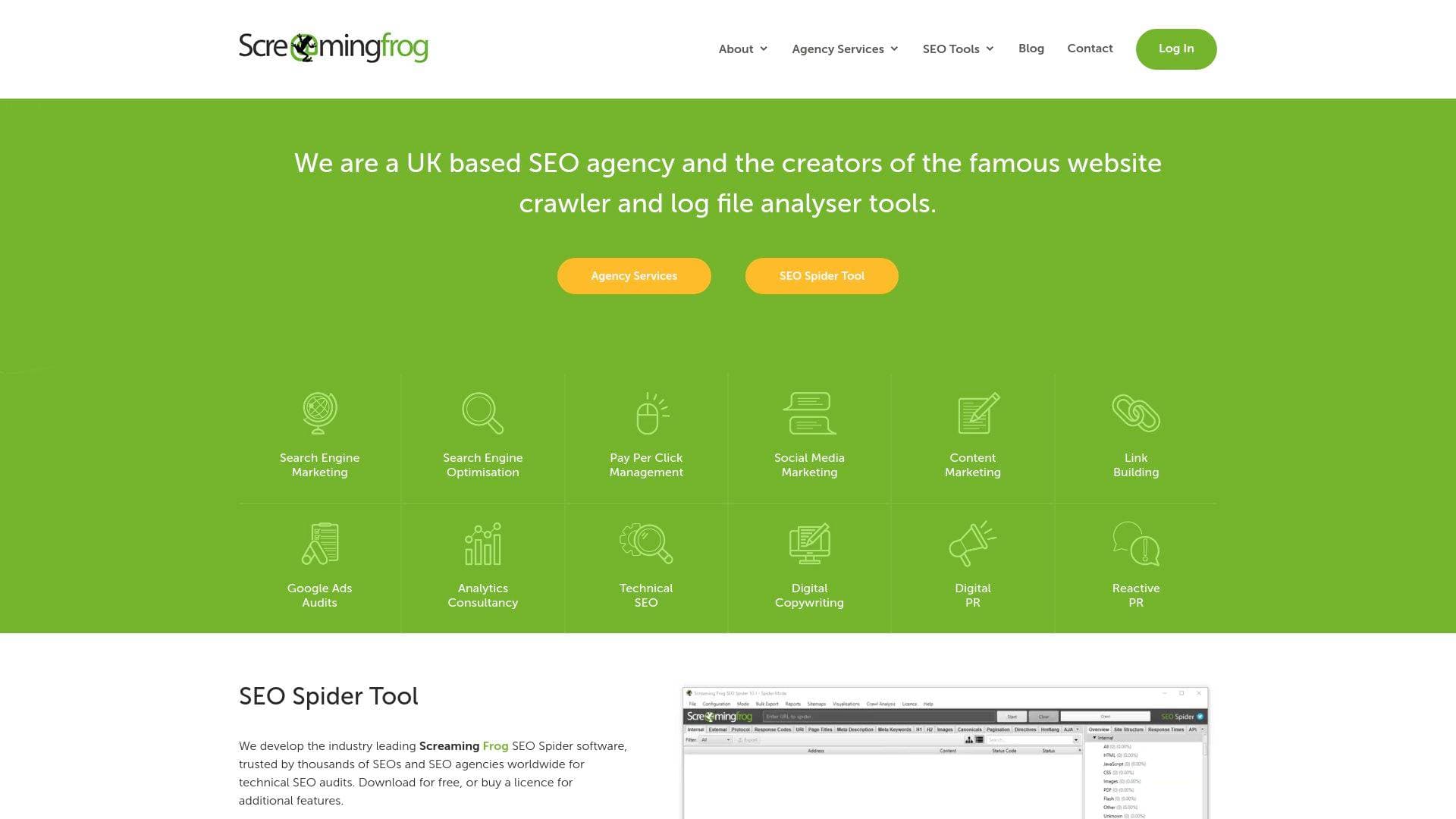
Screaming Frog is a UK-based SEO agency and software developer offering the SEO Spider website crawler and Log File Analyser tools, plus full-service search marketing campaigns.
What is Screaming Frog? A Content Creator's Guide
Screaming Frog is a UK-based SEO agency that also develops two of the most widely used technical SEO tools in the industry: the SEO Spider website crawler and the Log File Analyser. For content creators who publish blogs, run YouTube channels with companion websites, or manage any kind of online presence, organic search visibility is directly tied to revenue, brand deals, and audience growth. The core problem Screaming Frog solves is visibility into the technical health of a website, specifically the issues that silently prevent content from ranking on Google. The SEO Spider crawls websites the same way search engine bots do, surfacing broken links, duplicate content, missing metadata, and hundreds of other issues that can tank a creator's search performance. It runs on Windows, Mac (both Apple Silicon and Intel), and Linux, making it accessible regardless of the creator's setup. The software is available as a free download with a paid licence unlocking additional features. Beyond the tools, the agency side offers services including search engine optimisation, content marketing, digital PR, link building, pay-per-click management, and analytics consultancy, giving creators the option to outsource their entire search strategy to a specialist team.
Screaming Frog Features That Matter for Content Creators
-
SEO Spider Website Crawler (v23.3): The flagship tool crawls any website and reports on every URL it encounters, identifying technical SEO issues across response codes, page titles, meta descriptions, headings, images, canonicals, structured data, and more. For bloggers and YouTubers managing content-heavy sites, this is the fastest way to find what's broken or underperforming across hundreds or thousands of pages at once.
-
HTTP Status Code Reporting: The SEO Spider reports the status codes of every URL it crawls, distinguishing between successful 200 responses, redirects (301, 302, 307), client errors (404, 410), and server errors (500, 503). Creators who have migrated platforms, changed URL structures, or deleted old content can use this to find broken links and redirect chains that are silently losing them search traffic.
-
Response Codes Tab with Bulk Export: All status codes encountered during a crawl are visible in the Response Codes tab, with the ability to bulk export lists such as "Error (4xx) Inlinks" to find every internal link pointing to a broken page. This is particularly useful for bloggers with large archives who need to clean up years of accumulated dead links.
-
On-Page SEO Issue Detection: The tool flags a comprehensive range of on-page issues including missing page titles, duplicate titles, titles over 60 characters or below 30 characters, missing meta descriptions, meta descriptions over 155 characters or below 70 characters, missing H1 tags, duplicate H1s, and non-sequential heading structures. Creators who write their own content can use these checks to ensure every post is properly optimised before and after publishing.
-
Content Quality Checks: The SEO Spider identifies exact duplicate pages, near-duplicate content, semantically similar pages, low-content pages, spelling errors, grammar errors, lorem ipsum placeholder text, and soft 404 pages. For prolific content creators with large back catalogues, these checks support content pruning decisions to improve topical authority and crawl efficiency.
-
Structured Data Validation: The tool validates structured data in JSON-LD, microdata, and RDFa formats against Schema.org standards and Google's Rich Result requirements. It flags validation errors, parse errors, and warnings such as the use of outdated data-vocabulary.org markup that is no longer eligible for Google rich result features. Creators who use recipe, article, FAQ, or video schema to earn enhanced search listings can use this to catch implementation errors before they cost them rich result eligibility.
-
PageSpeed Issue Identification: The SEO Spider surfaces a detailed set of page speed opportunities including render-blocking requests, LCP request discovery issues, layout shift culprits, image delivery problems, unused CSS and JavaScript, legacy JavaScript, and DOM size. Fast-loading pages directly affect both search rankings and user experience, which matters for creators who monetise through display ads or affiliate links where bounce rate affects revenue.
-
Log File Analyser (v6.4): A separate companion tool that analyses server log files to show exactly which URLs search engine bots and real users are requesting, and what status codes they receive. Creators can use this to see how frequently Googlebot visits their most important content, identify crawl budget waste on low-value pages, and spot server errors that only appear under real crawl conditions.
-
Accessibility Auditing: The SEO Spider checks for a wide range of accessibility issues including WCAG 2.0 A, AA, and AAA violations, missing image alt text, video elements lacking caption tracks, illegible font sizes, and mobile viewport problems. For creators building audience trust and aiming for broader reach, accessible content also tends to perform better in search.
-
Sitemap and Canonical Analysis: The tool checks for orphan URLs not linked from anywhere on the site, URLs missing from XML sitemaps, non-indexable URLs incorrectly included in sitemaps, and a full range of canonical tag issues including conflicting canonicals, missing canonicals, and canonicals pointing to non-indexable pages. These checks are critical for creators who want to ensure their best content is the version Google indexes and ranks.
Which Content Creators Should Use Screaming Frog?
Screaming Frog is best suited to creators who have a website or blog as part of their content operation and want to grow organic search traffic. It rewards those willing to engage with technical detail, though the free version provides immediate value even for beginners who just want to find broken links or check their metadata.
Primary creator types:
- Bloggers and niche site owners who depend on Google search traffic for affiliate income or ad revenue
- YouTubers who maintain companion websites, show notes pages, or resource hubs alongside their channel
- Podcasters with episode archive sites who want their content indexed and discoverable via search
- Newsletter writers who publish web-accessible archives and want those pages to rank
- Freelance content creators managing multiple client websites who need an efficient auditing workflow
Experience level: The free version is accessible to beginners for basic crawls; the full feature set rewards intermediate to advanced creators comfortable with SEO concepts.
Team size: Works well for solo creators doing their own SEO as well as small teams where one person handles technical site health.
Specific use cases for content creators:
- Auditing a blog after migrating from one platform to another (e.g., WordPress to a new host) to find broken redirects
- Finding all internal links pointing to deleted or 404 pages across a large content archive
- Checking that every published post has a unique, properly sized page title and meta description
- Identifying duplicate or near-duplicate content that may be cannibalising search rankings
- Validating structured data markup on recipe, review, or FAQ pages to protect rich result eligibility
- Discovering orphan content pages that have no internal links pointing to them and are therefore invisible to search engines
- Analysing which pages Googlebot visits most frequently using the Log File Analyser to prioritise content updates
- Checking mobile usability and page speed issues that affect rankings and ad revenue
Getting Started with Screaming Frog
- Download the SEO Spider for the appropriate operating system (Windows, macOS Apple Silicon, macOS Intel, Ubuntu Linux, or Fedora Linux). Version 23.3 is the current release.
- Enter a website URL to begin a crawl. The free version crawls up to a set number of URLs; a paid licence removes this limit and unlocks additional features.
- Review the Response Codes tab first to identify any broken pages or redirect issues, then work through the Page Titles, Meta Description, H1, and Content tabs to surface on-page optimisation opportunities.
Screaming Frog FAQ for Content Creators
Is Screaming Frog free to use? The SEO Spider is available as a free download. A paid licence is available for additional features beyond what the free version provides.
What operating systems does the SEO Spider support? It runs on Windows, Mac (both Apple Silicon and Intel, requiring macOS version 11 or later), and Linux (Ubuntu and Fedora).
What is the Log File Analyser and do I need it? The Log File Analyser (currently version 6.4) is a separate tool that processes server log files to show how search engines and users actually crawl a website. It is most useful for creators with larger sites who want to understand crawl budget and bot behaviour beyond what a standard crawl reveals.
Can Screaming Frog check my structured data? Yes. The SEO Spider validates JSON-LD, microdata, and RDFa structured data against Schema.org standards and Google's Rich Result requirements, flagging errors and warnings including the use of outdated data-vocabulary.org markup that no longer qualifies for Google rich results.
Does Screaming Frog check for content quality issues? It identifies exact duplicates, near-duplicates, semantically similar pages, low-content pages, spelling errors, grammar errors, lorem ipsum placeholder text, and soft 404 pages, making it useful for content pruning and quality audits across large archives.
Can I use it to check page speed? The SEO Spider surfaces a detailed set of PageSpeed opportunities including render-blocking resources, LCP issues, layout shifts, image delivery problems, unused CSS and JavaScript, and more, helping creators identify what to fix to improve loading performance.
The Verdict: Is Screaming Frog Worth It for Content Creators?
Screaming Frog is a strong choice for any content creator who takes organic search seriously. Bloggers, niche site owners, and podcasters with content archives will get the most immediate value, particularly from the broken link detection, on-page metadata checks, and content duplicate analysis. The structured data validation is a genuine differentiator for creators who rely on rich results to stand out in search. The free version is a practical starting point for smaller sites, while the paid licence makes sense for creators managing larger content operations or multiple sites. The agency services add an option for creators who want expert help running full SEO and content marketing campaigns rather than handling it themselves. The tool does require some comfort with technical SEO concepts to extract full value, so complete beginners may face a learning curve, but the depth of issue detection it provides is difficult to match for understanding why content is not performing in search.
Details
One link. Every channel, rate, and piece of work brands need to evaluate you. Built for how creators actually get hired.
Claim your profile
Live creator, content, and marketing roles from real companies, with the pay, market, and context the raw job page never gives you.
Browse jobs

 Post Bridge