

QuickReel
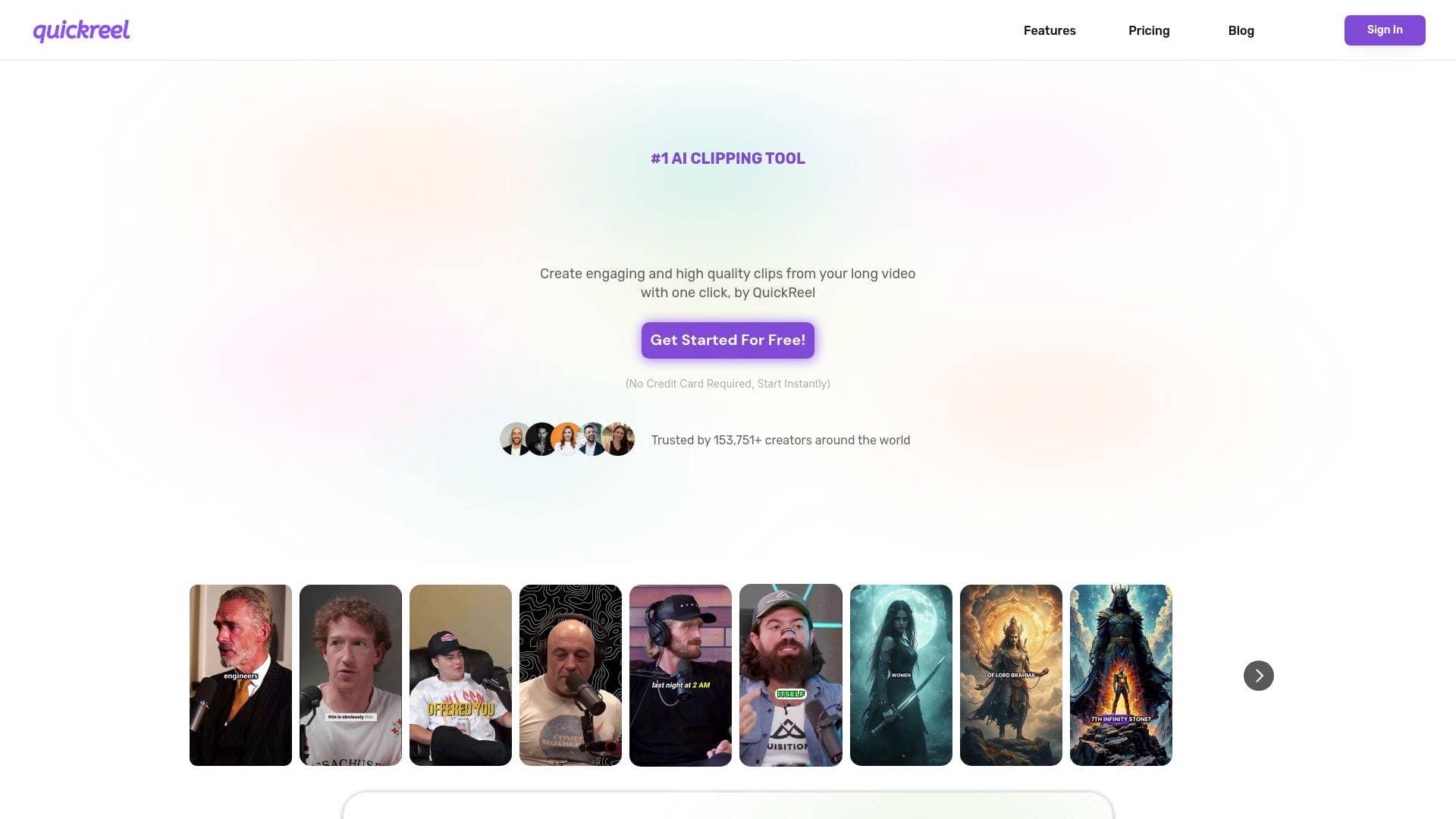
QuickReel is an AI video clipping and editing tool that converts long-form videos into YouTube Shorts, TikToks, and Instagram Reels in one click. No credit card required.
What is QuickReel? A Content Creator's Guide
Long-form content sitting unused is one of the biggest missed opportunities in any creator's workflow. QuickReel is an AI video clipping and editing tool built specifically to solve that problem, turning hours of long-form footage into polished, ready-to-post short videos for YouTube Shorts, TikTok, Instagram Reels, and Facebook in a matter of minutes. The core promise is simple: upload a long video, and the AI handles the heavy lifting of identifying the best moments, reframing the footage, adding captions, and packaging everything for short-form distribution. Used by over 300,000 creators and businesses, the platform has generated more than 2.9 million clips to date. What makes QuickReel stand out in the video production space is its combination of AI clipping intelligence and a full editing suite, covering B-roll, background music, silence removal, voiceovers, and image generation all under one roof. For creators who have been leaving long-form content on the shelf because repurposing it felt too time-consuming or expensive, this tool directly addresses that bottleneck.
QuickReel Features That Matter for Content Creators
-
Director Model (AI Clipping): The Director model analyzes a full-length video and automatically identifies the most clip-worthy moments, including hooks, punchlines, and high-retention segments. It then generates multiple clips in seconds, removing the need for creators to manually scrub through footage looking for highlights.
-
Reframe Model: Auto-tracking the speaker, the Reframe model intelligently crops and repositions footage to fit 16:9, 1:1, and 9:16 aspect ratios. Every clip comes out looking native on Shorts, Reels, and TikTok without any manual cropping work.
-
AI Captions: QuickReel includes AI-powered captioning with support for 20+ languages and 12+ caption styles. Captions are applied automatically, giving creators polished, on-trend subtitles that improve accessibility and viewer retention.
-
AI B-Roll: The platform can add contextually relevant B-roll footage to clips, turning a talking-head video into a more visually dynamic short. This is particularly useful for educational creators and podcasters whose raw footage lacks visual variety.
-
AI Background Music (BGM): Background music is added automatically to complement the tone and pacing of each clip. Creators no longer need to spend time sourcing royalty-free tracks or manually syncing audio to video cuts.
-
Silence and Filler Word Remover: Dead air and filler words like "um" and "uh" are detected and removed automatically. This single feature alone can dramatically tighten up clips from interview-style or conversational long-form content.
-
Faceless Video Generation: Creators who prefer not to appear on camera can generate complete videos from a simple text prompt. QuickReel produces scripts, visuals, scenes, captions, and ready-to-post edits without any filming required.
-
Voice Generation: Lifelike voiceovers can be created in seconds by selecting a voice and setting the tone. This pairs naturally with the faceless video feature for creators building narration-driven channels.
-
Image Generation: High-quality visuals, thumbnails, and post graphics can be generated directly inside the platform. Creators can use these for video covers, backgrounds, and storytelling frames without switching to a separate design tool.
-
Content Scheduler and Social Media Distribution: QuickReel includes a built-in content calendar and social media scheduler that connects to Instagram, YouTube, TikTok, and more. Depending on the plan, creators can connect anywhere from 1 to 30 social platforms and schedule an entire month of content in minutes.
-
Brand Templates: Creators and teams can build on-brand styles with custom fonts, colors, logos, captions, and overlays, then apply them to every clip in a single click. This is a major time-saver for anyone managing a consistent visual identity across multiple platforms.
-
Team Workspace: Projects can be organized and managed in a shared workspace, making QuickReel viable for creator teams and production studios, not just solo operators. The Pro+ plan includes 2 seats and the Ultimate plan scales to 10 seats.
-
API Integration: For creators or media companies operating at scale, QuickReel offers API access to plug into existing workflows and automate clip generation at volume.
Which Content Creators Should Use QuickReel?
QuickReel is built for creators who produce long-form content and want to maximize its reach without spending hours in a video editing tool. It scales from solo creators just getting started with short-form to large production teams managing hundreds of hours of footage. Here is a closer look at who benefits most:
-
Primary creator types: YouTubers with long-form videos, podcasters with video recordings, educators and course creators, interview-based content creators, faceless channel operators, and social media managers handling multi-platform distribution.
-
Experience level: The one-click clipping workflow makes QuickReel accessible to beginners who have no editing background. More experienced creators can use the AI editing assistant to refine clips, add effects, and fine-tune output.
-
Team size: Solo creators are well-served by the Starter and Pro plans. The Pro+ plan (2 seats) and Ultimate plan (10 seats) accommodate growing creator teams and production studios.
-
Specific use cases:
- A YouTuber with a 60-minute video essay wants to extract 5-10 short clips for TikTok and Shorts without manually editing each one
- A podcaster with weekly video recordings wants to repurpose highlights into Instagram Reels automatically
- A faceless channel creator wants to generate complete short-form videos from a text prompt without filming
- A solo creator who has been skipping short-form entirely because editing takes too long wants a faster content creation workflow
- A creator team managing multiple channels wants to apply consistent brand templates across all clips
- A media company sitting on hundreds of hours of archived footage wants to convert it into short-form content cost-effectively
- A creator posting across Instagram, TikTok, YouTube, and Facebook wants to schedule an entire month of content from a single dashboard
- A creator building an educational channel wants auto-generated captions in multiple languages to reach a global audience
-
Content types: Long-form YouTube videos, podcast recordings, interview footage, webinars, educational content, and any video that can be repurposed into vertical or square short-form clips.
Getting Started with QuickReel
- Create a free account: No credit card is required to get started. Creators can sign up and begin generating clips immediately.
- Upload your video: Videos can be uploaded via local files, YouTube links, or Google Drive (depending on the plan). The platform accepts content from multiple sources.
- Let the AI clip and edit: The Director model scans the video, identifies the best moments, and generates multiple clips automatically. The Reframe model handles aspect ratio adjustments for each target platform.
- Refine with the AI editor: Use the AI editing assistant to adjust clips, add B-roll, apply captions, insert background music, and remove silences or filler words.
- Apply brand templates and schedule: Apply a saved brand template to maintain visual consistency, then use the built-in scheduler to queue clips across connected social platforms.
QuickReel FAQ for Content Creators
Is QuickReel free to use? QuickReel offers a free entry point with no credit card required to get started. Paid plans begin at $9 per month for the Starter tier, which includes 200 credits per month and connection to 1 social media platform.
What platforms can I post to directly from QuickReel? QuickReel connects to Instagram, YouTube, TikTok, Facebook, and more. The number of connected platforms depends on the plan, ranging from 1 platform on Starter up to 30 platforms on the Ultimate plan.
How many credits do I get per plan? The Starter plan includes 200 credits per month, Pro includes 500, Pro+ includes 1,000, and the Ultimate plan includes 5,000 credits per month.
Does QuickReel support multiple languages? All plans include support for 20+ languages, making it suitable for creators targeting international audiences or producing multilingual content.
Can I use QuickReel with a team? Yes. The Pro+ plan includes a team workspace with 2 seats, and the Ultimate plan supports up to 10 seats. There are also Team and Enterprise options available by contacting QuickReel directly.
Can I cancel my subscription at any time? Subscriptions can be cancelled at any time through the Billing and Plans section of the dashboard. Upon cancellation, the account is downgraded to a free account at the end of the current billing period. Subscription fees are non-refundable for the period already purchased.
The Verdict: Is QuickReel Worth It for Content Creators?
For any creator sitting on a library of long-form content, QuickReel presents a compelling case. The combination of AI clipping, automatic reframing, captions, B-roll, background music, and a built-in scheduler covers nearly the entire short-form content creation workflow in one place. Solo creators who have been avoiding short-form because editing takes too long will find the one-click workflow genuinely reduces the barrier to posting consistently. Teams and media companies benefit from brand templates, shared workspaces, and API access that make high-volume clip production manageable.
The pricing structure is transparent and scales logically, from $9/month for beginners to $89/month (on annual billing) for teams needing 5,000 credits and 30 platform connections. The faceless video generation and voice generation features add meaningful value for creators who want to expand into new content formats without additional production overhead.
One practical consideration: subscriptions are non-refundable for the period purchased, so creators should take advantage of the free entry point to test the tool before committing to a paid plan. Overall, QuickReel is a strong fit for YouTubers, podcasters, educators, and any creator who wants to turn long-form content into a consistent short-form publishing engine without spending hours in a traditional video editing tool.
Details
One link. Every channel, rate, and piece of work brands need to evaluate you. Built for how creators actually get hired.
Claim your profile
Live creator, content, and marketing roles from real companies, with the pay, market, and context the raw job page never gives you.
Browse jobs

 Post Bridge