

Mura
Mura is a business enablement platform that helps content creators and digital teams build websites, manage content, and integrate critical tools on one secure, scalable platform.
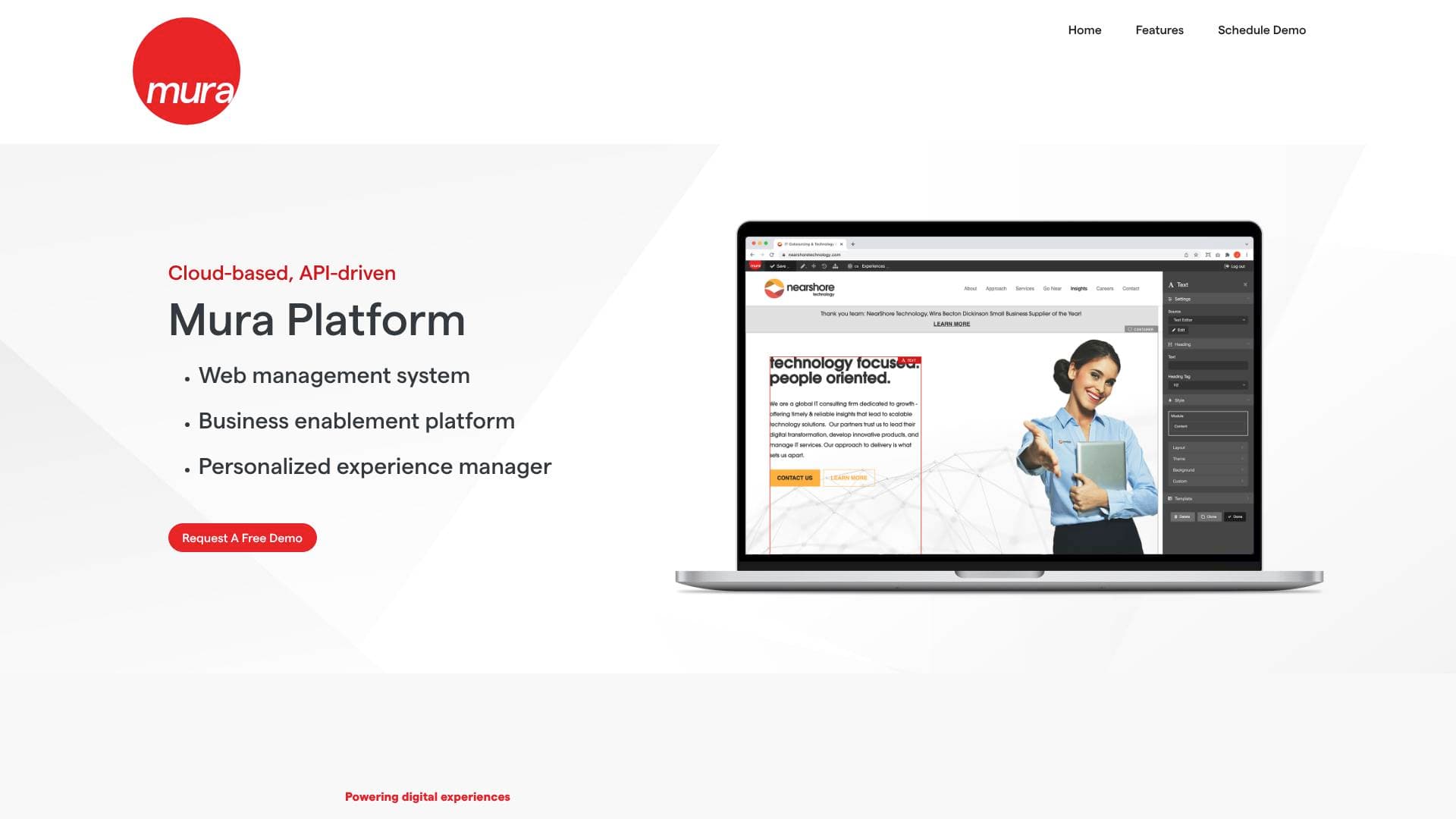
Brief Overview of Mura for Content Creators
Managing a digital presence across multiple platforms, tools, and audiences is one of the biggest challenges content creators face as they scale. Mura is a business enablement platform built to solve exactly that problem, offering a unified environment where creators and their teams can build websites, manage content, and connect all their critical digital tools in one place. At its core, Mura combines a powerful content management system with enterprise-grade integration capabilities, making it a strong fit for creators who have outgrown basic website builders and need more control over their digital ecosystem.
The platform supports both headless and traditional CMS deployments, giving technically inclined creators the flexibility to build custom front-end experiences while still offering an intuitive interface for non-developers. Mura also extends into mobile, powering native iOS and Android applications, which means creators managing audience-facing apps or internal team tools can centralize that work within the same platform. With built-in analytics integrations, SSO support, and AI connectivity, Mura positions itself as a long-term content creation workflow solution rather than a single-purpose tool. Creators running newsletters, membership portals, event-based content, or multi-channel digital experiences will find the platform's depth particularly relevant.
Mura Key Features for Content Creators
-
Mura CMS with In-Line Editing: Content creators can edit text and page elements directly on the page without navigating to a separate admin screen. This dramatically speeds up the content creation workflow, especially for creators who publish frequently and need to make quick updates without breaking their rhythm.
-
Drag-and-Drop Layout Manager: Building and rearranging page layouts requires no coding. Creators can place and order pre-defined or custom display modules, choosing from grid, list, cards, masonry, and other layout styles, then fine-tune padding, spacing, and alignment with style controls for a polished final result.
-
Scheduled Publishing: Content can be created in advance and set to publish automatically on a specific date and time. For creators managing editorial calendars, this feature removes the need to be online at the exact moment content needs to go live.
-
Version Control and Draft Notifications: Every piece of content maintains a version history, allowing creators to roll back to previous drafts if needed. Draft notifications keep collaborators informed when new versions are created, which is useful for creators working with editors, managers, or brand partners.
-
Content Collections and Taxonomy Management: Mura automatically generates lists of content based on chosen parameters, and supports categories and tags for organizing that content. Creators running blogs, resource libraries, or knowledge bases can use these tools to surface relevant content dynamically without manual curation every time.
-
Forms Management: Building and deploying web forms is handled directly within the platform, with response notifications and downloadable results included. Creators collecting audience feedback, running giveaways, or managing brand deal inquiries can build and manage those forms without a third-party tool.
-
Headless CMS and API-Driven Architecture: Mura's robust API allows creators and developers to use Mura as a content repository while building the front end in any preferred framework. This is particularly valuable for creators who want a custom-designed audience experience without sacrificing the content management tools they rely on.
-
Analytics Integrations: Mura connects with Google Analytics, Matomo, Mouseflow, and HEAP, giving creators access to detailed insights about user behavior, content performance, and overall website effectiveness. Having multiple analytics options in one platform helps creators make data-informed decisions about what content resonates.
-
Single Sign-On (SSO) and Identity Management: SSO support covers Google, Facebook, GitHub, Microsoft, SAML, OIDC, and proprietary systems. For creators running membership sites or gated content portals, this simplifies the login experience for their audience and reduces friction at the point of access.
-
Native iOS and Android App Support: Mura powers native mobile applications for both iOS and Android, maintaining consistent branding and content across platforms. Creators who want to extend their content to a dedicated mobile app can do so without managing a completely separate content infrastructure.
-
Custom AI Integrations: The platform connects with AI tools including ChatGPT, enabling creators to incorporate AI-driven functionality into their websites and portals. This opens up possibilities for personalized content delivery, automated responses, and smarter audience experiences.
-
Embed Code Support: Third-party content like videos can be embedded directly onto pages using code snippets. For video creators, podcasters, or anyone repurposing content across formats, this keeps all content accessible from a single destination.
Mura Target Users & Use Cases for Content Creators
Mura is best suited for content creators who have moved beyond simple website needs and are managing complex digital ecosystems, multiple content types, or growing teams. The platform's depth makes it more appropriate for intermediate to advanced creators rather than those just starting out, particularly those who value control, scalability, and integration flexibility.
-
Primary creator types: Bloggers and long-form writers managing large content libraries, podcasters running membership portals, video creators embedding and organizing multimedia content, newsletter writers building dedicated audience hubs, and creators managing event-based content or community platforms.
-
Experience level: Intermediate to advanced creators, especially those with access to a developer or technical collaborator who can take advantage of the API and CLI features.
-
Team size: Works well for solo creators with technical skills, but particularly strong for creator teams where editors, developers, and managers need to collaborate on content with version control and draft notifications.
-
Specific use cases:
- Building a branded membership portal with gated content and SSO login for subscribers
- Managing a high-volume blog or resource library using content collections and taxonomy tools
- Running a creator-owned event portal with registration forms, schedules, and logistics content
- Powering a dedicated mobile app for an audience without maintaining a separate content backend
- Scheduling content drops in advance across a structured editorial calendar
- Connecting analytics tools to track which content formats and topics drive the most engagement
- Embedding video or podcast content directly into custom-designed pages using the layout manager
- Building an internal team portal for managing brand deals, content briefs, and compliance materials
-
Content types supported: Written articles, multimedia embeds, web forms, mobile app content, gated portal content, event and registration pages, and training or compliance materials.
Frequently Asked Questions About Mura
Can Mura be used as a headless CMS? Yes, Mura supports both headless and traditional CMS deployments. Creators and developers can use Mura's API to drive content to any front-end framework of their choice, making it flexible for custom-designed audience experiences.
What analytics platforms does Mura integrate with? Mura connects with Google Analytics, Matomo, Mouseflow, and HEAP. These integrations give creators visibility into user behavior, content performance, and overall website effectiveness from within the platform.
Does Mura support mobile app content delivery? Mura powers native iOS and Android applications, providing content and functionality for mobile apps while maintaining consistent branding and information across platforms.
What login and identity options does Mura support for membership sites? Mura's SSO and identity management features support Google, Facebook, GitHub, Microsoft, SAML, OIDC, and proprietary systems, offering a unified and secure login experience for audiences accessing gated content.
Can content be scheduled to publish automatically? Yes, Mura includes scheduled publishing, allowing creators to write content in advance and set it to go live automatically at a chosen date and time. Content expiration notifications are also available to flag content that needs review.
Does Mura support AI integrations? Mura includes custom AI integration capabilities and connects with tools like ChatGPT, enabling creators to add AI-driven features and personalized content delivery to their digital platforms.
What third-party tools does Mura integrate with beyond analytics? Beyond analytics, Mura integrates with HR systems, CRM platforms, LMS tools, AWS Lambda, Apple MapKit, Cvent, FileMaker, and various proprietary systems via APIs, making it a highly connected platform for creators managing complex workflows.
Bottom Line: Should Content Creators Choose Mura?
Mura is a strong choice for content creators who need more than a basic website builder and are ready to manage a serious digital infrastructure. Its combination of an intuitive CMS, flexible layout tools, scheduled publishing, version control, and deep integration capabilities makes it well-suited for creators running membership sites, event portals, multimedia hubs, or multi-channel content operations.
The platform's headless CMS option and developer-friendly API mean technically capable creators or those with a development partner can build highly customized audience experiences without sacrificing content management efficiency. The built-in analytics integrations with Google Analytics, Matomo, Mouseflow, and HEAP add meaningful performance tracking without requiring additional tools.
That said, Mura's depth and enterprise-oriented feature set may feel like more than necessary for solo creators with straightforward publishing needs. The platform requires a demo request to get started, which suggests it is positioned for creators with more established operations rather than those in early-stage growth.
For creators managing growing teams, complex content workflows, or audience-facing portals that require personalization and integration with external tools, Mura delivers a scalable, secure foundation worth serious consideration.
Details
One link. Every channel, rate, and piece of work brands need to evaluate you. Built for how creators actually get hired.
Claim your profile
Live creator, content, and marketing roles from real companies, with the pay, market, and context the raw job page never gives you.
Browse jobs

 Post Bridge