

Joomla
Joomla is a free, open-source CMS that lets content creators build and manage websites with thousands of extensions, multilingual support, and built-in SEO tools.
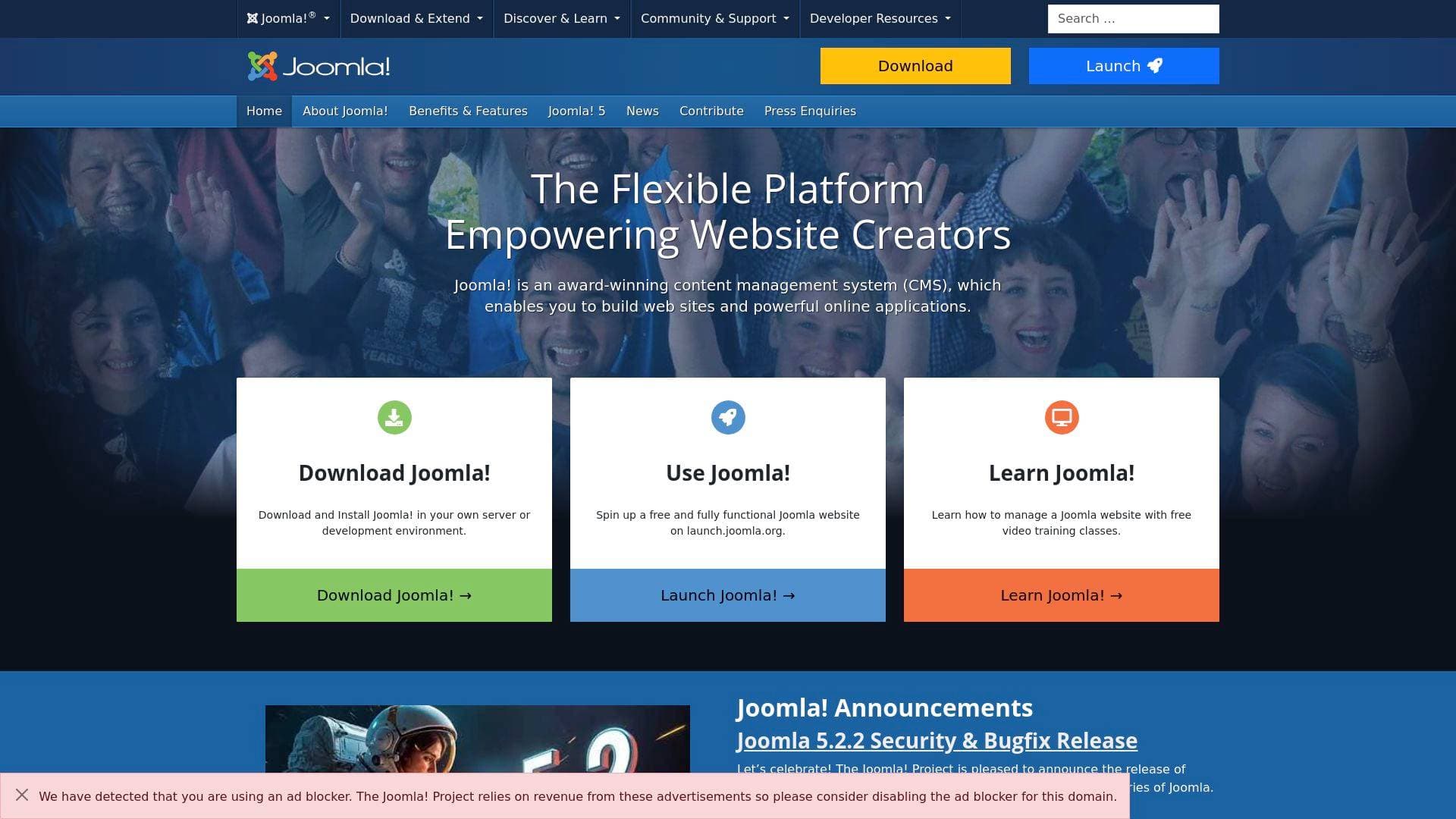
What is Joomla? A Content Creator's Guide
Joomla is a free and open-source content management system (CMS) that has been helping creators build and manage websites since 2005, celebrating over 20 years of continuous development. For content creators who need a powerful website-building platform without the price tag, Joomla delivers a full-featured solution that scales from a personal blog to a complex online publication. The core problem it solves is straightforward: creators need a place to publish, organize, and grow their content online without being locked into expensive proprietary software or limited by rigid templates. Built on a model-view-controller (MVC) PHP framework, Joomla supports everything from online magazines and newspapers to community portals and e-commerce sites. With over 141 million downloads and powering nearly 2 million active websites, it has proven staying power in the CMS space. What sets it apart is its entirely volunteer-driven development model, backed by 1,500+ contributors worldwide, and its commitment to remaining free forever under the GNU General Public License. Creators get access to over 8,000 extensions, 70+ language packs, and a responsive design system right out of the box, making it one of the most flexible website-building platforms available at zero cost.
Joomla Features That Matter for Content Creators
-
Free and Open Source Forever: Joomla is completely free under the GPL license, with no subscription fees, no watermarks, and no usage limits. The entire codebase, including default templates, is available for creators to use, modify, and distribute freely, meaning there are no hidden costs as a site grows.
-
8,000+ Extensions and Templates: The Joomla Extensions Directory hosts over 8,000 verified third-party extensions that expand what a creator's site can do, from membership systems to advanced galleries and newsletter tools. Thousands of templates are also available, many at no cost, with paid options that include world-class support and GUI-based customization for colors, fonts, and layouts without touching a line of code.
-
Built-In SEO Tools: Joomla ships with powerful SEO capabilities already configured, including metadata and keyword management, mod_rewrite support for search-engine-friendly URLs, and automatic alias creation for every article and menu item. Each menu item can carry its own meta description, keywords, and robots settings, giving creators granular control over how their content appears in search results.
-
Multilingual Support Across 70+ Languages: With over 70 translation packs available and out-of-the-box support for multilingual content management and language associations, Joomla makes it straightforward to run a website in multiple languages simultaneously. This is a significant advantage for creators targeting international audiences without needing additional plugins.
-
WYSIWYG Editor with Drag-and-Drop Media: The built-in TinyMCE WYSIWYG editor lets creators write and format content without any coding knowledge. Adding images is as simple as dragging and dropping them directly from a desktop into the content area, and a dedicated Media Manager handles uploading and organizing images and other files.
-
Content Versioning: Joomla automatically saves previous versions of articles and content changes, so creators never lose an earlier draft. This is particularly valuable for bloggers and newsletter writers who frequently revise and iterate on their work before publishing.
-
Scheduled Publishing Tools: Creators can set specific publication windows for articles, choosing exactly when content goes live and when it expires. This built-in scheduling capability supports consistent content calendars without requiring third-party tools.
-
Multi-User Permission Levels (ACL): The integrated Access Control List system allows creators running team-based sites or community platforms to define granular access rights for different user types. Editors, contributors, moderators, and administrators can all have distinct permissions tailored to their roles.
-
RSS Syndication and News Feeds: Joomla includes built-in RSS feed creation from site content, making it easy for creators to distribute their work to subscribers and aggregators. It also supports displaying external news feeds directly on a site, useful for curated content hubs.
-
Banner and Monetization Tools: A built-in banner management system lets creators add and rotate ads or sponsored content directly on their site, providing a native monetization option without requiring a separate advertising plugin.
-
Cache Management for Site Speed: Joomla includes built-in caching tools to speed up page load times, which directly impacts both user experience and search engine rankings for content-heavy sites.
-
Custom Fields with 15 Field Types: Creators can add 15 different custom field types to articles, users, and contacts, enabling structured content formats for reviews, product listings, event pages, and more without additional extensions.
Which Content Creators Should Use Joomla?
Joomla suits creators who want full ownership and control over their website without ongoing platform fees. It works well for both beginners setting up their first site and experienced developers who want to build custom functionality on top of a stable framework. Solo creators and small teams alike can benefit from its flexible permission system.
Primary creator types:
- Bloggers and writers who want a self-hosted platform with strong article management, content versioning, and scheduling tools
- Podcasters building a content hub with episode archives, show notes, and community features
- Online magazine and newsletter creators who need to organize large volumes of content across categories and tags
- YouTubers and video creators looking to build a companion website with embedded media, membership areas, and custom layouts
- Multilingual creators targeting audiences across different countries and languages
- Community builders who need user registration, multi-user permissions, and contact management
Specific use cases for content creators:
- Launching a personal blog or portfolio site with full design control and no monthly fees
- Building an online magazine with scheduled articles, category management, and RSS syndication
- Creating a multilingual content hub for international audiences using built-in language packs
- Running a membership or community site with tiered access levels using the ACL system
- Monetizing a content site with built-in banner and ad management
- Managing a team content workflow with multiple contributors at different permission levels
- Publishing structured content like reviews or tutorials using custom fields
- Building a podcast website with media management and episode organization
Content types supported: Articles, blog posts, image galleries, video embeds, news feeds, contact pages, community forums (via extensions), and e-commerce (via extensions).
Getting Started with Joomla
-
Try it instantly without installing anything: Visit launch.joomla.org to spin up a fully functional, free Joomla website in seconds. The hosted environment includes sFTP, PHPMyAdmin, and the ability to install extensions, with 200MB of disk space available as long as the account is renewed every 30 days.
-
Download and self-host: For creators who want full control, download the latest version of Joomla from downloads.joomla.org. The only server requirements are PHP (8.1 minimum for Joomla 5) and MySQL, which most commercial hosting providers include in their basic packages. Many hosts also offer one-click Joomla installation.
-
Learn with free video training: Joomla provides free video training classes specifically for learning how to manage a Joomla website, alongside an extensive documentation wiki at docs.joomla.org that includes a dedicated Absolute Beginners Guide.
-
Extend and customize: Once the base site is running, browse the Joomla Extensions Directory at extensions.joomla.org to add functionality. Install extensions directly from the backend without leaving the admin panel using the "Install from Web" feature.
-
Join the community: The official Joomla forums at forum.joomla.org are staffed by hundreds of thousands of users who provide free support, making it easier for new creators to troubleshoot and learn.
Joomla FAQ for Content Creators
Is Joomla really free to use? Joomla is completely free under the GNU General Public License and has committed to remaining free forever. There are no licensing fees, subscription costs, or usage limits tied to the core software itself.
How many extensions are available for Joomla? Over 8,000 extensions are available through the Joomla Extensions Directory, covering a wide range of functionality from e-commerce and membership systems to SEO tools and social features. Most extensions are available for free.
Can I build a multilingual website with Joomla? Joomla includes out-of-the-box multilingual support with over 70 language translation packs available for the core. It also supports multilingual content management and language associations natively, without requiring additional plugins.
Do I need coding skills to use Joomla? Joomla is designed to be accessible to total beginners. The WYSIWYG editor allows content creation without any coding knowledge, and many templates include graphical interfaces for changing colors, fonts, and layouts. Developers can also go deeper using the PHP framework, custom CSS, and template overrides.
Can I try Joomla without setting up a server? Yes. Launch.joomla.org provides a fully functional, free Joomla website that can be launched instantly without any server setup. It includes sFTP access, PHPMyAdmin, and extension installation capabilities.
How does Joomla handle SEO for content creators? Joomla includes built-in SEO tools including metadata management, keyword settings, search-engine-friendly URL generation via mod_rewrite, and per-page robots settings. Every article automatically generates an SEF alias, and each menu item can have its own individual SEO configuration.
Is Joomla actively maintained and secure? Joomla has a dedicated Security Strike Team that proactively releases patches before exploits become widely known. The platform also includes built-in two-factor authentication and extensive access control levels. Regular bugfix and security releases, such as the recent Joomla 6.0.3 and 5.4.3 updates, demonstrate active ongoing maintenance.
The Verdict: Is Joomla Worth It for Content Creators?
For content creators who want a powerful, self-hosted website platform with no ongoing licensing costs, Joomla is a genuinely compelling option. Its combination of built-in SEO tools, multilingual support, content versioning, scheduled publishing, and 8,000+ extensions gives creators a feature set that rivals paid platforms at zero cost. The free forever commitment backed by a 20-year track record and 1,500+ active volunteers adds long-term reliability that proprietary platforms cannot match.
Joomla is best suited for bloggers, online publishers, podcasters, and community builders who want full ownership of their platform and are willing to invest a modest amount of time in the initial setup and learning curve. Creators who need a site running in minutes with zero configuration may find the self-hosted nature of Joomla slightly more involved than fully managed alternatives, though the launch.joomla.org option significantly lowers that barrier.
The platform's scalability is a genuine strength: a site built on Joomla can grow from a simple personal blog to a complex multilingual publication without needing to migrate to a different system. For creators thinking long-term about their web presence, Joomla's extensibility and open-source foundation make it one of the most future-proof CMS options available, and the price of entry is hard to argue with.
Details
One link. Every channel, rate, and piece of work brands need to evaluate you. Built for how creators actually get hired.
Claim your profile
Live creator, content, and marketing roles from real companies, with the pay, market, and context the raw job page never gives you.
Browse jobs

 Post Bridge