

Hubspot
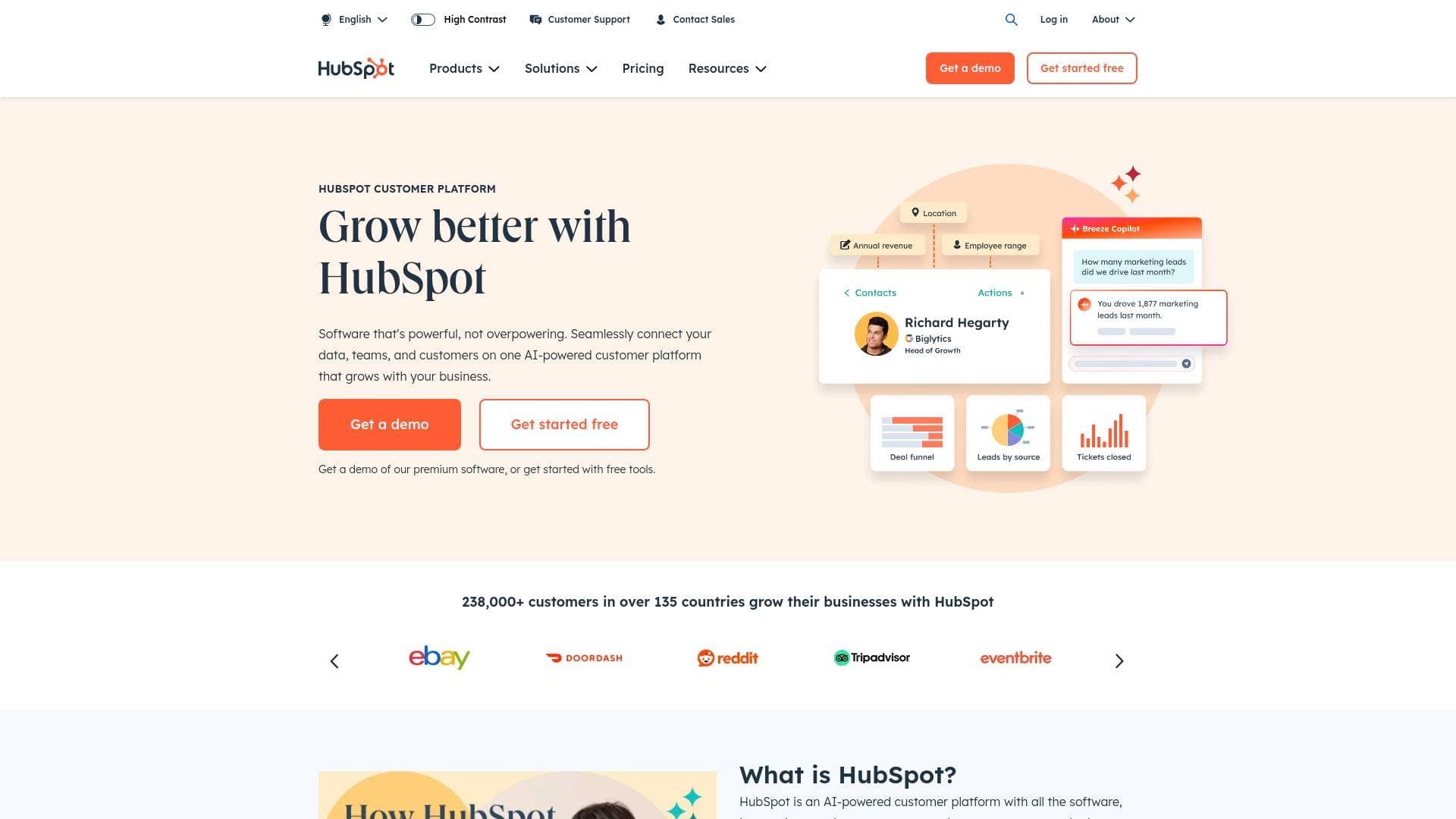
HubSpot is an AI-powered customer platform combining marketing, content, commerce, and CRM tools to help content creators grow their audience and revenue.
What is HubSpot? A Content Creator's Guide
HubSpot is an AI-powered customer platform that unites marketing, content creation, audience management, and commerce tools under one roof — making it a compelling all-in-one solution for content creators who are serious about turning their audience into a sustainable business. Founded in 2006 by Brian Halligan and Dharmesh Shah, the platform was originally built around the idea that people want helpful information rather than interruptive ads — a philosophy that aligns naturally with how modern creators build loyal communities. At its core, HubSpot solves a problem every growing creator eventually faces: disconnected tools and scattered data that slow everything down. Instead of juggling separate platforms for email marketing, content publishing, audience tracking, and payments, HubSpot connects all of these into a single source of truth. The platform is built on a Smart CRM database, meaning every subscriber, fan, or brand partner interaction is tracked and accessible across all tools simultaneously. With over 288,000 customers across 135 countries and a free tier that requires no credit card, HubSpot is accessible to creators at virtually any stage of growth. Its built-in AI layer, called Breeze, adds automation and intelligent assistance throughout the platform. For creators managing content workflows, brand partnerships, and audience growth all at once, HubSpot offers a rare combination of depth and usability.
HubSpot Features That Matter for Content Creators
-
Content Hub: This is HubSpot's dedicated content creation and management hub, designed to help creators build pages, publish content across multiple channels, and maintain a consistent brand identity. It's powered by AI, making it especially useful for creators who need to produce content at scale without sacrificing quality or consistency.
-
Marketing Hub: A full marketing automation platform that lets creators attract the right audience, run campaigns, personalize content, and track performance all in one place. For newsletter writers, bloggers, and YouTubers looking to grow their subscriber base, this hub handles lead generation and campaign management without requiring a separate marketing tool.
-
Breeze AI (Built-in AI Agents): HubSpot's AI layer, Breeze, includes specialized agents that work around the clock. The Content Agent can produce quality content quickly, the Data Agent answers custom questions about your audience instantly, and the Customer Agent can automatically resolve over 65% of incoming inquiries — a major time-saver for creators managing a community or membership program. Teams not using the Customer Agent see 39% slower ticket resolution on average.
-
Commerce Hub: Built specifically to help creators get paid faster, Commerce Hub lets you send quotes, collect payments, and manage subscriptions directly within HubSpot. This is particularly valuable for creators selling digital products, courses, memberships, or brand sponsorship packages.
-
Smart CRM: Every contact — whether a subscriber, brand partner, or paying customer — lives in HubSpot's Smart CRM. The data stays clean, connected, and actionable across every tool in the platform, so creators always have a complete picture of their audience relationships without manual data entry.
-
Data Hub: Creators who work with multiple tools and platforms often end up with fragmented audience data. Data Hub pulls that scattered information together, cleans it, and activates it across every workflow. It also includes two-way data sync with over 100 popular apps at no extra charge.
-
Email Templates and AI Email Writer: HubSpot includes an AI email writer and up to 5,000 email templates on paid plans, making it much faster to craft outreach emails for brand deals, newsletter campaigns, or audience re-engagement sequences. The AI paragraph rewriter is also available for quickly repurposing existing copy.
-
Reporting Dashboards: Performance tracking is built directly into the platform, with up to 100 dashboards and 50 reports per dashboard on the Enterprise plan. Creators can monitor audience growth metrics, content engagement, and campaign results without needing a separate analytics platform.
-
2,000+ App Integrations: HubSpot connects with over 2,000 tools including Gmail, Shopify, Mailchimp, Zapier, Google Ads, Slack, LinkedIn, Microsoft Teams, Adobe Express, and many more. For creators who already have a tech stack they love, this means HubSpot can slot in without forcing a complete workflow overhaul.
-
Meeting Scheduling: Paid plans include up to 1,000 personal and team meeting links, making it easy for creators to book brand partnership calls, podcast guest interviews, or coaching sessions directly from their website or emails — without the back-and-forth.
Which Content Creators Should Use HubSpot?
HubSpot is best suited for content creators who have moved beyond the hobby stage and are actively building a business around their content. Whether that means managing a newsletter, running a membership community, selling digital products, or landing brand deals, HubSpot provides the infrastructure to handle it all in one place. Solo creators and small creator teams alike will find value here, though the platform scales well as an operation grows.
Primary creator types:
- Newsletter writers and bloggers who need marketing automation, email campaign tools, and audience segmentation to grow and monetize their subscriber lists
- YouTubers and video creators managing brand partnerships and needing a CRM to track sponsor relationships and deal stages
- Podcasters who want to schedule guest interviews, manage listener outreach, and track audience engagement in one system
- Course creators and educators who sell digital products and need Commerce Hub to handle payments, subscriptions, and quotes
- Social media managers and content strategists running campaigns across multiple channels who need centralized content publishing and performance tracking
- Streamers and community builders who manage large audiences and want AI-powered tools to handle common inquiries automatically
Experience level: HubSpot is rated highly for ease of use across G2 reports, and the free tier makes it accessible to beginners. More advanced creators will find depth in the Professional and Enterprise tiers.
Team size: Works for solo creators on the free plan all the way up to creator teams needing multi-seat access, shared inboxes, and collaborative workflows.
Specific use cases for content creators:
- Managing a growing email list and automating welcome sequences for new subscribers
- Tracking brand deal pipelines from first contact to signed agreement and payment
- Publishing and managing content across multiple channels from a single hub
- Collecting payments for digital products, memberships, or exclusive content
- Scheduling brand partnership calls and podcast guest interviews automatically
- Monitoring audience health scores and engagement data to inform content strategy
- Using AI to draft outreach emails to potential sponsors or collaborators
- Syncing audience data from Shopify, Mailchimp, or other tools into one unified profile
Getting Started with HubSpot
- Sign up for free: HubSpot offers a free plan with no credit card required. It includes free Marketing, Sales, Service, Content, and Data tools — enough for most creators to get started immediately.
- Connect your existing tools: With over 2,000 integrations available in the App Marketplace, connect the tools you already use (Gmail, Shopify, Mailchimp, Zapier, etc.) in just a few clicks at no additional cost.
- Set up your Smart CRM: Import your existing audience, subscriber list, or contact database. HubSpot supports free data migration via file upload, and the Data Sync feature keeps everything updated automatically.
- Explore Breeze AI: Activate the built-in AI agents to start automating content creation, audience inquiries, and data analysis. Credits are included with paid plans and can be tracked in a single workspace.
- Access HubSpot Academy: Free training resources through HubSpot Academy, a community forum, and an extensive knowledge base are all included at no additional cost to help creators get up to speed quickly.
HubSpot FAQ for Content Creators
Is HubSpot free to use? Yes, HubSpot offers a genuinely free plan that includes free Marketing, Sales, Service, Content, and Data tools with no credit card required. Paid plans start at $9 per seat per month for the Starter tier, with Professional starting at $90 per seat per month and Enterprise at $150 per seat per month.
What is Breeze and how does it help creators? Breeze is HubSpot's built-in AI system that includes agents and assistants throughout the platform. The Customer Agent resolves over 65% of inquiries automatically, the Content Agent generates quality content quickly, and the Data Agent answers custom questions about your audience on demand. These agents work 24/7, effectively acting as always-on teammates for creators managing large communities.
How many integrations does HubSpot support? HubSpot supports over 2,000 app integrations, including Gmail, Shopify, Mailchimp, Zapier, Google Ads, Slack, LinkedIn, Microsoft Teams, and Adobe Express. The Data Sync feature provides two-way sync with over 100 popular apps at no extra charge.
Does HubSpot include tools for collecting payments? Yes. Commerce Hub lets creators send quotes, collect payments, and manage subscriptions directly within HubSpot. Payment Links are also available to create a smoother buying experience for digital products or memberships.
How much reporting does HubSpot provide? Reporting scales with the plan tier. The free plan includes 10 dashboards with 50 reports per dashboard. Starter bumps that to 30 dashboards, Professional to 75, and Enterprise to 100 dashboards — each supporting 50 reports per dashboard. Customer journey analytics is available on the Enterprise plan.
Does HubSpot offer discounts for small creators or nonprofits? HubSpot does offer discount pricing for startups and nonprofits, though specific details require contacting HubSpot directly.
What kind of support does HubSpot provide? Starter customers get 24/7 support via live chat and email at no additional cost. Professional and Enterprise customers also get phone support. All users get access to HubSpot Academy training, the HubSpot Community, and an extensive knowledge base — all included in the subscription.
The Verdict: Is HubSpot Worth It for Content Creators?
For content creators who are ready to treat their work like a business, HubSpot delivers a genuinely powerful set of tools. The free plan alone covers a surprising amount of ground — from content publishing and email marketing to CRM and basic reporting — making it a low-risk starting point for creators at any stage. As an operation grows, the paid tiers unlock serious capabilities: AI-powered content creation, automated audience management, commerce tools for collecting payments, and deep analytics for tracking what's actually working.
The main consideration is that HubSpot is a broad platform, and creators who only need one specific tool (like just an email newsletter platform) may find it more than they need. But for creators managing multiple revenue streams, brand partnerships, a growing audience, and a content calendar simultaneously, having all of that in one AI-powered platform is a meaningful advantage. The fact that it's voted number one in 526 G2 reports and trusted by 288,000 customers across 135 countries speaks to its reliability and usability at scale. HubSpot is a strong recommendation for serious content creators who want one platform to manage their entire creator business — from first audience touchpoint to final payment.
Details
One link. Every channel, rate, and piece of work brands need to evaluate you. Built for how creators actually get hired.
Claim your profile
Live creator, content, and marketing roles from real companies, with the pay, market, and context the raw job page never gives you.
Browse jobs

 Post Bridge