
dotCMS
dotCMS is an open-source headless CMS built for managing hundreds of websites, with visual editing, governed publishing workflows, and omnichannel content delivery at scale.
What is dotCMS? A Content Creator's Guide
Managing content across multiple websites, channels, and audiences is one of the biggest headaches in modern content creation. dotCMS is a visual headless CMS built specifically to solve that problem, giving creators and their teams a single platform to build, publish, govern, and optimize content at scale. It combines the flexibility of a headless architecture with a visual editing experience, meaning creators can see exactly how content looks without relying on developers for every update. The platform supports front-end frameworks including React, Next.js, Angular, and Vue, so technical collaborators can build with whatever stack they prefer while content creators retain full editorial control. dotCMS has been recognized as a Major Player in the IDC MarketScape: Worldwide AI-Enabled Headless CMS 2025 Vendor Assessment, and it carries a 4.2/5 star rating across 95+ verified reviews on G2. With documented results like a 250% increase in time-on-site for one client and a 150% revenue increase for a national furniture retailer, the platform has a track record that goes beyond marketing claims. For content creators managing complex publishing operations across multiple properties, dotCMS offers a content management workflow that covers everything from first draft to global delivery.
dotCMS Features That Matter for Content Creators
-
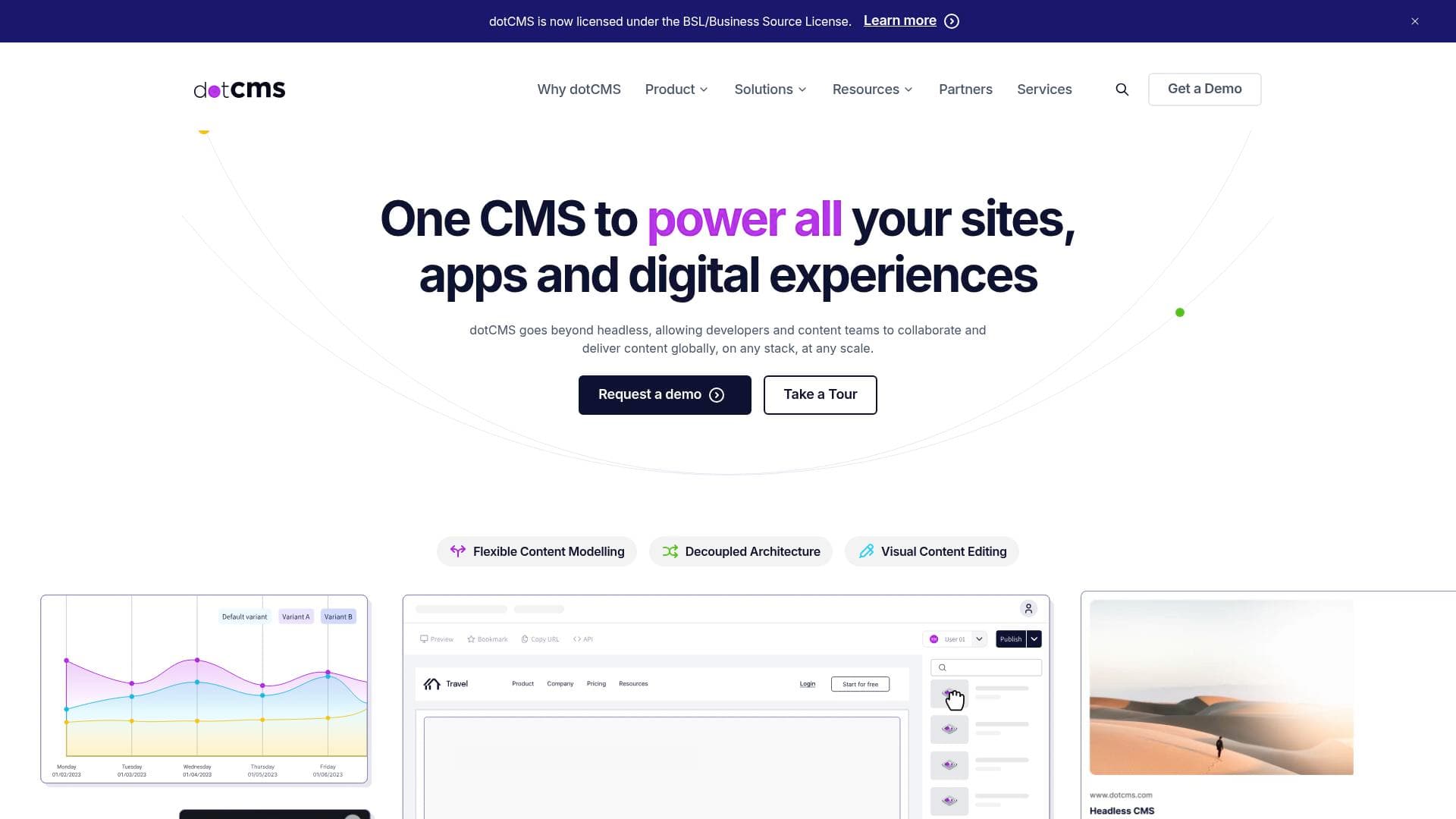
Universal Visual Editor: dotCMS includes a drag-and-drop visual editor that lets creators edit content in-context on real pages without disrupting the headless delivery layer underneath. This means no more guessing how a piece of content will look once it goes live, and no developer dependency for routine updates.
-
Multi-Site Management: One of dotCMS's defining capabilities is the ability to run hundreds or even thousands of websites from a single platform. A US hospital network manages over 1,000 sites on dotCMS, and one healthcare provider uses it to power 500+ websites. For content creators building a network of niche sites, brand properties, or regional portals, this centralized approach eliminates the chaos of juggling separate CMS instances.
-
Multi-Step Approval Workflows: Content goes through a structured pipeline before publishing, with custom roles assigned at each stage. The platform demo shows a four-step workflow covering Draft, Review, Approve, and Publish, which is ideal for creators working with editors, legal reviewers, or brand managers before content goes live.
-
Version History and Audit Trails: Every change made in dotCMS is tracked with a full audit trail and version history. Creators can see who changed what and when, making it easy to roll back to a previous version or review the editorial history of any asset.
-
Content Reuse Across Sites and Channels: dotCMS allows creators to build structured content types, widgets, and templates that can be reused across multiple brands and sites. Publishing once and distributing across channels reduces repetitive work and keeps messaging consistent.
-
Built-In Analytics: The platform includes content analytics that track engagement by asset, channel, or site. Creators can identify which content is performing best and surface it strategically across their digital footprint, without needing a separate analytics tool for content-level insights.
-
A/B Testing and Personalization: dotCMS supports A/B testing directly within the CMS, allowing creators to test content variations and iterate based on real data. Personalization features let creators target content by audience segment, location, or behavior, which is particularly valuable for creators building audience-specific experiences.
-
Headless-First APIs with REST and GraphQL: For creators working with developers or building custom front-end experiences, dotCMS provides both REST and GraphQL APIs. This makes it straightforward to deliver content to any channel, app, or platform without being locked into a specific front-end technology.
-
Flexible Deployment Options: dotCMS can be deployed on-premise, in the cloud, or through a fully managed solution called Cloud Anywhere. This gives creators and their teams the freedom to choose the infrastructure model that fits their workflow, budget, and compliance requirements.
-
Free Tier Under Business Source License: Companies with under $5 million in total finances can download and use the fully featured version of dotCMS for free, with unlimited users, unlimited content, basic workflows, and self-hosting included. This makes it accessible for independent creators and small teams before committing to a paid plan.
Which Content Creators Should Use dotCMS?
dotCMS is built for creators who have outgrown simple single-site publishing tools and need a more structured, scalable approach to content management. It suits creators who are managing multiple properties simultaneously or working within teams that require editorial oversight before anything goes live. The platform's depth makes it a stronger fit for intermediate to advanced creators rather than those just starting out with a single blog or channel.
-
Primary creator types: Multi-site bloggers and publishers managing several content properties, newsletter creators expanding into web portals, content teams at media organizations, creators building regional or brand-specific microsites, and independent creators who need structured editorial workflows with collaborators.
-
Experience level: The visual editor makes day-to-day content creation accessible without technical knowledge, but getting the most out of dotCMS, particularly the headless API layer and deployment options, benefits from some technical familiarity or a developer collaborator.
-
Team size: dotCMS is designed for teams as much as individuals. The approval workflow system, role-based permissions, and governance controls make it particularly well-suited for creator teams of two or more people where content needs sign-off before publishing.
-
Specific use cases:
- A content creator running five or more niche websites who wants to manage all of them from a single dashboard
- A blogger who has grown into a media brand and needs structured editorial workflows with editors and contributors
- A creator building audience-specific content experiences using personalization and A/B testing
- A newsletter writer expanding into a full content portal with multiple sections and contributor roles
- A creator team that needs version control and audit trails to track changes across a large content library
- A creator working in regulated industries like healthcare or finance who needs compliance-ready publishing controls
- A developer-creator hybrid building custom front-end experiences powered by headless content APIs
- A creator managing content across multiple languages or regional sites who needs multi-locale support
-
Content types: Web pages, blog posts, landing pages, microsites, portals, and any content delivered via API to apps or custom front-ends.
Getting Started with dotCMS
- Download the free version: Creators and small teams with under $5 million in total finances can access the fully featured dotCMS platform under the Business Source License at no cost, with unlimited users and content included.
- Explore the interactive demo: dotCMS offers a live walkthrough covering visual editing, previewing, versioning, and workflows so creators can see the platform in action before committing to any setup.
- Choose a deployment model: Decide whether to self-host on-premise, deploy in the cloud, or use the fully managed Cloud Anywhere option based on technical resources and budget.
- Set up content types and workflows: Build structured content models and configure multi-step approval workflows with custom roles for each stage of the publishing process.
- Connect your front-end: Use the REST or GraphQL APIs to connect dotCMS to any front-end framework, or use the Universal Visual Editor to publish directly to pages without additional development.
dotCMS FAQ for Content Creators
Is dotCMS free to use? Yes, under the Business Source License, dotCMS is free for non-production use and for companies with under $5 million in total finances. The free tier includes unlimited users, unlimited content, basic workflows, and self-hosting.
How many websites can dotCMS manage? There is no fixed cap stated for the free tier, and the platform has documented cases of managing over 1,000 sites for a single US hospital network. The Business plan supports up to 5 sites, while the Enterprise plan supports a custom number of sites.
Does dotCMS require a developer to use? Not for day-to-day content creation. The Universal Visual Editor and drag-and-drop page builder allow creators to edit and publish content visually without writing code. Developer involvement is more relevant for initial setup, API integrations, and custom front-end builds.
What front-end frameworks does dotCMS support? dotCMS is framework agnostic and works with React, Next.js, Angular, and Vue, among others. It also provides CLI tools, SDKs, and integration guides for developers.
Does dotCMS support A/B testing? Yes, A/B testing is built into the platform. Creators can run content experiments and use the results to iterate on what performs best, with personalization options available to target content by audience, location, or behavior.
What deployment options are available? dotCMS supports on-premise deployment, cloud deployment, and a fully managed option called Cloud Anywhere, giving creators flexibility based on their technical setup and compliance needs.
Is dotCMS recognized by industry analysts? dotCMS was named a Major Player in the IDC MarketScape: Worldwide AI-Enabled Headless CMS 2025 Vendor Assessment and holds a 4.2/5 star rating on G2 with over 95 verified reviews.
The Verdict: Is dotCMS Worth It for Content Creators?
dotCMS is a strong choice for content creators who have moved beyond basic publishing and need a platform that can handle multiple sites, structured editorial workflows, and content delivery across channels. The free tier under the Business Source License makes it genuinely accessible for independent creators and small teams to explore without financial risk. The combination of visual editing and headless flexibility is a real advantage for creators who want editorial control without sacrificing technical power.
That said, dotCMS is not the simplest tool to pick up for a solo creator running a single blog. Its depth is its strength, but that depth comes with a learning curve, and the full value of the platform becomes apparent when managing multiple properties or working within a team. Creators in compliance-sensitive industries or those building content networks with dozens of contributors will find the governance controls, audit trails, and approval workflows particularly valuable. For anyone scaling a content operation and needing a CMS that grows with them, dotCMS delivers a well-rounded, enterprise-grade platform with a free entry point worth exploring.
Details
One link. Every channel, rate, and piece of work brands need to evaluate you. Built for how creators actually get hired.
Claim your profile
Live creator, content, and marketing roles from real companies, with the pay, market, and context the raw job page never gives you.
Browse jobs

 Post Bridge